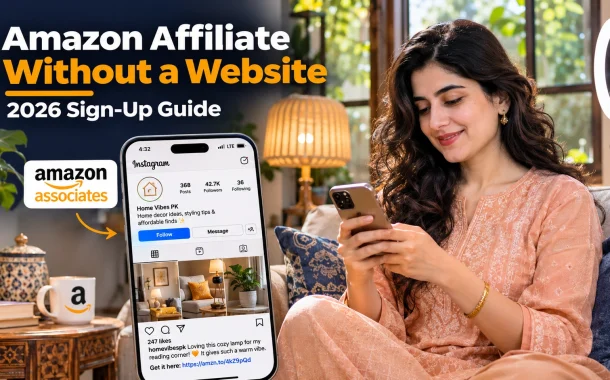
The short answer is yes. Amazon Associates accepts some social media pages in place of a website, as long as they’re public, established and full of original content. The harder part comes after you sign up, when Amazon reviews your account only after you refer three qualifying sales within 180 days. Below, we cover which platforms qualify, how to apply step by step, how the review works, how to get paid if you live in Pakistan and the rules that get new accounts closed.
Quick answer: Yes, you can join the Amazon affiliate program without a website. Amazon accepts public Facebook pages and groups, Instagram, X (Twitter), YouTube, TikTok and Twitch accounts, generally with at least 500 organic followers and around 10 original posts. After you sign up, you need three qualifying sales within 180 days for Amazon to review and approve your account. Joining is free.
Table of Contents
Can You Join the Amazon Affiliate Program Without a Website?
You can join the Amazon affiliate program without a website by listing a social media account as your site during sign-up. Amazon’s help pages say reviewers check every site you list, including social pages, mobile apps and Alexa skills. The account must be public, established and full of your own content.
Platforms Amazon Accepts
| Platform | Accepted | What Amazon expects |
|---|---|---|
| Yes, open groups and fan pages | Not personal profiles | |
| Yes | Public account, visible follower count | |
| X (Twitter) | Yes | Public account |
| YouTube | Yes | Public channel with original videos |
| TikTok | Yes | Public account |
| Twitch | Yes | Public channel |
| Mobile app | Yes | Free in Google Play, Apple or Amazon app stores |
| WhatsApp, Telegram, closed groups | Not listed | Private or closed spaces don’t qualify as sites |
What Amazon Checks
Amazon’s sign-up help page says a social page should be established, generally with at least 500 organic followers or likes. It should have plenty of original content, with about 10 posts as a rule of thumb. Posts and follower counts can’t be hidden from people who don’t follow you, and you must list the exact page URL, not just the network’s homepage.
Amazon Affiliate Program Requirements
The main Amazon affiliate program requirements are a public site or social account with original content, accurate personal and tax details, three qualifying sales within 180 days and following the program rules. There’s no fee to join, and you don’t need a registered business.
What You Need Before You Apply
- An Amazon account. Your regular shopping account works.
- A qualifying site or social page. Public, with about 10 original posts and, for social pages, roughly 500 organic followers.
- Your contact details. Name, address and phone number that match your ID.
- Tax information. Amazon asks for tax details in your account so it can pay you.
- A payment method. Bank transfer, Amazon gift card or check, depending on your country.
- A plan for traffic. Amazon asks how you’ll drive visitors and what your content is about.
How to Sign Up for the Amazon Affiliate Program Without a Website
To sign up for the Amazon affiliate program without a website, go to Amazon Associates, sign in with your Amazon account, enter your social media page URLs as your sites, describe your content and traffic, choose a Store ID and add payment and tax details.
Step-by-Step Sign-Up
- Pick the right store. Join the Associates program for the Amazon store your audience buys from. For US shoppers, that’s Amazon.com Associates.
- Sign in. Open Amazon Associates and click Sign Up. Use your existing Amazon login or create an account.
- Enter your account details. Add your name, address and phone number exactly as they appear on your ID.
- List your sites. Under websites and mobile apps, add the exact URL of each social page, such as your Instagram profile or YouTube channel. Skip any account that’s private or new.
- Build your profile. Choose a Store ID, describe what your page covers and select the product categories you’ll promote.
- Explain your traffic. Say how people find your content, such as Reels, YouTube search or Facebook groups, and roughly how many people you reach.
- Confirm and start. Review your details, accept the operating agreement and open your dashboard. Add tax and payment details right away so earnings aren’t held.
Mistakes on the Application
Don’t list a page you don’t own, a closed group or an account with hidden followers. Amazon’s help pages say rejected applications can’t be reassessed, so it’s better to wait and apply with an established page than to apply too early.
Amazon Associates Sign In and Your Dashboard
After sign-up, you sign in to Amazon Associates Central with the same Amazon email and password. The dashboard shows clicks, orders and earnings, and it’s where you create affiliate links, add new sites and update payment details. Each tracking ID you create helps you see which platform drives sales.
How to Create Amazon Affiliate Links
- SiteStripe. When you’re signed in, a toolbar appears on Amazon product pages. Click Get Link to copy a short affiliate link.
- Product Linking. Search for a product inside Associates Central and copy its link.
- Tracking IDs. Create separate IDs for Instagram, YouTube and other channels so you know which one sells.
Don’t hide Amazon links behind a link shortener in a way that makes it unclear the link goes to Amazon. Amazon’s program policies ban that.
The 180-Day Review: Three Qualified Sales
Amazon reviews your application only after you refer at least three qualifying sales within 180 days of applying. Orders you place yourself don’t count. Once you reach three sales, Amazon says it evaluates the application within a day or two and sends a decision by email.
What Counts as a Qualifying Sale
A qualifying sale is a purchase by a real customer who clicked your affiliate link and bought within Amazon’s tracking rules. Your own purchases don’t count, and Amazon’s policies also bar buying through your links on behalf of friends, relatives or business contacts. Returns and cancellations can also reduce your count.
If You Don’t Make Three Sales
If you don’t refer three qualifying sales within 180 days, Amazon can withdraw the application. You can apply again later once your site or page is more established. Amazon says it can’t reinstate an account or Associates ID after it’s been rejected, so a new application starts from scratch.
Amazon Affiliate Program Without a Website in Pakistan
People in Pakistan can promote Amazon products through the Associates program for the store their audience shops at, usually Amazon.com for US buyers or Amazon.co.uk for UK buyers. The main challenges are choosing products your audience can actually buy and setting up a payment method that works from Pakistan.
Picking the Right Store
Amazon doesn’t run a store in Pakistan, so commissions only come from shoppers in countries Amazon serves. If most of your followers live in Pakistan, few of them can complete an Amazon order, and you may struggle to reach three sales. Content in English aimed at US, UK or Canadian buyers usually works better. Amazon also offers OneLink, which sends international visitors to their local Amazon store.
How to Get Paid in Pakistan
Amazon’s payment FAQ lists three payment methods: bank transfer, Amazon gift card and check. Bank transfer is available for accounts in the US, the UK and the Eurozone. Eurozone accounts are identified by an IBAN. If you don’t have one of those accounts, a gift card or check is the fallback. Amazon’s US program sets a $10 minimum for bank transfer and gift card, and a $100 minimum plus a $15 fee for checks.
Payments arrive about 60 days after the end of the month in which you earned them. Our guide to receiving money from abroad in Pakistan explains the main options for moving foreign earnings home, and our Wise vs Payoneer comparison covers two common accounts.
Best Ways to Promote Amazon Products Without a Website
The best ways to promote Amazon products without a website are YouTube reviews, short videos on Instagram and TikTok, and public Facebook pages or groups. Each one lets you show the product, explain who it’s for and place your affiliate link where viewers can find it.
YouTube
Product reviews, comparisons and “what I use” videos work well because viewers search for them. Put your affiliate links in the description with a clear disclosure, and say on camera that you earn from purchases.
Instagram and TikTok
Short videos showing a product in use can drive quick sales. Instagram link stickers and link-in-bio pages help people find the product. Our guide to vertical video covers how to shoot clips that hold attention.
Facebook Pages and Groups
Amazon accepts open groups and fan pages, not personal profiles. Share honest recommendations, answer questions and add links only where they help. Tools from our list of social media automation tools can schedule posts across pages.
Email and Messaging
You can share Special Links in emails, text messages and direct messages only when the person has opted in to receive them. Amazon’s policies don’t allow affiliate links in printed materials, ebooks or other offline promotion.
Amazon Influencer Program vs Amazon Associates
The Amazon Influencer Program is an extension of Associates for qualifying social media creators. It adds your own storefront page on Amazon with a custom URL where you can list recommended products. Associates is the standard program that anyone with a qualifying site or social page can apply to.
Which One to Choose
Start with Associates if your page is new or modest in size, since its requirements are published and clear. The Influencer Program uses qualitative and quantitative thresholds that Amazon doesn’t fully publish, and it’s available only in select countries. Larger creators can apply to both and use the storefront as a single link in their bio.
Amazon Affiliate Rules You Must Follow
Amazon’s operating agreement and program policies set the rules for every affiliate, with or without a website. The most important ones cover disclosure, how and where you share links and who can buy through them. Breaking them is the fastest way to lose your account and unpaid earnings.
Disclosure
Amazon’s operating agreement requires you to state clearly and prominently, “As an Amazon Associate I earn from qualifying purchases,” or a substantially similar statement. In the US, the FTC’s Disclosures 101 for Social Media Influencers also asks you to disclose any financial relationship in a way followers will notice, not hidden among hashtags.
Rules That Close Accounts
- Buying through your own links, or asking friends and family to do it.
- Using affiliate links in printed materials, ebooks or other offline promotion.
- Sending links by email or message to people who didn’t opt in.
- Hiding that a shortened link goes to Amazon.
- Making false or misleading claims about products or prices.
Amazon’s program policies list the full rules, including payment thresholds and link restrictions.
Common Mistakes When Joining Without a Website
The most common mistakes are applying with a page that’s too new, listing a private account and counting on followers who can’t buy from Amazon. Each one leads to a rejected application or a 180-day window that ends without three sales.
Mistakes to Avoid
- Applying too early. Build to around 10 original posts and an engaged audience first.
- Hiding your follower count. Amazon expects follower counts and posts to be public.
- Promoting to the wrong country. Match the Amazon store to where your followers live.
- Skipping disclosure. Add the Amazon statement and a clear note in every post with a link.
- Ignoring tax and payment setup. Missing details can delay payouts.
- Relying on one platform. If a social account is suspended, your affiliate income stops with it. Many affiliates add a simple website later for more control.
FAQs
These are the questions people ask us most about joining the Amazon affiliate program without a website.
Can I join the Amazon affiliate program without a website?
Yes. Amazon Associates accepts public Facebook pages and open groups, Instagram, X (Twitter), YouTube, TikTok and Twitch accounts as sites. List the exact page URL during sign-up. Amazon’s help pages say the page should be established, generally with at least 500 organic followers or likes and around 10 original posts, and both the posts and follower count must be visible to the public.
How many followers do I need for Amazon Associates?
Amazon’s sign-up help says a social page should generally have at least 500 organic followers or likes. Bought followers don’t help and can hurt your application. Amazon also looks for plenty of original content, with about 10 posts as a rule of thumb. The Influencer Program has its own thresholds that Amazon doesn’t fully publish, so most creators start with Associates.
Is the Amazon affiliate program free to join?
Yes. There’s no fee to join Amazon Associates. You need an Amazon account, a qualifying site or social page, your contact and tax details and a payment method. Amazon may charge an account maintenance fee of up to $10 on dormant accounts that haven’t earned commission in three years, taken from unpaid commission, but there’s no cost to sign up or stay active.
How do I sign in to Amazon Associates?
Go to Amazon Associates Central for the store you joined and sign in with the same email and password you used to apply, which is usually your Amazon shopping account. If you joined several country programs, each has its own Associates Central login page. Once signed in, you can create links, check earnings, add new sites and update your payment and tax details.
Can I join the Amazon affiliate program from Pakistan?
Yes. People in Pakistan can join the Associates program for the Amazon store their audience uses, usually Amazon.com or Amazon.co.uk. Amazon doesn’t run a store in Pakistan, so commissions come only from buyers in countries Amazon serves. Aim your content at those buyers, add your tax details in the account and choose a payment method that works from Pakistan before you start promoting.
How do Amazon affiliates in Pakistan get paid?
Amazon offers bank transfer, Amazon gift card and check. Bank transfer works for accounts in the US, the UK and the Eurozone, so affiliates without one of those accounts usually use a gift card or check. In the US program, the minimum is $10 for bank transfer and gift card, and $100 for checks with a $15 fee. Payments arrive about 60 days after the month ends.
What happens if I don’t make three sales in 180 days?
Amazon can withdraw your application if you don’t refer three qualifying sales within 180 days of applying. Your own purchases don’t count. You’re welcome to reapply once your page is more established, but Amazon says it can’t reinstate a rejected account or Associates ID, so you’d start a new application. Build your audience first to give yourself the best chance.
Can I share Amazon affiliate links on WhatsApp?
You can send Special Links in direct messages only to people who opted in to receive them. WhatsApp isn’t on Amazon’s list of accepted social networks for your site list, so it can’t replace a qualifying page during sign-up. Never post links in groups where members didn’t ask for them, and always clearly disclose that you earn from qualifying purchases.
Do I need a website later to succeed as an Amazon affiliate?
Not always. Many affiliates earn from YouTube or Instagram alone. A website gives you more control, search traffic and a place to keep reviews if a social account is suspended or its reach drops. Many creators start with social media, reach their first sales, then add a simple site with honest reviews and comparisons once they know which products their audience buys.
Conclusion
Sana applied with her Instagram page once it had a steady following and well over ten original makeover posts. She switched her captions to English, focused on products her US and UK followers could order and added Amazon’s disclosure to every post with a link. She set up tracking IDs for Reels and Stories so she could see which format sold, and she sorted out her tax details and payment method before her first commission arrived.
That’s how to join the Amazon affiliate program without a website. Build an established public page first, apply with its exact URL, then focus on reaching three real sales within 180 days. Follow the disclosure and link rules from day one, and choose a payment method that works where you live. A website can come later, once you know what your audience actually buys. Which platform will you use to share your first recommendations?