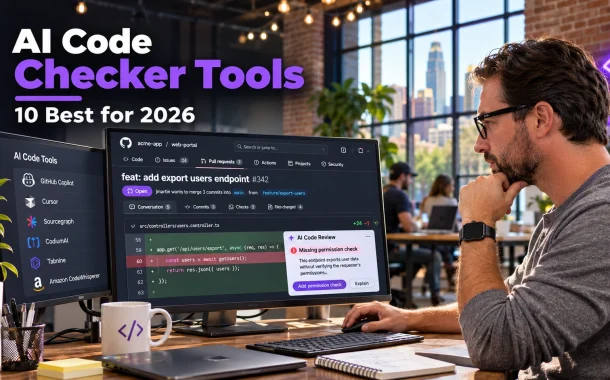
An AI code checker reads your code, or the changes in a pull request, and points out bugs, security flaws and code that will be hard to maintain. Some tools comment directly on pull requests like a human reviewer. Others run rule-based scans with AI suggestions for fixes. This ranking covers ten tools with prices taken from each vendor’s own pricing page, plus free options, ChatGPT and Python checks for developers in the US, UK, Canada, Australia and Europe.
Quick answer: The best AI code checker for most teams in 2026 is CodeRabbit for pull request reviews, with GitHub Copilot code review close behind if your team already pays for Copilot. For code quality gates, pick SonarQube Cloud. For security, pick Snyk Code or Semgrep, both with free plans. Small teams on a budget should start with Codacy, DeepSource or Semgrep’s free tier.
Table of Contents
AI Code Checker Tools at a Glance
The top AI code checker tools split into two groups. AI reviewers like CodeRabbit, Copilot, Greptile, Qodo and Bugbot comment on pull requests like a teammate. Analysis platforms like SonarQube, Snyk, Codacy, DeepSource and Semgrep scan for bugs and vulnerabilities against rules, then use AI to explain and fix them.
Top 10 Ranked
| Tool | Best for | Free plan | Paid from |
|---|---|---|---|
| CodeRabbit | AI pull request reviews | Yes, PR summaries and IDE reviews | $24 per developer a month, annual |
| GitHub Copilot code review | Teams already on GitHub Copilot | Limited, VS Code only | $10 a month (Pro) |
| SonarQube Cloud | Code quality gates | Yes, up to 50k lines of code | $34 a month (Team) |
| Snyk Code | Security scanning | Yes, 100 tests a month | $25 a month (Team) |
| Codacy | Budget all-in-one checks | Yes, IDE plugin | $18 per developer a month, annual |
| DeepSource | Static analysis plus AI review | Yes, individuals | $24 per contributor a month, annual |
| Semgrep | Free security for small teams | Yes, up to 10 contributors | $30 per contributor a month |
| Greptile | Reviews with full codebase context | No | $30 per developer a month |
| Qodo | Review rules across many repos | No, 14-day trial | Credit-based |
| Cursor Bugbot | Teams using Cursor | No | Usage-based |
What an AI Code Checker Does
An AI code checker reviews source code for bugs, security vulnerabilities, performance problems and maintainability issues, then explains each finding in plain language. The best tools run on every pull request, leave comments where the problem is and suggest a fix that a developer can accept or reject.
What It Catches
- Logic bugs. Null checks, off-by-one errors, unhandled exceptions and wrong conditions.
- Security flaws. Injection risks, broken access control and secrets in code, many of which appear in the OWASP Top 10.
- Risky dependencies. Outdated or vulnerable packages, on tools with supply chain scanning.
- Maintainability issues. Duplicated code, long functions and confusing names.
What It Can’t Do
An AI code checker can’t confirm your code does what the business needs. It doesn’t know your product rules, and it can be wrong. In the 2025 Stack Overflow Developer Survey, 46% of developers said they distrust the accuracy of AI tools, and 66% named “almost right, but not quite” answers as their top frustration. Treat every AI comment as a suggestion from a fast junior reviewer.
1. CodeRabbit: Best AI Code Checker for Pull Requests
CodeRabbit is the strongest AI code checker for pull request reviews. It reads each change in context, writes a summary, leaves line-by-line comments and offers one-click fixes. It works with GitHub, GitLab, Azure DevOps and Bitbucket, and it also reviews code in VS Code and from the command line.
Pricing and Plans
CodeRabbit’s free plan covers unlimited public and private repositories with pull request summaries, plus rate-limited reviews in the IDE and CLI. Full PR reviews start with Essentials at $24 per developer a month billed annually, or $30 monthly. Team costs $48 annually or $60 monthly and adds unit test generation. Advanced costs $72 annually or $90 monthly. Public open source projects get Team features free.
Pros and Cons
Pros
- Detailed, readable PR comments with suggested fixes
- Works across the main Git platforms
- Free Team features for open source
Cons
- Free plan doesn’t include full PR reviews
- Hourly review limits apply on every plan
2. GitHub Copilot Code Review: Best for Copilot Teams
GitHub Copilot code review is the easiest AI code checker to add if your team already pays for Copilot. You request a review from Copilot on a pull request the same way you would ask a colleague, and it leaves comments with suggested changes. It also reviews diffs inside supported editors.
Pricing and Plans
GitHub lists Copilot Free with code review limited to “Review selection” in VS Code. Paid plans that include code review start with Copilot Pro at $10 a month, then Pro+ at $39 and Max at $100. For organizations, Copilot Business costs $19 per granted seat a month and Copilot Enterprise $39. Usage limits apply, so check your plan’s monthly AI credits. GitHub’s Copilot code review documentation explains setup.
Pros and Cons
Pros
- No new vendor if you already use Copilot
- Reviews appear natively in GitHub pull requests
- Low starting price for individuals
Cons
- Only works with GitHub repositories
- Usage limits depend on your plan’s credits
3. SonarQube Cloud: Best for Code Quality Gates
SonarQube Cloud is the best AI code checker for teams that want strict quality gates. It scans every branch and pull request against thousands of rules for bugs, vulnerabilities and code smells, then blocks merges that fail your standards. It supports dozens of languages and is widely used in regulated industries.
Pricing and Plans
SonarQube Cloud’s free plan covers private projects up to 50,000 lines of code, and public open source projects are free. The Team plan starts at $34 a month for 100,000 lines of code, billed monthly, for teams under 50 developers. Sonar lists an optional AI code review add-on at $20 per user a month, billed annually, on the Team plan. Enterprise pricing comes from sales.
Pros and Cons
Pros
- Mature rule sets and clear quality gates
- Generous free tier for small codebases
- Self-managed SonarQube Server option
Cons
- Priced by lines of code, which grows with your codebase
- AI review costs extra on the Team plan
4. Snyk Code: Best AI Code Checker for Security
Snyk Code is the best AI code checker when security is the priority. It scans source code for vulnerabilities as you write, explains the risk and suggests fixes, and the wider Snyk platform also checks open source dependencies, containers and infrastructure as code from one dashboard.
Pricing and Plans
Snyk’s free plan includes 100 Snyk Code tests a month along with dependency, container and IaC scanning. The Team plan starts at $25 a month for teams of up to 10 developers and raises the Snyk Code limit to 1,000 tests a month. Enterprise uses prepaid credits through sales. Open source maintainers can apply for free access.
Pros and Cons
Pros
- Strong security focus across code and dependencies
- IDE, CLI and Git integrations on the free plan
- Clear fix guidance for each vulnerability
Cons
- Free test limits run out quickly on active teams
- Less focused on general code quality and style
5. Codacy: Best Budget All-in-One AI Code Checker
Codacy is the best budget AI code checker that covers quality and security together. It runs static analysis, secrets detection and dependency scanning on every pull request, and its AI Reviewer adds comments and fix suggestions. The free IDE plugin checks code, including AI-generated code, as you type.
Pricing and Plans
Codacy’s Developer plan is free forever for individuals, with an IDE plugin for VS Code, JetBrains and Cursor. The Team plan costs $21 per developer a month, or $18 billed annually, for up to 30 developers, and adds the AI Reviewer and merge gates on pull requests. Business pricing is custom. Open source projects are free.
Pros and Cons
Pros
- Quality, security and AI review in one tool
- Low annual price per developer
- Free IDE checks for individuals
Cons
- Team plan caps at 30 developers
- AI features vary by tier, so check the comparison table
6. DeepSource: Best for Static Analysis Plus AI Review
DeepSource combines fast static analysis with an AI review agent that reads pull requests in context. It flags bugs, anti-patterns and security issues, and it can apply autofixes and code formatting automatically. Teams that want rule-based checks and AI comments in one place get both here.
Pricing and Plans
DeepSource’s Individual plan is free for public and private repositories with unlimited static analysis. The Team plan costs $30 per contributor a month, or $24 billed annually, and includes $10 of AI review credits per contributor each month. Extra AI review is metered at $8 per 10,000 processed lines of code for standard reviews and $15 for advanced reviews.
Pros and Cons
Pros
- Free static analysis for individuals
- Bills only active contributors
- Autofix and formatting built in
Cons
- AI review usage can add metered costs
- Smaller ecosystem than SonarQube or Snyk
7. Semgrep: Best Free AI Code Checker for Small Teams
Semgrep is the best free AI code checker for small teams that care about security. Its scanner is fast and its rules are easy to read and customize. Semgrep Assistant adds AI triage, autofix suggestions and remediation guidance, which helps cut false positives.
Pricing and Plans
Semgrep’s free edition covers up to 10 contributors and 10 private repositories, with code and supply chain scanning plus 60 AI credits. Teams pricing starts at $30 per contributor a month for Semgrep Code, $30 for Supply Chain and $15 for Secrets. Enterprise is custom with unlimited repositories.
Pros and Cons
Pros
- Full-featured free plan for up to 10 contributors
- Custom rules in a readable syntax
- AI triage reduces noisy findings
Cons
- Secrets detection isn’t in the free plan
- Each product is priced separately on Teams
8. Greptile: Best for Full Codebase Context
Greptile is an AI code checker that indexes your whole repository before it reviews a pull request. That context helps it catch problems that span files, such as a change that breaks a function used elsewhere. It’s a good fit for larger codebases where a diff alone doesn’t tell the full story.
Pricing and Plans
Greptile costs $30 per developer a month and includes 50 reviews per developer each month. Each review beyond that costs $1. Greptile announced this pricing with its v4 release in March 2026.
Pros and Cons
Pros
- Understands how files connect across the codebase
- Simple per-developer pricing
- Clear overage cost
Cons
- No free plan
- Heavy reviewers can hit the monthly review cap
9. Qodo: Best for Review Rules Across Many Repos
Qodo is an AI code checker built around agentic pull request reviews and a rules system you can apply across many repositories. It also offers pre-PR review in the IDE, which helps developers fix issues before a reviewer sees them. Larger teams use it to keep standards consistent.
Pricing and Plans
Qodo doesn’t offer a permanent free plan, but its 14-day trial needs no credit card and has no limits on repositories, users or reviews. The Pro Team plan is credit-based at $0.012 per credit, pooled across the team, with packs of 2,500, 5,000 and 20,000 credits that Qodo says cover roughly 18, 36 and 144 reviews a month. Enterprise is custom for 30 or more users.
Pros and Cons
Pros
- Rules apply consistently across repositories
- Review in the IDE before opening a PR
- Free program for qualified open source projects
Cons
- No permanent free tier
- Credit-based pricing is harder to forecast
10. Cursor Bugbot: Best for Teams Using Cursor
Cursor Bugbot is the AI code checker for teams that already write code in the Cursor editor. It reviews pull requests for real bugs rather than style issues, and fixes can go straight back into Cursor. It fits teams that have standardized on Cursor for AI-assisted coding.
Pricing and Plans
In May 2026, Cursor removed Bugbot’s $40 per seat fee and moved to usage-based billing. Teams pay from on-demand spend and individuals use their plan’s included usage. Cursor says the average Bugbot run costs $1.00 to $1.50, depending on pull request size and complexity.
Pros and Cons
Pros
- Focuses on bugs, not formatting noise
- Tight link with the Cursor editor
- No seat fee since May 2026
Cons
- Costs rise with the number of reviews
- Best value only if your team uses Cursor
AI Code Checker Pricing Compared
AI code checker pricing follows three models. Per-developer plans like CodeRabbit, Codacy and Greptile are the easiest to budget. Lines-of-code pricing like SonarQube grows with your codebase. Usage-based pricing like Qodo, Bugbot and DeepSource’s metered AI review depends on how many pull requests you open.
Summary Table
| Tool | Free option | Entry paid price | Pricing model |
|---|---|---|---|
| CodeRabbit | PR summaries, IDE reviews | $24 per developer a month, annual | Per developer |
| GitHub Copilot | VS Code selection review | $10 a month, $19 per seat for Business | Per user plus credits |
| SonarQube Cloud | Up to 50k lines of code | $34 a month | Lines of code |
| Snyk | 100 code tests a month | $25 a month | Per team tier |
| Codacy | IDE plugin | $18 per developer a month, annual | Per developer |
| DeepSource | Individual plan | $24 per contributor a month, annual | Per contributor plus metered AI |
| Semgrep | Up to 10 contributors | $30 per contributor a month | Per contributor per product |
| Greptile | None | $30 per developer a month | Per developer plus overage |
| Qodo | 14-day trial | $0.012 per credit | Credits |
| Cursor Bugbot | None | Usage-based | Per run |
What an AI Code Checker Costs for a Five-Person Team
For a team of five developers, most AI code checker plans cost between about $1,000 and $1,800 a year at entry level, while Semgrep’s free edition costs nothing for teams of up to 10 contributors. The figures below use each vendor’s listed entry price.
Yearly Cost Example
| Tool and plan | Calculation | Yearly cost |
|---|---|---|
| Codacy Team, annual | $18 x 5 developers x 12 | $1,080 |
| GitHub Copilot Business | $19 x 5 seats x 12 | $1,140 |
| CodeRabbit Essentials, annual | $24 x 5 developers x 12 | $1,440 |
| DeepSource Team, annual | $24 x 5 contributors x 12 | $1,440 before extra AI usage |
| Greptile | $30 x 5 developers x 12 | $1,800 before overage |
| Semgrep free edition | Up to 10 contributors | $0 |
Free AI Code Checker Options
A free AI code checker is enough for solo developers, students and small projects. Semgrep, SonarQube Cloud, Snyk, Codacy, DeepSource and CodeRabbit all offer free plans with real limits, and public open source projects often get paid features at no cost.
Best Free Plans
- Semgrep for security scans with up to 10 contributors.
- SonarQube Cloud for quality checks on private code up to 50,000 lines.
- Snyk for 100 code security tests a month.
- Codacy and DeepSource for free individual checks.
- CodeRabbit for free PR summaries and IDE reviews.
Can ChatGPT Check Code?
Yes, you can paste code into ChatGPT or another chat assistant and ask it to find bugs or explain errors. It’s useful for learning and small snippets. It doesn’t see your whole repository, it doesn’t run on every pull request and it can miss context, so it isn’t a replacement for a checker built into your workflow. Never paste secrets, keys or private customer data into any chat tool.
AI Code Checker for Python, JavaScript and MATLAB
Every tool in this ranking supports Python and JavaScript. For Python, pair an AI code checker with standard linters like Ruff or Pylint and a type checker. MATLAB includes its own Code Analyzer, and support in third-party AI tools varies, so check each vendor’s language list before you buy. PHP teams can pair a checker with runtime tools too, as our guide to Laravel Debugbar shows.
AI Code Checker vs AI Code Detector
An AI code checker reviews code quality and security. An AI code detector tries to guess whether code was written by AI. Many students search for one when they mean the other. None of the ten tools here tells you who wrote the code, and that’s not what they’re built for.
What Students Should Know
Detectors like Turnitin’s AI writing indicator are designed around student writing, and no detector can prove who wrote a short piece of code. “Humanizer” tools that rewrite code to avoid detection don’t make it better or safer. If your course allows AI help, disclose it and make sure you understand every line you submit.
How to Choose an AI Code Checker
Choose an AI code checker by matching it to your biggest risk. Pick a PR reviewer if review speed is the bottleneck, a security scanner if you handle payments or personal data, and a quality gate if technical debt is slowing releases. Then run a free trial on real pull requests before you commit.
Five Questions to Ask
- Which Git platform do you use? Copilot code review works only with GitHub.
- What breaks most often? Logic bugs point to PR reviewers. Vulnerabilities point to Snyk or Semgrep.
- How is it priced? Per developer is predictable. Usage and lines-of-code pricing need monitoring.
- Where does your code go? Check data retention, model training policies and self-hosted options if you work in finance or healthcare.
- Does it fit your workflow? Comments should appear in the pull request, not in a separate dashboard nobody opens.
Building It Into Your Workflow
Connect the tool to your repository, start with a small set of rules and review its comments for two weeks before making any check block merges. Platforms like Noca AI can also help teams build development workflows around AI. The NIST Secure Software Development Framework recommends reviewing code for vulnerabilities as part of normal development, and an AI code checker makes that routine. Banks and fintech teams can see how this fits regulated testing in our guide to AI-driven banking app testing.
Common AI Code Checker Mistakes
The most common AI code checker mistakes are trusting every suggestion, turning on every rule at once and skipping human review for risky changes. These mistakes either let real bugs through or bury developers in noise until they ignore the tool completely.
Mistakes to Avoid
- Accepting fixes without reading them. AI suggestions can compile and still be wrong.
- Enabling every rule on day one. Start small and add rules once the team trusts the results.
- Removing human review. Keep a person on authentication, payments and data access changes.
- Ignoring AI-generated code. Code from assistants needs the same checks as human code. Our guide to vibe coding cleanup specialists shows what happens when it skips review.
- Treating a clean scan as a security sign-off. Scanners don’t replace testing. A pentest report still matters for high-risk apps.
- Forgetting production. AI features in your app need watching after release too, as our guide to AI agent monitoring explains.
FAQs
These are the questions developers and team leads ask us most about AI code checkers.
What is an AI code checker?
An AI code checker is a tool that reviews source code for bugs, security vulnerabilities and maintainability problems, then explains what it found and how to fix it. Some tools comment on pull requests like a human reviewer. Others scan code against rules and use AI to explain and fix findings. Most connect to GitHub, GitLab or Bitbucket and run automatically on every change.
What is the best AI code checker in 2026?
CodeRabbit is the best AI code checker for most teams that want pull request reviews, and GitHub Copilot code review is the easiest choice for teams already paying for Copilot. For security, Snyk Code and Semgrep lead. For code quality gates, SonarQube Cloud is the standard. The best choice depends on whether your biggest problem is review speed, security or technical debt.
Is there a free AI code checker?
Yes. Semgrep is free for up to 10 contributors, SonarQube Cloud is free for private code up to 50,000 lines, Snyk includes 100 code tests a month, and Codacy, DeepSource and CodeRabbit all have free plans. Public open source projects often get paid features free. For a single file, you can also paste code into a chat assistant, as long as it contains no secrets.
Can ChatGPT review my code?
ChatGPT can review short pieces of code, explain errors and suggest fixes, which makes it useful for learning and quick checks. It doesn’t see your full repository or run automatically on pull requests, so it misses context a dedicated AI code checker would catch. Never paste API keys, passwords or private customer data into a chat tool, and test any fix before you use it.
Are AI code checkers accurate?
They’re useful but not always right. AI code checkers find many real bugs and security issues quickly, but they also produce false positives and occasionally suggest fixes that look correct and aren’t. Developers in the 2025 Stack Overflow survey named “almost right, but not quite” answers as their top frustration with AI. Read every suggestion and keep human review for risky changes.
Can an AI code checker detect AI-generated code?
No. An AI code checker reviews code quality and security, not authorship. Tools that claim to detect AI-written code are mostly designed for text, and no detector can prove who wrote a short piece of code. If you’re a student, follow your course’s AI policy and disclose any AI help. If you’re a team, review AI-generated code with the same checks as any other code.
What is the best AI code checker for Python?
All ten tools in this ranking support Python. CodeRabbit, Copilot and Greptile give strong pull request feedback, while SonarQube Cloud, Semgrep and DeepSource add rule-based Python analysis. For the best results, combine an AI code checker with a fast linter like Ruff, a type checker and your normal test suite, so each tool catches what the others miss before code reaches production.
Do AI code checkers replace human code review?
No. AI code checkers handle the first pass, catching common bugs, security issues and style problems so human reviewers can focus on design, business logic and risk. Changes to authentication, payments and data access still need a person who understands the product. Most teams find that AI review shortens review time without removing the need for an experienced engineer to approve the change.
Is my code safe with an AI code checker?
It depends on the vendor. Check whether the tool stores your code, how long it keeps it and whether your code is used to train models. Many vendors offer zero data retention, enterprise plans with stricter controls or self-hosted options. Teams in finance, healthcare or government should review the vendor’s security documentation and data processing terms before connecting private repositories, and limit which accounts can grant repository access.
Conclusion
Owen didn’t pick one tool. His team added CodeRabbit for pull request reviews and Semgrep’s free edition for security scans, then spent two weeks tuning which comments mattered. His senior engineer still reviews every change to payments and permissions, but she now starts from a summary and a list of flagged issues instead of a blank diff. The missing permission check that started the search would now be caught on the first pass, before anyone merged it.
That’s how to get value from an AI code checker. Match the tool to the problem that hurts most, start on a free plan or trial with real pull requests and keep a human on the changes that carry real risk. Prices and features change often, so recheck the vendor pages before you commit to an annual plan. Which problem would you hand to an AI code checker first, bugs, security or review speed?