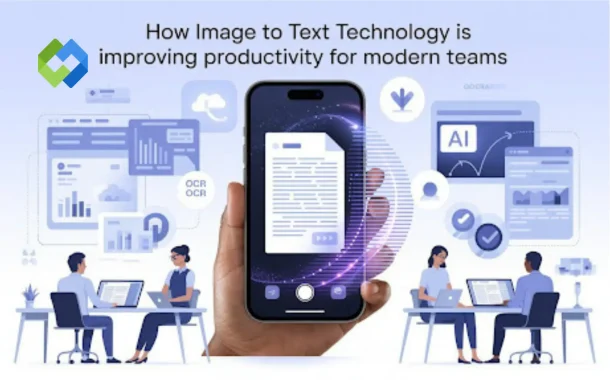
This is where image to text technology quietly changes how teams work. Instead of retyping, copying by hand, or losing time switching between tools, teams can now turn visual content into editable, searchable text in seconds. What used to feel like a small convenience has become a real productivity advantage.
In this article, we’ll explore how modern image-based text extraction works, why it matters more in 2026 than ever before, and how teams are using it to reduce friction in their daily workflows.
Table of Contents
Table of Contents
The Hidden Cost of Manual Work in Digital Teams
Manual typing is one of the most underestimated productivity drains. Individually, retyping a paragraph or copying data from an image feels minor. Over time, it adds up to hours of lost focus and unnecessary effort.
Common situations where teams lose time include:
- Copying text from screenshots shared in Slack or email
- Rewriting notes from meetings or whiteboards
- Extracting data from scanned invoices or forms
- Pulling quotes or instructions from images and PDFs
These tasks interrupt deep work and slow collaboration. Teams that rely on fast communication and clean documentation feel this friction the most.
What Image to Text Technology Really Does Today
At its core, image to text technology converts words inside an image into editable digital text. But in 2026, the process is no longer just about recognizing letters.
Modern systems use AI models that analyze images visually, understand context, and preserve structure. They can tell the difference between headings and paragraphs, recognize tables, and even interpret handwritten content.
Instead of producing a messy block of words, newer systems aim to recreate the document in a usable form — closer to how a human would read it.
Why Productivity Gains Are Bigger in 2026
The biggest shift in recent years is how AI understands documents as complete visuals, not just collections of characters.
Multimodal Understanding
Modern tools don’t only read text; they analyze layout, spacing, symbols, and context together. This allows them to:
- Detect columns and reading order
- Maintain lists and sections
- Understand handwritten notes alongside printed text
For teams, this means less cleanup after extraction and fewer manual corrections.
Faster Collaboration Across Teams
Productivity isn’t only about speed — it’s also about how easily information moves between people.
When text is locked inside images, collaboration slows down. Once extracted, that same information can be:
- Shared in project documents
- Searched inside internal tools
- Edited, commented on, or translated
- Reused across reports, emails, and presentations
This is especially helpful for distributed teams that rely on screenshots and visual references to communicate.
Real Examples of Productivity Improvements
Meeting Notes and Whiteboards
Teams often take photos of whiteboards after brainstorming sessions. Instead of rewriting those notes later, extracted text can be pasted directly into project documentation, saving time and reducing errors.
Operations and Admin Work
Office teams deal with forms, receipts, and scanned paperwork daily. Turning these images into text helps automate record-keeping and reduces repetitive data entry.
Education and Training
Students and trainers frequently work with slides, notes, and handwritten material. Converting images into editable text makes studying, revising, and sharing knowledge much easier.
Handling Imperfect Images Without Slowing Down
One reason older systems failed in real workplaces was image quality. Blurry photos, poor lighting, and uneven handwriting made results unreliable.
AI-based extraction has improved significantly in this area. Modern systems can adjust contrast, detect edges, and interpret context to deliver usable output even from imperfect images. This matters because teams rarely work with “perfect” scans in real life.
Mathematical and Technical Content Is No Longer a Barrier
A major productivity breakthrough for students and technical teams is the ability to recognize more than plain words.
Modern image-based extraction can now handle:
- Mathematical equations
- Scientific notation
- Structured technical content
Instead of retyping formulas or copying symbols manually, teams can convert them into editable formats that work with documents and research tools.
Security and Trust in Online Tools
As more teams rely on browser-based solutions, security becomes a core productivity concern. People hesitate to upload sensitive material if they don’t trust the process.
Reliable platforms now focus on encrypted uploads, short processing lifetimes, and automatic deletion. Some tools even perform processing without storing files at all, helping teams stay compliant while working efficiently.
When teams trust the tool, they use it more freely — and that’s when productivity gains compound.
Choosing the Right Tool for Everyday Workflows
Not every task requires complex software installations. For quick tasks like extracting text from screenshots, scanned pages, or phone photos, browser-based solutions often fit better into daily workflows.
Tools such as ImgOCR are designed for these moments, allowing teams to convert images into editable text using modern AI without adding friction to their existing processes. This kind of lightweight integration is often what makes a tool stick in real work environments.
In similar contexts, teams may also encounter workflows that refer to converting a picture to text, which reflects the same underlying need to make visual information usable and searchable across digital systems.
Why This Technology Keeps Gaining Importance
The way teams communicate has shifted. Visual content is everywhere — from chat screenshots to shared documents and camera photos. As long as information is shared visually, there will be a need to turn it into usable text.
Image-based text extraction doesn’t replace creativity or thinking. It removes unnecessary manual work so teams can focus on decisions, collaboration, and results.
Final Thoughts
Image to text technology has moved far beyond basic character recognition. In 2026, it plays a quiet but essential role in how modern teams stay productive. By removing friction from everyday tasks, it helps people spend less time copying and more time creating, analyzing, and collaborating.
For teams that value speed, accuracy, and smoother workflows, turning images into usable text is no longer a “nice to have.” It’s simply part of working smarter.