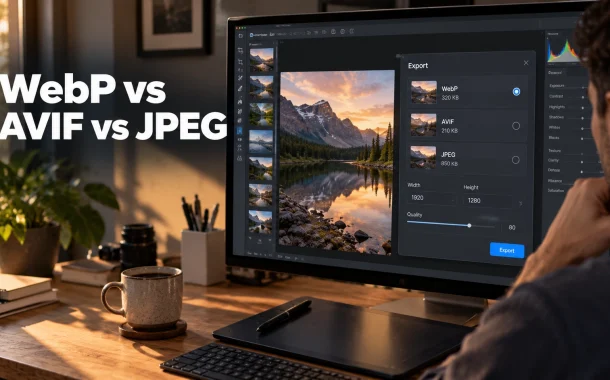
The four photographs came to 215.4 kB as JPEG. The same four at matched quality came to 153.6 kB as WebP and 114.1 kB as AVIF. That is 28.7% and 47.0% smaller, and it lands almost exactly where Google and Mozilla say it should. The more interesting number was the clock. AVIF took between 111 and 214 milliseconds per image to encode, against roughly one millisecond for JPEG. That ratio is the real reason AVIF is awkward to adopt, and it decides the format question more often than the compression numbers do.
Quick answer: Use AVIF for photographs where you control the build process, WebP as the practical default, and JPEG as the fallback inside a
<picture>element. At matched visual quality in my own test, WebP came out 28.7% smaller than JPEG and AVIF 47.0% smaller. AVIF costs roughly 100 times more encode time per image, which is what usually decides it.
Table of Contents
WebP vs AVIF vs JPEG: Which One to Use
AVIF produces the smallest files, WebP is the easiest to adopt, and JPEG is the fallback that works everywhere. For photographs on a site with a build step or an optimization plugin, serve AVIF first, WebP second and JPEG last through a <picture> element. For a site without that pipeline, WebP alone captures most of the win.
The choice is less about which format is best and more about what your publishing process can sustain every week.
| Format | Size vs JPEG at matched quality | Transparency | Animation | Progressive rendering | Adopt it when |
|---|---|---|---|---|---|
| JPEG | Baseline | No | No | Yes | Always, as the fallback |
| WebP | 28.7% smaller (measured) | Yes | Yes | No | You want one modern format and no fuss |
| AVIF | 47.0% smaller (measured) | Yes | Yes | No | You have a build step or a plugin doing the work |
| PNG | Larger for photos | Yes | No | No | Logos, screenshots, line art, anything with text |
| JPEG XL | Comparable to AVIF | Yes | Yes | Yes | Large high-resolution images, with a fallback |
Size figures are from the matched-quality test described below. Capability data from MDN’s image format reference.
The short version by image type
Photographs get AVIF or WebP. Graphics with text in them get PNG or lossless WebP, because lossy compression turns crisp letters into fuzzy outlines. Logos and icons get SVG wherever possible, since it stays sharp at any size and usually weighs less than a bitmap.
Why you still ship JPEG
JPEG has no alpha channel and needs more bytes than either modern format, but every browser ever built renders it, and its US patents expired in 2006. It costs you one extra file in the build and removes an entire category of support problem. If you need to convert a WebP image back to a more widely compatible format, a WebP to JPG tool can make that process quick and straightforward.
What I Measured, and How
Across four photographs at matched visual quality, WebP needed 28.7% fewer bytes than JPEG and AVIF needed 47.0% fewer. Per-image, WebP ranged from 20.7% to 33.6% smaller and AVIF from 40.1% to 54.3% smaller. The variation between photographs was wider than the headline averages suggest.
The method matters, because comparing files encoded at the same quality number proves nothing. Quality 80 in an AVIF encoder is not quality 80 in a JPEG encoder, so the only fair comparison fixes the output quality and lets the file size vary.
The method
I took four public-domain photographs from the scikit-image sample set, between 0.13 and 0.26 megapixels, covering a portrait, an animal, a still life and a machine. For each photograph and each format, I encoded at every quality setting from 30 upward, decoded the result, and scored it against the original using structural similarity. The first setting to reach an SSIM of 0.95 was recorded along with its file size and encode time.
That is the same basis Google uses for its own WebP claim, which specifies images are “25-34% smaller than comparable JPEG images at equivalent SSIM quality index.”
The results
| Photograph | Dimensions | JPEG | WebP | AVIF | WebP saving | AVIF saving |
|---|---|---|---|---|---|---|
| Portrait | 512 x 512 | 51.1 kB | 34.7 kB | 23.4 kB | 32.1% | 54.3% |
| Animal | 451 x 300 | 21.4 kB | 15.7 kB | 12.2 kB | 26.9% | 42.9% |
| Still life | 600 x 400 | 78.1 kB | 51.8 kB | 39.7 kB | 33.6% | 49.1% |
| Machine | 640 x 427 | 64.8 kB | 51.4 kB | 38.8 kB | 20.7% | 40.1% |
| Total | 215.4 kB | 153.6 kB | 114.1 kB | 28.7% | 47.0% |
File size needed to reach SSIM 0.95 against the original, searched across each format’s quality scale.
My 28.7% for WebP sits inside Google’s published 25 to 34% range. My 47.0% for AVIF sits just under the roughly 50% that Mozilla cites. Two independent sources and one small test agreeing this closely is about as much confidence as this topic offers.
What the encode clock said
Encode time, at those same matched-quality settings:
| Photograph | JPEG | WebP | AVIF |
|---|---|---|---|
| Portrait | 1 ms | 26 ms | 214 ms |
| Animal | 1 ms | 13 ms | 111 ms |
| Still life | 1 ms | 28 ms | 161 ms |
| Machine | 1 ms | 28 ms | 126 ms |
Encode time per image on a single CPU core, measured in the same run as the size figures.
AVIF cost roughly 100 to 200 times more encode time than JPEG and 5 to 8 times more than WebP. On one hero image that is irrelevant. On a 4,000-image product catalogue it is the difference between a build that finishes over lunch and one that does not, and it is why I push clients toward WebP when the conversion runs on the same server that handles their traffic.
Browser Support in 2026
Both formats are supported across Chrome, Edge, Firefox, Opera and Safari. AVIF is the younger of the two and arrived in Edge only at version 121, which is the support gap worth checking against your own analytics. WebP has been in every current browser for years, with a macOS caveat that still catches people out.
Version numbers matter here more than a green tick, because the tick hides how recently support landed.
The versions that added support
| Format | Chrome | Edge | Firefox | Safari | Opera |
|---|---|---|---|---|---|
| WebP | All current versions | All current versions | All current versions | 14, plus macOS Big Sur | All current versions |
| AVIF | 85 | 121 | 93 | 16.1 | 71 |
| JPEG XL | 155 | 155 | 158 | 17 | Not listed |
Browser version data from MDN’s image file type reference.
The Edge gap is the real one
Chrome shipped AVIF at version 85 and Edge did not follow until 121, despite both running on Chromium. If your analytics show a meaningful share of older Edge installs, an AVIF-only page serves them nothing. This is the single strongest argument for the <picture> element rather than swapping formats wholesale.
The Safari and macOS catch
MDN is specific that on macOS, “WebP support depends on both Safari and macOS versions. You need Safari 14 or later as well as macOS Big Sur (11) or a more recent version.” A current Safari on an older macOS is not a guarantee. It is an unusual combination now, but it exists in business environments where the operating system is pinned.
Animated AVIF came later again
Firefox supported still AVIF from 93 but animated AVIF only from 113. If you are replacing animated GIFs, test that specifically rather than assuming the still-image support date applies.
Where AVIF Is the Wrong Choice
AVIF has no progressive rendering. MDN states that “AVIF does not support progressive rendering, so files must be fully downloaded before they can be displayed.” For a large above-the-fold image on a slow connection, that means a blank space until the whole file lands, where a progressive JPEG would have shown a rough version early.
It cuts directly against the usual advice to put AVIF on your hero image, which is where this trade-off bites hardest.
Why it matters for your largest image
Google’s threshold for Largest Contentful Paint is 2.5 seconds or less at the 75th percentile of page loads, and <img> elements are LCP candidates. A smaller file usually helps that score. But a format that cannot paint anything until it is complete changes what the visitor experiences during the wait, even when the measured number improves.
MDN’s own position is that the smaller file size “often has little impact on real-world user experience,” while adding that “for larger file size the impact can become significant, and you should consider using a format that supports progressive rendering.” Test your hero image rather than assuming.
When the encode cost decides it
If conversion happens on the same server that serves your pages, and you publish in volume, AVIF’s encode cost lands on the machine your visitors depend on. A hundredfold increase in CPU time per image is not theoretical at catalogue scale. Shift that work to a build step, a queue, or an image CDN before you adopt it.
The format you can repeat beats the format that wins a benchmark
I have watched more sites lose their optimization pipeline to a fiddly AVIF setup than lose traffic to WebP’s extra few percent. If you publish weekly and the process needs a person to remember five steps, it will stop happening by March. WebP at 28.7% smaller, applied to every image, beats AVIF at 47% applied to the twelve images someone had time for.
How to Serve All Three With the Picture Element
The <picture> element lets the browser pick. You list each format as a <source> with its MIME type, ordered from most to least preferred, and finish with an <img> that carries the JPEG. MDN is explicit that if the browser “does not support the given type, the <source> element is skipped.”
This is the whole fallback mechanism, and it is about six lines.
The markup
html
<picture>
  <!-- Browsers try these in order and skip any type they cannot decode -->
  <source srcset="hero.avif" type="image/avif">
  <source srcset="hero.webp" type="image/webp">
  <!-- The img is required: it carries the fallback, the alt text and the dimensions -->
  <img src="hero.jpg" alt="Workshop bench with hand tools laid out"
       width="1200" height="675" loading="lazy" decoding="async">
</picture>
The img element is not optional
MDN describes it as serving two purposes: it “describes the size and other attributes of the image and its presentation” and it “provides a fallback in case none of the offered <source> elements are able to provide a usable image.” Your alt, width and height belong on the img, not on the sources. Leaving width and height off is how you reintroduce layout shift while fixing file size.
Combine it with srcset for real savings
Format is one axis and dimensions are the other. A single AVIF at 2,000 pixels wide, served to a phone displaying it at 390, still wastes most of its bytes. Each <source> takes a full srcset with width descriptors, so you can vary both at once.
WebP and AVIF in WordPress
WordPress has handled WebP uploads since 5.8 and AVIF since 6.5, both enabled by default where the server’s image library supports them. Neither version converts your existing library, and core does not pick a format based on the visitor’s browser. That last gap is the one that surprises people most.
Knowing exactly what core does and does not do saves you installing a plugin you may not need, or skipping one you do.
What core gives you
Upload a WebP or AVIF file and WordPress treats it like a JPEG, generating sub-sizes in the same format as the file you uploaded. To check whether your host supports it, open Tools, then Site Health, then the Info tab, and expand Media Handling to see the supported formats listed.
Lossless WebP requires Imagick rather than LibGD. Animated and transparent WebP files are not supported for resized images, and WordPress produces lossy versions instead.
What core does not give you
Three things, and each needs a plugin or code:
- No conversion of existing files. Core leaves your old library alone.
- No format negotiation. Core does not serve AVIF with a JPEG fallback, or choose a format based on what the browser supports. The WordPress team notes that “if many visitors use unsupported browsers, either avoid AVIF or use a polyfill.”
- No automatic conversion on upload. Your uploaded JPEG stays a JPEG.
That second point is why a plugin earns its place here. Tools like the ones compared in our breakdown of WP Rocket against FlyingPress handle both the conversion and the browser-aware delivery, which is the part core deliberately leaves open.
The two filters worth knowing
php
// Convert JPEG uploads to AVIF as sub-sizes are generated
add_filter( 'image_editor_output_format', function ( $formats ) {
    $formats['image/jpeg'] = 'image/avif';
    return $formats;
} );

// Set quality per format. WordPress defaults AVIF to 82; 100 means lossless
add_filter( 'wp_editor_set_quality', function ( $quality, $mime_type ) {
    if ( 'image/avif' === $mime_type ) { return 60; }
    if ( 'image/webp' === $mime_type ) { return 78; }
    return $quality;
}, 10, 2 );
WordPress sets AVIF’s default lossy quality at 82. My own test reached matched quality at AVIF settings between 59 and 84 depending on the photograph, so 82 is a defensible default that leaves real savings on the table for simpler images.
Multisite has its own trap
On a network, allowed file types are fixed when a site is created. Adding AVIF to sites that already exist means filtering site_option, not just updating a setting. If you manage several installs, our notes on WordPress management across multiple websites cover keeping that kind of per-site drift under control.
Choosing a Format by Image Type
Match the format to what the image contains, not to a single site-wide rule. Photographs compress well with lossy codecs. Anything containing text, sharp edges or flat colour does not, and will look worse at a smaller saving than a photograph would.
| Image type | First choice | Fallback | Why |
|---|---|---|---|
| Hero and banner | WebP, or AVIF if tested | JPEG | Loads early, so test perceived speed, not just bytes |
| Blog in-content photos | WebP | JPEG | Volume matters more than squeezing the last 18% |
| Product photography | WebP at high quality | JPEG | Smudgy products cost more than the bytes save |
| Product thumbnails | AVIF | WebP | Small files, many of them, encode cost is low per image |
| Screenshots with text | PNG or lossless WebP | PNG | Lossy compression mangles letterforms |
| Diagrams and charts | PNG or SVG | PNG | Flat colour and sharp edges |
| Logos and icons | SVG | PNG | Resolution independent, usually smaller |
| Animated content | Animated WebP | MP4 video | Check Firefox 113 if you choose animated AVIF |
Product images deserve a higher quality floor
My test targeted an SSIM of 0.95, which is a reasonable floor for editorial photography. For product shots I push it higher, because compression artefacts on a fabric weave or a metal edge read as poor quality rather than poor compression. Customers will not diagnose it. They will just trust the page less.
Screenshots are where people lose quality for nothing
Text inside an image is the worst case for lossy compression. A screenshot that compresses from 180 kB to 120 kB and arrives with fuzzy letters has cost you more in credibility than it saved in bandwidth. Keep those lossless.
Resize Before You Convert
An oversized image stays oversized in any format. Resizing to the dimensions you actually display saves more bytes than any format change, because file size scales with pixel count rather than with the codec you picked. Resize first, then convert, and never treat conversion as a substitute for resizing.
This single step fixes more slow sites than the whole format question, and it is the one I check first on any audit.
The order that works
- Resize to the largest dimension you actually display, plus a retina variant if you need one.
- Convert to WebP or AVIF.
- Pick a quality level and check it by eye at normal viewing size.
Why the order matters arithmetically
Halving an image’s width and height removes about three quarters of its pixels. A 4,000 pixel wide photograph displayed in a 1,000 pixel column is carrying roughly sixteen times the pixel data it needs. No codec recovers that, and AVIF’s 47% saving applied to a file that is sixteen times too large is still a bad outcome.
Checking quality without instruments
Compare the original and the compressed version at normal viewing size, then zoom into the places that fail first: faces, smooth gradients, text on signs, product edges. If you cannot see the difference, ship the smaller file. You can also use online compression tools which will set sensible defaults for you.
Do not compress the same image twice
A designer exports a compressed JPEG, someone runs it through a compressor, then a plugin compresses it again on upload. Each pass throws away detail and returns less saving than the last. Keep an uncompressed master and generate every delivered file from it.
What About JPEG XL and PNG
JPEG XL support arrived broadly during 2026, reaching Chrome 155, Edge 155, Firefox 158 and Safari 17. It compresses comparably to AVIF, supports progressive decoding where AVIF does not, and can losslessly transcode an existing JPEG so the original file can be reconstructed. PNG remains the right answer for graphics rather than photographs.
Both deserve a place in the decision, and JPEG XL is the one worth watching rather than deploying site-wide today.
JPEG XL’s genuine advantage
Progressive decoding is the thing AVIF lacks, and MDN recommends JPEG XL specifically for “large, high-resolution raster images” because “most browsers can progressively render them by displaying an initial version before the full image downloads.” For a very large hero image, that combination of AVIF-class compression and progressive paint is the best of both.
The lossless JPEG transcoding is the other draw. It means an archive of JPEGs can be shrunk and later restored bit for bit, which no other format on this list offers.
Why I am not moving clients to it yet
Support is new. Safari does not support progressive download of JPEG XL even though other browsers do, Opera is not listed as supporting it at all, and WordPress core has no handling for it. MDN’s own advice is to “provide an alternative format such as AVIF, WebP, or JPEG with the <picture> element.” Add it as a first <source> if you like. Do not depend on it.
PNG’s remaining job
PNG is lossless, which makes it right for screenshots, diagrams and line art, and it handles transparency with clean edges. It is also very good at being large, so keep it away from photographs. Lossless WebP is typically 26% smaller than the same image as PNG, which makes it a straight upgrade where support allows.
How to Migrate an Existing Library Without Breaking It
Convert in place rather than replacing URLs, keep the originals, and verify nothing 404s afterwards. Most migrations go wrong in one of two ways: the original masters get deleted, or image URLs change and old references break. Both are avoidable with an ordered process.
I have cleaned up both outcomes, and the second is considerably more painful than the first.
The sequence
- Back up the uploads directory. Not the database, the actual files.
- Keep the originals. Convert to new files alongside them, never over them. WordPress keeps the originally uploaded file by design, and so should your plugin.
- Convert the heaviest pages first. Find your largest images rather than starting alphabetically. The hero and the top landing pages carry most of the benefit.
- Serve with fallbacks from the start. Do not switch a page to AVIF-only and discover the Edge gap from a support ticket.
- Check for broken references. A conversion that rewrites URLs can orphan images referenced in older posts, custom fields or theme templates. Our free broken links checker will surface those before a visitor finds them.
- Re-measure. Compare before and after on the same pages, on a throttled connection.
Why conversion sometimes shows no improvement
Three causes account for nearly all of it. The images were converted but never resized, so they were always too large. The most important image was missed, usually the hero or a large product photo above the fold. Or the files were already compressed, repeatedly, and there was little left to recover.
Site speed also is not only images. A slow lookup before the first byte arrives sets the ceiling on everything after it, which is worth checking separately, as our piece on how DNS affects website speed sets out.
Keep a written standard
Write down the maximum display width for each image slot, the format order, and the quality per format. Four lines in a document. Without it, every new person on the site invents their own numbers, and the pipeline drifts back toward uploading whatever came out of the camera. The same argument applies to the rest of a site’s foundations, which is the case our article on structure over style in web design makes at the layout level.
Frequently Asked Questions
Is AVIF better than WebP?
AVIF produces smaller files. In my matched-quality test it needed 47.0% fewer bytes than JPEG against WebP’s 28.7%, so roughly a quarter less than WebP for the same visual quality. AVIF also costs far more encode time, around 5 to 8 times WebP’s in the same run, arrived in Edge only at version 121, and cannot render progressively. WebP remains easier to adopt and to apply consistently across a whole library.
Should I use WebP or AVIF for my website?
Use WebP if you want one modern format applied everywhere without changing your workflow. Use AVIF if conversion happens in a build step, a queue, or an image CDN rather than on the server handling your traffic, and serve it with a WebP or JPEG fallback through a <picture> element. Most WordPress sites get the better outcome from WebP applied consistently to every image.
How much smaller is AVIF than JPEG?
In my test across four photographs at matched visual quality, AVIF needed 47.0% fewer bytes than JPEG, ranging from 40.1% to 54.3% depending on the image. Mozilla cites roughly 50% for visually similar compression levels, so the measured result sits comfortably inside the published figures. The saving varies considerably with subject matter, so a single headline percentage will not predict what your own library does.
Does WebP reduce image quality?
Lossy WebP discards detail, as lossy JPEG does, but it reaches the same visual quality in fewer bytes. Google measures its own format as 25 to 34% smaller than JPEG at equivalent SSIM quality, and my test came out at 28.7%. WebP also offers a lossless mode for graphics and screenshots. Quality loss comes from choosing too low a setting, not from the format itself.
Do all browsers support AVIF in 2026?
All current major browsers support it: Chrome from version 85, Firefox from 93, Opera from 71, Safari from 16.1 and Edge from 121. The Edge date is the one to note, since it is far later than Chrome’s despite the two sharing an engine. Animated AVIF in Firefox needs version 113 or later. Serve a fallback through <picture> rather than assuming coverage.
Does WordPress support AVIF?
Yes, since WordPress 6.5, enabled by default where your server’s image library supports it. To confirm, open Tools, then Site Health, then the Info tab, and expand Media Handling to see the formats listed. Core generates sub-sizes in whatever format you uploaded, but it does not convert your existing library, does not convert JPEG uploads automatically, and does not serve AVIF with a browser-aware fallback.
Why is my site still slow after converting to WebP?
Usually because the images were converted but never resized. A 4,000 pixel wide file displayed in a 1,000 pixel column wastes roughly fifteen sixteenths of its pixel data, whatever format it is in. Other common causes are missing the hero image entirely, compressing files that were already compressed, or a bottleneck that has nothing to do with images, such as slow DNS resolution or a slow server response.
Is JPEG dead?
No, and it is still the right fallback. JPEG renders in every browser ever shipped, its US patents expired in 2006, and progressive JPEG paints an early rough version that neither WebP nor AVIF can. It needs more bytes for the same quality, so it should not be your first choice for photographs, but removing it from a <picture> element buys nothing and risks something.
Should I use AVIF for my hero image?
Test it rather than assuming. AVIF cannot display until the file has downloaded completely, so on a slow connection a large AVIF hero shows nothing where a progressive JPEG would show a rough version early. The byte saving often outweighs this, and MDN says the impact is frequently small, but for your single largest above-the-fold image it is worth measuring.
What is the best format for screenshots and images with text?
PNG, or lossless WebP if PNG is too heavy. Lossy compression blurs letterforms, and text is the first thing in an image to visibly degrade. Lossless WebP is typically 26% smaller than the same image as PNG according to Google’s figures, which makes it a straight improvement wherever browser support allows. Avoid low-quality JPEG for anything containing text, since the saving is small and the damage is obvious.
Do I need a plugin, or will WordPress handle it?
You need something beyond core for two jobs: converting the images you already have, and choosing a format based on the visitor’s browser. WordPress core does neither, and the project tracks the format-negotiation gap as an open ticket. Core handles uploads and sub-size generation in modern formats perfectly well, so a plugin is for migration and delivery rather than for basic format support.
Does image format affect SEO rankings?
Not directly, but page speed feeds Core Web Vitals, and images are often the heaviest thing on a page. Google’s threshold for Largest Contentful Paint is 2.5 seconds at the 75th percentile, and <img> elements count as LCP candidates. Smaller images usually improve that score. Format choice is a means to that end, not a ranking factor of its own.
Conclusion
The WebP vs AVIF vs JPEG question has a measured answer and a practical one, and they are not the same. Measured, AVIF wins: 47.0% fewer bytes than JPEG at matched visual quality in my test, against WebP’s 28.7%. Practically, the format you apply to every image beats the format you apply to the images someone had time for, and AVIF’s hundredfold encode cost decides that trade-off more often than its compression does.
So serve all three. Put AVIF first in a <picture> element, WebP second, JPEG on the img, and let the browser choose. On WordPress that means a plugin, because core will not negotiate formats for you. And resize before you convert, because an oversized AVIF is still an oversized image and no codec fixes a file built for a billboard.
The one place I would stop and test rather than follow the rule is the hero image, where AVIF’s lack of progressive rendering changes what a visitor sees during the wait even when the measured number improves. Which image on your site is actually the largest one, and when did you last check its real delivered size on a phone?