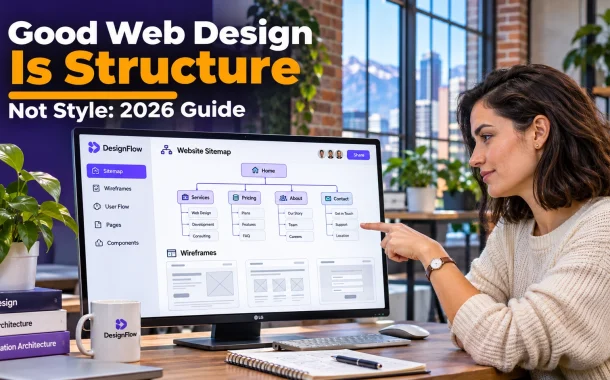
Good web design is really about structure. Structure decides how content is grouped, how pages connect, what visitors see first and how quickly they can finish what they came to do. Style then makes that structure look and feel like your brand. Get the order wrong and you end up redesigning the visuals every year while the real problems stay. Below we explain what website structure means, the main types of site structure, how navigation, speed, accessibility and consistency fit in, and a step-by-step way to plan structure before any visual design starts. The guidance draws on usability research and Google’s own documentation, and applies to business sites in the US, UK, Canada, Australia and Europe.
Quick answer: Good web design starts with structure, not style. Structure covers information architecture, navigation, page hierarchy, internal links, speed and accessibility. It decides whether visitors can find what they need and whether search engines can understand your site. Visual style matters, but it should support a clear structure rather than cover up a confusing one.

Table of Contents
What Good Web Design Really Means
Good web design means a site that helps visitors reach their goal quickly and confidently, whether that’s finding a price, booking a call or buying a product. Looks support that goal, but the foundation is how content is organized, labeled and connected. A beautiful site that confuses people isn’t good design.
Structure vs Style
Structure is the skeleton: which pages exist, how they’re grouped, how they link and what appears in what order on each page. Style is the skin: colors, typography, imagery and motion. Style can be refreshed in weeks. Fixing a weak structure usually means rebuilding pages, menus and URLs.
Why Structure Comes First
The Nielsen Norman Group explains the difference in its article on information architecture vs navigation. It describes information architecture as the site’s underlying structure that users don’t see directly, with navigation as the visible layer on top. It also warns that choosing navigation based on looks alone can force you to compromise the ideal structure.
Good Web Design Starts With Information Architecture
Website structure is how your pages are organized into a hierarchy and connected through links. Information architecture (IA) is the planning behind it, covering which content you need, how it’s grouped and what each section is called. Good web design depends on getting both right before wireframes or visual mockups begin.
The Four Common Types of Website Structure
Adobe’s guide to types of website structures describes four main models:
| Structure type | How it works | Best for |
|---|---|---|
| Hierarchical | A home page branches into categories, then individual pages | Most business sites, blogs and stores |
| Sequential | Users follow a fixed step-by-step path | Checkouts, onboarding and sign-up flows |
| Matrix | Users choose their own path through links and search | Large content libraries and knowledge bases |
| Database | Pages are generated from tagged content and metadata | Listings, product catalogs and directories |
Flat vs Deep Hierarchies
A flat structure keeps important pages close to the home page, while a deep structure buries them under many levels. Most small business sites work best fairly flat, with key service pages reachable from the main menu. Deep structures make sense only when you have a large amount of content that needs clear grouping.
Clear Navigation Makes Everything Easier
Navigation is the part of your structure visitors actually see and use. When someone lands on any page, they should understand where they are and where to go next without thinking. Clear menus, logical page flow and descriptive labels matter more than clever design or extra features.
Write Menu Labels People Recognize
Use plain words your visitors already use, such as “Services,” “Pricing” and “Contact,” rather than creative labels that need decoding. Keep the main menu short and group related pages under clear categories. If users have to guess what a label means, many will leave instead.
Test the Few-Clicks Question
Ask someone new to your site to find a specific piece of information, such as your prices or opening hours. Watch where they click. If they struggle, the structure needs work, not the colors. Our guide to UI and UX red flags on vacation rental sites shows how small navigation problems cost real bookings.
Use Breadcrumbs and Related Links
Breadcrumbs show visitors where they are in the hierarchy and let them step back up a level. Related links at the end of a page suggest a logical next step. Both reduce dead ends, especially on sites with many service or product pages.
Why Website Structure Matters for SEO
Website structure matters for SEO because search engines discover and understand pages through links. A clear hierarchy with descriptive internal links helps Google find every important page and see how pages relate. Good web design and SEO share the same foundation, which is content that’s well organized and easy to reach.
Make Links Crawlable and Descriptive
Google’s link best practices say Google generally follows links built with an <a> element and an href attribute. It recommends descriptive anchor text over phrases like “click here,” and says every page you care about should be linked from at least one other page on your site.
Use Headings to Show Page Hierarchy
Each page should have one main heading and logical subheadings underneath. That helps visitors scan and helps search engines understand the topic of each section. Adding structured data can also help search engines read key details, as our guide on how to add schema markup explains.
Performance Is Part of the Structure
A slow website frustrates visitors no matter how good it looks. Speed affects how long people stay, how many pages they view and how your pages perform in search. Treat performance as part of the structure of every page, because heavy layouts, unused scripts and oversized images are design decisions too.
Know the Core Web Vitals Targets
web.dev’s article on how Core Web Vitals thresholds were defined lists good scores as a Largest Contentful Paint of 2.5 seconds or less, an Interaction to Next Paint of 200 milliseconds or less and a Cumulative Layout Shift of 0.1 or less. A page counts as good when at least 75% of visits meet each target.
Design Lighter Pages
Optimize images, cut unnecessary scripts and avoid loading large sliders above the fold. Modern image formats keep photos sharp at smaller sizes, as our comparison of WebP vs AVIF vs JPEG shows. A lightweight theme also helps, and our Kadence WordPress review covers one popular option.
Accessibility Is Part of Good Web Design
Accessible websites are built on clear structure. People using screen readers, keyboards or voice control move through a page by headings, landmarks and links, so a page with a logical structure is easier for everyone to use. Good web design treats accessibility as part of the foundation rather than a fix added later.
Use Headings and Page Regions Properly
The W3C’s page structure module explains that assistive technologies use heading levels to help people understand and move through content. It recommends marking up regions such as the header, navigation, main content and footer with proper HTML elements, and giving every page a descriptive title.
Don’t Rely on Visuals Alone
Color, size and position shouldn’t be the only way to show meaning. A red button labeled “Delete” works for more people than a red icon with no text. Clear labels, visible focus outlines and a logical reading order make the same structure usable for keyboard and screen reader users.
Consistency Builds Trust
When a website feels consistent, visitors trust it more and learn it faster. That includes layout, colors, tone and how information is presented from page to page. Consistency is structural as much as visual, because it depends on reusing the same page templates and patterns across the whole site.
Keep Layouts and Components Predictable
Consistency makes your site easier to understand, because visitors know what to expect as they move from one page to another. Buttons should look and behave the same everywhere, forms should be simple and predictable and similar pages should follow the same layout.
Learn From Systems Outside Web Design
Good structure shows up in many fields where organization and control matter. Systems like door access control systems rely on clear rules, so only the right people can enter the right spaces through a simple, reliable process. A website works the same way, guiding each visitor through a clear path to what they need.
How to Plan Website Structure Before Design
Planning website structure before visual design saves time and redesign costs later. The process starts with your visitors’ goals, moves through a content inventory and grouping, and ends with a sitemap and wireframes. Only once the structure is agreed should colors, fonts and imagery come in.
Step 1: List Visitor Goals
Write down the top tasks people come to your site to complete, such as checking prices, comparing services, booking a call or reading guides. Every page should support at least one of these goals. Pages that support none are candidates to merge or remove.
Step 2: Inventory and Group Your Content
List every page and piece of content you have or need. Group related items together, and test your groupings with card sorting, where a few real users sort topics into categories that make sense to them. Their labels often beat the ones you’d choose internally.
Step 3: Draw a Sitemap and Wireframes
Turn the groups into a sitemap showing the hierarchy, then sketch simple wireframes of key pages without colors or images. Wireframes show what appears first, where calls to action sit and how pages link. Review them with real users before any visual design starts.
Step 4: Apply Style to Support the Structure
With the structure agreed, design the visual layer to highlight what matters most on each page. If you’d rather have specialists plan it for you, a web design agency can map out the structure before any visual work begins. Either way, style should make the structure easier to use, never harder.
FAQs
Quick answers to common questions about structure in web design.
What makes good web design?
Good web design helps visitors find what they need quickly and complete their goal with confidence. It starts with clear structure, including logical page groupings, simple navigation, descriptive headings and internal links. It also needs fast pages, accessible markup and a consistent look across the site. Visual style matters, but it works best when it supports that structure rather than replacing it.
What is website structure in web design?
Website structure is the way pages are organized and connected. It includes the hierarchy of pages from the home page down, the menus and links between them and the order of content on each page. A clear structure helps visitors move around easily and helps search engines discover and understand every important page on the site, including new pages you add later.
What are the main types of website structure?
The four common types are hierarchical, sequential, matrix and database structures. Hierarchical sites branch from a home page into categories and pages, sequential structures guide users through fixed steps, matrix structures let users choose their own path through links and search, and database structures generate pages from tagged content. Most business websites use a hierarchical structure with some sequential flows.
Why is website structure important for SEO?
Search engines find and understand pages by following links. A clear hierarchy with crawlable, descriptive internal links helps Google discover every important page and see how topics relate. Google recommends that every page you care about is linked from at least one other page on your site. Logical headings and clean URLs also help search engines understand what each page covers.
Is web design more about function or looks?
Function comes first, and looks support it. A site that looks great but is hard to use, slow or confusing loses visitors, while a clear and fast site with simple visuals can perform very well. The strongest websites combine both, using visual design to highlight important content, guide attention and build trust on top of a solid, well-planned and tested structure.
How do I plan a website structure?
Start by listing the main tasks visitors want to complete. Then inventory your content, group related pages and test the groups with card sorting. Turn those groups into a sitemap that shows the page hierarchy, sketch wireframes for key pages and review them with real users. Only add colors, fonts and imagery once the structure has been agreed and tested.
How many clicks should it take to reach a page?
There’s no fixed rule, but important pages such as services, pricing and contact should be easy to reach from the main menu. What matters more than the exact number of clicks is whether each click feels obvious. If visitors always know exactly which link to choose next, a page three levels deep can still be easy to find and use.
What is the difference between information architecture and navigation?
Information architecture is the underlying structure of a site, covering what content exists, how it’s grouped and what each part is called. Navigation is the visible interface built on top of it, such as menus, breadcrumbs, filters and related links. The Nielsen Norman Group describes information architecture as the backbone of the site and navigation as the part users actually see.
Conclusion
Good web design is about more than appearance. It’s about building a clear, reliable experience that helps people find what they need, trust what they see and take the next step. Colors, fonts and imagery shape how a site feels, but structure decides whether it works.
When your structure is right, everything else becomes easier. Navigation makes sense, pages load faster, search engines understand your content and accessibility improves for every visitor. Plan the structure first, from visitor goals and content groups to a sitemap and wireframes, then let style support it. Review your structure whenever you add new services or content, so the site stays easy to use as it grows. Small fixes, such as clearer menu labels or a lighter homepage, often do more than a full visual redesign. Focus on how your site works, not just how it looks, and good web design will follow. Which part of your website’s structure would a new visitor find hardest to use today?