

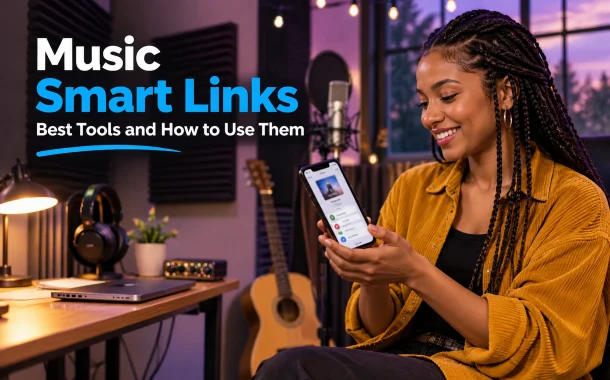
That’s what music smart links do. A music smart link is one short URL that takes each fan to your song on the streaming service they actually use, while tracking where clicks come from. Below we explain how smart links work, compare the best free and paid smart link tools like Linkfire, Feature.fm, Hypeddit, DistroKid HyperFollow and song.link, and show how to design smart links for pre-saves, release day, merch, tickets and influencer campaigns, plus the analytics and privacy settings that make them worth using.
Quick answer: Music smart links are single URLs that send fans to a song or album on their preferred platform, such as Spotify, Apple Music or YouTube Music. Free tools like Feature.fm, Hypeddit, song.link and DistroKid HyperFollow create them in minutes. Paid tools like Linkfire add pre-release links, retargeting pixels and deeper analytics for serious campaigns.
Table of Contents
What Are Music Smart Links?
Music smart links are short URLs that open a landing page or redirect showing every place to listen to a release. They detect the fan’s device and country, open the right app and record each click. Artists use them in bios, ads, emails and posts instead of pasting a different link for every platform.
How Music Smart Links Work
| Feature | What it does |
|---|---|
| Multi-platform landing page | Lists Spotify, Apple Music, YouTube Music, Amazon Music, TIDAL, Deezer and more |
| Deep linking | Opens the fan’s app directly instead of a web page |
| Geo detection | Sends fans to the right regional store |
| Pre-save | Saves an upcoming release to the fan’s library |
| Click analytics | Shows clicks by platform, country and source |
| Tracking pixels | Lets you retarget visitors with ads |
Smart Link vs Link in Bio
A smart link is built for one release, while a link-in-bio page lists everything about an artist. Many tools now offer both, so you can link your bio page to each new smart link.
Best Smart Links for Music Compared
The best smart links for music depend on budget and how much data you need. Free tools cover most independent artists, while paid tools add pre-release links across every platform, retargeting pixels and longer analytics history. Labels and managers usually choose paid plans for ad-heavy campaigns.
Smart Link Tools Compared
| Tool | Free option | Paid plans | Best for |
|---|---|---|---|
| Linkfire | Free trial only | From about $27 a month | Labels, ads and pre-release links |
| Feature.fm | Free plan with limits | Basic and Artist plans | Pre-saves and fan data |
| Hypeddit | Free Rookie plan | Basic and Pro plans | Download gates and growth |
| DistroKid HyperFollow | Free with DistroKid | Included in DistroKid plans | DistroKid artists |
| song.link (Odesli) | Free | None needed | Quick links to all platforms |
| Linktree | Free plan | Paid tiers | Link in bio with music features |
| Dynamoi | Free | None for links | Free links with pixels |
Pricing and limits come from each tool’s site and Dynamoi’s comparison of free smart link tools. Check current plans before you commit.
Free Smart Links for Music
If you’re starting out, use song.link for quick links to every platform, HyperFollow if you distribute through DistroKid and Feature.fm’s free plan for basic pre-saves. Free plans usually limit pre-save services, pixels or analytics history.
How to Create Music Smart Links
You can create music smart links in a few minutes with any smart link generator. Paste a Spotify, Apple Music or UPC link, and the tool finds the release on other platforms automatically. Then customize the page, add tracking and share the short URL everywhere you promote the release.
Steps to Build a Smart Link
- Distribute your release and get its UPC or ISRC.
- Paste the Spotify or Apple Music link into a smart link generator.
- Check every platform matched correctly and add any missing ones.
- Upload artwork and set a custom short URL.
- Add pre-save, email capture or merch buttons.
- Add your Meta or Google tracking pixels.
- Share the link in your bio, posts, ads and emails.
Apple Music Link Generator
Apple offers free Apple Music marketing tools that create official links, badges and embeds for your songs. For release pages on your own store, artists can upload it to Apple Music through a distributor first, then build smart links around the live release.
Designing Music Smart Links for Pre-Save Campaigns
A pre-save smart link lets fans add your upcoming release to their library before it goes live, so it appears in their feed on release day. Good pre-save links use deep linking to open the right app and fallback logic to send fans to the web if the app isn’t installed.
Pre-Save Checklist
| Step | Why it matters |
|---|---|
| Launch the pre-save 2 to 4 weeks early | Gives time to build saves |
| Include Spotify and Apple Music pre-adds | Covers most listeners |
| Offer email capture | Builds your own fan list |
| Use a clear call to action | “Pre-save now” beats “Listen” before release |
| Switch to a release link on launch day | Fans land on the live song |
Pair With Spotify Tools
Spotify for Artists offers its own Countdown Pages for upcoming releases, which work well alongside your smart link.
Tracking Music Smart Links With UTM Parameters
Smart links show more than total clicks. Add UTM parameters to each link you share, such as utm_source=instagram and utm_campaign=release, and your analytics will show which posts, ads and emails sent fans to each platform. That data tells you where to spend time and ad money on the next release.
Example UTM Setup
| Channel | Example tag |
|---|---|
| Instagram bio | ?utm_source=instagram&utm_medium=bio |
| TikTok ad | ?utm_source=tiktok&utm_medium=paid |
| Email newsletter | ?utm_source=newsletter&utm_medium=email |
| YouTube description | ?utm_source=youtube&utm_medium=video |
Google’s free campaign URL builder creates these tags without typos.
What to Measure
Track click-through rate from each channel, the share of clicks going to each platform, pre-save conversions and countries. Music smart link analytics in paid tools also show streaming insights after launch.
Smart Links for Multi-Platform Streaming
Multi-platform smart links give every listener one clean URL that adapts to their device and country. A fan in Mexico lands on the Mexican Spotify store, while a fan in Germany opens Apple Music Germany. You can show a page with all options or redirect straight to the fan’s preferred platform after their first click.
Landing Page or Direct Redirect?
| Option | Pros | Cons |
|---|---|---|
| Landing page with all platforms | Fans choose, more data | One extra tap |
| Auto-redirect to remembered service | Fastest for repeat fans | Fans can’t see other options |
| Single-platform link | Simple for focused campaigns | Misses fans on other apps |
Song Link to All Platforms
For quick sharing, song.link creates a free song link to all platforms from any streaming URL, with no account needed.
Smart Links for Merch, Tickets and Influencers
Music smart links don’t need to stop at streaming. You can add buttons for merch, tickets, videos and newsletters, and route fans to the right regional store. For influencer campaigns, set Open Graph artwork and titles so every shared link shows clean album art on Instagram, X and Facebook.
Merch and Ticket Routing
Send fans in the US to your Shopify store and fans abroad to a regional distributor. Use secure HTTPS links and official ticket partners, so fans aren’t sent to resellers.
Influencer-Ready Previews
Set the preview image, title and description for each link, because creators share them on platforms like Instagram, X, or Facebook where previews decide who taps. Pair links with short vertical videos and printed custom QR codes on posters and merch.
Privacy and Data for Music Smart Links
Smart links collect click data, and some collect emails and pixel data for ads. Fans in the EU and UK are protected by GDPR, so show clear consent notices before setting tracking pixels or collecting emails. Good tools anonymize IP addresses and let you export or delete fan data on request.
Privacy Checklist
| Practice | Why it matters |
|---|---|
| Cookie consent for pixels | Required in many regions |
| Clear opt-in for emails | Builds trust and meets privacy laws |
| Anonymized analytics | Protects fans’ personal data |
| Data export and deletion | Lets you answer fan requests |
Own Your Audience
Email lists you build through smart links belong to you, unlike followers on a platform. Our guide to music video automation shows how lean teams keep that audience engaged.
FAQs
Here are answers to common questions about music smart links.
What are smart links for music?
Smart links for music are single URLs that send fans to a song, album or pre-save on the streaming platform they use, such as Spotify, Apple Music or YouTube Music. They show a landing page with every service, detect the fan’s device and country and track clicks. Artists use them in bios, ads and emails instead of separate platform links.
What is the best free music smart link generator?
Good free options include song.link for quick links to every platform, Feature.fm’s free plan for basic pre-saves, Hypeddit’s free Rookie plan for download gates, DistroKid HyperFollow for DistroKid artists and Dynamoi for free links with pixels. The best choice depends on whether you need pre-saves, email capture or ad tracking for your release campaigns, so test two before your next single.
Is Linkfire worth it?
Linkfire suits labels, managers and artists running paid ads, because it offers pre-release links across major services, retargeting pixels and detailed analytics. It has a free trial but no free plan, with paid plans starting around $27 a month. Independent artists releasing occasionally can often get enough from free tools before paying for Linkfire, then upgrade once ads become a regular part of releases.
What is SmartURL for music?
SmartURL is a smart link service that creates short, trackable URLs for releases, sending fans to the right store or streaming platform. Like other music smart links, it routes fans by device and location and reports clicks. Many independent artists and labels now use alternatives such as Linkfire, Feature.fm or Hypeddit, which add pre-saves, landing pages, email capture and deeper analytics.
How do I make a song link to all platforms?
Paste your Spotify, Apple Music or YouTube link into song.link, Feature.fm or another smart link generator. The tool finds the same release on other platforms and creates one URL with all of them. Check each platform matched correctly, add custom artwork and a short URL, then share the link. DistroKid users get a HyperFollow page automatically for every release they upload.
Do music smart links help streams?
Smart links don’t add streams directly, but they remove friction. Fans land on their own app instead of a platform they don’t use, so more clicks turn into plays and saves. Pre-saves can also help a release appear in fans’ feeds on launch day. Analytics show which channels drive real listening, so you can focus your promotion budget on what works.
Can I track music smart link analytics?
Yes. Most smart link tools show clicks by platform, country and device, and paid plans add longer history, retargeting pixels and streaming insights. Add UTM parameters to each link you share, so you can see which posts, ads and emails perform best. Free plans often limit analytics to the last 7 to 28 days, so export reports after each release.
Are music smart links safe for fans?
Smart links from reputable tools are safe and use secure HTTPS connections. Fans should still check that a link goes to the artist’s official page before entering any details, because scammers sometimes copy release pages. Artists should use trusted tools, enable consent notices for tracking pixels and avoid collecting more personal data than they need for their campaigns or ads.
Conclusion
Music smart links turn one short URL into a gateway to every platform your fans use. They detect each fan’s device and country, open the right app, power pre-save campaigns and show which channels drive real listening. Free tools like song.link, Feature.fm, Hypeddit and DistroKid HyperFollow cover most independent artists, while Linkfire and other paid tools suit ad-heavy campaigns.
Our singer client roughly doubled her release-week saves just by replacing five scattered links with one well-designed smart link. Launch pre-saves early, tag every link with UTM parameters, add merch and ticket buttons and respect fans’ privacy with clear consent. Review the analytics after each release, note which channels drove saves and adjust your next campaign. Start with a free tool, learn what your fans click and upgrade only when your campaigns need pixels or longer analytics history. Which tool will you use for your next music smart links?