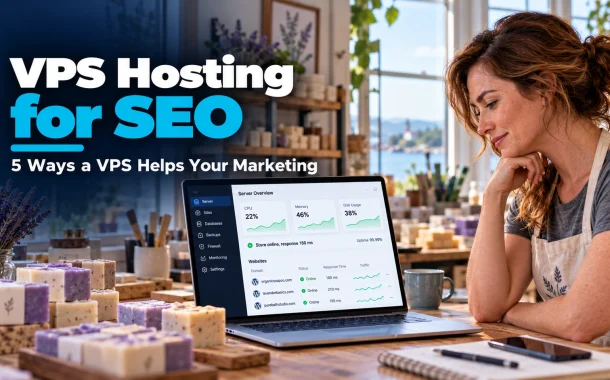
Our honest answer surprised her. A VPS won’t push a site up Google by itself. What it gives you is control: dedicated resources, a server you can tune, and room to run tools that shared plans block. Those things help marketing work, from page speed to campaign traffic to tracking. We moved Laura to a managed VPS before her next campaign, and these are the five ways it actually helped, plus the cases where a VPS is the wrong move.
Quick answer: VPS hosting helps SEO and marketing by giving your site dedicated CPU and memory, which keeps pages fast and online during traffic spikes from ads and emails. It also lets you tune caching, run server-side tracking and control your server setup. A VPS doesn’t boost rankings directly, and a badly configured one can be slower than good shared hosting.
Table of Contents
What VPS Hosting Is and How It Differs From Shared Hosting
VPS stands for virtual private server. One physical server is split into several virtual servers, and each gets its own share of CPU, memory and storage. Unlike shared hosting, where hundreds of sites compete for the same resources, a VPS keeps your resources reserved, so a neighbor’s traffic spike doesn’t slow your site down.
Shared vs VPS vs Managed WordPress Hosting
| Shared hosting | VPS hosting | Managed WordPress hosting | |
|---|---|---|---|
| Resources | Shared with many sites | Reserved for you | Reserved, tuned for WordPress |
| Control | Very limited | Full server access | Limited, host manages server |
| Who handles updates | Host | You, unless managed VPS | Host |
| Best for | Small, low-traffic sites | Growing sites, custom setups | Busy WordPress sites and stores |
| Skill needed | Low | Medium to high | Low |
Managed or Unmanaged VPS?
An unmanaged VPS gives you a blank server, and you install and secure everything yourself. A managed VPS adds a control panel, security updates and support. For most businesses without a developer on staff, managed is the safer choice. Our comparison of WordPress hosting for agencies covers managed options if you run several sites.
1. Faster Pages: The Main Benefit of VPS Hosting for SEO
A VPS supports SEO mainly through speed. Because CPU and memory are reserved for your site, pages generate faster and stay consistent through the day. Google’s Core Web Vitals guidance sets good thresholds of 2.5 seconds for Largest Contentful Paint, under 200 milliseconds for Interaction to Next Paint and below 0.1 for layout shift.
Speed Settings You Control on a VPS
- Server-level page caching with Nginx, LiteSpeed or Varnish
- Object caching with Redis for WordPress and WooCommerce
- The latest supported PHP version and enough PHP workers
- HTTP/2 or HTTP/3 and Brotli compression
Shared plans often lock these settings. On Laura’s VPS, server caching and Redis made the biggest difference to product pages. Our guide to preparing your site for WordPress PHP 8 covers the PHP side.
Speed Isn’t Only the Server
Images, scripts and DNS matter too. A huge hero image or ten tracking scripts will still slow a VPS site. Check how DNS affects website speed and compress images before you blame the server.
2. Staying Online During Ads and Email Campaigns
The biggest marketing benefit of a VPS is that it stays up when campaigns work. Email blasts, paid ads, influencer posts and sales events send traffic in short, sharp spikes. On shared hosting, those spikes can hit resource limits and take the site down at the exact moment you are paying for visitors.
Prepare Your VPS for a Campaign
- Load test the site a week before the launch.
- Check that page caching covers your landing pages.
- Increase PHP workers or memory if tests show slowdowns.
- Schedule big emails in batches rather than all at once.
- Watch server load live during the first hour.
Laura’s next holiday email went out in three batches an hour apart. The server load climbed, but the checkout never timed out. If you run a store, our notes on managed WooCommerce hosting cover what busy stores need.
3. Security and HTTPS That Build Trust
A VPS lets you set up security your way, which protects both rankings and customer trust. Google confirmed in its HTTPS as a ranking signal announcement that secure, encrypted connections are a ranking signal. A hacked site, on the other hand, can be flagged in search results and lose traffic fast.
Security Basics on a VPS
- A free SSL certificate with automatic renewal
- A firewall that only opens the ports you need
- SSH keys instead of passwords for server logins
- Automatic security updates for the operating system
- Daily off-server backups you have actually tested
Isolation helps too. On a VPS, a hacked site on someone else’s account can’t reach your files the way it sometimes can on poorly run shared servers.
4. Running Marketing and Tracking Tools Your Way
A VPS lets you run marketing tools that shared hosting often blocks or limits. That includes server-side tracking, self-hosted analytics, custom cron jobs for feeds and reports, and staging copies for testing landing pages before a launch.
Server-Side Tracking
Google Tag Manager supports server-side tagging, where the tracking container runs on a server you control instead of in the visitor’s browser. Google recommends running it on your own first-party domain. That gives you more control over what data you collect and where it goes, and it moves some tracking scripts off your pages.
Other Tools That Suit a VPS
- Self-hosted analytics such as Matomo
- Product feed generation for Google Shopping on a schedule
- A staging site for testing new landing pages
- Image optimization that runs on the server
Keep it simple. Every tool you add is another thing to update and secure, so only run what your marketing team actually uses.
5. Email Sending and Deliverability
A VPS gives you control over email setup, but sending marketing email straight from your own server is usually a mistake. Mailbox providers now check authentication closely. Gmail’s email sender guidelines require bulk senders of more than 5,000 messages a day to use SPF, DKIM and DMARC, offer one-click unsubscribe and keep spam rates below 0.3%.
The Setup We Recommend
- Send newsletters and campaigns through an email service provider, not the VPS.
- Use the VPS only for transactional email, or route that through a provider too.
- Set SPF, DKIM and DMARC records for your domain.
- Clean your list before big sends.
A clean list protects your sender reputation. Read our best practices to verify emails, and run your list through our free bulk email verifier before a campaign.
When VPS Hosting for SEO Won’t Help
VPS hosting won’t help SEO if your site’s real problems are content, links or on-page issues. Google doesn’t rank sites higher because they run on a VPS. It ranks helpful pages that load well. Moving a thin, slow-to-render site to a VPS changes the hosting bill, not the rankings.
Signs You Don’t Need a VPS Yet
- Your site gets steady, modest traffic and stays fast on shared hosting.
- You have no one to manage server updates and security.
- Your speed problems come from images, themes or plugins.
- You run a single brochure site with no campaigns.
A VPS can also hurt if nobody looks after it. Unpatched software, no caching and no backups can make a VPS slower and riskier than a well-run shared plan. In that case, managed WordPress hosting is usually a better upgrade.
Myths About VPS and SEO
- “A dedicated IP boosts rankings.” Millions of sites share IP addresses through hosts and CDNs, and a dedicated IP is not something Google lists as a ranking signal.
- “Server location decides rankings.” Location affects speed for visitors far away, but a CDN solves most of that.
- “More RAM means higher rankings.” Resources only matter when they affect speed and uptime.
How to Move to VPS Hosting for SEO Without Losing Rankings
Moving to a VPS is safest when you test everything on the new server before you switch DNS. Plan the move outside your busiest season, keep the old hosting active until the new site is confirmed, and check rankings and traffic in Google Search Console for a few weeks after.
A Simple Migration Checklist
- Choose a managed VPS with backups and support unless you have a developer.
- Copy the site and database to the new server.
- Test the site on a temporary URL, including forms and checkout.
- Lower your DNS TTL a day before the switch.
- Update DNS and watch for errors.
- Check Search Console for crawl errors and Core Web Vitals.
If you’d rather not handle the move yourself, our WordPress development team migrates and tunes sites on VPS and managed hosting.
FAQs
These are the questions site owners ask us most when they think about moving to a VPS.
Is VPS hosting good for SEO?
VPS hosting can help SEO indirectly by making pages faster and keeping the site online during traffic spikes. Google rewards good page experience, not the hosting type itself. If your site is already fast and stable on shared hosting, a VPS won’t change rankings much. Content and links still matter most.
Does hosting affect Google rankings?
Hosting affects rankings through speed, uptime and security. Slow responses can hurt Core Web Vitals, frequent downtime can stop Google from crawling pages, and a hacked site can be flagged. Good hosting removes those problems, but it doesn’t replace helpful content or strong internal linking.
Is a VPS faster than shared hosting?
A properly configured VPS is usually faster and more consistent because its resources are reserved. A badly configured VPS with no caching can be slower than good shared hosting. The setup matters as much as the plan, which is why many businesses choose a managed VPS.
Do I need a VPS for a WordPress site?
Not always. Small WordPress sites with steady traffic run well on good shared or managed WordPress hosting. A VPS makes sense when you run a store, get traffic spikes from campaigns, need custom server tools or host several sites. Managed WordPress hosting is often the easier upgrade.
Can I send marketing emails from my VPS?
You can, but it’s risky. Without strong SPF, DKIM, DMARC and a good IP reputation, emails land in spam. Gmail requires bulk senders to meet strict authentication and spam rate rules. Most businesses get better results sending campaigns through an email service provider and keeping the VPS for the website.
What is the difference between a VPS and cloud hosting?
A VPS is a fixed slice of one physical server with set resources. Cloud hosting spreads your site across a network of servers, so you can scale resources up or down more easily. Many modern VPS plans run on cloud infrastructure, so the line between the two is blurring.
Does server location matter for SEO?
Server location mainly affects speed for visitors far from the server. If most customers are in the US, a US data center helps. For visitors in the UK, Europe or Australia, a CDN delivers cached pages from nearby locations. Google uses other signals, such as your domain and content, to understand your target country.
How do I know if my site has outgrown shared hosting?
Common signs are slow pages during busy hours, resource limit warnings from your host, downtime during sales or email campaigns and a checkout that times out. If image optimization and caching don’t fix it, it’s time for a VPS or managed hosting.
Conclusion
Laura’s next holiday campaign went very differently. The emails went out in batches, the VPS cached her product pages, and the checkout stayed fast while orders came in. Her rankings didn’t jump overnight, but her pages stopped failing at the moments that mattered, and the campaign traffic she paid for turned into sales.
That is what VPS hosting for SEO and marketing really does. It gives you speed you can control, room for traffic spikes, better security and the freedom to run tools like server-side tracking. It doesn’t replace good content or fix a slow theme. Choose a managed VPS if you don’t have a developer, test before every big campaign and keep marketing email on a proper sending service.
Is your next big campaign sending visitors to a server that can actually handle them?