

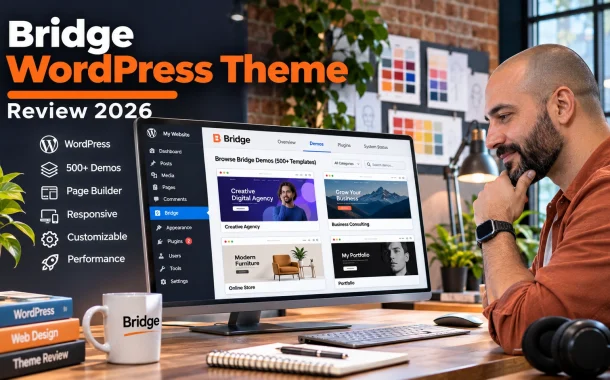
The real question is whether the Bridge WordPress theme is still a good choice in 2026, when lighter themes and block-based site editing have changed how WordPress sites are built. This review covers what Bridge costs and what the license allows, what you get in the package, how setup and demo import work, how it performs on speed tests, and where it falls short. We also compare it with lighter alternatives so you can decide whether Bridge fits your project. Prices and features come from Bridge’s ThemeForest listing and Envato’s license terms, and the guidance applies to site owners in the US, UK, Canada, Australia and Europe.
Quick answer: The Bridge WordPress theme is a multipurpose theme by Qode Interactive, sold on ThemeForest for $69 with a Regular License. It includes 630+ demos, works with Elementor, WPBakery and the block editor, and bundles premium plugins like Slider Revolution. It’s flexible and quick to start with, but heavier than lightweight themes, so plan time for speed optimization.
Table of Contents
What Is the Bridge WordPress Theme?
Bridge is a multipurpose premium theme made by Qode Interactive and sold only through Envato’s ThemeForest marketplace. Its main selling point is a huge library of pre-built demo websites that you import and customize, covering agencies, shops, restaurants, portfolios, events and many other types of business.
Who Makes Bridge
Qode Interactive builds Bridge and handles its support and updates. The Bridge listing on ThemeForest shows more than 224,000 sales, an average rating of 4.74 from about 7,000 reviews, and an update in October 2026. The theme was first released around 13 years ago.
Who Bridge Is For
Bridge suits people who want a finished-looking site fast and are happy to start from a demo. That includes small businesses, freelancers building simple client sites and creative studios that want lots of design options. It’s less suited to developers who prefer lean, code-first themes.
Bridge WordPress Theme Price and Licensing
Bridge costs $69 on ThemeForest for a Regular License, which includes six months of support from Qode and future updates. Support can be extended to 12 months for an extra fee. You pay once for the theme, but each new website needs its own license under Envato’s rules.
What the License Covers
Envato’s license FAQ says each item is licensed for one end product, which for a theme means one website. A second site needs a second purchase. There’s no developer or multi-client license for themes, so agencies buy a separate license for every client site they build with Bridge.
Regular vs Extended License
The Regular License covers sites that visitors use for free. If people must pay to access the end product, Envato says you generally need the Extended License instead. Blogs with paid subscriptions are an exception. Selling products through a normal online store doesn’t count as charging for access.
Support and Updates
Six months of support is included, and updates continue after that. Extending support costs extra on top of the $69 price. Support covers help with the theme’s own features, not custom development or third-party plugin problems, so budget separately for those.
What’s Included With Bridge
Bridge ships with 630+ demos, support for three page builders and several bundled premium plugins. That’s a lot of tooling for one purchase, and it’s the main reason Bridge has stayed popular. The trade-off is that more features mean more code to load and more plugins to keep updated.
Demos and Templates
The ThemeForest listing describes 630+ unique demos, with more added over time. Each demo is a complete site with pages, layouts and sample content. You can import one, replace the content and change colors and fonts, or mix sections from different demos.
Page Builder Support
Bridge works with Elementor, WPBakery Page Builder and the WordPress block editor. Newer demos are built for Elementor, while older ones use WPBakery. Picking one builder and sticking with it keeps your site simpler and avoids loading two builders at once.
Bundled Premium Plugins
The listing includes WPBakery Page Builder, LayerSlider, Slider Revolution and Timetable Responsive Schedule, along with Qode’s free Qi Blocks and Qi Addons plugins. Bundled plugins update through the theme, not through their own developers, so updates can arrive later than buying a license directly.
WooCommerce Compatibility
Bridge supports WooCommerce, with compatibility listed from version 7 through 10. Many demos include shop pages, product layouts and cart designs. If you run a store, check that the demo you choose was built with your page builder and includes the shop templates you need.
How to Install and Set Up the Bridge WordPress Theme
Setting up the Bridge WordPress theme takes four main steps: upload and activate the theme, install its required plugins, check your server settings and import a demo. Most people can finish the basic setup in an afternoon, though customizing a demo to match a brand takes longer.
Upload and Activate the Theme
Download the theme ZIP from your ThemeForest downloads page. In WordPress, go to Appearance, then Themes, then Add New and Upload Theme. Choose the Bridge ZIP file, click Install Now and then Activate. Upload the installable theme file, not the full download package.
Install the Required Plugins
After activation, Bridge prompts you to install its required and recommended plugins. You can install them in bulk from the notice or from Appearance, then Install Plugins. Install only what you need. Every extra plugin adds code and another item to update.
Check Server Requirements
Bridge’s dashboard flags server settings that need changing, such as PHP memory or upload limits. The theme file is large, so your host must allow uploads of around 35 to 40 MB. Our guide on how to prepare your site for WordPress PHP 8 covers checking your PHP version before installing a theme.
Import a Demo
Open the Bridge dashboard, go to Import, choose a demo and select your page builder. You can import everything or only content, widgets or options. Import onto a fresh site, because demo imports add pages, menus and settings that can clash with existing content.
Bridge Theme Performance and Speed
Bridge is feature-heavy, and that shows in speed tests. An independent Bridge theme review by Darrel Wilson tested the default demo and recorded a GTmetrix grade of D, a 4.7-second load time and 129 requests. Results vary by demo and hosting, but Bridge needs optimization work to load quickly.
Why Multipurpose Themes Load Slower
A multipurpose theme carries code for hundreds of layouts, sliders and effects, even if your site uses only a few. Bundled sliders and page builders add their own scripts and styles. Each one adds requests and file size, which slows the first page load, especially on mobile.
How to Speed Up a Bridge Site
Use one page builder, remove unused bundled plugins and avoid heavy sliders on the homepage. Add a caching plugin, compress images and serve modern formats. Good hosting matters too. Our guide to VPS hosting for SEO explains when a faster server is worth paying for.
Test Before You Launch
Run your homepage and a product or service page through Google PageSpeed Insights before going live. Focus on Largest Contentful Paint and Interaction to Next Paint, the Core Web Vitals that reflect what real visitors feel. Fix the biggest issues first, usually images and unused scripts.
Bridge WordPress Theme Pros and Cons
Bridge’s strengths are its demo library, builder choice and bundled tools. Its weaknesses are weight, complexity and the per-site license cost. Whether it’s worth buying depends on how much you value fast setup over a lean, fast-loading site you control line by line.
Pros
- 630+ demos cover almost every type of business site
- Works with Elementor, WPBakery and the block editor
- Bundled premium plugins add sliders and scheduling tools
- Long track record with regular updates
- WooCommerce support for online stores
Cons
- Heavier than lightweight themes, so speed needs work
- The options panel and settings can overwhelm beginners
- Each site needs its own license, which adds up for agencies
- Bundled plugins update through the theme, not directly
- Switching themes later is harder because layouts depend on Bridge
Bridge vs Lighter WordPress Themes
Lightweight themes like Kadence and Astra load less code by default and rely on starter templates instead of hundreds of bundled demos. They’re usually faster out of the box and easier to move away from later. Bridge offers more ready-made designs, but you trade some speed and flexibility for them.
When Bridge Makes Sense
Choose Bridge if you need a polished design quickly, want a specific demo style and are comfortable optimizing speed afterward. It also works for one-off creative sites where visual effects matter more than raw performance.
When a Lighter Theme Is Better
Choose a lighter theme if speed, long-term flexibility or many client sites matter most. Our Kadence WordPress review covers a popular lightweight option, and our guide to Ghost vs WordPress helps if you’re still choosing a platform.
FAQs
Quick answers to common questions about the Bridge theme.
How much does the Bridge WordPress theme cost?
The Bridge WordPress theme costs $69 on ThemeForest for a Regular License, which covers one website. The price includes six months of support from Qode Interactive and future theme updates. You can extend support to 12 months for an extra fee at checkout or later. Taxes and handling fees may be added depending on your country, and each additional website needs another license purchase.
Can I use one Bridge license on multiple websites?
No. Envato licenses each theme for one end product, which means one website. If you build a second site, you need a second license, and there’s no developer or multi-client license for themes. Agencies building client sites with Bridge buy a separate license for each client. Pages on the same domain, such as landing pages, fall under the original single license.
Is the Bridge theme good for beginners?
Bridge can work for beginners because you can import a complete demo and replace its text and images. The challenge is the number of settings and bundled plugins, which can feel overwhelming at first. Beginners do best by choosing one demo and one page builder, ignoring unused features and following the setup prompts in the Bridge dashboard one step at a time.
Does Bridge work with Elementor?
Yes. Bridge supports Elementor, WPBakery Page Builder and the WordPress block editor. Newer demos are built with Elementor, and Qode’s free Qi Addons plugin adds extra Elementor widgets. Older demos often use WPBakery instead. Pick the builder that matches the demo you plan to import, and avoid running two page builders on the same site to keep it lighter and faster.
Is the Bridge theme slow?
Bridge isn’t the fastest theme because it carries a lot of features, sliders and bundled plugins. One independent test of the default demo recorded a 4.7-second load time and a GTmetrix grade of D. You can improve results with caching, image compression, good hosting, one page builder and fewer plugins, but a well-built lightweight theme will usually be faster out of the box.
Does Bridge support WooCommerce?
Yes. The ThemeForest listing shows WooCommerce compatibility from version 7 through 10, and many Bridge demos include shop, product and cart page designs. If you’re building a store, choose a demo that includes shop templates and was built with your preferred page builder. Test checkout on mobile before launch, since heavy themes can slow down the cart and checkout pages.
What is the difference between the Regular and Extended license?
The Regular License covers a website that people use for free, including normal online stores. The Extended License is for end products that users pay to access, such as a paid membership site built as a product for sale. Envato notes that blogging themes are an exception for paywalled content. Neither license lets you use the theme on more than one website.
Is Bridge still updated in 2026?
Yes. Bridge’s ThemeForest listing shows an update in October 2026, and the listing lists compatibility with recent WordPress and WooCommerce versions. Buying the theme includes future updates, so you can keep it current without paying again. Support from Qode is separate from updates and lasts six months unless you extend it, so check your support status before raising any tickets.
Conclusion
Bridge has lasted this long because it solves a real problem. It gives you hundreds of complete website designs, a choice of page builders and premium plugins in one purchase, so a business can launch a professional-looking site without designing from scratch. For creative sites and one-off projects, that’s still a strong offer at $69.
The Bridge WordPress theme does come with trade-offs. It’s heavier than modern lightweight themes, the settings take time to learn and every new site needs its own license. If you choose it, pick one demo and one builder, remove what you don’t use and test speed before launch. If performance or many client sites matter more than ready-made designs, a lighter theme may serve you better over time. Whichever you choose, judge the theme by how your finished site performs for real visitors, not by the demo screenshots. Which matters more for your next site, a ready-made design or the fastest possible load time?