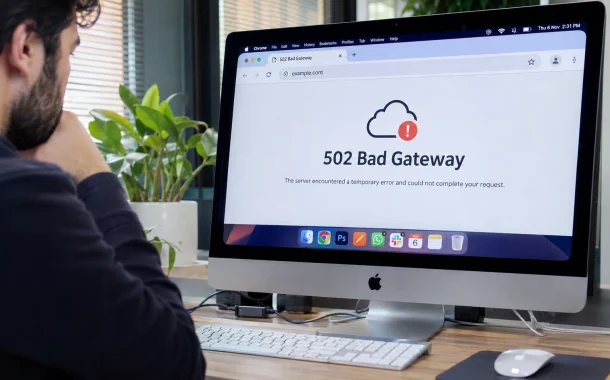
That story covers most of what a 502 bad gateway error means. One server, acting as a gateway or proxy, asked another server for the page and got a bad or empty answer. It is a server-side error, so it is rarely your fault as a visitor, and it often fixes itself within minutes. When it doesn’t, the cause is usually a crashed backend, a timeout, a firewall rule or a DNS or CDN problem. Below you’ll find what the error means in plain English, what to try on your phone or browser and how site owners can fix it for good on Nginx, Apache, WordPress and Cloudflare.
Quick answer: A 502 Bad Gateway error means a server acting as a gateway or proxy got an invalid response from the server behind it. It is a server-side problem, not your device. As a visitor, reload after a minute, try another browser or network and clear your cache. As a site owner, check that your backend (PHP-FPM, Node or app server) is running, then review server logs, timeouts, firewall rules and your CDN.
Table of Contents
What Does 502 Bad Gateway Mean?
502 Bad Gateway means one server tried to fetch a page from another server and received an invalid response. The first server is the gateway, such as Nginx, a load balancer or a CDN like Cloudflare. The second is the upstream or origin server that actually builds the page.
The Official Definition
The HTTP standard, RFC 9110, defines 502 as a response sent when a server “acting as a gateway or proxy, received an invalid response from an inbound server.” MDN’s 502 reference describes it the same way.
Bad Gateway Meaning in Plain English
Think of a restaurant. You order from the waiter (the gateway), who asks the kitchen (the upstream server). If the kitchen is closed, shouts something unclear or sends back an empty plate, the waiter tells you “bad gateway.” The waiter is fine. The kitchen has the problem.
What 502 Bad Gateway Looks Like
Sites show it in different ways, including “502 Bad Gateway,” “HTTP Error 502,” “502 Proxy Error,” “Error 502” with a Cloudflare page, “502 Bad Gateway nginx” or a blank white page. On Android and iPhone browsers and in apps, it often appears as “Bad Gateway” or “502 Server Error.”
Is a 502 Error Your Fault?
A 502 error is almost never your fault as a visitor. It means two servers failed to talk to each other properly, and that happens on the website’s side. Your device, internet connection and browser are usually fine, and the site owner or hosting company has to fix the cause.
Does 502 Bad Gateway Mean You’re Blocked?
No. A 502 does not mean a site blocked you. Blocking usually shows as 403 Forbidden or a CDN challenge page. A 502 can sometimes come from an overly restrictive firewall between the CDN and the origin server, but that blocks the CDN’s request, not you personally.
When It Can Be on Your Side
Rarely, a local issue such as a broken proxy setting, a VPN, a bad DNS cache or an old cached copy of the error can make a 502 appear only for you. If a site works on your phone’s mobile data but not on your Wi-Fi, the problem is likely your network.
Will a 502 Error Fix Itself?
Often, yes. Many 502 errors come from short spikes, deployments or restarts and clear within a few minutes. If it lasts more than 15 to 30 minutes, the site likely has a real outage that its owners need to fix.
Common Causes of a 502 Bad Gateway Error
The most common causes of a 502 bad gateway error are a crashed or overloaded backend, a request that times out, a firewall or security rule blocking the proxy, a DNS change that points to the wrong server and CDN or load balancer problems. Each one breaks the conversation between the gateway and the origin.
| Cause | What happens | Typical fix |
|---|---|---|
| Backend crashed or stopped | Nginx can’t reach PHP-FPM, Node or the app server | Restart the service, check logs |
| Server overloaded | Too many requests, not enough workers or memory | Add workers, raise limits, cache pages |
| Timeouts | Backend takes too long and the proxy gives up | Fix slow code or raise proxy timeouts |
| Firewall or security rules | Origin blocks the CDN’s or proxy’s IP addresses | Allowlist CDN IP ranges |
| DNS problems | Domain points to an old or wrong server | Fix DNS records, wait for propagation |
| CDN or load balancer issues | Edge servers can’t reach the origin | Check CDN status and origin health |
| Bad plugin or code update | A new release crashes the app | Roll back the update |
502 vs 503 vs 504 vs 500
- 500 Internal Server Error: the server itself failed while building the page.
- 502 Bad Gateway: a gateway got an invalid response from the server behind it.
- 503 Service Unavailable: the server is overloaded or in maintenance and says so.
- 504 Gateway Timeout: a gateway waited too long and got no response at all. Our guide on HTTP error 504 covers it in detail.
What About “505 Bad Gateway” or “401 Bad Gateway”?
People often mix up codes. 505 means HTTP Version Not Supported, not bad gateway. 401 means Unauthorized, which our guide to fixing error code 401 explains. Only 502 means bad gateway.
How to Fix a 502 Bad Gateway as a Visitor
As a visitor, you can’t fix the server, but you can rule out local issues and get back in faster. Start with a simple reload after a minute, then try a different browser, device or network. If the error appears on every device, wait and check the site’s status page or social accounts.
Quick Fixes on Any Browser
- Wait 30 to 60 seconds, then reload with Ctrl+F5 or Cmd+Shift+R.
- Open the page in a private window.
- Clear your browser cache and cookies for that site.
- Try another browser.
- Turn off your VPN or proxy and try again.
- Flush your DNS cache or restart your router.
How to Fix 502 Bad Gateway on Phone
On Android or iPhone, close and reopen the browser or app, switch between Wi-Fi and mobile data and clear the browser’s cache in settings. If an app shows “502 bad gateway,” update the app and try again later, because the problem is usually on the app’s servers.
Check Whether the Site Is Down for Everyone
Use a site status checker or the company’s status page. If the site is down for everyone, there is nothing more to do on your side except wait.
How to Fix a 502 Bad Gateway as a Site Owner
As a site owner, fix a 502 bad gateway by working from the backend outward. Confirm the application server is running, read the error logs, check resource usage and timeouts, then review firewall rules, DNS and your CDN. Most 502s are solved in the first two steps.
Step 1: Check the Backend Service
Make sure PHP-FPM, Node, Gunicorn or your app server is running. On a typical Linux server:
sudo systemctl status php8.3-fpm
sudo systemctl restart php8.3-fpm
sudo systemctl status nginx
Step 2: Read the Error Logs
Nginx logs usually point straight at the cause, such as “connect() failed” or “upstream prematurely closed connection”:
sudo tail -n 50 /var/log/nginx/error.logStep 3: Check Resources and Limits
Look at memory and CPU with top or htop. If PHP-FPM runs out of workers or memory during traffic spikes, raise pm.max_children carefully and add page caching so fewer requests reach PHP. Our guide to speeding up WordPress covers caching options.
Step 4: Review Timeouts
Slow scripts can trigger 502 or 504 errors. Fix the slow code first, then adjust proxy settings such as proxy_read_timeout or fastcgi_read_timeout only if the work truly needs more time.
Step 5: Check Firewalls, DNS and Your CDN
If you use Cloudflare, its 502 and 504 troubleshooting guide explains how to tell whether the error came from Cloudflare or your origin. Make sure your firewall allows the CDN’s IP ranges and that your DNS records point to the right server.
Fixing 502 Bad Gateway on Nginx, Apache and WordPress
The fix for a 502 bad gateway depends on your stack. Nginx 502s usually come from PHP-FPM or an upstream app. Apache shows them when it works as a reverse proxy. WordPress sites often hit 502s from heavy plugins, cron jobs or memory limits on shared hosting.
502 Bad Gateway Nginx
Check that the fastcgi_pass or proxy_pass address matches the real socket or port, that the PHP-FPM socket file exists and that Nginx has permission to read it. A mismatch after a PHP version upgrade is one of the most common causes we see.
WordPress 502 Errors
Deactivate recently updated plugins by renaming the plugins folder over SFTP, switch to a default theme and check that WP-Cron isn’t running heavy jobs on every visit. If the site shows a blank page instead, our guide to the WordPress white screen of death helps.
Shared Hosting
On shared hosting you may not have server access. Contact support with the time of the error and your domain, and ask them to check the PHP and proxy logs.
How to Prevent 502 Errors
You can prevent most 502 errors with uptime monitoring, page caching, enough server resources, careful deployments and a CDN configured to trust your origin. Catching problems early matters more than any single setting, because most 502s start as small warnings in logs or monitoring alerts long before visitors notice.
Prevention Checklist
- Set up uptime monitoring with alerts by email or chat.
- Use page caching and a CDN to reduce load on the backend.
- Test plugin and code updates on staging before production.
- Keep PHP and server software up to date.
- Review resource usage after traffic spikes and plan upgrades.
When to Get Help
If 502s keep coming back, the hosting plan may be too small or the application may need tuning. Our website development team handles server tuning and WordPress performance fixes for clients.
FAQs
Here are answers to common questions about the 502 Bad Gateway error.
What does bad gateway mean?
Bad gateway means a server that passes requests along, called a gateway or proxy, received an invalid response from the server behind it. The page you asked for was never properly delivered. It is shown as HTTP status code 502 and usually points to a problem with the website’s servers, not with your device or internet connection, so waiting a few minutes often helps.
Is a 502 Bad Gateway my fault?
Almost never. A 502 Bad Gateway is a server-side error, which means the problem sits between the website’s own servers. Your browser, phone and internet connection are usually working fine. Rare exceptions include a broken VPN, proxy settings or a stale DNS cache on your device, so trying another network or browser is a quick way to rule those out.
How do I fix a 502 Bad Gateway error?
As a visitor, reload after a minute, open a private window, clear the site’s cache and cookies, try another browser or network and turn off any VPN. As a site owner, check that the backend service is running, read the Nginx or Apache error logs, review memory and timeouts and confirm firewall, DNS and CDN settings point to a healthy origin server.
Does 502 Bad Gateway mean the website is blocked?
No. A 502 does not mean a website blocked you or that it is banned in your country. Blocking usually appears as a 403 Forbidden error or a security challenge page. A 502 means the site’s servers failed to communicate. Occasionally a strict firewall between a CDN and the origin server causes a 502, but that is a configuration problem for the site owner to fix.
Will a 502 error fix itself?
Often it will. Many 502 errors happen during short traffic spikes, server restarts or deployments and clear within a few minutes. If the error lasts longer than about 30 minutes, the site probably has a real outage that needs fixing. Visitors can only wait or contact the site, while owners should check logs and backend services right away.
How do I fix 502 Bad Gateway on my phone?
Close and reopen the browser or app, switch between Wi-Fi and mobile data, clear the browser cache in your phone’s settings and update the app if the error appears there. If the error shows on every device and network, the website or app’s servers are down and you’ll need to wait until the company fixes the problem on its own servers.
What is the difference between 502 and 504 errors?
A 502 Bad Gateway means the gateway received an invalid or broken response from the upstream server. A 504 Gateway Timeout means the gateway waited and received no response before its time limit ran out. Both point to problems between servers, but a 504 usually signals slow processing while a 502 more often signals a crashed or misconfigured backend.
What does “502 Bad Gateway nginx” mean?
It means Nginx, acting as a reverse proxy, could not get a valid response from the application behind it, most often PHP-FPM, Node or another app server. Common causes include a stopped PHP-FPM service, a wrong socket path after a PHP upgrade, too few workers for current traffic or a backend crash. The Nginx error log usually shows which one within seconds.
What does 502 could not relay message upstream mean?
This message means the gateway tried to pass your request to the upstream server but the connection failed or returned something unusable. It is another way of describing a 502 Bad Gateway. Site owners should check whether the upstream service is running, whether its address and port are correct and whether a firewall is dropping the connection between them.
Conclusion
A 502 bad gateway error looks alarming, but the meaning is simple: one server asked another for a page and got a bad answer back. For visitors, it is rarely your fault, it does not mean you’re blocked and it often clears on its own. Reloading, trying another browser or network and clearing your cache are the only steps worth trying.
For site owners, the fix starts at the backend. Check that PHP-FPM or your app server is running, read the error logs, review memory, workers and timeouts and then confirm your firewall, DNS and CDN setup. Our client’s store was back within minutes once we knew where to look, and monitoring plus caching kept the error from returning during her next sale. Treat a recurring 502 as a sign the server needs tuning, not as bad luck. When did you last check your server’s error logs before a big traffic day?