This guide walks through every screen Fiverr shows you, in the order it shows them: title, category, pricing, description, requirements, gallery, and publish. It also covers the mistakes that keep new gigs buried past page nine of search results, plus the setup requirements Fiverr states in its own Help Center. If you get stuck on the wording for your title or description, a free Fiverr Gig Generator can draft several options in seconds so you’re not staring at that blank box.
Quick answer: To post gigs on Fiverr, go to Become a Seller, then Gigs, then Create a New Gig. Fill in the Overview (title, category, tags), Pricing (up to three packages), Description and FAQ, Requirements, and Gallery (at least one image), verify your identity, then click Publish Gig. Fiverr reviews every new gig before it appears in search results.
Table of Contents
What You Need Before You Post a Gig on Fiverr
Before you post a gig on Fiverr, you need a Fiverr account switched into Seller mode, a specific service you can describe in one sentence, and at least one image or work sample ready for your gallery. Fiverr also requires identity and tax verification, a W-9 for US sellers or a DAC7 form for EU sellers, before your first gig can go live (Fiverr Help Center, 2026).
Switch Your Account to Seller Mode
Every Fiverr account starts as a buyer account. To create a gig, open your profile menu and select “Become a Seller,” then complete the short onboarding questions about your skills, languages, and availability. This step exists once. After it’s done, “Create a New Gig” stays available under the Gigs tab for as long as you sell on the platform.
Decide If You’re Selling as a Regular Seller or Applying for Fiverr Pro
Most new sellers start as regular sellers, which lets anyone list a gig once they finish onboarding. Fiverr Pro is a separate, invitation-and-application track for vetted professionals in categories like branding, video production, and enterprise software development, and it uses its own gig-creation flow with an added portfolio review (Fiverr Help Center, 2026). If you’re new to Fiverr, apply as a regular seller first. Fiverr Pro is worth revisiting once you have completed orders and reviews to show.
One thing worth saying plainly: the biggest mistake at this stage isn’t a technical one. It’s picking a category and title that describe what you can do instead of the one specific thing a buyer is actually searching for. “I will do graphic design” competes against tens of thousands of gigs. “I will design a minimalist logo for your SaaS startup” competes against a few hundred, and it tells a buyer in one sentence whether you’re the right fit.
How to Post a Gig on Fiverr: The 6-Step Process
Fiverr splits gig creation into six screens: Overview, Pricing, Description & FAQ, Requirements, Gallery, and Publish. Each screen has to be completed before you can move to the next one, and Fiverr will not let you publish a gig with an empty required field. The table below lists what Fiverr’s own Help Center states for each step.
| Step | What Fiverr Asks For | Official Requirement |
|---|---|---|
| 1. Overview | Gig title, category, subcategory, search tags | Category and subcategory cannot be changed after the gig is published |
| 2. Pricing | Up to three packages (Basic, Standard, Premium) | Minimum price is set per category; every package needs a delivery time and at least one revision |
| 3. Description & FAQ | Gig description, FAQ list | Description is capped at 1,200 characters; up to 10 FAQ entries allowed |
| 4. Requirements | Questions you need answered before starting work | Mark a question required to block orders that skip it |
| 5. Gallery | Images, video, PDF samples | Minimum one image to publish, maximum three images; recommended image size is 1280 x 769 px |
| 6. Publish | Identity verification, tax form, phone verification | New gigs go through automatic review before appearing in search |
Source: Fiverr Help Center, “Creating a Gig”, checked September 2026.
Fill the six steps in order. Fiverr saves your progress as a draft gig automatically, so you can start the Overview screen, step away, and come back to finish Pricing later without losing your work.
Writing a Gig Title and Tags Buyers Actually Search For
A strong Fiverr gig title states the exact deliverable, the exact audience, and one distinguishing detail, all inside a single sentence that starts with Fiverr’s required “I will” phrasing. Vague titles built around a skill name instead of a deliverable are the single most common reason a new gig gets buried in search, according to Fiverr’s own gig-creation guidance (Fiverr Help Center, 2026).
Use the “I Will…” Format the Way Fiverr Intends
Fiverr pre-fills every new gig title with “I will,” and expects you to complete the sentence with a concrete outcome. Compare these two real patterns:
- Weak: “I will do SEO for your website”
- Strong: “I will run a technical SEO audit for your Shopify store”
The weak version could describe hundreds of unrelated services. The strong version tells a buyer exactly what they’ll receive and which platform you specialize in, which matches how buyers actually search: by platform, by deliverable, or by industry, rarely by skill name alone.
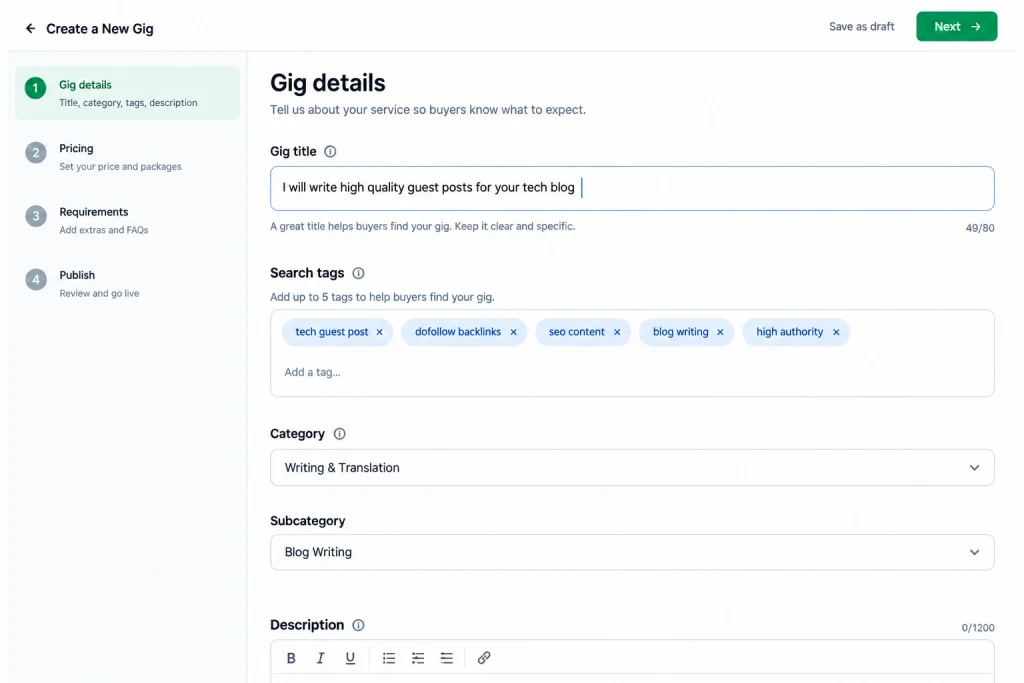
Search tags work the same way. Fiverr lets you attach a small set of tags to each gig, and it recommends they mirror the exact words a buyer would type, not synonyms or industry jargon (Fiverr Help Center, 2026). If your gig is about Shopify SEO audits, your tags should include “Shopify,” “SEO audit,” and “technical SEO,” not broader terms like “marketing” or “growth.”
This is the step where most new sellers freeze, because writing five or six versions of the same sentence and picking the sharpest one takes real editing skill. The Fiverr Gig Generator exists for exactly this problem: describe your service in plain language, and it returns several “I will” titles and matching tag sets you can edit and paste straight into the Overview screen, rather than starting from an empty field.
Setting Your Packages and Pricing (Basic, Standard, Premium)
Fiverr lets every gig offer up to three fixed-price packages, each with its own price, delivery time, and revision count, so a single gig can serve a budget buyer and a bigger client without two separate listings. New sellers typically underprice the Basic tier and overload it with everything they offer, which leaves no room to sell a Standard or Premium upgrade.
| Package | Typical Buyer | What to Include | What to Leave Out |
|---|---|---|---|
| Basic | First-time or budget buyer | The smallest complete version of your service | Rush delivery, multiple revisions, add-on formats |
| Standard | Repeat or business buyer | Basic, plus one meaningful upgrade (extra revision, faster delivery, added file format) | Anything that makes Basic feel incomplete by comparison |
| Premium | Buyer with a bigger or recurring need | Full scope, fastest delivery, most revisions, priority communication | Nothing critical held back to force an upsell |
Source: package structure per Fiverr Help Center, “Creating a Gig”, checked September 2026.
A rule that holds across almost every category: price your Basic package low enough to remove hesitation, then make the Standard package the obviously better deal per dollar. That’s the tier most buyers actually pick, and it’s the one worth designing first, not last.
Writing a Gig Description and FAQ Section That Converts
Your gig description has one job: answer the three questions every buyer has before they message you, what exactly they get, how long it takes, and why you’re the right person for it, inside a 1,200-character limit that rewards short paragraphs over long ones.
Here’s a before-and-after from a real weak spot in a new seller’s draft:
Before: “I am a professional freelancer with many years of experience in different kinds of writing projects and I can help you with anything you need related to content.”
After: “I write SEO blog posts for SaaS companies, 1,000 to 2,000 words, researched and structured around a single target keyword. You’ll get a Google Doc draft, one round of edits included, and a plagiarism report with every order.”
The second version names the format, the audience, the length, and what’s included, which is exactly what a buyer scans for in the first two lines before deciding whether to keep reading. Keep your own description this specific, and use the FAQ section (up to 10 entries) to handle the objections you’d otherwise get asked in a message, delivery timelines, revision policy, file formats, and whether you work with a specific platform or tool.
If your draft description keeps creeping past a page and losing that clarity, running it through a word counter before you paste it into Fiverr catches the overrun before you hit the 1,200-character wall mid-edit. Webzeto’s free Word Counter does this in one paste, with no sign-up.
Requirements, Gallery Images, and Video: What to Upload
The Requirements section collects the information you need from a buyer before you can start work, and marking a question “required” is the only way to stop an order from landing in your queue with missing details. A designer might require a logo brief and brand colors; a writer might require a target keyword and word count. Skip this step, or leave every question optional, and you’ll spend your first message thread on questions the Requirements form should have already answered.
Your Gallery needs at least one image to publish, with a maximum of three, at a recommended size of 1280 by 769 pixels (Fiverr Help Center, 2026). A generic stock photo does less work here than a real example of your output: a screenshot of a finished design, a formatted document, or a dashboard you built. If your category is Video & Animation, Fiverr requires a gig video between 20 and 60 seconds, under 50 MB. You can also attach up to two PDFs as previews, and Fiverr displays only the first three pages of each.
Publishing Your Gig and Getting Through Fiverr’s Review
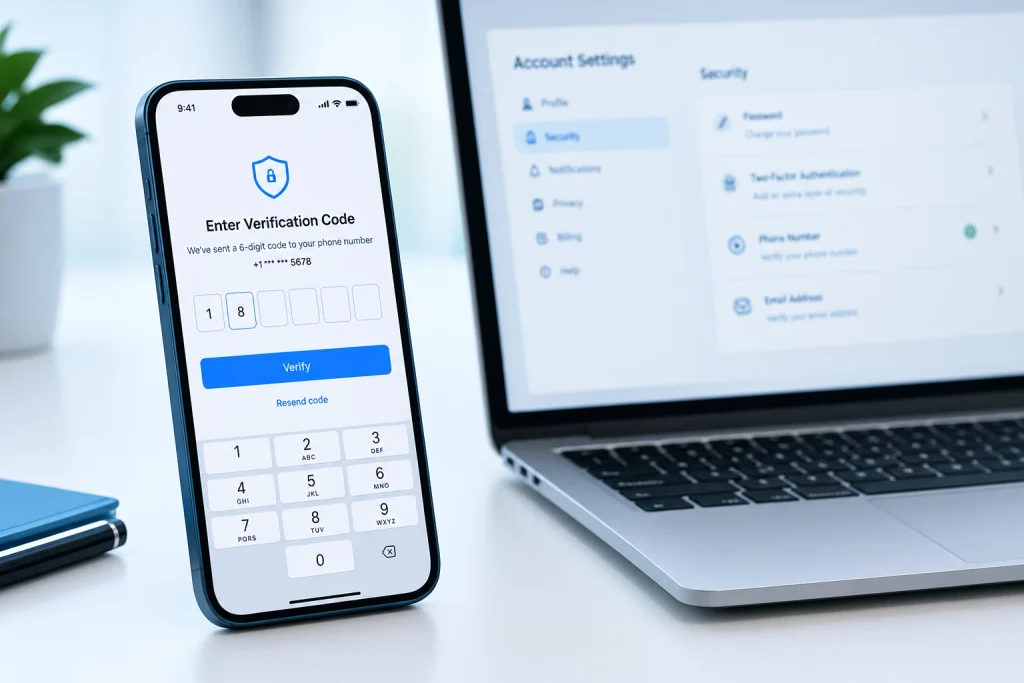
Once every section is complete, the Publish screen asks for identity verification (a W-9 for US-based sellers or a DAC7 form for EU-based sellers) and phone verification before the “Publish Gig” button becomes active. After you click it, Fiverr runs an automatic review on the new gig before it becomes visible in search results, which is a routine check, not a sign anything is wrong with your listing.
A new gig without any reviews yet is competing against gigs with hundreds of them, which is genuinely the hardest part of starting on Fiverr and one most guides skip past. The fix isn’t a trick. It’s pricing your first few orders to remove risk for a buyer, delivering ahead of your stated deadline, and asking every satisfied buyer directly for a review before the order auto-completes. Your first five reviews matter more to your gig’s future ranking than almost anything else you’ll do in the first month.
Why New Fiverr Gigs Don’t Get Orders
A published gig with zero orders after several weeks almost always traces back to one of three things: a title that doesn’t match real buyer search terms, pricing that doesn’t match the market for that category, or a gallery that doesn’t show real proof of the work. Sellers on Fiverr’s own community forums raise this same pattern repeatedly, usually assuming the platform is broken when the listing itself is the problem.
Before assuming your gig isn’t showing up in search, check three things in order: whether your title and tags actually match how buyers phrase that request (not how you’d phrase it as the expert), whether your price sits within the visible range for similar gigs in your category, and whether your account has completed every verification step, since an unverified account can quietly limit gig visibility. Most “my gig isn’t ranking” problems are really “my gig doesn’t match a real search query” problems, and they get fixed by rewriting the title and tags, not by waiting.
Frequently Asked Questions
How many gigs can I post on Fiverr?
Fiverr doesn’t cap the number of active gigs for most sellers, but each gig needs its own distinct title, category, and description. Posting near-duplicate gigs to appear more times in search results violates Fiverr’s terms and typically gets flagged rather than rewarded with more visibility.
Can I edit a Fiverr gig after publishing it?
Yes. You can edit the title, description, pricing, tags, and gallery at any time from your Gigs dashboard. The one exception is category and subcategory, which lock once the gig is published, so choose that pair carefully during setup.
How long does Fiverr take to approve a new gig?
Fiverr’s automatic review typically completes within a few hours, though it can take longer during high-volume periods. If a gig doesn’t appear in search after 24 hours, check your seller dashboard for a rejection notice before assuming it’s a search visibility issue.
Do I need a portfolio to post my first gig?
You need at least one image for your gallery, but it doesn’t have to come from paid client work. A personal project, a mock brief you completed for practice, or a redesign of an existing piece can all serve as your first gallery image while you build real client examples.
What’s the difference between a Fiverr gig and a Fiverr Pro gig?
A regular gig is open to any verified seller and goes live after automatic review. A Fiverr Pro gig requires an application, a portfolio review, and approval from Fiverr’s vetting team before you can create one, and it targets buyers specifically looking for vetted, higher-end talent (Fiverr Help Center, 2026).
Why is my Fiverr gig not showing up in search?
The most common causes are a title and tags that don’t match real buyer search phrasing, pricing well outside the normal range for the category, an incomplete verification step, or a gig still inside its initial automatic review window. Rewriting the title around the exact words buyers search for solves this more often than any other single fix.
How much should I charge for my first Fiverr gig?
Price your Basic package low enough to remove hesitation for a first-time buyer, while staying inside the visible pricing range for similar gigs in your category. Search your category on Fiverr, note where most Basic packages fall, and price close to the lower half of that range until you have reviews to justify moving up.
Can I use AI tools to write my Fiverr gig title and description?
Yes, and most sellers do at least for a first draft. A generator can produce several title and tag options instantly, but the description should still reflect your actual process, turnaround time, and what’s included, since a generic AI description reads the same as every other seller’s and won’t help you stand out once a buyer compares gigs side by side.
What happens if I don’t complete every field in the Requirements section?
An unmarked (optional) requirement question can be skipped by the buyer, which means their order can start without information you actually need. Mark any question you cannot start work without as required, so Fiverr blocks the order from confirming until the buyer answers it.
Should I offer three packages or just one?
Offering three packages, even a simple Basic, Standard, and Premium split, gives buyers a price they can commit to immediately and a bigger option to upgrade into, which single-package gigs don’t offer. Start with a smaller Basic tier and a clearly better Standard tier before you build out a Premium package.
Getting Your First Gig Live
Posting a gig on Fiverr is genuinely a fifteen-minute task once you have the six pieces ready: a title built around one specific deliverable, tags that match real search phrasing, packages priced for your category, a description that answers what, how long, and why you, a gallery with real proof of your work, and a completed verification step. The part that takes longer, and the part that actually decides whether your gig gets found, is the writing.
If you’re staring at that blank title field right now, that’s the normal starting point, not a sign you’re doing something wrong. Draft a few title options, check them against how a buyer would actually search for your service, and publish. What would you want your first buyer to read in your gig title if you were searching for your own service right now?