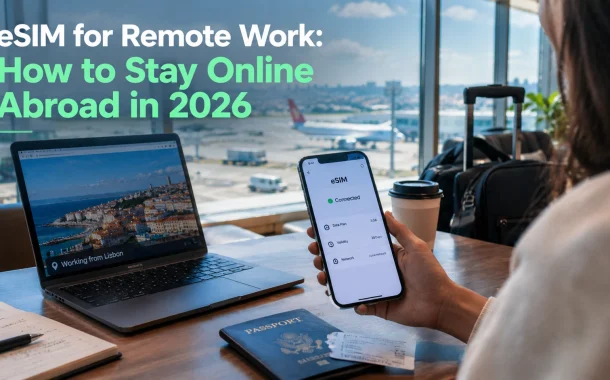
Working abroad is a connectivity problem before it is a lifestyle choice. A traveler who only needs maps and messaging can get by on almost anything. A person who joins calls, pushes code, uploads files, and answers clients has a much harder requirement, and most travel connectivity advice never does that math. This guide does. We compare roaming, local SIM cards, pocket WiFi, and travel eSIMs using real 2026 carrier pricing, then work out how much data a normal working day actually burns.
A travel eSIM is usually the best connection for remote work abroad. Carrier day passes cost around $12 per day and throttle after a small data allowance. Travel eSIM plans start near $3 to $6 for a country and keep full speed. The tradeoff is that most eSIM plans carry data only, so calls and SMS need a plan.
Table of Contents
What an eSIM for Remote Work Actually Is
An eSIM is a SIM card built into your phone instead of slotted into it. You buy a plan online, scan a QR code or tap an install link, and the profile downloads onto the device. Your home SIM stays where it is. Apple says an iPhone can hold eight or more eSIM profiles at once, so you can carry plans for several countries and switch between them.
The part that matters for work is the switching. You keep your US number active for two-factor codes and calls from clients, and you run data over the travel eSIM. No swapping trays in an airport bathroom, no losing the original SIM in a hotel drawer.
What it is not
An eSIM is not a separate network. It is a plan that rides on local carriers in the country you visit, usually through a roaming agreement. Speed depends on which local network the plan uses and how busy that network is. A cheap plan on a weak partner network will feel worse than a more expensive plan on the strongest one, and no provider page will tell you that directly.
An eSIM is also not a hardware upgrade. Most iPhones from the XS forward and most recent Samsung, Google Pixel, and Motorola flagships support it. Older phones, many budget Android models, and carrier-locked devices often do not.
Roaming vs Local SIM vs Pocket WiFi vs eSIM
Here is the honest comparison, with prices checked against the carriers’ own pages in September 2026. The numbers matter more than the marketing, because the difference between these four options is not convenience. It is whether your connection survives a full working day.
| Option | Typical cost | Data before throttling | Setup time | Best for |
|---|---|---|---|---|
| Carrier day pass | $12 per day, or $6 per day for Mexico and Canada on Verizon | AT&T: 500MB per day, then 512 Kbps. Verizon: 5GB, then 3G speeds | None, it activates on landing | Short trips of two or three days |
| Local SIM card | Often $10 to $30 for a month of data | Usually generous, full speed | 30 to 90 minutes, often with ID registration | Long stays in one country |
| Pocket WiFi | Roughly $5 to $10 per day to rent | Varies by rental, often capped | Pickup and return at an airport counter | Groups sharing one connection |
| Travel eSIM | Country plans start near $3 to $6 | Depends on the plan, usually full speed to the cap | 5 to 10 minutes, done before you fly | Remote workers and frequent travelers |
Carrier day passes are the default because they are effortless, and they are the most expensive way to work abroad. AT&T’s International Day Pass is $12 per day in 210 or more destinations and includes unlimited talk and text with 500MB of data per day, after which speeds drop to a maximum of 512 Kbps. Verizon’s TravelPass is $12 per day in most countries and $6 per day in Mexico and Canada, with 5GB of high-speed data before it falls back to 3G speeds.
The math on a two-week trip
Fourteen days on a $12 day pass is $168 before you have sent a single email. A travel eSIM plan covering the same period usually lands somewhere between $10 and $40 depending on the country and the data volume, which is why providers like Cinqstella’s global travel eSIM plans list country prices starting around $3.48 for the US, $3.62 for the UK, and $6.30 for the European Union.
The catch is that a day pass includes calls and texts on your own number. Most travel eSIMs do not. You are trading phone service for cheaper, faster data, and for most remote workers that trade is worth making.
How Much Data Remote Work Actually Burns
This is the number nobody publishes, and it decides everything. Zoom’s own bandwidth guidance asks for 3.8 Mbps up and 3.0 Mbps down for 1080p group video. Run that for one hour and you move roughly 1.7GB up and 1.3GB down, about 3GB for a single call.
Drop to 720p group video, which Zoom lists at 2.6 Mbps up and 1.8 Mbps down, and an hour costs about 2GB. A working day with three hours of calls, normal browsing, Slack, email, and a few file uploads sits comfortably between 6GB and 10GB.
AT&T’s 500MB daily allowance disappears in about fifteen minutes of one 1080p group video call.
Calculated from AT&T and Zoom published figures, September 2026
After that allowance you are capped at 512 Kbps, which is below the 1.8 Mbps Zoom asks for even at 720p. The call does not get slower. It stops working.
A realistic weekly estimate
- Light week, mostly async: 5GB to 10GB. Email, Slack, docs, one or two short calls a day.
- Normal remote week: 15GB to 25GB. Three hours of calls most days, file transfers, some screen sharing.
- Heavy week: 30GB or more. Daily standups on video, large uploads, design or video files, screen recording.
Buy for the middle estimate and top up rather than buying the largest plan on day one. Most eSIM providers let you add data mid-trip, and unused data on a short validity window is money you do not get back.
The eSIM Problems Nobody Mentions Until You Land
Most travel eSIM plans are data only. That single fact causes almost every problem remote workers hit abroad, and no provider homepage leads with it. Here is what actually breaks, and what to do before you fly.
SMS two-factor codes stop arriving
A data-only eSIM has no phone number, so it cannot receive SMS. If your bank, payroll system, or client portal sends codes by text, you need your home SIM switched on to receive them, which can trigger roaming charges, or you need to move those accounts to an authenticator app first. Do the authenticator migration at home, on your own WiFi, a week before departure. Locked out of a payroll login from another continent is a bad afternoon.
iMessage and WhatsApp behave differently
iMessage and WhatsApp are tied to your phone number, not the eSIM. They keep working over the travel eSIM’s data as long as you do not remove or deactivate your home SIM. Turn the home line off completely and iMessage can deregister, which sends your messages to people as green bubbles or not at all.
Your default line has to be set correctly
On a dual SIM phone you set which line handles data and which handles calls. Set cellular data to the travel eSIM, leave calls on your home number, and turn off data roaming for the home line. Miss that last step and your carrier bills you for roaming while the eSIM sits unused.
Activation usually needs internet first
Apple’s guidance is that setting up an eSIM generally needs a WiFi network or hotspot, with limited exceptions for eSIM-only models in some regions. This is the trap. Install and test the eSIM at home before you fly, or at airport WiFi before you board. Landing in a country with no connection and no way to install the plan that provides the connection is a genuinely common mistake.
Public WiFi, Security, and What the FTC Actually Says
Plenty of connectivity marketing tells remote workers that cafe WiFi will get their accounts stolen. That is not what the US Federal Trade Commission says. Its consumer guidance on public WiFi states that because of the widespread use of encryption, connecting through a public WiFi network is usually safe, and advises looking for a lock symbol or https in the address bar.
The FTC’s real caveat is different and more useful: encryption protects data in transit, but it does not protect you from a scam site that is itself encrypted. Phishing is the risk, not the coffee shop router.
So buy a travel eSIM for the right reason. It gives you a connection you control, in a taxi, on a train, in a client’s lobby, and during the twenty minutes when the apartment WiFi drops. That is a reliability argument, not a fear argument. If your company handles sensitive systems, pair it with the same controls you would use at home, including secure remote access for your team rather than trusting the network you happen to be sitting on.
Setting Up Your eSIM for Remote Work Before You Fly
Do this at home, on WiFi, at least three days before departure. The whole process takes under ten minutes and it removes the single biggest failure point, which is trying to get online without being online.
- Check your phone is eSIM capable and unlocked. On iPhone, open Settings, then General, then About, and look for an EID number. On Android, check Settings, then Network, then SIMs. A carrier-locked phone may refuse the install, so contact your carrier first.
- Buy the plan for your destination. Match the data volume to the weekly estimates above, and check whether the plan covers one country or a region. A regional plan is usually better value if you are crossing borders.
- Install the profile, but do not activate yet. Most providers let you install now and start the plan on first connection abroad, or on a date you choose. Read which model your provider uses, because a plan that starts at purchase wastes days.
- Label the line. Rename it in your phone settings to something obvious, like “Portugal data.” When you are switching lines in an airport you will be glad you did.
- Set your line preferences. Cellular data on the travel eSIM, calls and texts on your home number, data roaming off for the home line.
- Test it. Turn off WiFi, turn on the travel eSIM for two minutes, and load a page. Better to find a problem in your kitchen than at passport control.
How to Choose an eSIM for Remote Work
Judge a provider on five things, in this order. Price is last, because a cheap plan that drops during a client call costs more than the money it saved.
- Which local network it uses. This decides your real speed. Providers that name their partner carriers are telling you something the ones that stay quiet are not.
- Whether you can top up mid-trip. Running out of data on a Wednesday should cost you two minutes, not a new plan.
- Hotspot and tethering support. If you work from a laptop, this is not optional. Some cheap plans block it.
- Validity window and multi-country coverage. A 7-day plan for a 10-day trip is a false economy, and a regional plan beats three country plans if you are moving around.
- Support that answers during your working hours. Time zones cut both ways.
Buying for a team rather than yourself
For teams rather than individuals, buy a standard plan and reimburse it rather than letting each person improvise. It is the same principle behind the tools hybrid teams use to stay coordinated: consistency beats everyone solving the same problem their own way. Providers that sell both data-only and voice-enabled plans, as Cinqstella does across its 200-plus supported regions, make that standardization easier because one account covers staff with different needs.
If part of your team is contract or offshore, connectivity is one line in a much larger operational question. The rules around hiring across borders with an employer of record matter far more than which eSIM they use, and the same goes for how you structure virtual assistance services when part of the work happens in another country.
Frequently Asked Questions
Does an eSIM work without WiFi?
The plan itself works without WiFi once installed, because it runs on the local mobile network. Installing it usually does need WiFi or an existing data connection first. Apple’s guidance notes limited exceptions for eSIM-only iPhone models in some regions. Install and test at home before you travel.
Can I install an eSIM before I travel?
Yes, and you should. Most providers let you install the profile in advance and start the plan when you arrive or on a chosen date. Check whether your plan’s validity begins at purchase or at first connection, because that difference can cost you two or three days of a short plan.
Will I keep my own phone number with a travel eSIM?
Your number stays on your home SIM, which stays in the phone. Most travel eSIMs are data only and give you no second number. You keep receiving calls and texts on your usual number as long as that line is active, though your carrier may charge roaming for it.
Can I still use iMessage and WhatsApp?
Yes. Both are tied to your phone number and run over whatever data connection is active, so they work through the travel eSIM. Problems start if you remove or fully deactivate your home line, which can deregister iMessage. Leave the home SIM installed and turn off its data roaming instead.
Is an eSIM cheaper than international roaming?
Almost always for data. A US carrier day pass runs about $12 per day, so two weeks costs roughly $168. Country eSIM plans commonly start in the $3 to $6 range and scale with data volume. Roaming still wins if you need your own number for calls and you are abroad for only a day or two.
How much data do I need for a week of remote work?
Plan for 15GB to 25GB in a normal week with about three hours of daily video calls. A light async week can run on 5GB to 10GB. Heavy video, screen sharing, and large file uploads push past 30GB. Buy mid-range and top up rather than overbuying.
Does a travel eSIM support hotspot for my laptop?
Many do, but not all, and providers rarely make it obvious. Check before buying, because tethering is how most remote workers actually get a laptop online. If the provider does not state hotspot support on the plan page, ask support directly and keep the answer in writing.
What happens to my two-factor codes?
SMS codes go to your phone number, not the eSIM, so you need your home line active to receive them. The better fix is moving critical accounts to an authenticator app before you leave. Do it at home, while you still have a working phone number and normal support access.
Can two people share one travel eSIM?
Not directly. An eSIM profile installs on one device. You can share the connection through hotspot if the plan allows tethering, which is what makes pocket WiFi appealing for families. For two people working at once, two plans usually perform better than one shared hotspot.
Which phones support eSIM?
Most iPhones from the XS onward, recent Google Pixel models, and recent Samsung Galaxy S and Note devices. Many budget Android phones do not. Carrier-locked phones can refuse installation even when the hardware supports it, so check the EID in your settings and confirm the unlock status with your carrier.
The Real Test
Back to that frozen call in Lisbon. The failure was not the apartment WiFi and not the laptop. It was a connectivity plan bought for a tourist and used by someone at work, where 500MB a day disappears before the first call ends.
An eSIM for remote work fixes that for less money than the day pass that failed you, as long as you set it up before you fly and know what data only actually means. Install it at home. Move your two-factor codes to an app. Match the data to the calls you really take, not the ones you hope to avoid. Then the connection stops being something you think about, which is the whole point.
The harder question is the one most remote teams never ask: if your work depends on a connection you do not control, what is your plan for the day it fails?