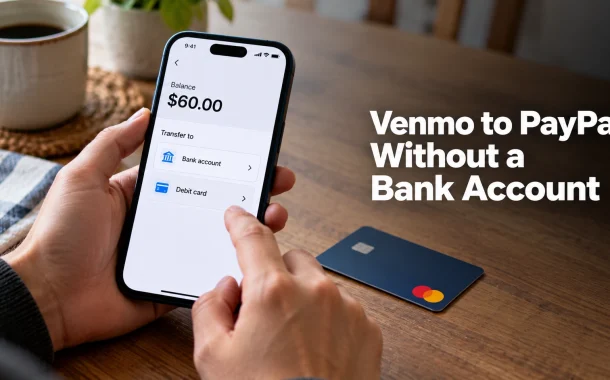
They can, and since late 2025 they do it for free. Venmo and PayPal now send payments to each other directly, using the recipient’s phone number, with no fee inside the US and arrival that is typically instant. You can fund it straight from your Venmo balance, which means no bank account is involved at any point. The catch is that this is a person-to-person feature: it moves money to someone else’s PayPal account, not between two accounts you own yourself. Those are two different problems with two different answers, and the fee on one of them is zero while the other costs nothing only if you pick the right option.
Quick answer: Venmo and PayPal now send money to each other directly. Search the recipient by the full phone number on their PayPal account and pay from your Venmo balance. There are no fees inside the US and payments are typically instant, so no bank account is needed anywhere in the chain. Cross-platform requests are not supported, and Visa+ was retired in February 2026.
Table of Contents
Can You Transfer Venmo to PayPal Without a Bank Account
Yes. Venmo’s help documentation states that “There are no fees to send money from Venmo to PayPal within the U.S.”, and that this applies when paying from your Venmo balance, debit card, or bank account. Paying from the balance means the transfer needs no bank account and no card at all.
What the direct feature actually does
Venmo and PayPal users can now send payments to one another. On the Venmo side you find the recipient by entering “the full phone number associated with the recipient’s PayPal account”. PayPal users can also show up in Venmo search results. Payments between the two are, in Venmo’s words, “typically instant”.
Why the transfer screen does not list PayPal
The Venmo transfer screen is for cashing out your balance to your own bank account or debit card. Sending to a PayPal user is a payment, not a cash-out, so it lives in the normal send-money flow rather than the transfer one. People hunting the transfer screen for a PayPal option are in the wrong part of the app.
The distinction that decides your route
Paying another person’s PayPal account is free and instant. Moving your own money from your own Venmo account into your own PayPal account is a different job, because each account is tied to its own phone number and the direct feature works by looking up someone else’s. The sections below cover both.
How to Send Money From Venmo to PayPal
Four steps, no fee inside the US, and no bank account needed if you pay from your balance.
Step 1: Get the recipient’s PayPal phone number
You need the full phone number attached to their PayPal account, not their email and not their Venmo handle. A partial number will not match. If they are not sure which number their PayPal account uses, have them check their PayPal profile before you send.
Step 2: Start a normal payment in Venmo
Open Venmo and begin a payment as you would to any other person. Enter the full phone number in the search or recipient field. A PayPal user can appear in Venmo search results, so check the result you select is the PayPal account rather than a Venmo profile with a similar name.
Step 3: Choose your Venmo balance as the funding source
Venmo lists balance, debit card, and bank account as funding options for this payment, and none of them carries a fee inside the US. Paying from the balance keeps a bank account out of it entirely. Avoid a credit card here, because Venmo applies a fee to personal payments made with one.
Step 4: Send and check it arrived
US payments are typically instant. PayPal’s side of the documentation says payments “are sent to the recipient right away”, with timing varying by the recipient’s country or region.
If the payment will not go through
Two documented causes. The phone number may not match the one on the PayPal account, which is the most common. The other is card-specific: PayPal notes that some Mastercard debit and credit cards are disabled for payments to Venmo users who have no physical address on their Venmo account, and advises using “a different card or bank account to make the payment”. Switching to your balance sidesteps both.
How to Send Money From PayPal to Venmo
The feature works in both directions. PayPal’s documentation states that “PayPal & Venmo users can send and receive payments between each other”, and that there are “no fees to send money to Venmo users within the US” whether you pay from your PayPal balance, debit card, or bank.
The identifier flips
Going this way you search by “the full phone number associated with the recipient’s Venmo account”. Venmo users can also be found by email address in some flows. The principle is the same: the phone number on the destination account is the key.
PayPal to Venmo transfer time
Near-instant. PayPal says payments are sent to the recipient right away, with variation by the recipient’s country or region. Neither platform quotes a business-day window for a US payment between them.
Can You Request Money Across PayPal and Venmo
No. Both platforms state the same limitation. Venmo puts it as “Requests across platforms aren’t possible right now”, and PayPal as “At this time, payment requests are not possible across platforms”. Sending works in both directions. Requesting does not work in either.
What to do instead
Ask the other person to send it, giving them the full phone number on your account and telling them which app it belongs to. There is no in-app request to fall back on, so the arrangement has to happen outside the apps.
What Happened to Visa+
Visa+ used to be the route between these two apps, through a Visa+ Payname. It is gone. Venmo’s Visa+ documentation states that “As of February 19, 2026, Visa+ is no longer available for PayPal and Venmo transactions.”
Why guides still mention it
Visa+ launched with PayPal and Venmo as partners and was the standard answer for a couple of years, so instructions built around setting up a Payname are still circulating. Those steps no longer apply to these two apps. The direct phone-number method replaced it and is simpler, since it needs no Payname setup on either side.
Moving Your Own Venmo Balance Into Your Own PayPal Account
This is the harder version of the question and it needs a different approach. The direct feature finds a recipient by the phone number on their account, and a single phone number cannot sit on both a Venmo and a PayPal account at once, so self-transfer by phone lookup is not a documented path.
The debit card bridge
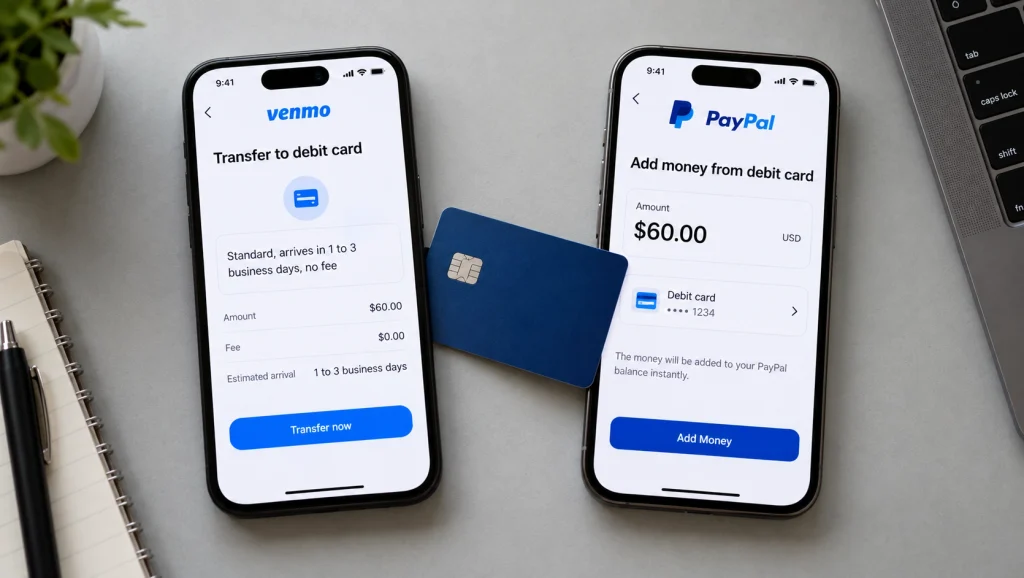
Venmo’s user agreement allows a Standard Transfer to “a bank account or an eligible debit card linked to your Venmo account for free”. PayPal’s balance terms allow adding money from “a linked Visa or Mastercard Debit Card”. Link the same Visa or Mastercard debit card to both, Standard Transfer the Venmo balance onto it at no fee, then add the money to PayPal from that card. If card verification has given you trouble before, our guide to verifying PayPal without a bank account separates card verification from identity verification.
The cash route
The Venmo Debit Card withdraws cash at no fee from in-network MoneyPass ATMs in the US, and $2.50 at out-of-network US ATMs. PayPal’s balance terms then allow adding cash at retail stores “in amounts from $20.00 to $500.00 per transaction”. Our rundown of which stores handle PayPal cash covers that end.
The simplest option if someone will help
Send it as a normal cross-platform payment to a person you trust who then sends it to your PayPal account. Free and instant both ways inside the US. It also puts your money in someone else’s hands with no buyer protection, so only do it with someone you would hand the same amount to in cash.
Venmo Instant Transfer Is Not a PayPal Transfer
These two get conflated constantly and they are unrelated products. Instant Transfer is a cash-out that moves your Venmo balance to your own debit card or bank account faster, for a fee. It has never had PayPal as a destination.
| Action | Fee | Speed |
|---|---|---|
| Send from Venmo to a PayPal user, US | $0.00 | Typically instant |
| Send from PayPal to a Venmo user, US | $0.00 | Right away |
| Venmo Standard Transfer to your own debit card or bank | $0.00 | A few business days |
| Venmo Instant Transfer to your own debit card or bank | 1.75%, minimum $0.25, maximum $25.00 | Minutes |
| Venmo Debit Card ATM, in-network MoneyPass | $0.00 | Immediate |
| Venmo Debit Card ATM, out-of-network US | $2.50 | Immediate |
| Personal payment funded by credit card | Fee applies | Varies |
Fees as published in Venmo’s fee schedule and PayPal’s documentation.
The fee people pay by mistake
Searching for “Venmo instant transfer to PayPal” leads to the Instant Transfer screen, where 1.75% gets paid to move money onto a card that then needs a second step into PayPal. Sending the payment directly to the PayPal user costs nothing and arrives just as fast. The same cost logic runs through our guide to avoiding PayPal fees when receiving money.
When Instant Transfer is still the right tool
When the destination genuinely is your own card or bank and you need it today. It only appears when the destination can accept a real-time payment, and plenty of cards cannot, which our breakdown of why PayPal instant transfer stops working explains for the same mechanism on PayPal’s side.
Are Venmo and PayPal the Same Company
PayPal owns Venmo. It arrived through PayPal’s 2013 acquisition of Braintree, which had bought Venmo the year before. They are run as separate products with separate balances, separate terms and separate apps, which is why cross-platform payments needed building rather than simply existing. Our comparison of PayPal and Venmo covers where each one fits.
Why common ownership did not mean connected accounts
Separate products carry separate ledgers, compliance boundaries and funding rails. Until the direct payment feature shipped, the only ways across were a shared card, cash, or a third party. Ownership explains why it eventually happened. It did not make it automatic.
Sending Internationally Between Venmo and PayPal
The free, instant description covers payments inside the US. Cross-border payments between the two carry fees, a currency conversion spread, and published caps.
| Limit | Amount |
|---|---|
| Per transaction | $2,500 |
| Daily | $5,000 |
| Weekly | $10,000 |
| Monthly | $25,000 |
International sending limits as published by Venmo, which notes additional limits may apply.
What changes once a border is involved
Venmo states that fees may apply on international payments and that the conversion rate “includes a spread”, meaning the rate you receive is not the mid-market rate. Transfers usually complete within a few minutes once approved, with timing varying by country. Treat the US “no fees” line as a domestic rule rather than a general one.
Frequently Asked Questions
Why won’t Venmo let me send to PayPal?
Most likely you are in the wrong screen or using the wrong identifier. The transfer screen only cashes out to your own bank or debit card, so a PayPal payment starts in the normal send-money flow instead. You also need the full phone number attached to the recipient’s PayPal account, since a partial number or an email will not match.
Can PayPal accept Venmo payments?
Yes. PayPal’s documentation confirms that PayPal and Venmo users can send and receive payments between each other. A PayPal user receives money sent from Venmo as an ordinary incoming payment, with no fee inside the US and arrival typically instant.
Can I transfer money from Venmo without a bank account?
Yes. A cross-platform payment can be funded from your Venmo balance, so no bank account is needed. For cashing out to yourself, Venmo’s user agreement allows a free Standard Transfer to an eligible linked debit card, and the Venmo Debit Card withdraws cash at ATMs.
How do I transfer money from Venmo to PayPal in 2026?
Start a normal payment in Venmo, search the recipient by the full phone number on their PayPal account, choose your Venmo balance as the funding source, and send. There is no fee inside the US and the payment is typically instant. Avoid paying by credit card, which Venmo charges a fee for on personal payments.
How do I send money from PayPal to Venmo?
The same method in reverse. In PayPal, search the recipient by the full phone number on their Venmo account and send. PayPal states there are no fees to send money to Venmo users within the US, from your balance, debit card, or bank, and that payments go out right away.
Can you request money from PayPal to Venmo?
No. Both platforms state that payment requests are not possible across the two apps. Sending works in both directions, requesting works in neither. Ask the other person to send the payment and give them the full phone number on your account, specifying which app it belongs to.
How do I send money from Venmo to PayPal with Visa+?
You cannot any more. Venmo’s documentation states that as of February 19, 2026, Visa+ is no longer available for PayPal and Venmo transactions. Instructions involving a Visa+ Payname are out of date for these two apps. The direct phone-number method replaced it and needs no setup on either side.
What is Venmo instant transfer to PayPal?
Nothing, and the phrase mixes up two features. Instant Transfer is a paid cash-out from your Venmo balance to your own debit card or bank account, at 1.75% with a $0.25 minimum and $25.00 cap. It has never offered PayPal as a destination. Sending to a PayPal user directly is free and already instant.
How long does a PayPal to Venmo transfer take?
Near-instant inside the US. PayPal says payments are sent to the recipient right away, and Venmo describes payments between the two platforms as typically instant. Timing varies by the recipient’s country or region, and international payments usually complete within a few minutes once approved.
Are Venmo and PayPal the same company?
PayPal owns Venmo, acquired through its 2013 purchase of Braintree. They run as separate products with separate balances, terms and apps, which is why direct payments between them had to be built as a feature rather than existing from the start.
Conclusion
Transferring Venmo to PayPal without a bank account is now the easy version of this question. Send it as an ordinary payment, search the recipient by the full phone number on their PayPal account, and fund it from your Venmo balance. No fee inside the US, typically instant, and no bank account anywhere in the chain. The reverse works identically, and cross-platform requests do not work at all.
The person with $60 and no bank account was looking in the transfer screen, which only ever cashed out to their own card or bank. Moving money between two accounts you own yourself is the one case still needing the old approach, because the direct feature identifies a recipient by the phone number on their account and one number cannot sit on both. For that, a shared debit card with a free Standard Transfer does it for nothing, and an ATM withdrawal plus a retail PayPal reload is the cash fallback.
Are you sending to someone else’s PayPal, or trying to move your own balance between two accounts you hold?