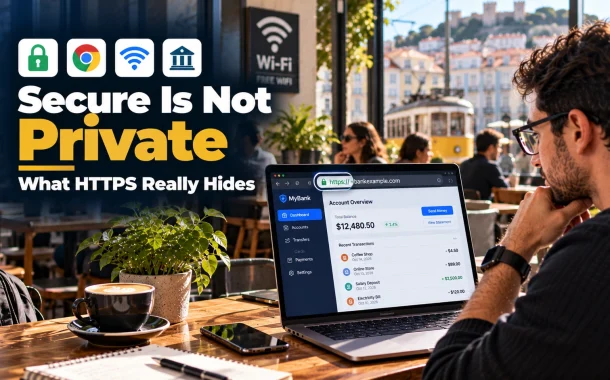
This guide explains the difference between a secure connection and a private connection. It shows what HTTPS protects, what it leaves visible, when a VPN, DNS over HTTPS or Encrypted Client Hello helps, and how to fix the “your connection is not private” browser error.
Quick answer: A secure connection protects your data from being read or changed while it travels. A private connection limits who can see that you are connecting and where. HTTPS gives you the first. It does not give you the second, because your internet provider can still see which site you connect to. A VPN, encrypted DNS and careful browser settings close part of that gap.
Table of Contents
Secure vs Private Connection: The Short Difference
A secure connection keeps your data safe from attackers and tampering. A private connection keeps your activity hidden from people who do not need to see it. The two overlap, but one does not guarantee the other.
| Secure connection | Private connection | |
|---|---|---|
| Main goal | Stop people reading or changing your data | Stop people learning what you do and where you go |
| Typical tool | HTTPS (TLS), firewalls, patching | VPN, encrypted DNS, private network, Tor |
| Protects against | Eavesdropping, tampering, fake sites | Tracking by networks, providers and sometimes sites |
| Shows a padlock | Yes | Not by itself |
| Who can still see you | Your ISP, the network owner, the website | Depends on the tool and who you trust |
Think of mailing a sealed letter. The seal keeps the postal worker from reading it. The envelope still shows who it is going to and how often you write. HTTPS is the seal. Privacy is about the envelope.
What a Secure Connection Protects
A secure connection protects the contents of your traffic while it travels. On the web that means HTTPS, which is HTTP running over TLS. It encrypts page content, form entries, cookies and messages between your browser and the site.
According to Proton’s explainer on HTTPS, it does three jobs:
- Encryption: passwords, payment details and personal data can’t be read on the way.
- Identity: a TLS certificate helps your browser confirm it reached the real site and not an impostor.
- Integrity: the data can’t be changed in transit without detection.
On the network side, a secure setup also uses firewalls, network segmentation, access control and anti-malware tools. These protect the availability and integrity of a network and its users’ data. For a deeper look at the firewall piece, read the role of a firewall in protecting your digital assets.
Organizations also use cve monitoring to track newly published vulnerabilities that affect their software, so they can patch before attackers exploit them. That is security work, and it says nothing about whether the people on the network are private.
What HTTPS Does Not Hide
HTTPS does not hide where you connect. The Electronic Frontier Foundation puts it plainly: “HTTPS is not an anonymity tool.” Eavesdroppers can still see where you connect from and which sites you visit, and the sites can still track what you do on them.
Here is what stays visible even when the padlock is on:
- The site you connect to. Your ISP and the network owner can see the server you reach.
- Your IP address and approximate location. Every site you visit sees them too.
- DNS lookups. Standard DNS requests are plain text, unless you use DNS over HTTPS.
- Timing, frequency and message size. This metadata can fingerprint your activity.
- What you do on the site itself. The site owner sees your clicks, searches and logins.
- Traffic from apps outside your browser, which HTTPS in the browser does not cover.
HTTPS also doesn’t stop phishing. A fake site can have a valid certificate, so the padlock proves the connection is encrypted, not that the site is honest.
Who Can See What: HTTPS, DNS Encryption, VPN and Tor
Each tool hides a different slice of your activity. No single option hides everything, and each one moves trust to someone else.
| Who or what | HTTPS only | HTTPS + DNS over HTTPS | HTTPS + VPN |
|---|---|---|---|
| Page content | Hidden from the network | Hidden from the network | Hidden from the network |
| Site you visit (from your ISP) | Visible | Mostly visible | Hidden, ISP sees only the VPN |
| DNS lookups | Visible | Encrypted | Handled by the VPN |
| Your IP address (to the site) | Visible | Visible | Shows the VPN server’s IP |
| Your activity on the site | Visible to the site | Visible to the site | Visible to the site |
| Who you must trust | Your ISP and network | Your DNS provider | Your VPN provider |
For strong anonymity, the EFF recommends Tor rather than HTTPS alone. Tor is slower and not suited to every task, but it is built for hiding who is connecting to what.
What Is a Private Connection?
A private network is one that isn’t open to the general public and isn’t directly connected to a public network. Only certain users or devices can join. Private networks use NAT devices to talk to the outside world.
Here is how NAT works. When a device on a private network sends data to a public network, the NAT device swaps the private source address for a public one and forwards the data. When the reply comes back, the NAT device swaps the public address for the original private one and delivers it. Outsiders see the public address and not your device’s private address.
NAT is address translation, not a privacy shield for what you do. It keeps internal addresses off the public internet, but your provider still carries your traffic.
Common Private Network Types
| Type | What it connects |
|---|---|
| Local Area Network (LAN) | Devices in a small area, such as a home, office or building |
| Wide Area Network (WAN) | Networks over great distances |
| Virtual Private Network (VPN) | A laptop or phone to a remote server run by a VPN provider, such as the options listed at cometvpn |
| Metropolitan Area Network (MAN) | Devices in or between cities |
| Enterprise Private Network (EPN) | A larger company’s users, devices and sites |
| Storage Area Network (SAN) | Servers to shared pools of storage |
| Personal Area Network (PAN) | The devices in one person’s workspace |
Private networks give you more control over performance, access and the devices that connect. For a business angle, see why businesses need secure remote access for network protection.
Does a VPN Make Your Connection Private?
A VPN makes your connection more private from your ISP and from the sites you visit. It does not make you anonymous, because the VPN provider can see your traffic instead. You are choosing who to trust, not removing the need to trust anyone.
With a VPN on, your ISP sees only a connection to the VPN server. The sites you visit see the VPN server’s IP address and not your own. That helps on public Wi-Fi and when you don’t want a provider building a history of your browsing.
A VPN has limits:
- It doesn’t protect data after it leaves the VPN server.
- It doesn’t stop malware or phishing.
- It doesn’t stop tracking through cookies and browser fingerprinting.
- It offers weak privacy if the provider logs your activity.
For a VPN with strong encryption, speed, built-in ad blocking and anti-tracking across devices, Bitdefender Premium VPN is one option. Its own page lists AES-256 encryption, Perfect Forward Secrecy, more than 3,000 servers in over 100 countries, unlimited encrypted traffic, up to 10 devices on one subscription, and a 30-day money-back guarantee.
How to Judge a VPN’s Privacy Claims
Look for proof, not slogans. Most VPNs say they keep no logs. Few can show it. When you compare providers:
- Check whether an independent firm audited the no-logs claim, and how recent the audit is.
- Read what the audit covered. Some test the no-logs controls directly. Others review general security.
- Check where the company is based and what the law there requires it to keep.
- Avoid free VPNs you can’t explain the business model of.
An audit is a snapshot. It can’t cover changes made after the review, so privacy is something a provider keeps doing, not a badge it earns once.
For more VPN reading, see VPNs, privacy and productivity for a global workforce, securing remote dev workflows with VPNs and our guide to anonymous VPN services that accept prepaid cards.
Closing the Gap: DNS Over HTTPS and Encrypted Client Hello
Two newer browser features hide more of what HTTPS leaves visible. DNS over HTTPS hides the domain lookup. Encrypted Client Hello hides the site name inside the TLS handshake. Neither hides your IP address.
DNS over HTTPS (DoH) sends the domain names you look up over an encrypted HTTPS connection instead of plain text. Mozilla says this stops third parties such as people on public Wi-Fi, your ISP or others on your local network from seeing which sites you try to reach. Firefox turned DoH on by default for US desktop users in 2019 and Canada in 2021. It is off for people who set parental controls or use organization-managed DNS. Your DoH provider can see the lookups, so you are trusting that provider. If DNS settings confuse you, see how to reset your DNS server.
Encrypted Client Hello (ECH) encrypts the part of the TLS handshake that names the site you want. It needs both the browser and the website’s server to support it. Chrome 118 was the first stable Chrome release with ECH. It is not a full privacy fix, because unencrypted DNS can still give away that you are using ECH, and the destination IP address stays visible.
“Your Connection Is Not Private”: What the Error Means
The “your connection is not private” error means your browser couldn’t trust the site’s certificate, so it stopped the secure connection. It does not mean someone has already stolen your data. It is a warning that the connection can’t be verified as safe.
Look at the error code under the message. Codes such as NET::ERR_CERT_AUTHORITY_INVALID and NET::ERR_CERT_DATE_INVALID point to a certificate problem. Then work through these fixes in order:
| Likely cause | Fix |
|---|---|
| Wrong date or time on your device | Correct the clock, then reload the page |
| Temporary glitch or a corrupted cache | Refresh, restart the browser, then clear the cache |
| Outdated browser or operating system | Update both |
| Antivirus or firewall scanning HTTPS | Check its SSL scanning setting |
| Public Wi-Fi or a captive portal | Sign in on the portal page or switch networks |
| A VPN inserting its own certificate | Turn the VPN off for a moment and test |
| Expired or misconfigured certificate on the site | Test another device or network, then contact the site owner |
If the same site fails on every device and network, the site’s certificate is the problem. Don’t click “Proceed” to get past it. That only tells the browser to ignore the warning. On public Wi-Fi or an unfamiliar site, the warning may mean someone is intercepting your connection. If you must continue on a site you control, such as a local test site, do not enter passwords or payment details.
If you run the site and see this error, check the certificate expiry date and the full chain first. A server that doesn’t send its intermediate certificate is a common cause.
How to Make a Secure Connection More Private
Layer a few habits, because no single setting does it all. Start with the free ones.
- Keep HTTPS on. Use the latest browser and avoid sites that still load over HTTP.
- Turn on DNS over HTTPS in your browser’s network or privacy settings.
- Use a VPN on public Wi-Fi, and pick one that has an independent audit.
- Block trackers. HTTPS doesn’t stop sites and ad networks from following you, so use a browser with tracking protection or a trusted blocker.
- Clear or limit cookies, because cookies can follow you from site to site. See how browser cache and cookies work in Brave.
- Encrypt what you store and send. HTTPS protects data only while it moves. For files at rest, read encryption tools for business data protection.
- Use end-to-end encrypted messaging for content that must stay private even from the service itself.
Which Do You Need?
Most people need secure by default and private when it matters. Use this table to decide.
| Your situation | What you need |
|---|---|
| Shopping or banking at home | HTTPS (already on) is enough for the data itself |
| Browsing on public Wi-Fi | HTTPS plus a VPN you trust |
| Hiding your history from your ISP | A VPN, or DNS over HTTPS for lookups only |
| Staying hidden from the sites you visit | Tor, plus careful browsing habits |
| Running a business network | Firewall, patching, access control and a private network |
| Protecting files and messages | Encryption at rest and end-to-end encrypted messaging |
There is no single answer for everyone, so pick the tool that matches the risk. A VPN is overkill for reading a recipe. It is sensible for checking email in an airport.
FAQ
Is a secure connection the same as a private connection?
No. A secure connection protects your data from being read or changed in transit. A private connection limits who can see your activity. HTTPS gives you security. Privacy needs extra steps such as a VPN or encrypted DNS.
Does HTTPS make my browsing private?
No. HTTPS hides page content, but your ISP can still see which sites you visit. Websites can see your IP address and what you do on them. The EFF calls HTTPS “not an anonymity tool.”
Can my ISP see what I do on HTTPS sites?
Your ISP can see the server you connect to, when you connect and how much data moves. It can’t read the page content. DNS over HTTPS and Encrypted Client Hello hide more, but only when both your browser and the site support them.
Does a VPN make me anonymous?
No. A VPN hides your activity from your ISP and shows sites the VPN server’s IP address. The VPN provider can still see your traffic, and cookies and browser fingerprinting still work. Choose a provider with an independent audit.
Do I still need a VPN if I use HTTPS?
Use both when privacy matters. HTTPS protects the link between you and the site. A VPN protects the link between you and the VPN server and hides the site name from your ISP. On public Wi-Fi, using both is a sensible default.
What does “your connection is not private” mean?
It means your browser couldn’t verify the site’s security certificate. Common causes are a wrong device clock, an expired site certificate, an outdated browser, antivirus scanning or a captive portal on public Wi-Fi. Fix the cause. Don’t just click through the warning.
Is it safe to proceed past the “not private” warning?
Usually not. Proceeding doesn’t fix the problem, it only tells the browser to ignore it. It can be reasonable on a local test site you control. On any other site, avoid entering passwords or payment details.
What is DNS over HTTPS and should I turn it on?
DNS over HTTPS encrypts your domain lookups so your ISP and local network can’t read them. Turn it on if you want less exposure on shared networks. It also bypasses local DNS filtering, which can matter on a managed or family network.
Is public Wi-Fi safe if the site uses HTTPS?
HTTPS protects the content of your traffic on public Wi-Fi. It doesn’t hide which sites you visit from the network owner. Avoid sensitive logins if you see certificate warnings, and use a VPN you trust for extra cover.
Secure First, Then Private
Treat the padlock as a baseline, not a guarantee of privacy. It stops people reading your data in transit. It doesn’t stop your provider, the network owner or the sites you use from learning plenty about you.
Decide what you want to keep private, then match the tool to that risk. Which gap worries you most right now: your ISP’s view, public Wi-Fi, or the sites that track you?