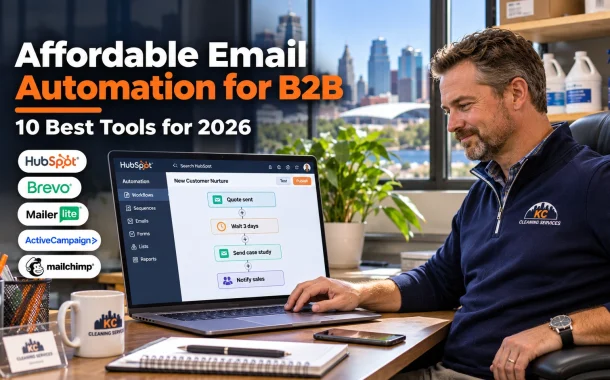
That’s the gap affordable email automation tools for B2B fill. B2B email is different from retail email. Buyers take weeks or months to decide, several people often sign off, and one well-timed follow-up can matter more than a hundred newsletters. The good news is that solid automation now starts free or under $20 a month. The tools below are ranked for small B2B teams in the US, UK, Canada, Australia and Europe, with prices taken from each vendor’s own pricing pages.
Quick answer: The best affordable email automation tools for B2B in 2026 are Brevo for a free plan with a built-in CRM, MailerLite for easy automation from $12 a month, and Moosend for unlimited sends from $9 a month. ActiveCampaign, from $15 a month, has the strongest automation for the price. HubSpot Marketing Hub Starter suits teams that want CRM and email together.
Table of Contents
Best Affordable Email Automation Tools for B2B at a Glance
The best affordable email automation tools for B2B combine trigger-based follow-ups, list segmentation and a CRM connection at a price a small sales team can carry. This table ranks ten tools by fit for a typical B2B company with a few hundred to a few thousand contacts and long sales cycles.
Ranked List
| Rank | Tool | Best for | Starting price | Free plan | Key limit |
|---|---|---|---|---|---|
| 1 | Brevo | Free plan plus CRM | Free, paid by email volume | Yes, 300 emails a day | Multi-step workflows need Standard |
| 2 | MailerLite | Easy automation on a budget | $12/mo | Yes, 250 subscribers | Free plan allows 3 automations |
| 3 | Moosend | Unlimited sends for less | $9/mo (500 subscribers) | 30-day trial | Fewer CRM integrations |
| 4 | ActiveCampaign | Deepest automation for the price | $15/mo (under 1,000 contacts) | 14-day trial | Costs climb as contacts grow |
| 5 | GetResponse | Email plus webinars | $19/mo | Limited free account | Starter has 1 workflow |
| 6 | Zoho Campaigns | Teams already on Zoho CRM | Low monthly fee by contact count | Yes, 2,000 contacts | No workflows on free plan |
| 7 | HubSpot Marketing Hub Starter | CRM and email in one place | $15/seat/mo monthly, $9 annual | Free CRM | Simple workflows only |
| 8 | Mailchimp | Familiar, easy templates | $13/mo | Yes, 250 contacts | Essentials flows limited to 4 steps |
| 9 | Benchmark Email | Simple newsletters and drips | $12/mo (500 contacts) | Yes, 500 contacts | Lighter automation |
| 10 | Encharge | B2B SaaS behavior flows | $79/mo | No | Not budget-level |
What B2B Email Automation Should Do
B2B email automation should send the right follow-up at the right moment without someone remembering to do it. For a small team, that means welcome sequences for new leads, follow-ups after a quote or demo, re-engagement for quiet deals and alerts to sales when a lead takes action. Everything else is a bonus.
The Features That Matter
- Trigger-based workflows. Emails that send when a lead fills a form, opens a proposal or visits your pricing page.
- Segmentation. Separate lists or tags for industries, deal stages and job titles, since a founder and an office manager need different messages.
- CRM sync. Contact data flowing both ways between your email tool and your CRM, so sales sees every email.
- Deliverability tools. Domain authentication and list cleaning, because Gmail and Yahoo now reject poorly set-up bulk senders.
- Reporting. Opens, clicks and replies tied to contacts, not just campaign totals.
Google’s email sender guidelines require bulk senders to authenticate their domain, include one-click unsubscribe and keep spam complaints low. Any tool on this list can handle that, but you still need to set it up. If you’re still choosing a CRM, our guide to CRM for startups compares the main options, and integrating email marketing with social media shows how to reuse the same content across channels.
1. Brevo: Best Free Plan for B2B Teams
Brevo, formerly Sendinblue, is the best starting point for most small B2B teams because its free plan includes email, a basic CRM and up to 300 emails a day. Paid plans are priced by monthly email volume rather than contact count, which suits B2B companies with large contact lists but modest sending.
Brevo Pricing and Features
The free plan allows 300 emails a day with no credit card. Starter is priced from 5,000 emails a month. Unlimited multi-step automation workflows come with the Standard plan, so budget for that tier if follow-up sequences are the main reason you’re buying. Brevo shows exact prices in a live calculator on its pricing page.
Pros
- Generous free plan with a built-in sales CRM
- Pricing by email volume, not stored contacts
- Email, SMS and WhatsApp in one platform
Cons
- Full multi-step automation needs the Standard plan
- Daily cap on the free plan slows larger sends
2. MailerLite: Best for Easy Automation on a Budget
MailerLite is the easiest tool on this list to learn, with a clean visual automation builder and low prices. It suits small B2B teams that want welcome sequences, lead nurturing and simple follow-ups without a long setup. Its free plan covers up to 250 subscribers and 2,500 emails a month.
MailerLite Pricing and Features
The free plan includes 3 active automations with up to 5 steps each. Comfort starts at $12 a month and allows 50 active automations with 100 steps each. Power starts at $25 a month with unlimited automations. Paying annually saves 10% on both paid plans.
Pros
- Very easy drag-and-drop automation builder
- Low starting price with real automation
- Landing pages and forms included
Cons
- Free plan is small for B2B lists
- Fewer native CRM integrations than ActiveCampaign or HubSpot
3. Moosend: Best for Unlimited Sends
Moosend is one of the cheapest ways to get unlimited email sends with automation. Pricing is based on subscriber count, starting at $9 a month for 500 subscribers and $16 a month for 1,000. It suits B2B teams that send frequent nurture emails to a modest list.
Moosend Pricing and Features
Paid plans include unlimited email campaigns and sends. A 30-day free trial needs no credit card and allows one published automation workflow. Moosend is owned by Sitecore, the enterprise content platform. It also sells pay-as-you-go email credits for teams that send occasionally.
Pros
- Unlimited sends on paid plans
- Low entry price
- Long 30-day free trial
Cons
- Smaller integration library
- Fewer B2B sales features than CRM-led tools
4. ActiveCampaign: Best Automation for the Price
ActiveCampaign has the most capable automation builder in this price range. It handles conditional paths, lead scoring and site tracking, which matter for long B2B sales cycles. Pricing starts at $15 a month for accounts with fewer than 1,000 contacts, with a 14-day free trial.
ActiveCampaign Pricing and Features
The trial includes up to 100 contacts and 100 emails, with features matching ActiveCampaign’s Professional tier. Prices rise with contact count and plan level. Lead scoring and CRM features sit on higher plans, so check the plan comparison before you buy.
Pros
- Powerful conditional automation and lead scoring
- Strong CRM and sales integrations
- Hundreds of automation recipes to start from
Cons
- Costs climb quickly as your list grows
- Steeper learning curve than MailerLite
5. GetResponse: Best for Email Plus Webinars
GetResponse combines email automation with landing pages and, on higher plans, webinars. That suits B2B companies that sell through demos and online events. Starter costs $19 a month with one custom automation workflow. Marketer, at $59 a month, is the first plan with unlimited automation workflows.
GetResponse Pricing and Features
Creator starts at $69 a month and adds webinar features. All plans offer a 14-day free trial of premium features. A limited free account exists, with caps on automation and landing pages.
Pros
- Webinars and landing pages in one platform
- Mature autoresponder and automation tools
- Good for event-led B2B selling
Cons
- Real automation starts at $59 a month
- Starter’s single workflow is restrictive
6. Zoho Campaigns: Best for Zoho CRM Users
Zoho Campaigns is the natural pick for teams already on Zoho CRM, because contacts, deals and email activity sync without extra tools. Its Forever Free plan covers up to 2,000 contacts. Paid plans start at a low monthly fee based on contact count, shown in Zoho’s live pricing calculator.
Zoho Campaigns Pricing and Features
The free plan doesn’t include workflows. Standard adds basic drag-and-drop workflows. Professional adds advanced automation such as tag-based and score-based flows. Zoho also sells a separate Marketing Automation product for larger needs.
Pros
- Large free plan by contact count
- Tight Zoho CRM integration
- Low paid entry price
Cons
- No automation on the free plan
- Interface feels busier than MailerLite
7. HubSpot Marketing Hub Starter: Best for CRM and Email Together
HubSpot Marketing Hub Starter puts email marketing on top of HubSpot’s free CRM, so every email, form and deal sits in one record. It costs $15 per seat a month billed monthly, or $9 billed annually, and includes 1,000 marketing contacts. Starter includes simple automation workflows.
HubSpot Pricing and Features
The jump to Marketing Hub Professional is steep, starting at $800 a month billed annually plus a one-time onboarding fee. Starter is the affordable entry. Teams that need complex B2B nurture flows may outgrow it quickly.
Pros
- Free CRM with full contact history
- Clean, well-documented interface
- Strong sales tool integration
Cons
- Simple automation only on Starter
- Big price jump to Professional
8. Mailchimp: Best for Familiar, Easy Templates
Mailchimp is the most familiar email tool, with strong templates and a simple editor. Its free plan covers 250 contacts and 500 sends a month. Essentials starts at $13 a month and Standard at $20 a month for the smallest contact tier, with a 14-day trial on Standard.
Mailchimp Pricing and Features
Essentials allows automation flows of up to 4 steps. Standard expands flow capabilities and adds flow templates, which most B2B teams will need. Send limits scale with contacts, at 10 times your contact limit on Essentials and 12 times on Standard.
Pros
- Polished templates and editor
- Large integration library
- Well known by marketers and freelancers
Cons
- Useful automation needs Standard
- Gets expensive as contacts grow
9. Benchmark Email: Best for Simple Newsletters and Drips
Benchmark Email suits B2B teams that mostly send newsletters and short drip sequences. Its free plan covers 500 contacts and 1,000 emails a month. Pro starts at $12 a month billed monthly, or $10 a month billed annually, for 500 contacts.
Benchmark Email Pricing and Features
The editor is simple and quick to learn. Automation is lighter than ActiveCampaign or MailerLite, so it fits teams with basic follow-up needs rather than complex scoring and branching.
Pros
- Free plan with 500 contacts
- Low entry price
- Easy to learn
Cons
- Lighter automation
- Fewer advanced B2B features
10. Encharge: Best for B2B SaaS Behavior Flows
Encharge is built for B2B SaaS companies that trigger emails from product activity, such as a trial user who hasn’t connected an integration. It isn’t a budget tool, starting at $79 a month for Growth and $129 for Premium, with 20% off yearly. It earns its place for SaaS teams where product-led flows drive revenue.
Encharge Pricing and Features
Encharge supports company-level data, so several users can belong to one account. Premium adds company segmentation, HubSpot two-way sync and Salesforce integration. Pricing scales with subscriber count.
Pros
- Built for B2B SaaS and account-level data
- Product event triggers
- HubSpot and Salesforce sync on Premium
Cons
- Highest starting price on this list
- Overkill for service businesses
Affordable Email Automation Tools for B2B: Pros and Cons Summary
This summary compares the main strength and weakness of each of the ten tools in one place. Use it to shortlist two or three that fit your CRM and budget, then run free trials side by side with your own contact list and one real follow-up sequence.
Summary Table
| Tool | Biggest strength | Biggest weakness |
|---|---|---|
| Brevo | Free plan with CRM | Workflows need Standard |
| MailerLite | Easiest automation builder | Small free plan |
| Moosend | Unlimited sends from $9 | Fewer integrations |
| ActiveCampaign | Deepest automation | Price rises with contacts |
| GetResponse | Webinars included | Workflows start at $59 |
| Zoho Campaigns | Zoho CRM sync | No free automation |
| HubSpot Starter | CRM and email together | Simple workflows only |
| Mailchimp | Templates and familiarity | Automation needs Standard |
| Benchmark Email | Simple and cheap | Light automation |
| Encharge | SaaS product flows | Not budget-level |
What Affordable B2B Email Automation Costs in a Year
Affordable B2B email automation costs from nothing to about $1,000 a year at entry level. The table shows the yearly cost of each tool’s cheapest paid tier at monthly billing, which is a realistic starting budget for a small team with a few hundred contacts.
Entry-Level Yearly Cost
| Tool | Entry price | Yearly cost at monthly billing |
|---|---|---|
| Moosend | $9/mo (500 subscribers) | $108 |
| MailerLite Comfort | $12/mo | $144 |
| Benchmark Email Pro | $12/mo (500 contacts) | $144 |
| Mailchimp Essentials | $13/mo | $156 |
| ActiveCampaign | $15/mo (under 1,000 contacts) | $180 |
| HubSpot Starter (1 seat) | $15/mo | $180 |
| GetResponse Starter | $19/mo | $228 |
| GetResponse Marketer | $59/mo | $708 |
| Encharge Growth | $79/mo | $948 |
How to Choose Affordable Email Automation Tools for B2B
Choose by your sales process, not the feature list. Map the two or three follow-up sequences you actually need, check which CRM you use and count your contacts. Then trial two tools with the same sequence and compare how quickly your team can build it.
Questions to Ask Before You Buy
- Which CRM do you use? Pick a tool with a native two-way sync, or the CRM’s own email tool.
- Do you price by contacts or sends? Large, quiet lists suit Brevo. Small, busy lists suit Moosend.
- How complex are your sequences? Simple follow-ups work anywhere. Branching and lead scoring point to ActiveCampaign.
- Who will build the flows? A non-technical team will move faster in MailerLite or HubSpot.
- Do you sell to the EU or UK? Check where the vendor stores data and that it supports GDPR consent fields.
Our guide to B2B lead management software covers the CRM side, and automation software for your sales funnel shows where email fits in the wider funnel.
Common B2B Email Automation Mistakes
The most common B2B email automation mistakes come from bad data and too much automation. A cheap tool can’t fix an outdated list, and a ten-email sequence that ignores replies does more harm than one good follow-up. Each mistake below is easy to avoid if you plan for it first.
Mistakes to Avoid
- Mailing an old list. B2B contacts change jobs often. Clean your list before you import it, using our guide to verifying emails and keeping a clean list or our free bulk email verifier.
- Skipping domain authentication. Set up SPF, DKIM and DMARC before your first send.
- Ignoring replies. Stop a sequence as soon as a lead replies, or your automation will keep pitching someone already talking to sales.
- Sending one message to everyone. Segment by role and industry at minimum.
- Forgetting the law. In the US, the FTC’s CAN-SPAM compliance guide applies to B2B email too, including a working opt-out and your physical address.
FAQs
These are the questions B2B teams ask us most about affordable email automation.
What is the best affordable email automation tool for B2B?
For most small B2B teams, Brevo is the best place to start because its free plan includes a CRM and 300 emails a day. MailerLite is the easiest to learn from $12 a month, and ActiveCampaign has the strongest automation from $15 a month. The right pick depends on your CRM, list size and how complex your follow-ups are, so trial two before you pay.
Is there a free email automation tool for B2B?
Yes. Brevo, MailerLite, Zoho Campaigns, Mailchimp and Benchmark Email all have free plans. Brevo allows 300 emails a day, MailerLite includes 3 automations for up to 250 subscribers and Zoho covers 2,000 contacts but without workflows. Free plans work for testing and small lists, but most growing B2B teams move to a paid tier once they need more workflows or contacts.
What do people on Reddit recommend for B2B email automation?
Reddit threads on budget B2B email often recommend Brevo for its free plan, MailerLite for ease of use and ActiveCampaign for serious automation. A common warning is that cheap tools still need good list hygiene and domain authentication. Treat forum advice as a shortlist, then test tools with your own contacts and one real sequence before committing to an annual plan.
Is GetResponse good for B2B?
GetResponse works well for B2B companies that sell through webinars and landing pages, since it combines both with email automation. Its Starter plan at $19 a month includes only one custom workflow, so B2B teams that need multiple sequences should budget for Marketer at $59 a month. It’s less suited to teams that need deep CRM features, so pair it with a separate CRM if you go that way.
Is Moosend good for B2B email marketing?
Moosend is a strong budget choice for B2B teams that send often to a modest list, because paid plans include unlimited sends from $9 a month for 500 subscribers. It offers a 30-day free trial. Its weaker points are a smaller integration library and fewer sales-focused features than ActiveCampaign or HubSpot, so check your CRM connects first and test one full sequence during the trial.
What’s the difference between email marketing and email automation?
Email marketing covers any email you send to promote your business, such as newsletters and announcements. Email automation sends emails based on triggers, such as a form fill, a link click or a set delay after a quote. B2B teams get the most value from automation, because it handles follow-ups that would otherwise depend on someone remembering. Most tools do both in one account.
Can I use HubSpot email marketing for free?
HubSpot’s free CRM includes basic email marketing tools, with HubSpot branding and monthly send limits. Automated workflows start with Marketing Hub Starter at $15 per seat a month billed monthly, or $9 billed annually, with 1,000 marketing contacts included. It’s a good fit if you want your CRM and email in one place, though the jump to Professional is steep.
Are there free AI tools for B2B email marketing?
Most tools on this list now include AI writing help for subject lines and email copy, often on free or entry plans. AI can speed up drafts, but B2B buyers notice generic copy. Use it for a first draft, then add specifics about the buyer’s industry and problem before you send. Our guide to AI-powered tools for email personalization covers dedicated options.
How many emails should a B2B nurture sequence have?
Most B2B nurture sequences work well with four to six emails spread over three to six weeks. Each email should offer something useful, such as a case study, a checklist or an answer to a common objection. Stop the sequence when a lead replies or books a call, and send leads who don’t engage to a slower monthly newsletter so they still hear from you.
Do I need a CRM for B2B email automation?
You don’t need one to start, but it helps once more than one person talks to leads. A CRM keeps every email, call and deal in one record, so sales knows what marketing has sent. Brevo and HubSpot include free CRMs, and ActiveCampaign and Zoho Campaigns connect closely with their own CRM products. Start with whichever CRM your sales team will actually keep updated.
Conclusion
Grant chose Brevo’s free plan to start, connected it to his new quote form and built one follow-up sequence for every proposal he sends. Property managers now get a thank-you email, a case study from a similar building and a check-in a week later, without anyone on his team remembering to send them. His sales staff see every email on the contact record, and quiet deals no longer disappear by accident.
That’s what affordable email automation tools for B2B should do. They don’t need to be expensive or complicated. Start with your most important follow-up, pick a tool that connects to your CRM and test it with your real list before paying for a bigger plan. As your sequences grow, move up to a tier with more workflows, or to ActiveCampaign if you need lead scoring and branching. Write that first sequence this week. Which follow-up is your team still sending by hand today?