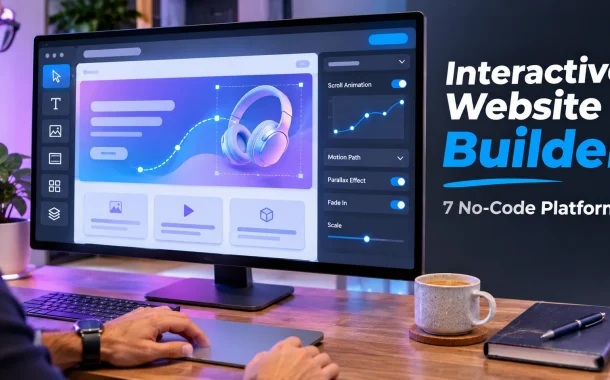
“Interactive” means different things on different platforms. Some tools specialize in scroll-driven storytelling, some give designers precise control over animation timelines and others are simple drag-and-drop builders with a few motion effects. Picking the wrong one leads to either a site that looks flat or a tool that’s too complex for your team.
Table of Contents
What Is an Interactive Website?
An interactive website responds to what the visitor does. Sections animate as you scroll, images reveal on hover, products rotate in 3D, maps and timelines react to clicks and content changes based on choices. The goal is to guide attention and make information easier to understand, not to add motion for its own sake.
Common Interactive Elements
- Scroll-triggered animations and parallax effects
- Hover states, micro-interactions and animated buttons
- Interactive 3D product viewers and models
- Timelines, sliders, tabs and accordions
- Quizzes, calculators and configurators
- Video backgrounds and scroll-controlled video
Story-Driven vs Feature-Driven Interactivity
Story-driven sites use motion to tell a narrative, like a brand origin story or a product launch. Feature-driven sites use interactivity to help people do something, such as compare plans or configure a product. Knowing which you need narrows the list of tools quickly. Our overview of types of product viewers for websites covers the second kind in more detail.
What to Look for in an Interactive Website Builder
A good interactive website builder balances creative control with ease of use. Compare the visual editor, animation and scroll tools, responsive controls for mobile, page speed, hosting and security, CMS and ecommerce features, integrations and total cost. The right mix depends on whether you’re telling a story, selling products or showing a portfolio.
Visual Editor and Drag-and-Drop Tools
If you’re not a designer, look for a visual editor that lets you move elements, adjust layouts and preview changes in real time. Strong tutorials and templates shorten the learning curve.
Animation, Scroll and 3D Capabilities
Some builders offer basic fade-ins, while others give you timeline-based animation, scroll triggers and 3D embeds. If immersive storytelling is the goal, prioritize platforms built for advanced motion that doesn’t need code.
Speed, Mobile and Accessibility
Heavy animation can slow pages and make them hard to use on phones. Check that the builder lets you simplify or disable effects on mobile and respects reduced-motion settings. Our guide to responsive web design in practice explains why fast, clear layouts still matter most.
Hosting, Security and Ownership
Most no-code builders include hosting and SSL. Check whether you can export your code or content if you leave, since some platforms make moving away difficult.
7 Interactive Website Builder Platforms Compared
These seven platforms cover the main types of interactive website builder, from storytelling tools to professional design platforms. Each one handles animation, ease of use and pricing differently, so compare them against your project rather than picking the most popular name. The table below summarizes where each fits best.
| Platform | Best for | Interactivity strength | Learning curve |
|---|---|---|---|
| Instorier | Scroll-driven brand and product stories | 3D and scroll-based storytelling | Low |
| Webflow | Designers and marketing teams | Advanced interactions powered by GSAP | High |
| Framer | Startups and designers | Smooth animations and effects | Medium |
| Wix Studio | Agencies and freelancers | Responsive design with built-in animations | Medium |
| Readymag | Editorial, portfolios, presentations | Layout-driven visual storytelling | Low to medium |
| Squarespace | Simple business and portfolio sites | Basic animations and polished templates | Low |
| Cargo | Artists and designers | Experimental layouts | Medium |

1. Instorier
Instorier is built specifically to merge storytelling with website building. It’s designed for people who want to create story-driven, interactive websites without any coding or design background. For anyone searching for the best storytelling website builder, this platform deserves serious attention. Its scroll-based and 3D animation tools let you build sections that unfold as visitors move down the page, and hosting is included so a site can go live quickly.
2. Webflow
Webflow gives designers detailed control over every element, layout and interaction. Its interactions are now powered by GSAP, and Webflow announced that GSAP became free for everyone, including plugins such as ScrollTrigger and SplitText that used to be paid. The trade-off is a steeper learning curve, so it suits people willing to invest time to learn.
3. Framer
Framer started as a prototyping tool and grew into a full website builder popular with startups and designers. It offers smooth animations, scroll effects and a design-tool feel, and you can publish straight from the editor. It sits between Webflow’s depth and Wix’s simplicity.
4. Wix Studio
Wix Studio is Wix’s platform for agencies and freelancers who need advanced responsive design and built-in animations. It replaces Editor X. Wix’s Editor X transition FAQ says Editor X sign-ups closed in April 2024 and existing sites are moving to Wix Studio. Teams that also build dashboards or client portals can pair it with an admin template for the back-office side.
5. Readymag
Readymag works well for editorial projects, portfolios and visually rich presentations. Creatives and publishers like its clean interface and layout freedom. It leans more toward visual page design than deep app-like interactivity.
6. Squarespace
Squarespace is known for elegant templates that look good out of the box. It works well for traditional business and portfolio sites and includes some animation options, but it lacks the advanced interactive tools of Webflow or Instorier.
7. Cargo
Artists and designers often choose Cargo for its unusual, experimental layouts. It offers creative freedom but caters to a niche audience, and people outside the design world may find the interface less intuitive.
Free Interactive Website Builder Options
You can create an interactive website without coding for free, but free plans come with limits. Wix, Webflow and Framer all offer free plans that let you build and publish on a branded subdomain, with ads or platform branding. Paid plans add a custom domain, more pages, CMS items and ecommerce.
What Free Plans Usually Include
Free plans are good for learning a platform, building a prototype or testing an idea with real visitors. Expect a branded subdomain, platform badges, bandwidth or page limits and no custom domain. Check each vendor’s pricing page for current limits, because they change often.
Open-Source and Self-Hosted Options
If you prefer an open-source, no-code website builder, WordPress with a block theme or a visual page builder gives you full ownership of your site. Our guide to what a content management system is compares open-source and hosted options.
AI Website Builders
Wix, Framer and Webflow now include AI tools that draft a first layout or copy from a short prompt. They’re useful for a quick start, but you’ll still need to refine structure, content and interactions by hand so the site fits your brand.
Adding 3D and Advanced Interactions Without Code
You don’t have to pick one platform for everything. Many teams build pages in their main interactive website builder and add specialist tools for 3D scenes, interactive product models or animated graphics. These tools export embeds that drop into Webflow, Framer, Wix and other builders without custom code.
Spline for 3D Scenes
Spline’s documentation on what Spline is describes it as a browser-based tool for interactive 3D and 2D experiences that can be published to the web without code. It lists Webflow, Framer and Wix among the tools it works with.
Lottie Animations and Video
Lightweight Lottie animations and short, compressed videos add motion without the weight of large GIFs. Modern image formats also help, as our comparison of WebP vs AVIF vs JPEG explains.
When to Bring in a Developer
Calculators, quizzes, configurators and logged-in features often need custom code or a no-code app tool. If your interactive idea depends on data or user accounts, plan for development help early.
How to Choose the Right Interactive Website Builder
Choosing the right interactive website builder starts with your main goal, your team’s skills and your budget. Storytellers should lean toward Instorier or Readymag, designers toward Webflow or Framer, agencies toward Wix Studio and simple business sites toward Squarespace. Then test your top choice by building one real page.
Match the Tool to Your Goal
Write down what the site must do. A product launch story needs scroll animation and strong visuals. A store needs ecommerce and fast checkout. A portfolio needs flexible layouts. Pick the platform built for your main job.
Be Honest About Skills and Time
If you’ve never built a site, start with an intuitive tool. Webflow rewards learning time with control, while Squarespace and Instorier get you live faster.
Factor in Budget and Long-Term Costs
Compare pricing carefully. Some plans look cheap until you need a custom domain, more CMS items, ecommerce or extra editor seats. Our guide to building a website on a budget explains what to pay for first.
Keep Structure Ahead of Motion
When clients ask us for an animated, story-led site, we plan the page structure and content first and only then add motion. Interactions should guide visitors through a clear path, not hide it. Our article on why good web design is about structure, not style explains the approach.
FAQs
Here are answers to common questions about interactive website builder platforms.
What is the best interactive website builder?
There’s no single best option. Instorier is strong for scroll-driven storytelling, Webflow offers the most advanced design and animation control, Framer balances power with ease of use, and Wix Studio suits agencies building many client sites. Squarespace and Readymag are easier choices for portfolios and editorial pages. Choose based on your goal, skills and budget, then test with a real page.
Can I build an interactive website for free?
Yes. Wix, Webflow and Framer offer free plans that let you design and publish an interactive site on a branded subdomain. Free plans usually show platform branding and limit pages, bandwidth or CMS items, and they don’t include a custom domain. They’re ideal for learning, prototypes and testing ideas before moving to a paid plan for your main business site.
How do I create a website without coding?
Pick a no-code website builder such as Wix or Framer, choose a template close to your design and replace the text, images and colors with your own. Add pages for your main services, set up contact forms and turn on any animation or scroll effects you want. Connect a custom domain on a paid plan, test the site on mobile and then publish it for visitors.
What makes a website story-driven?
A story-driven website guides visitors through a narrative using visual flow, sequential sections and emotional design. Instead of showing all information at once, it reveals content gradually as people scroll, often with animated images, text and transitions. It works well for brand stories, product launches, nonprofit campaigns and case studies where you want visitors to follow a clear beginning, middle and end.
Do I need design experience to use these platforms?
Not for most of them. Instorier, Squarespace, Wix and Readymag offer templates and drag-and-drop editors that beginners can learn quickly. Webflow and Framer are more powerful but usually take longer to master, especially for complex interactions. If you’re short on time, starting with a template and changing it step by step is the fastest route to a polished, professional-looking result.
Can interactive websites work well on mobile?
Yes, if they’re built carefully. Reputable builders include responsive controls so layouts and animations adjust for phones and tablets. Keep effects light on mobile, compress images and video and respect reduced-motion settings for people who are sensitive to movement. Always test on real phones before launch, because heavy animation that runs smoothly on a laptop can stutter on older devices.
What happened to Editor X?
Editor X is being replaced by Wix Studio. Wix says sign-ups for Editor X closed in April 2024 and existing Editor X sites will eventually move to Studio. If you’re starting a new agency or freelance project in the Wix ecosystem today, Wix Studio is the platform to use, since it includes the responsive design and animation features Editor X was known for.
How long does it take to build an interactive website?
It depends on complexity and your experience with the platform. A simple template-based site can launch in a few hours or a day. A custom story-driven site with scroll animation, 3D elements and several pages usually takes a few days to a few weeks. Planning content and structure first saves the most time, since animation is easier to add to a finished layout.
Are interactive websites bad for SEO?
Not if they’re built well. Search engines need readable text, clear headings, fast pages and crawlable links. Problems happen when important content is hidden inside images, canvas elements or heavy scripts, or when animation slows the page. Keep key text as real HTML, compress media, limit effects above the fold and check page speed before and after adding new interactions.
Conclusion
An interactive website builder lets you create pages that move, respond and tell a story without writing code. The right choice depends on what you’re building. Instorier is designed for scroll-driven brand stories, Webflow and Framer give designers advanced animation control, Wix Studio supports agencies, Readymag suits editorial work and Squarespace or Cargo work for simpler portfolio sites.
Start with your goal and your team’s skills, then test one or two platforms on their free plans by building a real page. Add 3D or animated elements through tools like Spline only where they help visitors understand your product or story. Keep text readable, pages fast and motion light on mobile so the experience works for everyone and still ranks in search. Plan structure first, then layer interactions on top. Done well, an interactive site holds attention longer and makes your brand easier to remember. Which part of your website would you most like visitors to explore rather than just read?