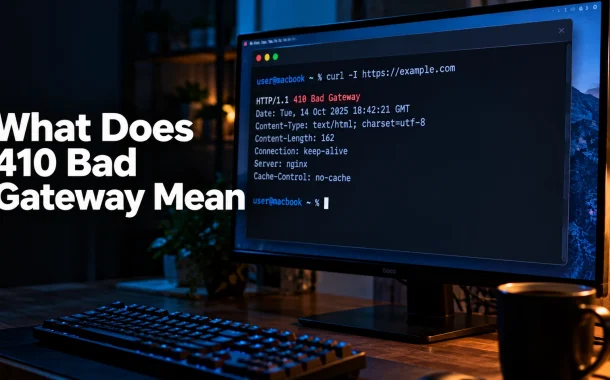
Two separate codes have been stuck together. 410 is Gone, a client error meaning the page was deliberately removed and is not coming back. 502 is Bad Gateway, a server error meaning one server asked another for a response and got something invalid. They sit in different classes of the specification, they have opposite causes, and they need opposite responses. A 410 is usually something you did on purpose. A 502 is something broken upstream that you need to go and find. Treating one as the other wastes an afternoon, which is why the first job here is working out which code your server is actually returning, and the second is the right fix for each.
Quick answer: There is no 410 Bad Gateway status code. 410 Gone is a client error meaning a resource was removed on purpose and will not return. 502 Bad Gateway is a server error meaning a proxy got an invalid response from an upstream server. Run
curl -Ion the failing URL to read the real status line.
Table of Contents
What Does 410 Bad Gateway Mean
It means two different things have been confused. The HTTP specification defines 410 as Gone and 502 as Bad Gateway. There is no status code numbered 410 with the reason phrase Bad Gateway, so any tool, log line, or ticket showing that pairing has either mistyped a number or combined two separate incidents.
Where the confusion comes from
Both codes produce a page that will not load, and both get described as “the site is broken” by whoever reports them. Monitoring tools sometimes show a status number in one column and a generic error label in another, and the two get read as one string. Hosting dashboards that group all failures under a single “gateway error” heading make it worse.
Why the distinction is not pedantic
The two codes live in different classes. A 4xx code says the request was the problem. A 5xx code says the server was. Acting on the wrong one means restarting services to fix a page you deleted last month, or restoring deleted content to fix a PHP worker that ran out of memory. The number tells you which half of the stack to look in.
410 Gone vs 502 Bad Gateway: How to Tell Which You Have
The fastest separator is the class digit. A 4 means the resource is the issue and the server answered correctly. A 5 means the server failed to answer properly at all. Everything else follows from that.
| 410 Gone | 502 Bad Gateway | |
|---|---|---|
| Class | 4xx, client error | 5xx, server error |
| Meaning | Resource removed on purpose, unlikely to return | Gateway or proxy got an invalid response from upstream |
| Usually | Intentional | A fault |
| Who fixes it | Nobody, if deliberate | Server owner or administrator |
| Affects | One URL or a set of URLs | Often the whole site or a whole path |
| Cacheable by default | Yes | No |
| Google’s crawl response | Treated like other 4xx errors | Crawling slows down |
| Right action | Usually leave it, or redirect | Find the failing upstream service |
The one-command check
Run curl -I https://example.com/the-url and read the first line of the response. It prints the real status code and reason phrase straight from the server, with no browser error page in the way. A browser’s own “cannot reach this page” screen hides the underlying code, which is how the wrong number ends up in a ticket.
What the pattern tells you
A single URL failing while the rest of the site works points to 410 or 404. Every URL on a path failing at once, or the whole site failing, points to 502 or 503. Intermittent failure that clears on refresh is a server-side symptom and never a 410, because a 410 is a deliberate, stable answer.
What a 410 Gone Status Code Means
A 410 Gone tells the client that the resource is no longer available at the origin server and that the condition is likely permanent. The server is not failing. It is answering clearly, and the answer is that the thing you asked for was removed and is not expected to come back.
MDN’s documentation puts it as a resource that “is no longer available at the origin server and that this condition is likely to be permanent”, and adds that clients “should not repeat requests for resources that return a 410 response”. A 410 response is also cacheable by default, which matters more than it sounds and is covered below.
When a 410 is the correct answer
Content you deliberately deleted and will not restore: an expired promotion, a discontinued product, a job listing that closed, a page taken down for legal reasons. In all of those the server knows the resource is gone permanently, so 410 communicates more than 404 does.
When to use 404 instead
If you do not know whether the absence is temporary or permanent, use 404. The specification is explicit that 404 is the right choice when server owners cannot say which it is. Guessing permanence and being wrong is worse than admitting uncertainty, because a cached 410 is harder to walk back.
The caching consequence
Because a 410 is cacheable by default, intermediaries and clients can hold on to it. If you 410 a URL and then decide to publish there again, the old answer may persist in caches and crawlers for a while. Treat a 410 as a decision you intend to keep rather than a temporary measure.
What a 502 Bad Gateway Error Means
A 502 Bad Gateway means a server acting as a gateway or proxy received an invalid response from the upstream server it asked. The gateway is working well enough to answer you. Whatever sits behind it is not. MDN describes many possible causes and notes that fixing them “probably requires investigation by server owners or administrators”.
Where the break usually sits
In a typical stack a reverse proxy such as Nginx sits in front of an application process such as PHP-FPM, a Node service, or a Gunicorn worker. When that application crashes, exhausts memory, or stops accepting connections, the proxy has nothing valid to pass back and returns 502. PHP fatal errors and worker pool exhaustion are common triggers on WordPress hosting, and keeping the PHP version current removes a whole class of them, which our guide to preparing a site for WordPress PHP 8 covers.
502 versus 504
If the gateway receives an invalid response, you get 502. If it receives no response at all within its timeout, MDN notes the gateway sends 504 Gateway Timeout instead. The distinction narrows the search: 502 means the upstream answered badly, 504 means it did not answer.
The one case where the visitor can act
A 502 is almost always the site owner’s problem. The exception MDN names is client networking, particularly when the site works for other visitors and the person seeing the error uses a VPN or a custom network setup. Then checking network settings, firewall rules, proxy configuration and DNS is reasonable. Our walkthrough of resetting your DNS server covers the DNS half of that, and how DNS affects site performance explains where resolution actually sits in the chain.
How to Diagnose Which Code Your Server Is Sending
Three checks in order, cheapest first. Each one either identifies the code or rules out a layer, and together they take a few minutes.
Read the raw response
curl -I against the URL prints the status line and headers with no browser interpretation. Add -L to follow redirects if you suspect a redirect chain is involved. This is the authoritative answer, because it is what the server actually sent.
Check the browser Network tab
Open developer tools, select the Network tab, reload, and click the failing request. The Status column shows the real code and the response headers show which server answered. This also catches the case where the page HTML loads fine and a single background request is failing, which a page-level check would miss entirely.
Read the right log
For a 502, the proxy error log names the upstream that failed, which is the single most useful line in the whole investigation. On Nginx that is usually the error log rather than the access log. For a 410, the access log confirms the code was returned deliberately, and the server configuration tells you where the rule lives. Rewrite rules in .htaccess on Apache or in the server block on Nginx are the usual home, and deployment layout mistakes are a common source of both, as our Laravel on cPanel walkthrough sets out.
Rule out your own cache
A stale browser or CDN cache can keep showing an old error after the underlying problem is fixed. Test in a private window, or bypass the cache entirely, before concluding the fix failed. Browser caching behaviour varies more than people expect, which our explanation of how browser cache works and how to clear it goes into.
How to Fix a 502 Bad Gateway
Work from the application outward. A 502 means the proxy is alive and the thing behind it is not, so start with the process that serves the request and only then widen the search.
Check the application process is running
Confirm the service is up and accepting connections. PHP-FPM, Node, or whichever process backs the site. A crashed or stopped worker is the most common cause and the quickest to confirm. Restarting it will often clear the error, though a restart that fixes it without explaining it means the underlying fault is still there.
Look for resource exhaustion
Memory limits and worker pool limits produce 502s that come and go under load. If the error correlates with traffic peaks rather than appearing constantly, this is the likeliest cause. Check memory limits, maximum children or worker counts, and whether the process is being killed by the operating system.
Verify the proxy is pointing at the right place
After a deployment, a port change, or a container restart, a proxy can be forwarding to an address that no longer serves anything. Compare the upstream address in the proxy configuration against where the application is actually listening.
Test whether anything changed in the chain
A new firewall rule, an expired upstream TLS certificate, or a security plugin blocking internal requests can all break the hop between proxy and application while leaving both ends apparently healthy. Work out what changed immediately before the error started, because a 502 that began at a specific moment usually has a specific cause.
When to Use 410 Gone Instead of 404
For permanently removed content, 410 is the more accurate code, and it is the right one to use. What it will not do is make Google drop the URL faster, which is the claim most often attached to it.
Google’s documentation on HTTP status codes states that “All 4xx errors, except 429, are treated the same”, and that newly encountered 404 pages are not processed. In other words 410 and 404 receive the same handling. Choose 410 because it describes reality more precisely for anyone and anything reading your response, not because it buys you a crawling advantage.
| Situation | Code to return |
|---|---|
| Content deleted permanently, not returning | 410 Gone |
| Content missing, unsure if permanent | 404 Not Found |
| Content moved to a new URL | 301 Moved Permanently |
| Content temporarily unavailable | 503 Service Unavailable |
| Upstream server failing | 502, which you fix rather than return deliberately |
What a 5xx does to crawling, which a 410 does not
Google’s documentation notes that 5xx errors prompt its crawlers to slow down, and that URLs returning server errors persistently are eventually removed from the index. That is the real search consequence hiding in this topic, and it belongs to the 502 half rather than the 410 half. A deliberate 410 is a tidy signal. A site throwing 502s is a crawling problem.
Redirect instead, when there is somewhere to go
If a close equivalent exists, a 301 to it serves readers better than any error code. Reserve 410 for cases where nothing replaces the content. Pointing every removed page at the homepage is worse than a clean 410, because it tells both reader and crawler something untrue about the destination.
Find the links still pointing at removed pages
A 410 is a correct answer to a request that ideally should not be happening. Internal links to removed URLs are yours to fix, and our free broken links checker will find them across a site in one pass. External links are worth a short email to the referring site when the page carried real traffic.
Frequently Asked Questions
Is 410 Bad Gateway a real HTTP status code?
No. The specification defines 410 as Gone and 502 as Bad Gateway. The two have been combined somewhere in a log, a ticket, or a monitoring dashboard. Run curl -I against the failing URL to see the real status line, then treat it as either a 410 Gone or a 502 Bad Gateway, because the fixes are unrelated.
What is the difference between 410 and 502?
410 Gone is a client error saying a resource was intentionally removed and is unlikely to return. 502 Bad Gateway is a server error saying a gateway or proxy received an invalid response from an upstream server. One is usually a deliberate decision about a single URL, the other is a fault affecting many URLs and needing investigation.
What is the difference between 410 and 404?
404 Not Found means the resource is missing, without claiming to know whether that is permanent. 410 Gone states the removal is deliberate and likely permanent. The specification says to use 404 when you cannot tell which applies. Google’s documentation indicates it treats all 4xx errors except 429 the same way.
Does a 410 help SEO more than a 404?
No. Google’s HTTP status code documentation states that all 4xx errors except 429 are handled the same, so returning 410 instead of 404 gains no crawling or indexing advantage. Use 410 because it is a more accurate description of a deliberate permanent removal, not because it produces a different result in search.
How do I fix a 502 Bad Gateway error?
Start with the application process behind the proxy, since 502 means the proxy is working and the upstream is not. Confirm the service is running, check memory and worker limits for exhaustion under load, verify the proxy points at the address the application is actually listening on, and identify anything that changed just before the error appeared.
Can a visitor fix a 502 Bad Gateway?
Usually not. It is a server-side fault that needs the site owner or administrator. MDN names one exception: if the site works for other visitors and you use a VPN or a custom network setup, check your network settings, firewall, proxy configuration and DNS. Otherwise the only option is to retry later.
Should I return a 410 or a custom 404 page for deleted content?
Return 410 when the content is permanently gone and you know it. The status code and the page a visitor sees are separate things, so you can serve a helpful page with links to alternatives while still returning 410 in the header. Downgrading the code to 404 for a removal you are certain about reports less than you know.
Can I reuse a URL after returning a 410 for it?
You can publish there again, but do not expect traffic to return immediately. A 410 response is cacheable by default, so clients, intermediaries and crawlers may hold the old answer for a while, and the URL has to be re-discovered and re-indexed. Treat a 410 as a decision you intend to keep.
Why does a 502 come and go?
Intermittent 502s usually point to resource exhaustion rather than a configuration error, because a misconfiguration fails consistently. If the error appears at traffic peaks and clears when traffic drops, check memory limits, worker or child process counts, and whether the operating system is killing the process under pressure.
What is the difference between 502 and 504?
Both involve a gateway and an upstream server. 502 Bad Gateway means the gateway received an invalid response. 504 Gateway Timeout means it received no response within its timeout window. The distinction narrows the investigation: 502 says the upstream answered badly, 504 says it did not answer at all.
Conclusion
What 410 Bad Gateway means, in practice, is that somewhere between the server and the person reading the alert, two codes got welded together. Splitting them apart is the whole job. A 410 Gone is a deliberate, stable, cacheable statement that a resource was removed and is not returning. A 502 Bad Gateway is a fault in the hop between a proxy and whatever sits behind it, affecting many URLs at once and clearing only when the upstream service is repaired.
The developer staring at that failed URL needs one command rather than a theory. curl -I prints the real status line, and the class digit decides everything after it. A 4 sends you to the content and the rewrite rules. A 5 sends you to the application process, its memory limits, and whatever changed just before the errors started. The SEO question that usually rides along with this topic has a flatter answer than expected: Google handles 410 and 404 the same, while a run of 5xx responses is the thing that genuinely slows crawling.
So which did curl -I actually print on your failing URL, a 4 or a 5?