The honest answer is that the two apps are owned by the same company, share a lot of plumbing and now even send money to each other. The gap shows up in fees, buyer protection, international reach and how each one treats a sale. Get those four right and the choice usually makes itself, whether you’re splitting rent, selling on Facebook Marketplace or taking deposits for a small business.
Venmo is better for free payments between friends in the US, and PayPal is better for buying online, selling, international transfers and buyer protection. Both are owned by PayPal, both charge 1.75% for instant transfers and both charge 2.99% when a payment is marked as a sale. Since late 2025, Venmo and PayPal users can send money to each other directly.
Table of Contents
Venmo vs PayPal: Key Differences
Venmo vs PayPal comes down to scope. Venmo is a US-only app for paying people you know, with a social feed and simple business profiles. PayPal is a global wallet that works at millions of online stores, supports many currencies and covers eligible purchases with Purchase Protection. Personal payments from a balance or bank are free on both.
| Feature | Venmo | PayPal |
|---|---|---|
| Owner | PayPal | PayPal |
| Where it works | US accounts only | US and most other countries |
| Personal payment from balance or bank | Free | Free |
| Personal payment by debit card | Free | 2.90% + $0.30 |
| Personal payment by credit card | 3% | 2.90% + $0.30 |
| Seller fee on a goods and services payment | 2.99% | 2.99% |
| Instant transfer to bank | 1.75%, $0.25 minimum, $25 maximum | 1.75%, $0.25 minimum, $25 maximum |
| Buyer protection | Only on payments tagged as a purchase | Purchase Protection on eligible purchases |
| Online checkout | At stores that offer Pay with Venmo | At most online stores |
| Social feed | Yes, friends-only by default for new users | No |
The table hides one detail that catches people out. PayPal treats debit and credit cards the same for personal payments and charges 2.90% plus 30 cents on both. Venmo only charges when you send with a credit card. If you pay friends from a debit card, Venmo is the cheaper app.
Are Venmo and PayPal the Same Company?
Yes. Venmo started in 2009, was bought by Braintree in 2012, and came to PayPal when PayPal bought Braintree in 2013. They’re still separate apps with separate accounts, balances and logins. Venmo’s own help center calls PayPal its parent company and points people who move abroad toward a PayPal account, because Venmo only works in the US.
Venmo vs PayPal: Ease of Use and Accessibility
Venmo is easier for quick payments to friends, because it was built as a phone app around contacts, usernames and QR codes. PayPal does more, so it has more screens, but it works in a browser, in its apps and at checkout on millions of websites. Venmo needs a US phone number, while PayPal works in most countries.
Setting Up an Account
Venmo signs you up in the app with a US mobile number and asks you to link a US bank account or debit card. You’ll need to verify your identity before you can use features like the Venmo Debit Card or send larger amounts. PayPal signs you up on the web or in the app with an email address, then lets you link a bank account or card in your own country.
Sending, Requesting and Splitting
Venmo lets you pay or request money by username, phone number or QR code, and split a bill between friends in a few taps. PayPal sends money by email or phone number and gives you a PayPal.Me link to share. Both now find each other’s users by phone number, but you can only send across the two apps, not request.
| Task | Venmo | PayPal |
|---|---|---|
| Main place you use it | Mobile app | App, web browser and online checkout |
| Find someone by | Username, phone number or QR code | Email, phone number or PayPal.Me link |
| Request money | Yes, from Venmo users | Yes, from PayPal users |
| Pay at online stores | Where Pay with Venmo is offered | At most stores that show PayPal |
| Who can sign up | US residents with a US phone number | Residents of most countries |
Venmo vs PayPal Fees
Venmo vs PayPal fees match on most money movement. Both apps are free for personal payments from a balance or bank, both charge 1.75% for instant transfers and both charge sellers 2.99% on goods and services payments. The differences are card fees, business rates and international transfers, and that’s where most people lose money without noticing.
Personal Payments and Cash-Outs
Sending money to a friend costs nothing on either app if you pay from your balance or a linked bank account. Card payments are where they split. Venmo charges 3% for credit cards and nothing for debit. PayPal charges 2.90% plus a $0.30 fixed fee for any card.
Moving money out works the same way on both. A standard transfer to your bank is free and usually lands in 1 to 3 business days. An instant transfer costs 1.75% of the amount, with a $0.25 minimum and a $25 maximum, and Venmo says it typically arrives in minutes.
Fees for Buying and Selling
Buying is free on both apps when no currency conversion is involved. Selling is where the fee kicks in. A personal Venmo account pays 2.99% when the sender marks a payment as goods and services. PayPal’s rate for sending and receiving money for goods and services is also 2.99%, with no fixed fee.
Business tools cost more. A Venmo business profile pays 1.9% plus $0.10 per payment, or 2.29% plus $0.09 through Tap to Pay. PayPal Checkout on a website costs 3.49% plus $0.49, and PayPal charges the same rate when a shopper picks Pay with Venmo at checkout. Our breakdown of how Stripe and PayPal fees compare covers the card processing side.
What a $200 Payment Really Costs
Percentages are easier to judge as dollars. Here’s what $200 costs or nets in the situations people ask about most, worked from the published US rates.
| Situation | Venmo | PayPal |
|---|---|---|
| Pay a friend $200 from your bank or balance | $0 fee | $0 fee |
| Pay a friend $200 by debit card | $0 fee | $6.10 fee |
| Pay a friend $200 by credit card | $6.00 fee | $6.10 fee |
| Sell an item for $200 (goods and services, personal account) | You keep $194.02 | You keep $194.02 |
| Take $200 through a Venmo business profile | You keep $196.10 | Not applicable |
| Take $200 through PayPal Checkout on a website | Not applicable | You keep $192.53 |
| Instant transfer of $200 to your bank | $3.50 fee | $3.50 fee |
| Instant transfer of $2,000 to your bank | $25 fee (capped) | $25 fee (capped) |
For a full list of PayPal’s charges, see how much PayPal charges to send money.
Can You Send Money From PayPal to Venmo?
Yes. Since November 2025, Venmo and PayPal users in the US can pay each other directly, without a bank in the middle. You search for the other person by their phone number, and Venmo’s fees page lists sending to a US PayPal account as free from your balance, bank or debit card. Credit card payments still cost 3%.
To find a PayPal user in Venmo, type their full phone number in the search bar. Name and username search still only work for Venmo-to-Venmo payments. The person on the other end needs a PayPal account in good standing linked to that number, and they must allow Venmo users to find them in their privacy settings.
Two limits catch people out. You can send across the apps, but you can’t request money across them, so the other person has to send it. And the old Visa+ route is gone, because Venmo retired Visa+ for PayPal and Venmo payments on February 19, 2026. Moving your own balance between your own two accounts still needs a workaround, which our guide on how to transfer Venmo to PayPal without a bank account walks through.
Sending Money Abroad From Venmo
Venmo users can now pay PayPal users in more than 90 markets, according to PayPal’s March 2026 announcement. You pay in US dollars and Venmo shows what the recipient gets in their currency before you confirm. You can choose from 25 currencies. PayPal’s help center sets international limits of $2,500 per payment, $5,000 a day, $10,000 a week and $25,000 a month.
The launch offer waived the international fee through August 24, 2026. That offer has ended. Venmo’s fees page now lists a 5% fee, with a $0.99 minimum and a $4.99 maximum, for sending to a non-US PayPal account, plus a currency conversion spread of up to 4% when the recipient gets a different currency.
Which Is Safer, PayPal or Venmo?
PayPal is safer for buying from strangers, because its Purchase Protection covers eligible purchases by default. Venmo only protects payments the sender tags as a purchase, and personal payments get no protection on either app. Both encrypt your data and support two-factor sign-in, so the real risk comes from scams, not hacking.
Buyer and Seller Protection
PayPal’s Purchase Protection can refund the full price plus original shipping when an item never arrives or arrives significantly not as described. You open a claim in the Resolution Center, and a not-as-described claim must be filed within 30 days of delivery or 180 days of payment, whichever comes first.
Venmo’s Purchase Protection works only when the buyer tags the payment as a purchase. It covers a wrong item, damage in shipping, missing parts or an order that never arrives, and can refund the price plus original shipping. Vehicles, real estate, investments and donations are excluded.
| Protection | Venmo | PayPal |
|---|---|---|
| Personal (friends and family) payments | Not covered | Not covered |
| Purchases from a seller | Covered only if tagged as a purchase | Covered on eligible purchases |
| Refund includes shipping | Original shipping, if eligible | Original shipping, if eligible |
| Seller protection | For tagged purchases and business profiles | For eligible sales of goods |
Privacy and the Venmo Feed
Venmo used to make every payment public by default, which is why so many people searched how to hide it. In its 2026 app redesign, Venmo made posts friends-only by default for new users. Older accounts should still check Settings, then Privacy, and set past and future payments to private.
PayPal has no social feed at all. Payments only show up for you and the other person. Turn on two-step sign-in on either app. On PayPal, it lives under Settings, then Security.
The Scam That Works on Both Apps
The most common loss looks the same on both apps. A seller or buyer asks you to pay as “friends and family” to skip the fee. That payment has no protection, and once it’s sent, neither company will step in. If you’re buying from someone you don’t know, pay as goods and services or don’t pay at all. Our guide on whether PayPal is safe for Facebook Marketplace covers the warning signs.
Customer Support and User Experience
Venmo and PayPal both offer in-app chat and phone support. Venmo publishes its hours, with chat from 8 AM to 7:45 PM Central Time, phone support every day from 8 AM to 8 PM CT and a 24/7 virtual assistant. PayPal starts you in chat on its Contact Us page and handles purchase problems in its Resolution Center.
How to Reach Each One
| Channel | Venmo | PayPal |
|---|---|---|
| Virtual assistant | 24/7 in the app | Chat on the Contact Us page |
| Live chat | In the app under Get Help, 8 AM to 7:45 PM CT | Chat on the Contact Us page |
| Phone | (855) 812-4430, every day 8 AM to 8 PM CT | Call us option on the Contact Us page |
| Purchase problems | Open a dispute in the app | Open a case in the Resolution Center |
| Debit card problems | Number on the back of the card | Number on the back of the card |
Which App Feels Better to Use
Venmo feels simpler. It has one job, paying people, and the home screen puts that first. PayPal feels busier because one account covers shopping, selling, Pay Later, crypto and international transfers. That extra depth is the reason sellers and shoppers stick with PayPal, even if the menus take longer to learn.
Both apps can hold money while they review an account, and that’s the complaint users raise most on both. Keep your profile details current and answer any verification request quickly.
Venmo vs PayPal for Business
PayPal is better for most businesses because it works with online checkouts, invoicing, international buyers and Pay Later, all from one account. Venmo is better for local sellers who get paid face to face by US customers, because a business profile costs 1.9% plus $0.10, which is cheaper than PayPal’s checkout rates.
The two aren’t really rivals at checkout. PayPal Checkout shows Pay with Venmo to US shoppers, so a store with PayPal can accept both from one setup. A Venmo business profile suits a food truck, tutor, groomer or market stall where customers already have Venmo open on their phones.
Here’s the thing to avoid. Taking business payments as personal payments breaks both apps’ rules. PayPal’s user agreement says sellers must not ask buyers to pay as a personal transaction, and Venmo charges its seller fee once a payment is tagged as a purchase anyway.
Taxes and Form 1099-K
The One Big Beautiful Bill Act of 2025 restored the federal Form 1099-K threshold to more than $20,000 and 200 transactions a year in goods and services payments, according to PayPal’s 1099-K help page. PayPal and Venmo apply the same rule. Vermont, Massachusetts, Virginia and Maryland report from $600, and Illinois reports above $1,000 with four or more payments.
Personal payments between friends aren’t taxable sales, and the threshold doesn’t make income tax-free. Any business income still belongs on your return.
Using Venmo or PayPal Outside the US
PayPal works in most countries, so it’s the only choice of the two for buyers and sellers in the UK, Canada, Australia and Europe. Venmo is for US residents only. Venmo’s help center says you can’t sign in while you’re outside the US, and suggests a PayPal account for anyone who needs payments abroad.
For travel, the Venmo Debit Card now costs more abroad. Starting November 4, 2026, Venmo charges a 2.5% foreign transaction fee on card purchases and ATM withdrawals outside the US, even with no currency conversion. Non-US ATM withdrawals also cost $2.50.
PayPal’s international personal payments cost 5%, with a $0.99 minimum and $4.99 maximum, plus a currency conversion spread of 4% when the recipient gets a different currency. For other countries, our guide on whether PayPal works internationally lists the details.
Pakistan, India and the UAE
Venmo doesn’t work in Pakistan, India or the UAE, and you can’t open an account there. PayPal is available in India and the UAE, but it doesn’t open accounts for residents of Pakistan. Freelancers in Pakistan can compare the routes that do work in our guide on how to receive money from abroad in Pakistan.
Pros and Cons of Venmo and PayPal
PayPal’s biggest strengths are global reach, Purchase Protection and business tools, and its biggest weakness is card and international fees. Venmo’s strengths are free debit card payments and a simple app, and its weaknesses are that it’s US-only and protects only tagged purchases. Here’s the full list for each.
Pros and Cons of PayPal
Pros
- Works almost everywhere: accounts in most countries and checkout at most online stores.
- Purchase Protection: eligible purchases are covered by default.
- Business tools: checkout, invoicing, Pay Later and Pay with Venmo from one account.
- Pays Venmo users: send to Venmo users in the US by phone number, free from your balance or bank.
Cons
- Card fees: 2.90% + $0.30 on debit and credit cards for personal payments.
- International cost: 5% (up to $4.99) plus a currency conversion spread of up to 4%.
- Checkout fees: 3.49% + $0.49 per sale is expensive on small orders.
- Account holds: reviews can freeze money for days.
Pros and Cons of Venmo
Pros
- Free debit card payments: pay friends from a debit card, balance or bank at no cost.
- Simple app: paying, requesting and splitting take a few taps.
- Cheap business profile: 1.9% + $0.10 per payment.
- Pays PayPal users: reach PayPal users in the US and more than 90 markets.
Cons
- US-only: no accounts outside the US, and you can’t sign in from abroad.
- Limited protection: only payments tagged as a purchase are covered.
- Credit card fee: 3% on personal payments.
- Card fees abroad: a 2.5% foreign transaction fee on the Venmo Debit Card from November 4, 2026.
Which Is Better, PayPal or Venmo?
Venmo is better if you mostly pay friends in the US, want free debit card payments and like the social side. PayPal is better if you shop online, sell to strangers, send money abroad or live outside the US. Plenty of people keep both, and since the two apps now send money to each other, that’s easier than ever.
| If you want to… | Pick | Why |
|---|---|---|
| Split dinner or rent with friends | Venmo | Free from a debit card, balance or bank |
| Pay with a debit card | Venmo | PayPal charges 2.90% + $0.30 on cards |
| Buy from an online store | PayPal | Accepted at more stores, with Purchase Protection |
| Sell to strangers online | PayPal | Purchase Protection and seller protection on eligible sales |
| Take payments at a local stall or van | Venmo business profile | 1.9% + $0.10 per payment |
| Send money to family abroad | PayPal | Built for cross-border payments |
| Live outside the US | PayPal | Venmo is US-only |
If Cash App is the other app on your shortlist, see which is better, PayPal or Cash App.
One Thing Neither App Is
Neither Venmo nor PayPal is a bank. Venmo says some balances sit at program banks with pass-through FDIC insurance, but only if you meet certain conditions, such as having a Venmo Debit Card or direct deposit. Don’t park large savings in either app. Cash out to your bank and keep the app for payments.
Frequently Asked Questions
Quick answers to what people ask most when choosing between Venmo and PayPal.
Are Venmo and PayPal the same company?
Yes. PayPal has owned Venmo since 2013, when it bought Braintree, the company that had acquired Venmo the year before. They’re still separate apps with separate logins, balances and fee pages, so a PayPal account doesn’t give you a Venmo account. Since late 2025, though, users of each app can send money straight to each other in the US using a phone number.
Can you send money from PayPal to Venmo?
Yes. Venmo and PayPal users in the US can now pay each other directly. In Venmo, enter the PayPal user’s full phone number in the search bar, and PayPal users can find Venmo users the same way. Sending from your balance, bank or debit card is free, and a credit card costs 3% on Venmo. The recipient must allow people to find them in their privacy settings, and requests across the two apps don’t work yet.
Is Venmo safer than PayPal?
For personal payments, they’re about equal, since both use encryption and offer two-factor sign-in. For buying from strangers, PayPal is safer. Its Purchase Protection covers eligible purchases, while Venmo only protects payments the buyer tags as a purchase. Neither app protects a “friends and family” payment, which is why scammers push for it. Pay sellers you don’t know as goods and services.
Does Venmo or PayPal charge more fees?
PayPal charges more for card payments. It takes 2.90% plus $0.30 on debit and credit cards, while Venmo charges nothing for debit cards and 3% for credit cards. Instant transfers cost 1.75% on both, capped at $25, and both charge sellers 2.99% on personal goods and services payments. For business checkout, Venmo’s 1.9% plus $0.10 is cheaper than PayPal’s 3.49% plus $0.49.
Which is better for a small business, Venmo or PayPal?
PayPal suits most small businesses, because one account handles online checkout, invoices, international buyers and Pay Later, and its checkout shows Pay with Venmo to US shoppers anyway. A Venmo business profile suits local sellers paid in person by US customers, like tutors, groomers or market stalls, because its 1.9% plus $0.10 rate is lower. Never take business payments as personal payments.
Does Venmo work outside the US or in Pakistan?
No. Venmo only works for US residents with a US phone number, and its help center says you can’t sign in from outside the US. That rules out Pakistan, India, the UAE, the UK and Europe. Venmo users in the US can send money to PayPal users in more than 90 markets. In Pakistan, PayPal doesn’t open accounts for residents, so freelancers use Payoneer or bank transfers instead.
Do Venmo and PayPal report payments to the IRS?
Only goods and services payments count toward Form 1099-K. Under the One Big Beautiful Bill Act of 2025, PayPal and Venmo send a 1099-K when you receive more than $20,000 and 200 transactions for goods and services in a year. A few states report from much lower amounts, including $600 in Vermont, Massachusetts, Virginia and Maryland. Payments between friends to split costs aren’t income.
Does Venmo have buyer protection?
Only for payments tagged as a purchase. When a buyer tags a payment that way, Venmo’s Purchase Protection can refund the price plus original shipping if an item never arrives, arrives damaged or isn’t what was described. The seller pays a 2.99% fee on a personal profile. Untagged personal payments have no protection, so the buyer should tag the payment before sending it.
Can you pay with Venmo on Etsy?
Not as a payment option. Etsy doesn’t list Venmo at checkout, but you can enter a Venmo debit or credit card in Etsy’s card field, or move your Venmo money to PayPal and pay with PayPal. Never pay an Etsy seller by Venmo outside Etsy, because you lose Etsy’s protection. Our guide answering does Etsy take Venmo walks through every option.
Venmo vs PayPal: Pick by Who You’re Paying
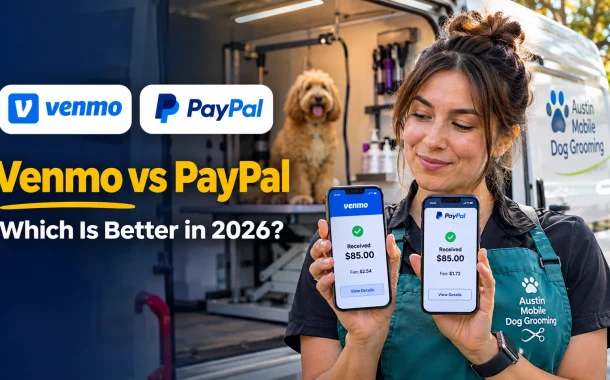
Tanya kept both apps, but changed how she uses them. Her local regulars now pay a Venmo business profile at the van, which costs her $1.72 on an $85 groom instead of $2.54 as a tagged personal payment. New clients book and pay a deposit on her website through PayPal Checkout, where they can still choose Pay with Venmo. Her personal Venmo is back to splitting dinner with friends, and she no longer worries about a customer tagging a payment by surprise.
That’s the real Venmo vs PayPal answer for most people. Venmo wins for free payments to friends in the US, especially from a debit card. PayPal wins for shopping online, selling to strangers, sending money abroad and anyone outside the US. Both charge the same 2.99% when a payment is a sale, and they now send money to each other, so you rarely have to pick just one. Who are you paying most often this month?