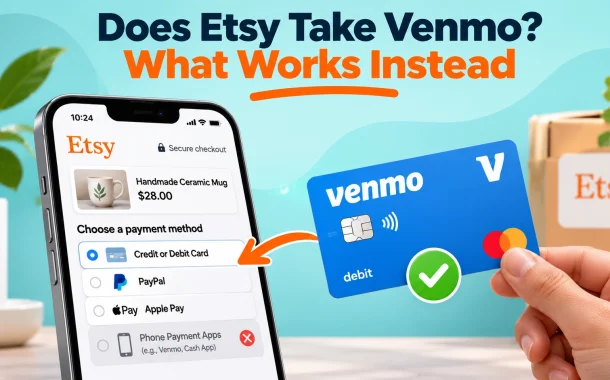
Does Etsy take Venmo? Not directly, and that message to the seller is where most Venmo users go wrong. Your Venmo money can still pay for an Etsy order. It just can’t go through the Venmo app, and it should never go straight to the seller.
Quick answer: No. Etsy doesn’t take Venmo at checkout, and Venmo isn’t on Etsy’s list of payment methods. You can still spend your Venmo balance on Etsy in three ways. Enter a Venmo debit card (a Mastercard) in the card field, add that card to Apple Pay or Google Pay, or move the money to PayPal. Never pay an Etsy seller through the Venmo app.
Table of Contents
Does Etsy Take Venmo?
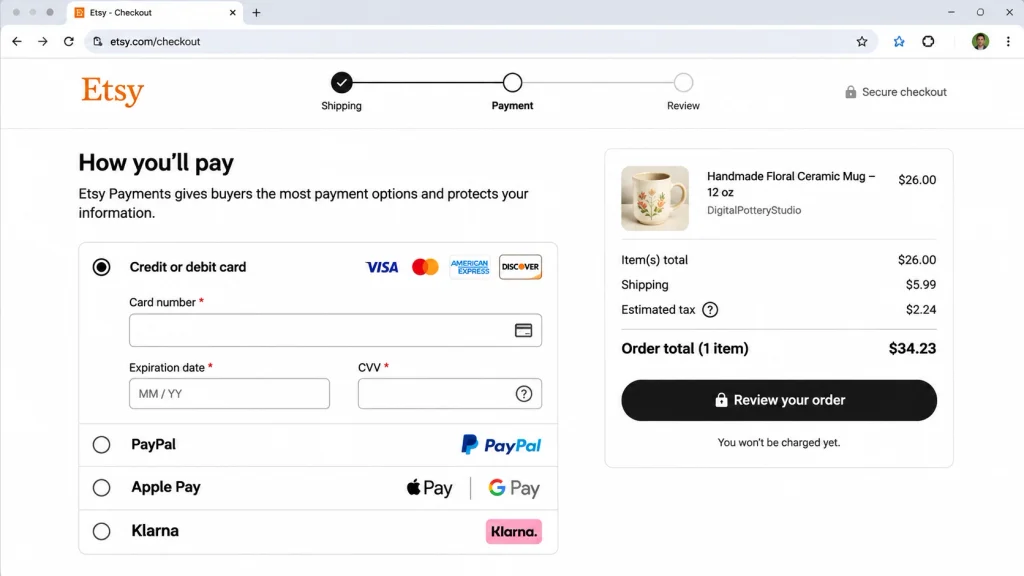
Etsy doesn’t take Venmo as a payment method in any country. Its Help Center list of checkout methods names cards, PayPal, Apple Pay, Google Pay, Klarna, Etsy gift cards and some local bank options. Venmo isn’t on it. Every shop gets the same list, so no seller can turn Venmo on.
Searching Etsy for “we accept Venmo” does return results, which is where some of the confusion starts. Those results are product listings, mostly printable signs and stickers that small businesses hang by their register. They say nothing about how Etsy itself takes payment. The full list of what does work is in our guide to Etsy payment methods.
| Venmo route | Works on Etsy? | How | Watch for |
|---|---|---|---|
| Venmo app at checkout | No | Not offered | Etsy doesn’t list it |
| Venmo debit card (Mastercard) | Yes | Card field, Apple Pay or Google Pay | Balance must cover the full total |
| Venmo Credit Card (Visa) | Yes | Card field | Normal credit card terms apply |
| Venmo money moved to PayPal | Yes, indirectly | Debit card bridge, then pay with PayPal | Takes a few business days |
| Sending Venmo to the seller | No, against Etsy policy | Off-platform payment | No Etsy Purchase Protection |
How to Pay on Etsy With a Venmo Debit Card
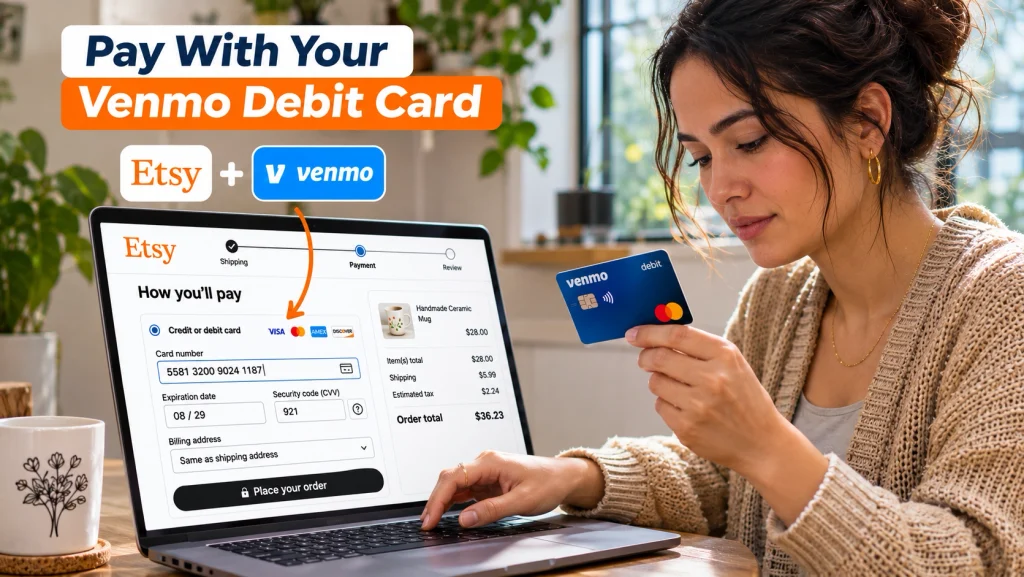
The Venmo debit card is the quickest way to spend a Venmo balance on Etsy. Venmo’s card FAQ says it runs on the Mastercard network and works anywhere Mastercard is accepted. Etsy takes Mastercard debit cards, so its checkout treats a Venmo card like any other debit card.
- Check that your Venmo balance covers the full order, including shipping and any sales tax.
- At Etsy checkout, choose credit or debit card as the payment method.
- Enter the card number, expiry date and security code from your Venmo debit card.
- Use the billing address saved on your Venmo account, since a mismatched address is a common reason a card gets declined.
- Review the total and place the order.
If the card still won’t go through, Etsy’s checkout troubleshooting page walks through the usual causes.
Skip the typing with Apple Pay or Google Pay
Venmo lets you add its debit card to Apple Pay and Google Pay, and Etsy accepts both. Once the card is in your wallet, pick Apple Pay or Google Pay at checkout and confirm. The money still comes out of your Venmo balance. On a phone this is usually the fastest route.
Your Venmo balance has to cover the whole order
Purchases on the Venmo debit card draw from your Venmo balance. Etsy won’t split one order across two cards. The only thing it lets you combine with another method is an Etsy gift card. If your balance is $10 short, add money to Venmo before checkout. The same rule trips up people paying with Visa gift cards on Etsy.
The Venmo Credit Card works too
The Venmo Credit Card is a Visa, and Etsy accepts it in the card field like any other credit card. It doesn’t touch your Venmo balance. The charge goes on your credit line and follows that card’s interest terms. Use it if you want the purchase on credit rather than spending cash you already hold.
Move Venmo Money to PayPal, Then Pay With PayPal
If you’d rather pay with PayPal, Etsy takes it in most countries, and your Venmo money can get there. Venmo and PayPal users can now pay each other directly, but that feature sends money to someone else’s PayPal account. Moving your own balance between your own two accounts takes one extra step.
The free route is a debit card bridge. Link the same Visa or Mastercard debit card to both Venmo and PayPal. Make a free Standard Transfer from Venmo to that card, then add money to PayPal from it. Our guide on how to transfer Venmo to PayPal covers each step and the cash fallback. With the money in PayPal, choose PayPal at Etsy checkout and log in. More on that side is in our guide to paying on Etsy with PayPal.
Old Visa+ instructions no longer work
Many guides still tell you to set up a Visa+ Payname to move money between the two apps. Venmo’s Visa+ page says that as of February 19, 2026, Visa+ is no longer available for PayPal and Venmo transactions. Skip any steps that mention it.
When the PayPal route is worth the wait
Take this route if you don’t have a Venmo debit card, or you want the order in your PayPal history alongside other shopping. It’s slower than the card because the Standard Transfer takes a few business days. For custom-made items, PayPal’s Buyer Protection doesn’t cover “not as described” claims, so Etsy’s own Purchase Protection does most of the work either way.
Why You Shouldn’t Pay an Etsy Seller by Venmo
A seller who asks for Venmo is asking you to leave Etsy. Etsy’s off-platform transactions policy says taking transactions off-platform is not allowed. It also says Etsy’s protections “aren’t available for transactions that take place off of Etsy.” If the item never arrives, Etsy can’t step in.
Venmo’s own protection is narrow
Venmo’s buying and selling FAQ says Purchase Protection covers payments to authorized business profiles, or to personal profiles when you tag the payment as a purchase. For an untagged personal payment, Venmo says it may be unable to recover the money. A seller who asks you to send it as a friend is usually dodging the fee on tagged payments, and that leaves you with nothing to claim.
Extra charges belong on Etsy too
The same policy bars sellers from asking for more money after checkout for shipping, returns, import duties, taxes or customs. If a seller needs to charge more for a rush order or a design change, the right way is a new listing or a custom order you pay for through Etsy checkout.
What to do if a seller asks for Venmo
Say no and keep the conversation in Etsy Messages so there’s a record. Pay through checkout with your Venmo card or one of the methods above. If the seller pushes, or the shop only works through outside payments, report the shop to Etsy and buy elsewhere.
Can Etsy Sellers Get Paid Through Venmo?
No. Etsy pays sellers by depositing sales into a bank account, or through Payoneer in some countries, and Venmo isn’t a payout option. A seller can’t link a Venmo account to an Etsy shop, either to take orders or to withdraw earnings. Our guide on how to get paid on Etsy covers deposit schedules.
When a buyer pays with a Venmo debit card, the seller just sees a card sale. The order goes into the Etsy Payments balance, Etsy’s processing fee applies as usual, and the money deposits on the normal schedule. Nothing extra is needed on the seller’s side.
Sellers who also take orders on their own website can add Venmo there, since PayPal’s checkout supports it for merchants. Before choosing a processor for that site, check how Stripe and PayPal fees compare. For the wider choice between the two apps, see our comparison of PayPal and Venmo.
Frequently Asked Questions
These are the Venmo questions Etsy buyers and sellers ask most often.
Can I use my Venmo balance on Etsy?
Yes, but not through the Venmo app. The simplest way is the Venmo debit card, which draws from your Venmo balance and works in Etsy’s card field because it runs on the Mastercard network. You can also add that card to Apple Pay or Google Pay and pay that way. Without the card, move the balance to PayPal using a shared debit card, then choose PayPal at checkout. Either way, the balance has to cover the full order total.
Does Etsy accept the Venmo debit card?
Yes. Venmo says its debit card works anywhere Mastercard is accepted, and Etsy accepts Mastercard debit cards in every country where cards are offered at checkout. Choose credit or debit card, enter the card number, expiry date and security code, and use the billing address on your Venmo account. To Etsy and the seller it’s a normal debit card payment, covered by Etsy’s Purchase Protection like any other order paid through checkout.
Why was my Venmo card declined on Etsy?
The most common reason is a Venmo balance smaller than the order total. Etsy won’t split the payment with a second card. The next most common is a billing address that doesn’t match the one on your Venmo account. Check that the card is active in the Venmo app and hasn’t been locked. If all three are fine, try adding the card to Apple Pay or Google Pay, or contact Venmo to see whether they blocked the charge.
Can I link my Venmo account to Etsy?
No. Etsy has no setting that connects a Venmo account to an Etsy buyer account or shop. What you can do is save your Venmo debit card or Venmo Credit Card as a card on your Etsy account, the same way you would save any bank card. That card then shows up at checkout for future orders. Sellers can’t connect Venmo for payouts either, since Etsy deposits only to a bank account or, in some countries, Payoneer.
Can I pay with Venmo through PayPal on Etsy?
Not directly. Etsy doesn’t list Venmo as a way to pay, and paying with PayPal on Etsy means paying from your PayPal account. Move the Venmo money into PayPal first. The free method is to link one Visa or Mastercard debit card to both apps, transfer from Venmo to the card, then add money to PayPal from it. The direct Venmo-to-PayPal payment feature only sends money to someone else’s account, not your own.
Is it safe to pay an Etsy seller with Venmo?
No. Etsy’s policy says off-platform transactions aren’t allowed, and its protections don’t cover anything paid outside Etsy. Venmo’s Purchase Protection only covers payments to business profiles or ones you tag as a purchase. A seller asking you to send money as a friend leaves you with no way to get it back if the item never ships. Pay through Etsy checkout instead, even if you’re using Venmo money through the debit card.
Does Etsy take Cash App or Zelle?
Neither is on Etsy’s list of checkout methods. Cash App works the same way Venmo does. Its debit card is a Visa, so you can enter it in the card field and spend your Cash App balance that way. Zelle has no card, so pay with a debit card or bank account from the same bank. A seller asking for Cash App or Zelle is asking for an off-platform payment, with the same loss of protection as Venmo.
Can I use Venmo on Etsy outside the US?
Generally no, because Venmo is a US service and its accounts and cards are for US users. Shoppers in the UK, Canada, Australia and Europe should use a local card, PayPal, Apple Pay, Google Pay or Klarna where Etsy offers it. A US Venmo debit card can still pay a seller in another country, since Etsy charges the card in your currency and handles the conversion.
Where does an Etsy refund go if I paid with a Venmo card?
Etsy sends refunds back to the original payment method. If you paid with a Venmo debit card, the refund returns to that card, which means your Venmo balance. Card refunds can take several business days to show up after the seller issues them. If you moved money to PayPal and paid with PayPal, the refund lands in your PayPal account instead, not back in Venmo.
Does Etsy Take Venmo? The Bottom Line
Kayla’s seller wrote back within an hour. She couldn’t take Venmo, and she pointed Kayla to her Venmo debit card instead. Kayla added the card to Apple Pay, checked out in under a minute and paid from the beach-rental money. The order went through Etsy, so it was covered if anything went wrong.
That’s the whole answer for most people. Etsy doesn’t take Venmo, but the Venmo debit card spends your balance on Etsy like any other card. PayPal is the backup if you don’t have the card. Sending money to a seller through the Venmo app is the one option to avoid.