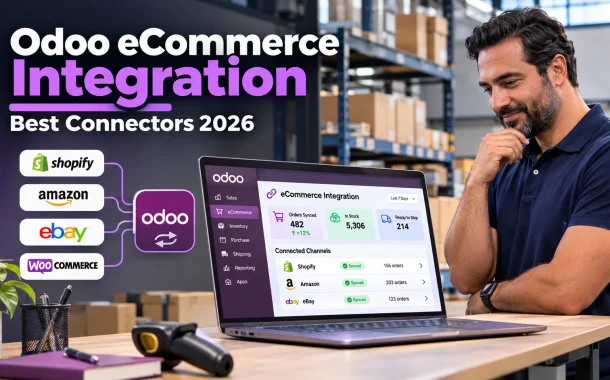
Odoo eCommerce integration connects your online sales channels to Odoo, the open-source business software that covers sales, inventory, accounting, CRM and more. Orders flow into Odoo automatically, stock updates go back out to every channel, shipping labels print from the delivery order and payments reconcile in the accounting app. Below we explain how Odoo eCommerce integration works, the most useful integrations for payments, shipping, marketplaces and external storefronts, how to choose an Odoo plan and the steps to set it up without disrupting sales. Details come from Odoo’s own documentation, and the guidance applies to stores selling in the US, UK, Canada, Australia and Europe.
Quick answer: Odoo eCommerce integration links your store and marketplaces to Odoo so orders, stock, shipping and payments sync automatically. Odoo has its own eCommerce app, a built-in Amazon connector, payment provider integrations and shipping connectors for carriers like FedEx, UPS, DHL Express and USPS. External storefronts such as Shopify or WooCommerce usually connect through apps or custom development.
Table of Contents
What Is Odoo eCommerce Integration?
Odoo eCommerce integration means connecting the places you sell online with Odoo’s back-office apps, so data moves between them without manual entry. Orders, customers, products, stock levels, shipments and payments sync in one direction or both, depending on the channel and how the connector is set up.
Odoo’s Own eCommerce App vs an External Store
Odoo includes its own Website and eCommerce apps, so you can run your storefront inside Odoo and avoid most integration work. Many businesses already have a store on Shopify, WooCommerce or Magento, though. In that case, integration connects the external store to Odoo for inventory, fulfillment and accounting.
What Usually Syncs
A typical setup syncs new orders into Odoo as sales orders, sends stock levels back to the store, updates order status when items ship and creates invoices and payments in accounting. Product details and prices can sync too, but decide which system is the master record for each field.
Why Odoo eCommerce Integration Matters for Online Stores
Odoo eCommerce integration matters because manual data entry doesn’t scale. Every order copied by hand adds time and a chance of error, and stock that isn’t synced leads to overselling. Connecting channels to one system gives you accurate stock, faster fulfillment and financial reports you can trust.
Problems Integration Solves
- Overselling when stock isn’t updated across channels
- Hours lost re-entering orders into accounting or warehouse tools
- Shipping delays from copying addresses into carrier websites
- Mismatched revenue figures between the store and the books
- No single view of each customer’s orders across channels
Who Benefits Most
Integration pays off fastest for stores selling on several channels, businesses with physical stock in one or more warehouses and teams that ship daily. A small store selling a few digital products may not need it yet. Distributors with B2B and B2C channels benefit too, as our guide to WordPress for distributors explains.
The Best Odoo Integrations for eCommerce
The best Odoo integrations for eCommerce cover five areas: payments, shipping, marketplaces, external storefronts and accounting. Some are built into Odoo and only need configuring, while others come from the Odoo Apps store or a development partner. Start with the ones that remove the most manual work for your business.
Payment Provider Integrations
Odoo’s online payments feature connects to providers such as Stripe, PayPal, Adyen and Razorpay, so customers can pay at checkout and payments are recorded against orders. Choose providers that support your customers’ countries and currencies. Our comparison of Stripe and PayPal safety can help you decide which to offer.
Shipping Carrier Integrations
Odoo’s third-party shipping documentation lists connectors for carriers in different regions. They can verify addresses, calculate shipping rates on orders, create labels and add tracking references to delivery orders.
| Carrier | Region covered |
|---|---|
| FedEx | All regions |
| UPS | All regions |
| DHL Express | All regions |
| US Postal Service | United States |
| Easypost | North America |
| Sendcloud | Several European countries |
| Starshipit | Australia and New Zealand |
| Shiprocket | India |
Amazon and Marketplace Integrations
Odoo’s Amazon Connector syncs confirmed Amazon orders into Odoo, including both Fulfilled by Amazon (FBA) and merchant-fulfilled (FBM) orders. For FBM, stock managed in Odoo syncs back to Amazon, and shipment confirmations are reported to Amazon. You need a paid Amazon Seller account to connect it.
External Storefronts Like Shopify and WooCommerce
Odoo doesn’t include a built-in connector for every storefront. Shopify, WooCommerce and Magento stores usually connect through modules on the Odoo Apps store or through custom integration work. Check each module’s supported Odoo version, reviews and support terms before installing anything on a live database.
Accounting, CRM and Marketing
Because Odoo includes Accounting, CRM and Email Marketing apps, many stores replace separate tools rather than integrating them. Orders, invoices and customer histories then live in one database. If you’d rather keep QuickBooks for now, our guide to QuickBooks inventory apps covers other ways to handle stock.
Choosing an Odoo Plan for eCommerce Integration
Your Odoo edition and plan decide which apps, hosting options and integration methods you can use. Odoo Community is the free, open-source edition, while Odoo Enterprise is the paid edition with extra apps and official support. Check your plan before you design an integration, because API access and hosting options differ between plans.
Community vs Enterprise
Community gives you the core apps and full control if you host it yourself, but some connectors and features are only available in Enterprise. Enterprise adds official support, upgrades and additional apps. Many businesses start with Enterprise to get the built-in connectors working without extra development.
Odoo Pricing Plans
Odoo’s pricing page lists One App Free, Standard and Custom plans, with prices per user that vary by country and billing period. If your integration needs external API access or custom modules, confirm which plan supports that before you sign up, since this often decides the plan you need.
How to Set Up Odoo eCommerce Integration
Setting up Odoo eCommerce integration works best as a planned project rather than a weekend install. Map your current processes, choose connectors, clean your data, test in a staging copy and launch channel by channel. Most problems come from skipping the data clean-up or the testing step.
Step 1: Map Your Sales Channels and Processes
List every place you sell, every warehouse and every tool that touches an order. Write down who does what today, from order entry to shipping and invoicing. This shows which integrations remove the most manual work and which data must move between systems.
Step 2: Choose Connectors or Custom Development
Use Odoo’s built-in connectors where they exist, such as Amazon and the main shipping carriers. For other platforms, compare Odoo Apps modules with custom work. Specialist Odoo eCommerce Integration services can build and maintain connectors when off-the-shelf modules don’t fit your workflow.
Step 3: Clean Your Product and Customer Data
Match SKUs across every channel before syncing anything. Remove duplicates, standardize units of measure and decide which system owns prices, descriptions and stock. A single mismatched SKU can create duplicate products or wrong stock counts the moment the sync starts.
Step 4: Test in a Staging Database
Run test orders through a copy of your Odoo database, including refunds, partial shipments, cancellations and orders with discounts. Confirm that stock, invoices and tracking numbers update correctly. Only connect the live store once every scenario works.
Step 5: Launch in Stages and Monitor
Connect one channel at a time and watch the first days closely. Check sync logs, failed orders and stock differences every day at first. Fix issues before adding the next channel, so problems stay small and easy to trace.
Building or Customizing Your Odoo Store
Sometimes the integration problem is really a storefront problem. If your current store is hard to connect or limits what you can sell, building the store in Odoo itself, or customizing Odoo to fit your process, can remove integration work instead of adding more connectors to maintain.
When to Build the Store in Odoo
If you’re starting fresh or replatforming, Odoo’s own eCommerce app keeps products, stock and orders in one place with no sync to manage. Working with an experienced Odoo website development company helps you get the design, checkout and product pages right while keeping everything inside Odoo.
When to Customize Odoo
Standard modules don’t cover every business. Custom pricing rules, special fulfillment flows or industry-specific tools may need custom modules. Odoo customization services can build these without changing Odoo’s core code, which keeps future upgrades easier.
Keep the Store Secure
Whichever route you choose, protect admin accounts with multi-factor authentication, limit API keys to the permissions each connector needs and review access regularly. Our eCommerce launch security checklist covers the basics before you go live.
Common Odoo Integration Challenges
Most Odoo integration problems come from data, not technology. Mismatched SKUs, unclear ownership of fields and untested edge cases cause the majority of sync errors. Planning for these upfront, and assigning someone to monitor syncs after launch, avoids most of the pain.
Data Migration Problems
Moving years of orders and customers into Odoo takes time. Decide how much history you really need, back up everything before migrating and migrate in test runs first. Many businesses bring over open orders, current stock and active customers, and archive older data separately.
Sync Conflicts and Duplicates
When two systems can edit the same field, they can overwrite each other. Set clear rules, such as Odoo owning stock and the store owning product descriptions. Monitor for duplicate customers and orders in the first weeks after launch.
Choosing the Right Partner
An experienced Odoo partner speeds up setup and avoids costly mistakes. Agencies such as BiztechCs and CRMJetty offer Odoo integration work, and Odoo lists official partners on its website. Ask for examples of similar stores, how they handle Odoo version upgrades and what support looks like after launch.
FAQs
Short answers to common questions about connecting a store to Odoo.
What is Odoo eCommerce integration?
Odoo eCommerce integration connects your online store and marketplaces to Odoo’s back-office apps, such as Inventory, Sales and Accounting. Orders flow into Odoo automatically, stock levels sync back to each channel, shipments generate labels and tracking numbers, and payments are recorded in accounting. It replaces manual order entry and keeps stock accurate across every place you sell, from your own site to marketplaces.
Does Odoo have its own eCommerce platform?
Yes. Odoo includes Website and eCommerce apps, so you can build and run your online store inside Odoo. Products, stock, orders and customers then live in the same database, which removes most integration work. Businesses that already run stores on Shopify, WooCommerce or other platforms can keep them and connect them to Odoo instead, usually through apps or custom development.
Can Odoo integrate with Shopify?
Yes, but usually not through a built-in connector. Shopify stores typically connect to Odoo through modules on the Odoo Apps store or through custom integration work by a partner. Before choosing a module, check that it supports your Odoo version, read its reviews and confirm what it syncs, such as orders, stock, products and fulfillment status, and how support works.
Does Odoo integrate with Amazon?
Yes. Odoo’s Amazon Connector syncs confirmed Amazon orders into Odoo, covering both Fulfilled by Amazon and merchant-fulfilled orders. For merchant-fulfilled orders, stock managed in Odoo syncs back to Amazon, and shipment confirmations are reported back so you get paid. You need a paid Amazon Seller account, and Odoo says all Amazon marketplaces are supported by the connector once your account is linked.
Which shipping carriers does Odoo support?
Odoo’s documentation lists built-in connectors for FedEx, UPS and DHL Express in all regions, the US Postal Service in the United States, Easypost in North America, Sendcloud in several European countries, Starshipit in Australia and New Zealand, Shiprocket in India and Bpost in Belgium. They can verify addresses, calculate rates, create shipping labels and add tracking references to delivery orders.
How long does Odoo eCommerce integration take?
A simple setup using Odoo’s own eCommerce app and built-in connectors can take a few weeks. Connecting several external storefronts, migrating years of data or building custom modules can take a few months. The biggest time savings come from cleaning product data first, testing in a staging database and launching one channel at a time rather than everything at once.
Is Odoo Community enough for eCommerce integration?
Odoo Community includes the core eCommerce, Sales and Inventory apps and works well if you host it yourself and have developers to build or maintain connectors. Some connectors and features are only available in Odoo Enterprise, which also adds official support and upgrades. Many stores choose Enterprise so the built-in marketplace and shipping connectors work without extra development or ongoing maintenance.
Do I need a developer for Odoo eCommerce integration?
Not always. Odoo’s built-in eCommerce app and connectors for Amazon and major shipping carriers can be configured without code. You’ll likely need a developer or Odoo partner if you connect an external storefront, need custom pricing or fulfillment rules, migrate large amounts of data or want integrations with tools that don’t have a ready-made module in the Odoo Apps store.
Conclusion
Selling across a website, marketplaces and warehouses only works smoothly when every system shares the same information. Without that, stores lose time re-entering orders, oversell products and close the month with numbers that don’t match. Odoo eCommerce integration solves this by putting orders, stock, shipping and payments in one connected system.
Start with what you already have. If you’re building a new store, Odoo’s own eCommerce app may remove most integration work. If you already sell on Shopify, WooCommerce or Amazon, use built-in connectors where they exist and choose tested modules or a trusted partner for the rest. Clean your product data, test every order type in a staging copy and launch one channel at a time. Check your Odoo plan early, since API access and hosting options can shape the whole project. Done carefully, the integration saves hours every week and keeps stock accurate across every channel. Which sales channel creates the most manual work for your team today?