Here is what actually happens today when you request a card. You will learn which PayPal cards still arrive in the mail, the exact taps that trigger the request, how long delivery really takes, what to do when nothing shows up, and one deadline on August 1, 2026 that changes what your rewards are worth. Two of the four cards people search for are no longer options.
To get a PayPal card in the mail, open the PayPal app, go to Accounts, choose your PayPal Debit Card, tap Manage, then tap “Request a physical card” and confirm a US street address. No credit check applies. The card arrives in 7 to 10 business days. Activate it at paypal.com/activatecard before use.
Table of Contents
Which PayPal Cards Still Arrive in the Mail in 2026?
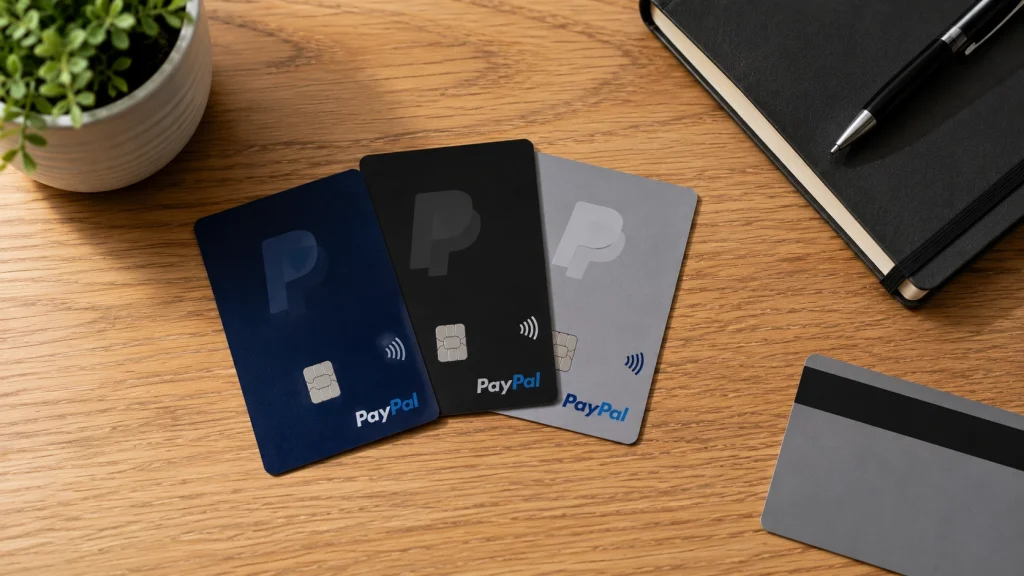
Three PayPal cards still ship to US addresses in 2026: the PayPal Debit Mastercard, the PayPal Cashback Mastercard, and the PayPal Business Debit Mastercard. The PayPal Prepaid Mastercard no longer exists. PayPal discontinued that program on April 30, 2026 and closed every account tied to it, so any guide telling you to order one is out of date.
That single fact removes a quarter of what most search results still cover. Here is the current lineup, stripped down.
| Card | Type | Issuer | Credit check | Still available |
|---|---|---|---|---|
| PayPal Debit Mastercard | Debit, linked to PayPal balance | The Bancorp Bank, N.A. | No | Yes |
| PayPal Cashback Mastercard | Credit card | Synchrony Bank | Yes, hard inquiry | Yes |
| PayPal Business Debit Mastercard | Business debit | The Bancorp Bank, N.A. | No | Yes |
| PayPal Prepaid Mastercard | Prepaid, run by Netspend | The Bancorp Bank, N.A. | No | No, closed April 30, 2026 |
Verified against PayPal’s product and help pages, July 2026.
What the PayPal Debit Card actually is
The PayPal Debit Mastercard is the card most people mean. It pulls from your PayPal Balance account, not from a bank account, and it spends anywhere Mastercard is accepted. You pick one rewards category each month in the app — fuel, groceries, restaurants, apparel, and others PayPal rotates in — and earn 5% back on up to $1,000 of spending in that category, capped at roughly $50 a month (PayPal Debit Rewards Terms, checked July 2026).
Two details people miss. The category expires at the end of every month, so you have to reselect it, even if you want the same one. And the rewards arrive as PayPal Rewards Points, not as dollars. That distinction matters a great deal after August 1, 2026, and it gets its own section below.
Cash Card, Cash Plus, Debit Card: same thing
Search results still use old names. “PayPal Cash Card” and “PayPal Cash Plus Card” were earlier labels for the personal debit product. PayPal now calls it the PayPal Debit Card. If a page uses the old name and does not mention the 5% monthly category, it is describing a version of the card that has not existed for years. Curious which institution stands behind all of this? We break down which bank actually issues PayPal’s cards separately.
Do You Qualify for a PayPal Card?
For the PayPal Debit Card you need a PayPal Balance account in good standing, a US street address, and a passed ID check. That is it. No credit check, no income question, no hard inquiry. The Cashback Mastercard is the only PayPal card that reviews your credit, and the Business Debit Card requires a PayPal Business or Balance account plus your SSN and date of birth.
PayPal runs an identity check on every card because federal law requires it. Banks and card issuers have to collect and verify your name, address, and date of birth before opening a card account. That is a Customer Identification Program requirement, not PayPal being difficult. If your ID check stalls, our walkthrough on how to confirm your identity on PayPal covers the documents that clear it fastest.
- PayPal Debit Mastercard: PayPal Balance account, 18 or older, US street address, ID check. No credit check.
- PayPal Cashback Mastercard: PayPal account in good standing, 18 or older, resident of the US or its territories, credit approval by Synchrony Bank. Hard inquiry applies.
- PayPal Business Debit Mastercard: PayPal Business or Balance account, confirmed physical street address, SSN and date of birth, account in good standing.
- All three: no PO Boxes. PayPal uses your street address for identity verification, not only for delivery.
One correction worth making. A lot of pages claim PayPal “may review your financial history” before issuing a debit card. It does not. Only Synchrony reviews credit, and only for the Cashback Mastercard. If you do not have a bank account linked yet, you can still get there: here is how to verify PayPal without a bank account.
How to Request the PayPal Debit Card and Get It Mailed
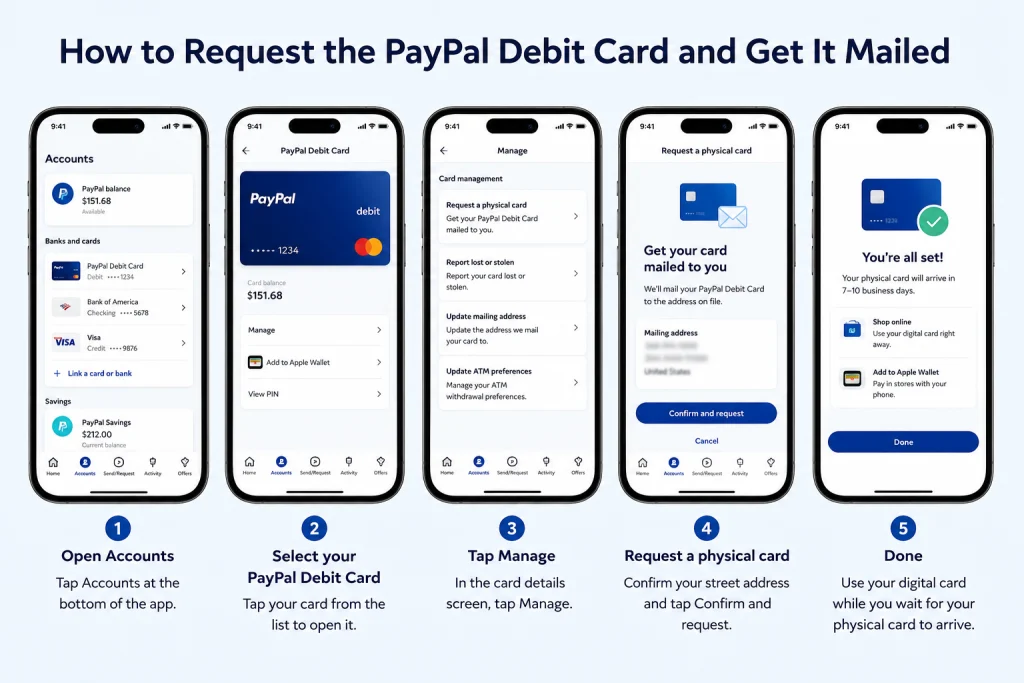
Requesting the physical PayPal Debit Card takes four taps in the app. Go to Accounts, choose your PayPal Debit Card, tap Manage, then tap “Request a physical card.” Confirm your US street address and submit. PayPal issues a digital card instantly and mails the physical one within 7 to 10 business days, with no credit check and no application form.
The step most guides get wrong is the Manage tab. Tapping the card image alone shows you the digital card and its balance. The physical request lives one level deeper, under Manage. I lost about ten minutes hunting for it the first time, convinced the option had been removed.
- Sign up for the card first if you have not. A digital PayPal Debit Card comes with your PayPal Balance account after ID verification. There is no separate physical-only application.
- Update your address before you request anything. Do this in Settings, not at the confirmation screen. A card mailed to a stale address is the single most common failure.
- Open Accounts in the PayPal app. The web version works, but the app surfaces card management more reliably.
- Choose your PayPal Debit Card, then tap Manage.
- Tap “Request a physical card” and confirm your street address. PO Boxes are rejected.
- Use the digital card while you wait. It works online and in your phone’s wallet immediately, and it earns the same 5% category rewards.
What the debit card costs
No monthly fee, no minimum balance, no fee on US purchases. Cash withdrawals are free at MoneyPass ATMs in the US and cost $2.50 at other ATMs, on top of whatever the ATM operator charges. The daily ATM withdrawal limit is $400. International transactions carry a 2.5% fee (PayPal Debit Card product page, checked July 2026). For fee-free ways to top up, see how to load your PayPal card for free, and which stores let you withdraw PayPal cash over the counter.
How to Apply for the PayPal Cashback Mastercard
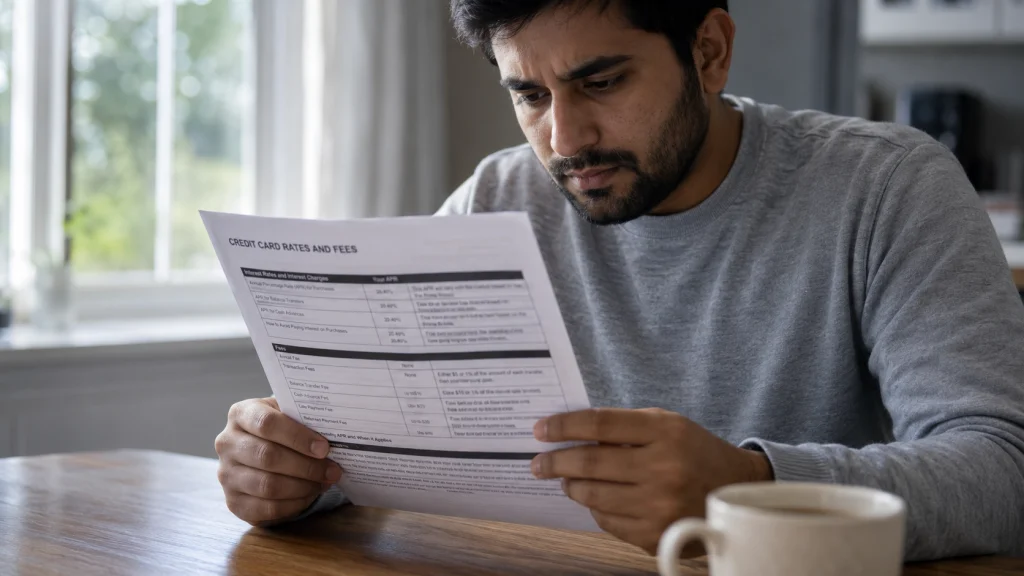
The PayPal Cashback Mastercard is a real credit card from Synchrony Bank, so the application is a real credit application. You apply through PayPal, Synchrony runs a hard credit inquiry, and most people get an instant decision. Approved applicants can spend through their PayPal wallet right away. The physical card arrives within about 7 to 10 business days and must be activated.
It earns 3% back on eligible purchases you make through your PayPal account online, plus 3% when you send money to other PayPal users through your account, and 1.5% everywhere else Mastercard is accepted. There is no annual fee and no spending cap on rewards (Synchrony PayPal Cashback Rewards Terms, checked July 2026).
Read the rate table before you apply
This is where honesty matters more than enthusiasm. Synchrony assigns one of three account types at approval, and the purchase APRs are far apart.
| Charge | Amount |
|---|---|
| Purchase APR | 18.49%, 30.24%, or 33.24% variable, by account type |
| Cash advance APR | 33.24% variable |
| Penalty APR | 34.24% variable, may apply indefinitely |
| Annual fee | None |
| Foreign transaction fee | 3% of each transaction |
| Cash advance fee | $10 or 5%, whichever is greater |
| Late payment fee | Up to $40 |
| Paper statement fee | $1.99 per month |
Synchrony Bank PayPal Cashback Mastercard rates and fees, accurate as of January 1, 2026 per the issuer’s terms. Checked July 2026.
Synchrony’s own terms say only a limited number of applicants receive the two lower rates. Plan on 33.24% until you are told otherwise. Carry a balance for one month and the interest wipes out a year of 3% rewards. There is also no welcome bonus baked into the standard product and no 0% intro APR, which puts it behind most mainstream cash-back cards on paper.
The Cashback Mastercard has no 0% intro period. Its purchase APR can reach 33.24% variable, and the penalty APR of 34.24% can stay in effect indefinitely. Synchrony Bank, PayPal Cashback Mastercard Account Agreement, January 2026
PayPal’s application page notes that a decline does not affect your credit score, but an approval does trigger a hard inquiry. If credit products are what you are shopping for, it helps to first understand how PayPal Credit works, since it is a different product with different terms.
How to Get the PayPal Business Debit Mastercard
Log into your PayPal Business account, open the cards section, and apply for the Business Debit Mastercard. You confirm a physical street address and provide your SSN and date of birth. No credit check applies. Approval gives you a digital card in minutes, and the physical card arrives within 10 business days. You must activate it before first use.
It earns unlimited 1% cash back, with a catch that costs freelancers real money. The 1% only applies when the transaction runs as a credit transaction through Mastercard. If the terminal asks “Credit or Debit?” and you pick Debit and enter a PIN, you earn nothing on that purchase. PIN-less debit routing does not qualify either. Cash back lands in your PayPal balance weekly (PayPal Business Debit Mastercard help center and Cardholder Agreement, checked July 2026).
- Always choose Credit at the terminal to earn the 1%.
- You can issue up to four cards for employees and set spending limits per card.
- Mastercard Easy Savings adds automatic rebates at 50,000-plus participating merchants, with no activation needed.
- ATM withdrawals cap at $400 a day. Purchases cap at $10,000 a day.
Because every transaction lands in your PayPal activity feed, bookkeeping stays clean. When tax season arrives, here is how to download your PayPal transaction history as a file your accountant can actually use. And if you are weighing which processor to run your business on in the first place, our breakdown of how Stripe and PayPal fees compare is the better starting point.
Why the PayPal Prepaid Mastercard No Longer Arrives
You cannot order a PayPal Prepaid Mastercard anymore. PayPal discontinued the program on April 30, 2026 and closed all associated accounts on that date. Loads, direct deposits, and card transactions are now rejected. Retail temporary cards are gone too. Any article still describing paypal-prepaid.com as a working order path is describing a dead product.
Here is the timeline PayPal published. Dormant accounts with a zero balance were closed between January 12 and January 30, 2026. On March 17, 2026, PayPal mailed active cardholders a notice with two choices: move to a Netspend Prepaid Mastercard, or spend the balance down by April 30 and take a check for the rest.
If you still had money on one
Balances of $1.00 or more get a refund check mailed automatically to the address on file, with up to four weeks for processing. Balances under $1.00 need a phone request. Netspend customer service handles all of it at 866-387-7363, and there is no fee for a check tied to the program closure. Your dispute rights survive the closure, so an unresolved claim is still a claim.
The honest read: if the Prepaid card was your workaround for not having a bank account, the PayPal Debit Card now fills that role better anyway. It has no monthly fee. The Prepaid card charged up to $4.95 a month.
The August 1, 2026 Rewards Change Nobody Told You About
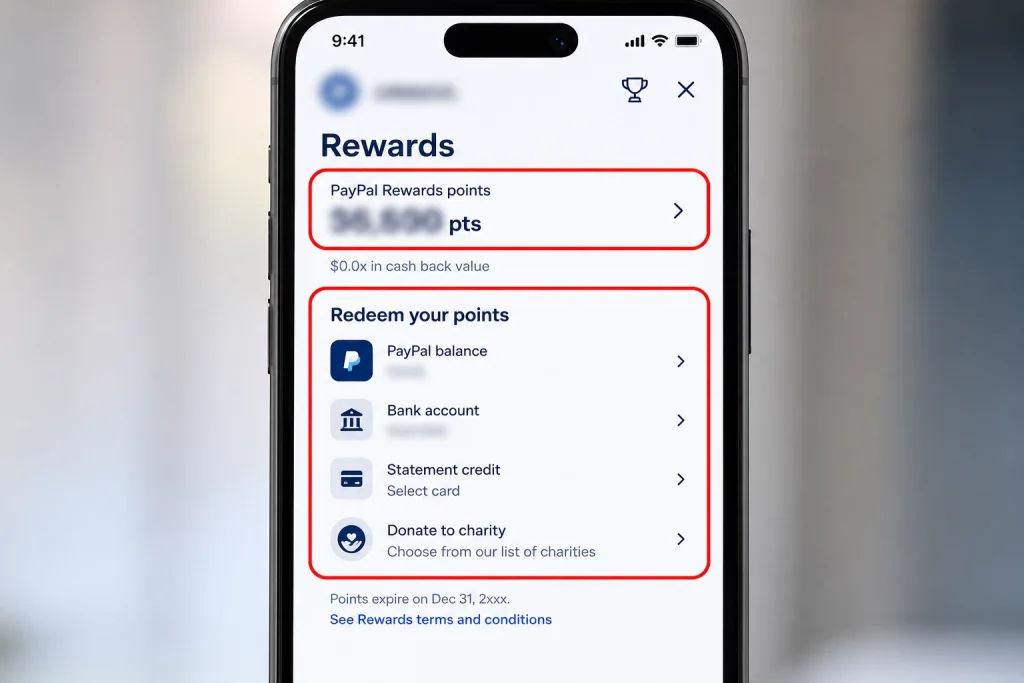
Starting August 1, 2026, PayPal stops letting you redeem PayPal Rewards Points for cash. Points can no longer move into your PayPal balance, a linked bank account, a linked debit card, or PayPal Savings. Redeem existing points before 11:59 PM Pacific on August 1, 2026 or they become spendable only inside PayPal’s ecosystem, mostly at checkout.
This lands directly on the PayPal Debit Card, because the 5% monthly category pays in Points, not dollars. So the headline benefit of the card you are about to order changes character in a matter of weeks. That is worth knowing before the envelope arrives, not after.
The distinction that saves you a bad decision
The Cashback Mastercard is not affected in the same way. Its rewards are Cash Rewards issued by Synchrony under a separate rewards agreement, transferable to your PayPal account and then to a bank account or linked debit card. Points and Cash Rewards are two different currencies wearing the same PayPal branding. Almost every comparison article treats them as one thing.
- Debit Card 5% category: pays PayPal Rewards Points. Cash redemption ends August 1, 2026.
- Cashback Mastercard 3% / 1.5%: pays Synchrony Cash Rewards. Still transferable to a bank account or debit card.
- Business Debit 1%: pays cash straight into your PayPal balance, weekly.
PayPal also notes that on or after June 29, 2026, taking part in the rewards program may require you to opt in through the app, the website, or at checkout. If you request a card in the next few weeks, check the Rewards hub, which is the trophy icon in the app, and confirm you are enrolled. Passive enrollment is no longer guaranteed.
Delivery Timeline: What Happens After You Apply
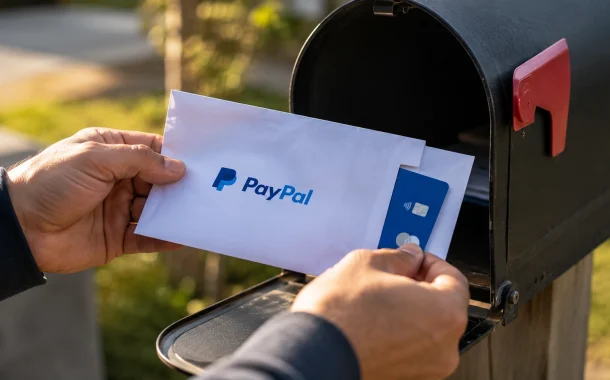
All three PayPal cards ship in 7 to 10 business days by standard mail in a plain PayPal-branded envelope. None offer expedited shipping, and none let you pay to speed it up. Digital access is the only fast path: the debit and business cards issue a digital card in minutes, and an approved Cashback Mastercard opens a temporary credit line right away.
| Card | Digital access | Physical delivery | Activation required |
|---|---|---|---|
| PayPal Debit Mastercard | Instant | 7 to 10 business days | Yes |
| PayPal Cashback Mastercard | Instant if approved | About 7 to 10 business days | Yes |
| PayPal Business Debit Mastercard | Within minutes | Within 10 business days | Yes |
Timelines from PayPal’s product and help pages, checked July 2026.
Business days matter here. Request a card on a Friday before a holiday weekend and you have burned four calendar days before the clock starts. Ten business days can mean two full weeks on the calendar.
Why Your PayPal Card Has Not Arrived and How to Fix It
Most missing PayPal cards trace to three causes: a stale address in your PayPal settings, a PO Box that PayPal cannot mail to, or an unfinished identity check that quietly held the request. Check your address in Settings first. If more than 10 business days have passed, cancel the undelivered card in the app and request a replacement rather than waiting.
Cancelling sounds drastic. It is the safer move. A card mailed to an old address is a card in a stranger’s mailbox, and cancelling it makes the plastic worthless to anyone who finds it. Mastercard’s Zero Liability protection covers unauthorized charges, but it is a cleanup tool, not a substitute for closing the hole.
Work through this in order
- Verify the address on file in Settings, character by character. One wrong digit in a house number is enough.
- Confirm it is a street address. PO Boxes fail. So do some mail-forwarding addresses, because they fail the identity match rather than the delivery.
- Check your account status. A limitation or an incomplete ID check can stall a card request without an obvious error message.
- Count business days, not calendar days. Wait until day 10 before acting.
- Cancel and re-request in the app once you pass day 10.
- Lock down the account if you suspect interception. Start with PayPal two-factor authentication setup before the replacement ships.
One rule that catches long-time users: if your PayPal Debit Card sits unused for 13 months or more, PayPal will not automatically reissue it when it expires. You start over. Run one small purchase a year and the card renews on its own.
How to Activate Your PayPal Card Once It Arrives
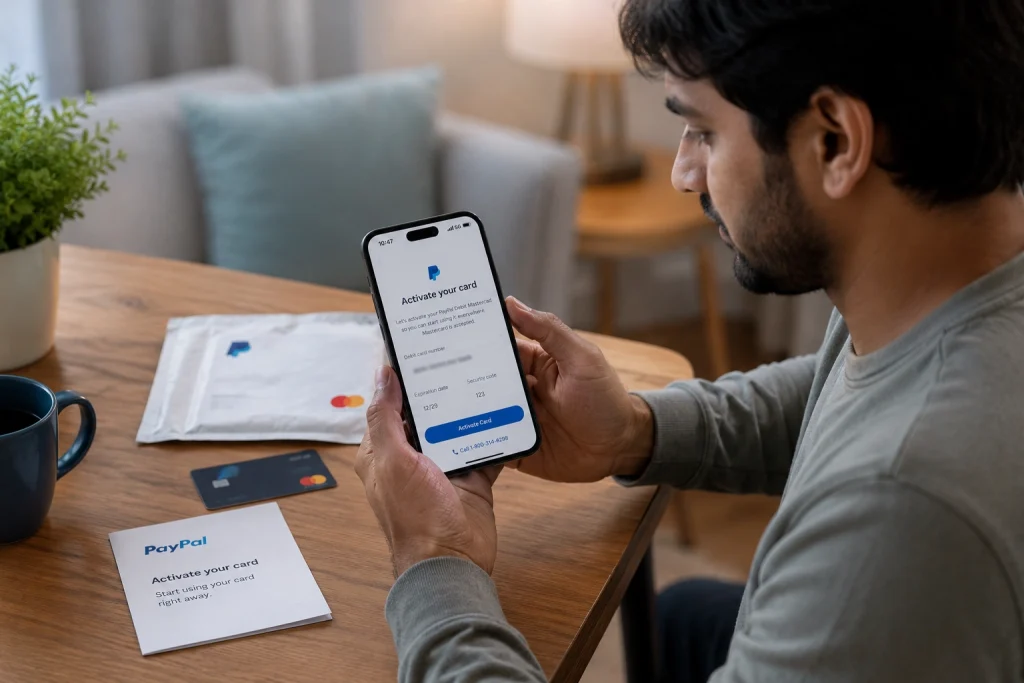
Every physical PayPal card needs activation. For the PayPal Debit Card, go to paypal.com/activatecard, or open Accounts in the app, choose PayPal Debit Card, enter the requested details, and tap Activate Card. A 24-hour automated line also works at 1-800-314-8298. You set your PIN during activation, and you need that PIN for ATM withdrawals.
This corrects a claim that circulates widely: that the PayPal Debit Card activates itself and the physical card works straight out of the envelope. PayPal’s own help documentation lists three activation methods, which would be pointless if activation were automatic. Activate it.
- PayPal Debit Mastercard: paypal.com/activatecard, in-app, or 1-800-314-8298. Set your PIN here.
- PayPal Cashback Mastercard: call the number on the activation sticker or use the activation link in the package. Activation releases your full credit line, which is often higher than the temporary limit you saw at approval.
- PayPal Business Debit Mastercard: activate in the PayPal app before first use.
Add the card to Apple Pay, Google Pay, or Samsung Pay once it is live. Tap-to-pay works on all three PayPal Mastercard products and earns the same rewards as the physical swipe.
Which PayPal Card Is Actually Worth Getting?
Get the PayPal Debit Card if money regularly lands in your PayPal balance and you check out with PayPal often. Get the Cashback Mastercard only if you pay in full every month and shop heavily at PayPal-accepting merchants. Get the Business Debit Card if you are a freelancer collecting client payments through PayPal. Skip all three if PayPal is not already part of how you spend.
| Card | Best for | Real weakness |
|---|---|---|
| PayPal Debit Mastercard | People with a steady PayPal balance and no credit access | You must reselect the category monthly, and rewards become ecosystem points after August 1, 2026 |
| PayPal Cashback Mastercard | Heavy PayPal checkout users who pay in full | 3% only applies at merchants offering PayPal checkout, so most spend earns 1.5% |
| PayPal Business Debit Mastercard | Freelancers and small sellers paid through PayPal | 1% only on credit-routed transactions, so PIN purchases earn nothing |
Assessment based on issuer terms verified July 2026.
Now the contrarian part. For most people, the PayPal Cashback Mastercard is a worse card than a plain 2% flat-rate cash-back card. The math is simple: 3% only fires when the merchant supports PayPal checkout, and a huge share of everyday spending, including gas pumps, groceries, and restaurants, mostly does not. Everything else earns 1.5%, which loses to 2% on every single purchase. The card wins for a narrow group of heavy online shoppers and loses for everyone else.
The Debit Card is the more interesting product. A 5% category with a $1,000 monthly cap and no credit check is genuinely uncommon, and it is available to people who cannot get approved for a rewards credit card at all. Just go in knowing what the points can and cannot do after August.
Mistakes That Delay or Kill Your Application
Five errors cause most PayPal card problems: using a PO Box, requesting a card before updating a changed address, applying for the Cashback Mastercard without checking your credit first, forgetting to activate the card that arrives, and letting a debit card sit unused past 13 months. Each one is avoidable in under five minutes of prep.
- Using a PO Box. It fails identity verification, not only delivery. There is no workaround.
- Requesting before updating your address. The confirmation screen shows what PayPal has on file. It does not prompt you to fix it.
- Applying for credit blind. An approval means a hard inquiry that sits on your report for two years. Pull your free reports at annualcreditreport.com first.
- Not activating. An unactivated Cashback Mastercard leaves your real credit line locked behind the temporary one.
- Choosing Debit at the terminal on a Business Debit Card. That one keystroke costs you the 1%.
- Forgetting the monthly category. Miss the reselection and your 5% month earns nothing extra.
If you plan to lean on PayPal for financing rather than spending, look at how to get approved for PayPal Pay in 4 before you apply for a credit card you may not need.
Frequently Asked Questions
How long does it take to get a PayPal card in the mail?
PayPal ships physical cards in 7 to 10 business days from the date you request one. The Business Debit Card arrives within 10 business days. Standard mail only, with no expedited option. Count business days rather than calendar days, since a weekend and a holiday can add four days before the clock even starts running.
Can I still get a PayPal Prepaid Mastercard?
No. PayPal discontinued the PayPal Prepaid Mastercard program on April 30, 2026 and closed every account tied to it. New orders, loads, direct deposits, and transactions are all rejected. Former cardholders were offered a Netspend Prepaid Mastercard or a refund check. Netspend still handles balance questions and disputes at 866-387-7363.
Does applying for the PayPal Debit Card affect my credit score?
No. The PayPal Debit Mastercard involves no credit check and no hard inquiry, because it spends your own PayPal balance rather than extending credit. The same is true of the Business Debit Card. Only the PayPal Cashback Mastercard triggers a hard credit pull, and only when your application is approved by Synchrony Bank.
What is the difference between the PayPal Cash Card and the PayPal Debit Card?
They are the same product under different names. PayPal Cash Card and PayPal Cash Plus Card were older labels for the personal debit product now called the PayPal Debit Card. If a page uses the old name and does not mention the 5% monthly rewards category or the PayPal Balance account requirement, it is out of date.
Can I use my PayPal card at ATMs?
Yes. The PayPal Debit Card withdraws cash free at MoneyPass ATMs in the US and costs $2.50 at other ATMs, plus any operator fee, with a $400 daily limit. The Business Debit Card works at ATMs showing the Mastercard, Maestro, or Cirrus marks, also capped at $400 a day. You need the PIN you set during activation.
Why was my PayPal card application denied?
For the Cashback Mastercard, Synchrony Bank decides, and it must send you an adverse action notice naming the specific reasons, usually credit score, how much of your existing limits you are using, recent inquiries, or derogatory marks. For the debit cards, a decline almost always means PayPal could not verify your identity or your account has a limitation. Fix the ID check and reapply.
Can I get a PayPal card if I live outside the United States?
No. All three current PayPal Mastercard products are US-only. The Cashback Mastercard requires residency in the US or its territories, and both debit cards require a confirmed US street address that passes identity verification. PayPal offers different financial products in other markets, but they are separate programs with separate terms.
What happens to my 5% cash back after August 1, 2026?
You keep earning 5% in your chosen monthly category, but the reward stays as PayPal Rewards Points. After 11:59 PM Pacific on August 1, 2026, you can no longer cash those points out to your PayPal balance, bank account, linked debit card, or PayPal Savings. Redemption moves to checkout and other in-ecosystem options.
Can I have both a PayPal Debit Card and a PayPal Cashback Mastercard?
Yes. They are separate products from separate issuers, Bancorp and Synchrony, and holding one has no effect on the other. Many people run both, using the debit card for the 5% category and the credit card for PayPal checkout. Each card ships separately and each needs its own activation.
What happens if my PayPal card is lost or stolen?
Freeze the card in the PayPal app immediately, then report it. PayPal cancels the compromised card and mails a replacement on the same 7 to 10 business day timeline. Mastercard Zero Liability covers unauthorized charges on all three cards, subject to the cardholder agreement. Reporting quickly is what protects you, not the card type.
The Bottom Line
Learning how to get a PayPal card in the mail comes down to four taps and one honest decision about which card fits. Open Accounts, pick your PayPal Debit Card, tap Manage, request the physical card, and confirm a real street address. It lands in 7 to 10 business days. Activate it at paypal.com/activatecard and set a PIN before you try the gas pump.
The bigger point is timing. The Prepaid card is gone as of April 30, 2026, so ignore any guide that still tells you to order one. And the 5% you are signing up for turns into ecosystem points on August 1, 2026, which is a real change worth understanding before you commit rather than after your first statement. If you have points sitting in the app right now, cash them out this week.
None of that makes the PayPal Debit Card a bad card. It makes it a specific card, useful for a specific person: someone whose money already flows through PayPal and who would rather spend it than move it. So which one are you, the person who lives in PayPal checkout, or the one who just wants their balance out in the real world?
Sources: PayPal Debit Card product page, PayPal Upcoming Policy Updates, Synchrony Bank PayPal Cashback Mastercard Account Agreement, and the Consumer Financial Protection Bureau’s credit card guidance. All checked July 2026.