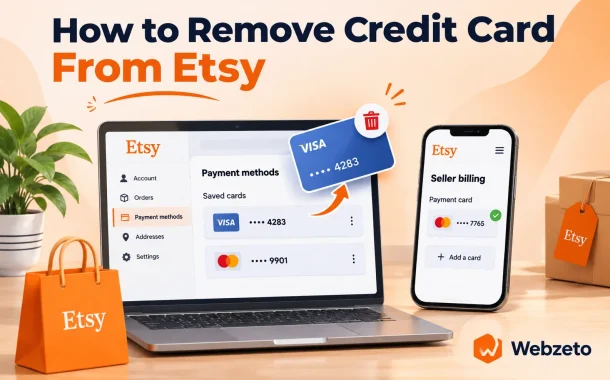
She wasn’t missing anything. Etsy keeps buyer cards and seller billing cards in two different places, and the seller side won’t let you leave the card slot empty. Once you know which side you’re on, learning how to remove a credit card from Etsy takes about two minutes.
Quick answer: As a buyer, go to Your account, then Account settings, then Credit cards, and select Remove next to the card. As a seller, open Shop Manager, then Finances, Payment settings and Billing, and add a new card or edit the one on file. Sellers using Etsy Payments must keep a card on file, so you replace the old card rather than delete it.
| Account type | Where the card lives | Can you remove every card? | What it’s used for |
|---|---|---|---|
| Buyer | Your account, Account settings, Credit cards | Yes | Paying for orders at checkout |
| Seller | Shop Manager, Finances, Payment settings, Billing | No, one card must stay on file | Paying Etsy fees, ads and subscriptions |
| PayPal, Apple Pay, Google Pay | Inside that wallet, not on Etsy | Managed in the wallet app | Paying at checkout through the wallet |
Table of Contents
How to Remove a Credit Card From Etsy as a Buyer
Buyers can delete any saved card at any time. Etsy’s checkout payment methods page says a card you pay with “will be saved for future purchases, and can be removed or edited.” Removal happens in Account settings, and you don’t need a replacement card first.
- Sign in on Etsy.com and select your profile picture at the top right.
- Choose Account settings.
- Open the Credit cards tab.
- Find the card and select Remove. To change the expiry date or billing address instead, select Edit.
Saved cards can include debit cards from payment apps, such as the Venmo card that most people use when they ask does Etsy take Venmo. They delete the same way. The full list of what you can save and pay with is in our guide to Etsy payment methods.
Removing a card on your phone
On a phone, the steps don’t change. Open etsy.com in your mobile browser, sign in and follow the same four steps above. Account settings and the Credit cards tab sit in the same place, and the Remove option works the same way it does on a computer.
Removing a card doesn’t cancel an order
Orders you already placed stay charged to the card you used, and refunds still go back to that card. Deleting it from Etsy only stops it from appearing at your next checkout. If you split a purchase with Klarna, the remaining installments are managed in your Klarna account, not in Etsy’s card settings.
How to Remove a Credit Card From Your Etsy Seller Account
Sellers can’t delete their last billing card. Etsy’s billing card help page says that if you use Etsy Payments, “you must have a credit or debit card on file.” So you don’t delete a seller card outright. You replace it, either by adding a new card or by editing the one on file.
- Sign in on Etsy.com and open Shop Manager.
- Select Finances, then Payment settings.
- Open the Billing section.
- Under Your cards, add a new credit or debit card, or select Edit on the current card.
- Enter the new card details and save.
If a bill already failed on the old card, pay it manually after saving the new one. Etsy says updating the card won’t retry a failed automatic payment. More on how the monthly bill works is in our guide on how to set up billing on Etsy.
How to change the card in the Etsy Seller app
Open the Etsy Seller app and tap More. Tap Finances, then Payment settings, and swipe across the menu until you reach Billing. From there you can add a billing card or edit the one on file. This is the same Billing screen as the website, sized for a phone.
A prepaid card can’t be your only billing card
Etsy says a non-reloadable prepaid card “can’t be your only or primary payment card,” and adding one as your only card shows an error. You can still use a prepaid card to pay a bill by hand. The same balance rules catch shoppers using Visa gift cards on Etsy.
Why Can’t I Remove a Payment Method on Etsy?
Usually because it’s a seller billing card. Etsy won’t leave a shop on Etsy Payments without a card, so the way out is to replace it, not delete it. On the buyer side, the card may not be saved on Etsy at all, because it lives inside PayPal, Apple Pay or Google Pay.
- It’s your seller billing card. Etsy requires a card on file with Etsy Payments. Add a new card or edit the current one in Billing instead.
- Your replacement is a prepaid card. Etsy won’t accept a non-reloadable prepaid card as the only card, so the old one stays.
- A bill already failed. Updating the card doesn’t pay it. Etsy says you need to make a manual payment after the change.
- The card is in a wallet. Cards you use through PayPal, Apple Pay or Google Pay aren’t stored in Etsy’s Credit cards tab.
- You’re on the wrong account side. Buyer cards sit in Account settings. Shop billing cards sit in Shop Manager.
Why Etsy still charges a card you replaced
Etsy’s autobilling page says Etsy “may automatically update your billing card number and expiration date” by checking with your card issuer. If your bank reissued a card on the same account, Etsy can keep charging the new number without you adding it. To stop that, add or edit the card in Billing so a different card is on file.
How Do I Stop Etsy From Charging Me?
Removing a card doesn’t stop seller fees, because Etsy bills the shop, not the card. To stop charges, switch off what creates them: autobilling, Etsy Ads, listing auto-renew and any Etsy Plus subscription. To stop all of them for good, pay your balance and close the shop. Buyers aren’t billed on a schedule at all.
| Charge | How to stop it | What still happens |
|---|---|---|
| Autobilling | Turn it off in Billing | You still owe fees and pay them by hand. The previous month may still bill. |
| Etsy Ads | Shop Manager, Marketing, Etsy Ads, Settings, Pause Etsy ads | You can restart the campaign any time |
| Offsite Ads | Opt out if your sales were under $10,000 in the last 365 days | Shops at $10,000 or more can’t opt out |
| Listing auto-renew ($0.20 each) | Listings, Editing options, Change renewal options, Manual | Listings expire after four months unless you renew them |
| Etsy Plus ($10 a month) | Shop Manager, Your subscription, cancel | Plus features last until the billing cycle ends |
| All shop fees | Pay the balance, then close the shop | Remaining sales money still deposits on schedule |
Turning off autobilling isn’t the same as removing permission
New sellers are enrolled in autobilling automatically, and Etsy charges the card on file on the first of each month. Turning it off means you pay by hand. Etsy says it doesn’t withdraw permission to store or charge your card. Only closing your Etsy account does that. A declined bill gives you five days before the account may be suspended, which also blocks deposits and is a common reason an Etsy payment account is not working.
Pause ads and switch renewals to manual
Ads and renewals are the two charges that grow quietly. Pause Etsy Ads from the Marketing tab using Etsy’s steps for turning off ads. Then follow Etsy’s listing renewal guide to switch renewals to Manual, so expired listings don’t renew at $0.20 each.
If you’re a buyer with a charge you don’t recognize
Etsy doesn’t bill buyers on a schedule, so an Etsy charge is almost always an order, a Klarna installment or a temporary authorization hold. Check Purchases in your account and match the amount. Sellers who also sell on their own site pay processor fees there instead, so it’s worth knowing how Stripe and PayPal fees compare.
Does Etsy Save Your Credit Card Information?
Yes, Etsy saves cards you pay with so they appear at your next checkout, but it doesn’t keep the full card details itself. Etsy’s credit card security page says it “stores no sensitive credit card information, only tokens returned to us by our processors,” and that card data is encrypted with TLS.
Checkout runs through Etsy Payments, so you pay Etsy rather than sending card details to the shop directly. Keeping a card saved is mainly a convenience question. If you share a computer or rarely shop on Etsy, removing it costs you nothing but typing the number next time.
Cards saved in PayPal, Apple Pay or Google Pay
When you check out with PayPal, Apple Pay or Google Pay, the card stays inside that wallet. Etsy never lists it under Credit cards, so you remove it in PayPal’s wallet settings or your phone’s wallet app. Our guide on how to add PayPal to Apple Pay shows where those wallet settings live.
Frequently Asked Questions
These are the card and billing questions Etsy buyers and sellers ask most often.
How do I delete saved credit cards on Etsy?
Sign in on Etsy.com, select your profile picture, choose Account settings and open the Credit cards tab. Select Remove next to each card you want gone. Buyers can delete every saved card, including the last one, and Etsy will simply ask for card details at the next checkout. Sellers change billing cards in a different place, under Shop Manager, Finances, Payment settings and Billing, and must keep one card on file.
How do I change my card on the Etsy app?
Sellers use the Etsy Seller app. Tap More, then Finances, then Payment settings, and swipe across to Billing, where you can add a card or edit the one on file. Buyers can manage saved cards by opening etsy.com in a phone browser and going to Account settings, then Credit cards, where Edit and Remove sit next to each card. You can also pick a different card at checkout.
How do I change my payment method on Etsy as a seller?
For the card that pays your Etsy fees, go to Shop Manager, Finances, Payment settings, Billing. Add the new card, or edit the current one, and save. The bank account where Etsy deposits your sales is a separate setting in Payment settings. Changing it triggers a short hold on deposits while Etsy checks the new account, so make that change when no large deposit is due.
Can I remove all credit cards from my Etsy seller account?
No, not while your shop uses Etsy Payments. Etsy requires a credit or debit card on file to cover fees your sales don’t pay off. A non-reloadable prepaid card can’t be the only card either. The only way to have no seller card on file is to pay your balance and close the shop, then close the account. Etsy says closing your account is what ends its permission to store and charge your card.
Why does Etsy still charge my old card?
Etsy may automatically update your billing card number and expiry date by checking with your card issuer. If your bank sent a replacement card on the same account, Etsy can charge it even though you never entered it. To stop it, open Billing in Shop Manager and add a different card or edit the old entry, so the card you want is the one Etsy charges.
Does removing a card cancel my Etsy order?
No. An order already placed stays charged to the card you used, and the seller still ships it. Refunds go back to that original card even after you remove it from Etsy, as long as the card account is still open. If the card is closed, your bank usually passes the refund on. Klarna installments carry on in your Klarna account. Removing a card only affects future checkouts.
Will Etsy charge me after I close my shop?
You can’t close a shop with an outstanding balance, so fees are settled first. Etsy asks you to pay the balance and resolve open cases before the Close Shop option appears. Any money left in your Payment account still deposits on your normal schedule. To end Etsy’s permission to charge your card completely, close your Etsy account as well, from Account settings, after the shop is closed.
Can I use a prepaid card as my Etsy billing card?
Only as a backup. Etsy says a non-reloadable prepaid card can’t be your only or primary billing card, and trying to add one as the only card shows an error. You can still pay a bill manually with a prepaid card. For automatic monthly billing, keep a regular credit or debit card as your primary card so autobilling doesn’t fail and put your shop at risk of suspension.
Is it safe to keep my card saved on Etsy?
Etsy says it keeps no sensitive card information, only tokens from its payment processors, and that card data is encrypted in transit with TLS. Sellers are paid through Etsy Payments, so your card details go to Etsy, not to the shop. The bigger risk is someone else using your signed-in account. On a shared device, remove the card or sign out after you buy.
How to Remove Credit Card From Etsy: The Short Version
Brooke had been looking in Account settings, which only holds buyer cards. Her shop’s card was in Shop Manager under Billing. She added her new debit card as the billing card, then paid the failed bill by hand. While she was in there, she switched her old sold-out listings to manual renewal.
Buyers remove cards from Account settings with one click. Sellers swap cards in Billing, because Etsy always needs one on file. If the real goal is to stop paying Etsy, removing the card won’t do it. Turn off ads, auto-renew and subscriptions, or settle the balance and close the shop.