Venmo vs Zelle is the question we hear most from people who already use one and keep getting asked for the other. Both are free between friends in the US and both are fast. The real difference is where the money goes. Zelle moves it straight into a bank account. Venmo holds it in an app balance first, adds a social feed, and protects some purchases.
Zelle is better for free, fast payments straight into a bank account, like rent to a landlord you know or money to family. Venmo is better for splitting costs with friends, paying by card and buying from people who tag payments as purchases. Neither is safe for paying strangers, but Venmo’s Purchase Protection covers tagged purchases and Zelle protects none.
Table of Contents
Venmo vs Zelle at a Glance
Venmo vs Zelle comes down to wallet versus bank. Venmo is a PayPal-owned app with its own balance, debit card, social feed and business profiles. Zelle is a network run by Early Warning Services and built into more than 2,300 US banks and credit unions. It moves money between bank accounts with no balance, card funding or purchase protection.
| Feature | Venmo | Zelle |
|---|---|---|
| Owner | PayPal | Early Warning Services (owned by US banks) |
| Where you use it | Venmo app | Your bank’s app or website |
| Where money lands | Venmo balance | The recipient’s bank account |
| Fee to send from a bank or debit card | Free | Free from Zelle |
| Fee to send by credit card | 3% | Can’t use a credit card |
| Cash out to your bank | Free in 1 to 3 business days, or 1.75% instant | Not needed |
| Purchase protection | Only on payments tagged as a purchase | None |
| Sending limits | Shown in the app | Set by your bank |
| Social feed | Yes, friends-only by default for new users | No |
| Works outside the US | Only to PayPal users abroad | No |
The Core Difference: Wallet vs Bank
A Venmo payment lands in the other person’s Venmo balance in seconds, and they decide when to move it to a bank. A Zelle payment skips that step and lands in their checking account. That single difference explains most of the rest, from fees to insurance to why Zelle can’t take a credit card.
Venmo vs Zelle Fees
Zelle is cheaper because it doesn’t charge to send or receive, and the money is already in the bank. Venmo is free from a balance, bank or debit card, but charges 3% for credit cards, 1.75% for instant cash-outs and 2.99% to sellers on tagged purchases. Wells Fargo, for example, adds no Zelle fee.
How Much Does Venmo Take Out of $100?
Venmo takes nothing from a $100 payment between friends paid from a balance, bank or debit card. The fee only appears when you use a credit card, cash out instantly, sell something or get paid on a business profile.
| What you do with $100 | Venmo fee | You end up with |
|---|---|---|
| Send $100 to a friend from your bank or debit card | $0 | Friend gets $100 |
| Send $100 by credit card | $3.00 | Friend gets $100, you pay $103 |
| Instant transfer of $100 to your bank | $1.75 | $98.25 in minutes |
| Standard transfer of $100 to your bank | $0 | $100 in 1 to 3 business days |
| Receive $100 tagged as a purchase on a personal profile | $2.99 | $97.01 |
| Receive $100 on a business profile | $2.00 | $98.00 |
What Zelle Costs
Zelle itself doesn’t charge, and Wells Fargo says it doesn’t charge to send or receive with Zelle either, though normal account fees like overdrafts still apply. The trade-off is that Zelle can’t take a credit card, so there’s no card fee to avoid and no card rewards to earn. Check your own bank’s terms, because each bank sets them.
Is Zelle Safer Than Venmo?
Zelle and Venmo use the same kind of security, but they protect you differently. Venmo is safer for buying, because its Purchase Protection covers payments tagged as a purchase. Zelle is safer for storing money, because it never leaves your FDIC-insured bank. Neither app refunds a payment you send to a scammer yourself.
Purchase Protection
Venmo’s Purchase Protection can refund the price plus original shipping when a tagged purchase never arrives or isn’t what was described. Zelle has nothing like it. Wells Fargo’s FAQ says plainly that neither the bank nor Zelle offers purchase protection for payments made with Zelle, so paying a stranger by Zelle is like handing over cash. Our guide on whether PayPal is safe for Facebook Marketplace covers safer ways to pay someone you don’t know.
Zelle’s Impostor Scam Refunds
Since June 30, 2023, banks on the Zelle network can reverse payments sent to scammers who pose as a bank, a government agency or an existing service provider, according to NBC News. The policy is voluntary and Zelle hasn’t published full details. It doesn’t cover a fake seller or a fake landlord, which are the scams most people actually run into.
Where Your Money Is Insured
Money you receive by Zelle sits in your bank account, so it has your bank’s FDIC insurance from the moment it lands. A Venmo balance gets pass-through FDIC insurance only when you meet Venmo’s conditions, such as having a Venmo Debit Card or direct deposit. PayPal, which runs Venmo, isn’t a bank, so move large balances out.
| Risk | Venmo | Zelle |
|---|---|---|
| Item from a seller never arrives | Covered if tagged as a purchase | Not covered |
| Someone used your account without permission | Report it to Venmo | Report it to your bank |
| Scammer posing as your bank | Usually not covered | May be reversed under the 2023 impostor policy |
| You paid a fake seller or landlord | Usually not covered | Usually not covered |
| Money waiting in the app | Insured only if you meet conditions | Already in your insured bank |
Venmo vs Zelle Speed and Limits
Both are fast between people. A Venmo payment shows up in the recipient’s Venmo balance in seconds, and a Zelle payment between enrolled users typically reaches their bank account within minutes. The gap is getting money into a bank. Zelle is already there, while Venmo takes 1 to 3 business days for free or minutes for 1.75%.
Zelle Limits Are Set by Your Bank
Zelle doesn’t set one limit for everyone. Each bank sets its own. At Wells Fargo, for example, consumer accounts can send up to $3,500 in a rolling 24 hours and $20,000 in a rolling 30 days, with no limit on receiving. If you’re paying a large deposit, check your bank’s Zelle limit first.
Venmo Limits Depend on Verification
Venmo’s limits grow once you verify your identity, and the app shows your current limit when you send. Unverified accounts are capped much lower. If a rent or deposit payment is blocked, verifying your identity in the app is usually the fix.
Venmo vs Zelle for Rent
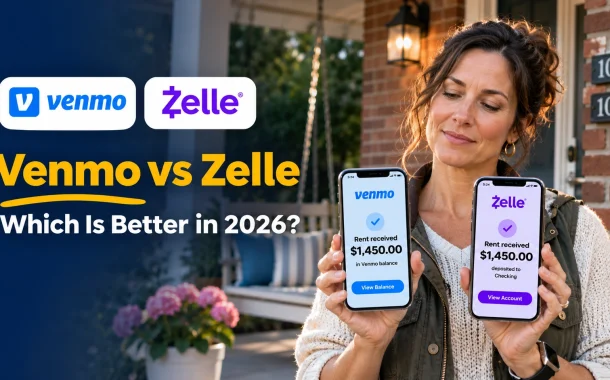
Zelle is usually better for rent, because the money lands straight in the landlord’s bank account for free, and it’s simple to repeat every month from your banking app. Venmo works for rent only if your landlord uses a Venmo business profile, which costs them 1.9% plus $0.10 per payment. Neither app protects you from a fake landlord.
Paying Rent as a Tenant
Pay rent by Zelle or Venmo only to a landlord you’ve met and whose property you’ve seen. Rental scams usually ask for a deposit before a viewing, and neither app will refund it. Ask for a written receipt each month, because Zelle and Venmo records don’t show what the payment was for.
Collecting Rent as a Landlord
Venmo recommends a business profile if you regularly take payments for what you sell, and rent from a tenant is business income. A business profile also gives you tax documents. Zelle lands rent in your bank for free, but it has no late-fee tools or tenant ledger, so keep a simple record of each payment alongside it.
Venmo vs Zelle for Business
Zelle is cheaper for small businesses that bank with a Zelle bank, because there’s usually no fee to receive payments. Venmo business profiles cost 1.9% plus $0.10 per payment, but they give customers purchase protection, a searchable business page and Tap to Pay. Small businesses move a lot through Zelle already.
In 2025, nearly 30% of all Zelle dollars went to or from small businesses, and 7.7 million small businesses were enrolled, according to Early Warning Services’ February 2026 figures. Venmo business profiles suit sellers who meet customers face to face, such as food trucks, tutors and market stalls. If you also sell online, our guide to how Stripe and PayPal fees compare covers card processing.
Which Is More Popular, Zelle or Venmo?
Zelle moves far more money, and Venmo has more people using a standalone app. Zelle handled more than $1.2 trillion in 2025 across 4.2 billion payments, and 100 million bank accounts used it in December 2025. Venmo had 67 million monthly active accounts at the end of 2025, according to PayPal’s fourth-quarter earnings call.
The numbers measure different things, so neither is a clean winner. Zelle’s volume is boosted by larger payments like rent, contractor bills and transfers between your own family members. Venmo’s strength is everyday social payments between friends, like splitting dinner, concert tickets or a road trip, where people pay small amounts often.
Pros and Cons of Venmo and Zelle
Venmo’s strengths are flexibility and a social experience, and its weaknesses are fees on cards and instant cash-outs. Zelle’s strengths are that it’s free, fast and already in your bank, and its weaknesses are no purchase protection and no card funding. Here’s the full list for each app, so you can see which trade-offs matter for how you pay.
Pros and Cons of Venmo
Pros
- Works without your bank offering it: anyone in the US with the app can use it.
- Card payments: pay by debit card for free or credit card for 3%.
- Purchase Protection: tagged purchases are covered.
- Extras: a debit card, bill splitting, business profiles and sending to PayPal users.
Cons
- Fees to move money fast: instant cash-outs cost 1.75%.
- Money waits in an app: standard transfers to your bank take 1 to 3 business days.
- Privacy: older accounts may still have a public feed.
- US-only accounts: you can’t sign in from abroad.
Pros and Cons of Zelle
Pros
- Free: no Zelle fee to send or receive.
- Lands in the bank: no cash-out step and no app balance.
- Already there: built into more than 2,300 banks and credit unions.
- Clear bank limits: Wells Fargo, for example, allows $3,500 a day on consumer accounts.
Cons
- No purchase protection: payments to sellers aren’t covered.
- No credit cards: you can only pay from a bank account.
- Hard to undo: payments to enrolled users can’t be canceled.
- Depends on your bank: limits and features vary.
Which Is Better, Venmo or Zelle?
Zelle is better when you’re paying someone you trust and want the money in their bank, free and fast, like rent, family or a babysitter. Venmo is better when you’re splitting costs with friends, want to pay by card or are buying from someone who accepts tagged purchases. Many people keep both and use whichever the other person has.
| If you want to… | Pick | Why |
|---|---|---|
| Pay rent to a landlord you know | Zelle | Free and lands straight in their bank |
| Split dinner or a trip with friends | Venmo | Bill splitting and requests in one app |
| Pay with a credit card | Venmo | Zelle can’t take cards |
| Buy from someone you don’t know well | Venmo, tagged as a purchase | Purchase Protection on tagged payments |
| Send money to family in the US | Zelle | No fees and no cash-out step |
| Pay a PayPal user | Venmo | Venmo and PayPal now send to each other |
| Get paid at a market stall | Venmo business profile | Tap to Pay and customer protection |
Why People Use Venmo Instead of Zelle
People pick Venmo when the other person is a friend rather than a bank contact. It works the same whatever bank you use, it finds people by username, and its feed makes splitting a bill feel casual. It also takes cards and protects tagged purchases, which Zelle doesn’t. If you’re also weighing PayPal and Cash App, see our PayPal vs Venmo vs Zelle vs Cash App comparison.
Frequently Asked Questions
Quick answers to what people ask most when choosing between Venmo and Zelle.
Can you send money from Venmo to Zelle?
Not directly. Venmo and Zelle don’t connect, so you can’t pay a Zelle user from Venmo or the other way around. Move your Venmo balance to your bank, which is free in 1 to 3 business days or costs 1.75% instantly, then send it with Zelle from your banking app. Venmo does connect to PayPal, so you can pay PayPal users straight from Venmo, as our Venmo vs PayPal comparison explains.
Is Zelle safer than Venmo?
It depends on the risk. Zelle keeps your money in your FDIC-insured bank, so it’s safer for storing money. Venmo is safer for buying, because Purchase Protection covers payments tagged as a purchase, while Zelle offers no purchase protection at all. Neither refunds a payment you send to a scammer yourself, so only pay people you know and trust, and tag any purchase on Venmo.
How much does Venmo take out of $100?
Nothing for a payment to a friend from your balance, bank or debit card. Venmo charges $3.00 if you pay $100 by credit card and $1.75 to transfer $100 to your bank instantly. A seller receiving $100 tagged as a purchase pays $2.99, and a business profile pays $2.00. A standard transfer to your bank is free and takes 1 to 3 business days.
Is Venmo or Zelle better for rent?
Zelle is usually better for rent. It’s free, the money lands straight in the landlord’s bank account and banks such as Wells Fargo let you schedule Zelle payments ahead. Venmo works only if your landlord has a business profile, which charges them 1.9% plus $0.10 per payment. Whichever you use, only pay a landlord you’ve met, because neither app refunds a fake rental deposit.
Is Venmo or Zelle better for business?
Zelle is cheaper, since there’s usually no fee to receive payments through your bank, and nearly 30% of Zelle dollars in 2025 went to or from small businesses. Venmo business profiles cost 1.9% plus $0.10 per payment, but customers get purchase protection and can find you in the app or pay with Tap to Pay. Accepting both covers almost every US customer.
Which is more popular, Zelle or Venmo?
Zelle moves more money, with more than $1.2 trillion sent in 2025 and 100 million bank accounts using it in December 2025. Venmo had 67 million monthly active accounts at the end of 2025. Zelle’s totals include large payments like rent and contractor bills, while Venmo leads on small, frequent payments between friends. Most people end up needing both, because the app you use is usually decided by the other person.
Does Zelle charge a fee?
Zelle itself doesn’t charge to send or receive money, and banks such as Wells Fargo don’t add a fee either. Your normal account fees, like overdraft fees, can still apply. Because Zelle moves money from a bank account, you can’t pay with a credit card, so there’s no card fee to worry about. Check your own bank’s terms to be sure.
Can you cancel a Zelle or Venmo payment?
Usually not once it’s delivered. Wells Fargo says Zelle payments to an enrolled recipient can’t be canceled, though you can cancel one to someone who hasn’t enrolled yet. If you send Venmo money to the wrong person, ask them to send it back. Double-check the phone number, email or username before you tap send on either app, because a typo can send money to a stranger.
Do Venmo and Zelle work outside the US?
Neither works with accounts outside the US. Zelle needs a US bank or credit union account, and Venmo can’t be used from abroad. Venmo users in the US can send money to PayPal users in more than 90 markets for a 5% fee, capped at $4.99. In Pakistan, neither app is available, so see our guide on how to receive money from abroad in Pakistan.
Venmo vs Zelle: Pick by Where the Money Needs to Go
Priya’s tenant now pays rent by Zelle on the first of every month, scheduled from her bank app. It lands in Priya’s checking account the same morning with no fee, and she sends a short receipt by text. When they split the water bill each quarter, they use Venmo, because it’s quick and the tenant likes paying her share with a card. Priya never has to chase a payment or explain a fee.
That’s the practical answer to Venmo vs Zelle. Use Zelle when you trust the person and want the money in a bank account, free and fast. Use Venmo when you’re paying friends, want to use a card or need the protection of a tagged purchase. Keep both apps on your phone, and let the person on the other end decide which one you open, because the best app is usually the one they already use. Which one will you use for your next payment?