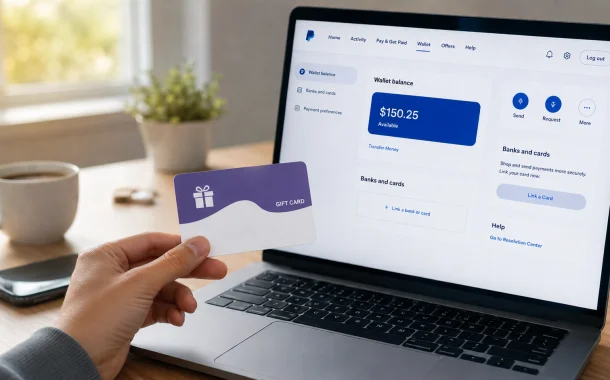
The first time I tried this with my own $50 Vanilla Visa, I spent twenty minutes hunting for an “Add Money” button that would pull the balance in. It does not exist. Once I understood what PayPal actually allows, the card became easy to use. This guide walks through what works, what fails, why cards get declined, the fees involved, and the risky “cash-out” tricks you should skip. Everything here reflects PayPal’s current 2026 US policies.
Quick answer: Yes, but only if the Vanilla card can be added as a payment method in PayPal. Most Vanilla Visa and Mastercard gift cards can be linked to PayPal, but you usually cannot directly withdraw the card balance into your PayPal balance.
Table of Contents
Can You Transfer a Vanilla Gift Card to PayPal?
No, you cannot move a Vanilla Gift Card balance into your PayPal account balance. PayPal separates two things: a funding method (a card you pay with) and adding money (cash that lands in your balance). A Vanilla Gift Card can sometimes serve as the first, but never the second. So “add vanilla gift card to paypal” and “transfer vanilla gift card to paypal” describe two different actions, and only linking-to-pay is supported.
Here is the difference in plain terms.
| Action | Supported by PayPal? | What it means |
|---|---|---|
| Add card as a payment method | Sometimes | Use the card to pay at checkout or send money |
| Load card value into PayPal balance | No | You cannot click “Add Money” and pull gift card funds in |
| Withdraw the gift card balance to your bank | No | Prepaid gift cards do not support cash-out |
| Use the card to buy things through PayPal | Yes, if linked | Spend the balance like a normal debit card |
Any site or tool promising an instant, direct transfer of a gift card into your PayPal balance is misleading. That option does not exist, and I have never seen one work without risk.
What Is a Vanilla Gift Card?
A Vanilla Gift Card is a prepaid card loaded with a set amount when you buy it. It runs on a major network like Visa or Mastercard, so most merchants that accept those networks will accept the card. There is no credit check and no bank account needed, which is why people use these cards for gifts, budgeting, and one-time online shopping.
The card has clear limits. It is non-reloadable, so once the balance is gone, the card is done. It usually cannot be used for ATM withdrawals, and it will not transfer money into a bank account or wallet on its own. Some platforms also block prepaid cards to reduce fraud. Those limits are exactly why people go looking for a way to move the funds into PayPal in the first place.
Open-Loop vs Closed-Loop: Will Your Card Even Work?
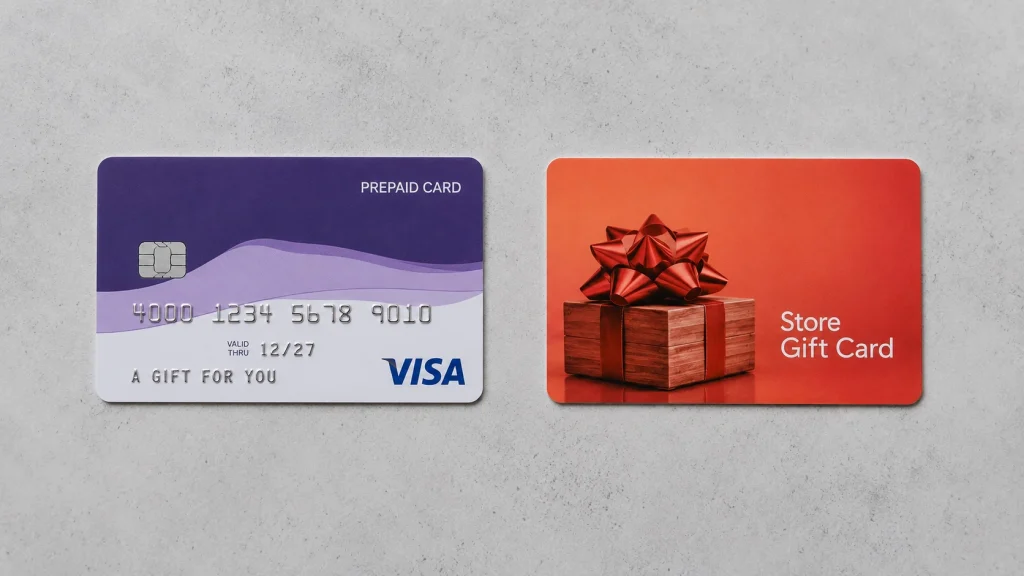
Whether any gift card links to PayPal comes down to one thing: open-loop or closed-loop. This is the most useful check you can do before you start, and it saves you from wasted attempts.
An open-loop card carries a Visa, Mastercard, Discover, or American Express logo and works anywhere that network is accepted. Most Vanilla Gift Cards are open-loop, so they can be linked to PayPal as a payment method. A closed-loop card only works at one brand, like a Starbucks or Amazon card. PayPal rejects closed-loop cards every time.
| Card type | Example | Links to PayPal? |
|---|---|---|
| Open-loop (network-branded) | Vanilla Visa, Vanilla Mastercard | Often yes, as a payment method |
| Closed-loop (single brand) | Starbucks, Sephora, Amazon | No |
One extra note for open-loop cards: a few Vanilla cards sold through third-party kiosks carry card number ranges that PayPal’s processor does not accept. When I bought a second card from a gas station display, it failed no matter what I entered, while a card from a pharmacy linked on the first try. If your card keeps failing even when everything else is correct, the card range may be the reason.
How to Add a Vanilla Gift Card to PayPal, Step by Step
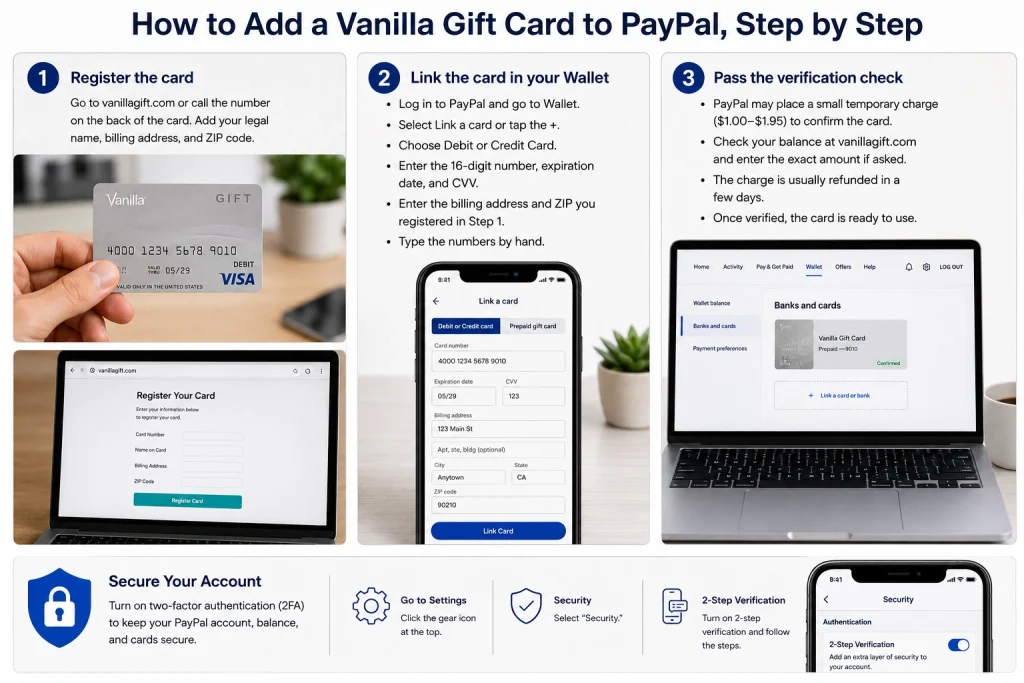
To add a Vanilla Gift Card to PayPal, register the card with your name and address first, then link it in your PayPal Wallet like any debit or credit card. Registration is the step most people skip, and skipping it is the top cause of a declined card. Here is the exact order I follow now, after learning the hard way.
Step 1: Register the card
Go to the issuer’s site at vanillagift.com, or call the number on the back of the card. Add your legal name, billing address, and ZIP code. PayPal checks this information against the card, so it needs to be on file before you link. The first time, I skipped this and the card was declined instantly. After I registered the same card, it linked within a minute.
Step 2: Link the card in your Wallet
- Log in to PayPal on the website or app.
- Open Wallet (called Money in some app versions).
- Select Link a card or tap the + next to Banks and Cards.
- Choose Debit or Credit Card.
- Enter the 16-digit number, expiration date, and CVV exactly as shown.
- Enter the billing address and ZIP you registered in Step 1.
Type the numbers by hand rather than pasting them. When I once copied the card number with a stray space at the end, PayPal returned a vague error that cost me another attempt.
Step 3: Pass the verification check
PayPal often places a small temporary charge on the card to confirm it is real, usually around $1.00 to $1.95. This amount is normally refunded within a few days. Some cards ask you to read back the exact charge amounts to finish linking, so check your balance at vanillagift.com and enter the values carefully. On my card, the refund landed in about three days, so do not panic if it does not reverse the same afternoon. Once verified, the card shows up in your Wallet and is ready for eligible payments.
While you are in your account, it is a good moment to review your login security. Turning on PayPal two-factor authentication protects the balance and cards you just added.
Add the Card to Google Pay or Apple Pay First (Optional Bridge)
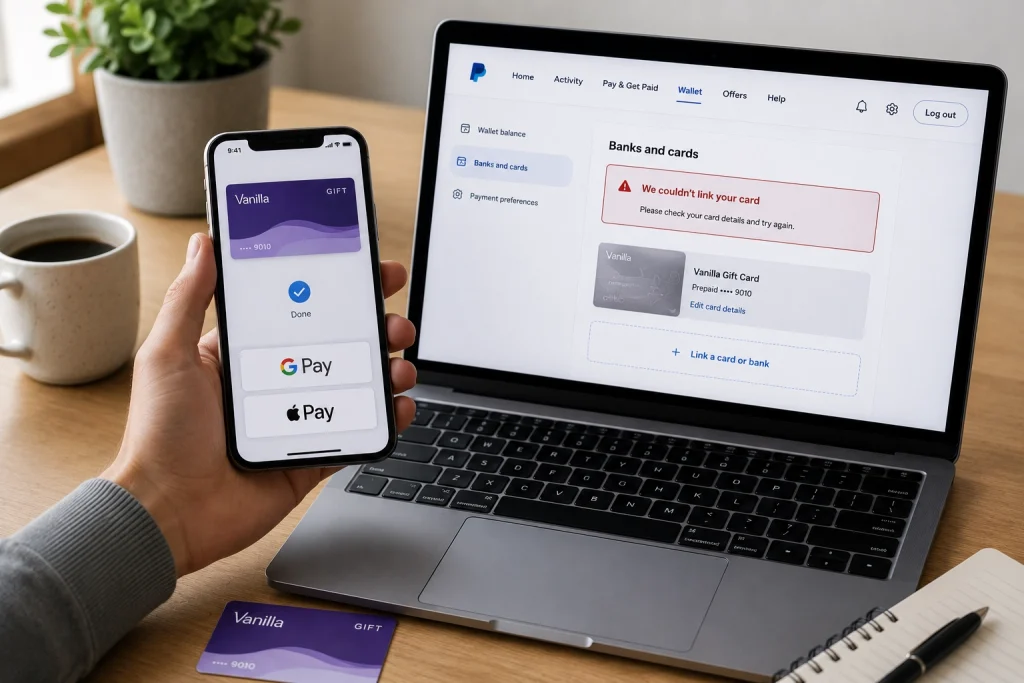
If PayPal keeps rejecting the card directly, adding it to Google Pay or Apple Pay first can sometimes give you a working path. Some users report that a Vanilla card that fails in PayPal’s card form will load into a phone wallet, and that wallet can then cover purchases where PayPal is not the only option.
Here is how it works and where it stops. Add the Vanilla card to your Google Pay or Apple Pay wallet using the same registered name and ZIP. From there you can tap to pay at many merchants. What this does not do is push the balance into your PayPal cash balance, and Apple Pay and Google Pay are not accepted as a funding source inside PayPal checkout itself. So treat this as a backup spending route for the card, not a transfer trick. I keep a failing card in my phone wallet and simply use it directly, which has salvaged more than one card for me.
Why Your Vanilla Gift Card Keeps Getting Declined on PayPal
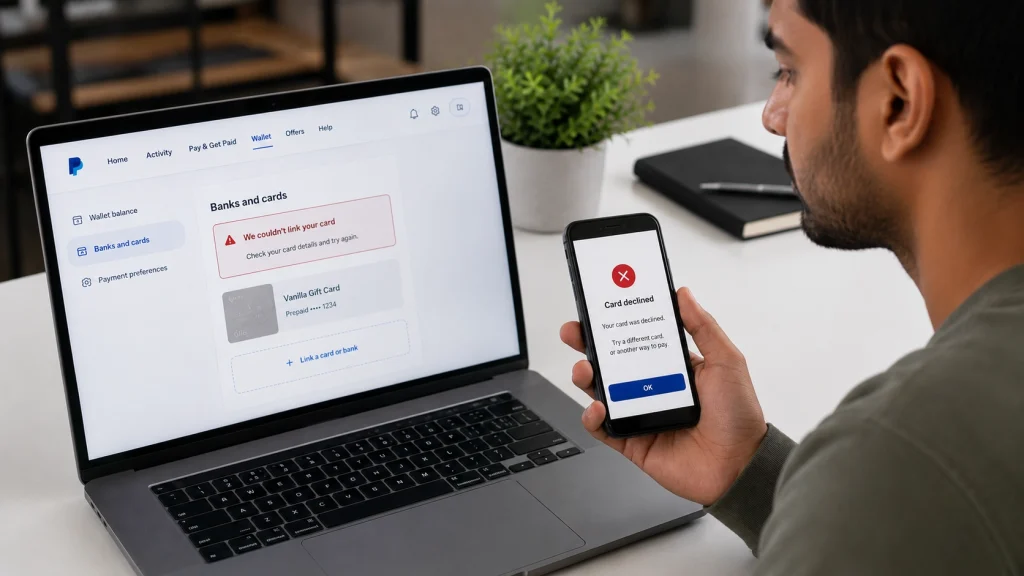
Most Vanilla Gift Card declines on PayPal come from a billing address or ZIP code that does not match the card’s registration. PayPal runs an address check, and any mismatch stops the link before it starts. If your card is getting declined, work through these causes in order.
- Billing or ZIP mismatch. This is the number one reason. Use the exact address you registered with the issuer, not your PayPal profile address if they differ.
- Card not registered. An unregistered card has no address on file to check against.
- Balance too low. The card needs enough to cover the small verification hold, plus whatever you plan to spend. A near-empty card fails the hold.
- Card not activated. Some cards need activation by phone or web before first use.
- Card already linked elsewhere. A card can only sit on one PayPal account at a time.
- Unsupported card range. Certain third-party Vanilla cards use number ranges PayPal does not accept.
- Virtual or online-only cards. These are rejected more often than physical cards.
Quick fixes that usually work
Register the card, double-check the ZIP, confirm the card is active, and make sure the balance is at least a few dollars above what you need. If it still fails after that, call PayPal support with the first six digits of the card so they can check whether the card range is accepted. When one of my cards would not link, that six-digit check was how the agent confirmed the problem was the card, not my account.
Can You Move the Balance Into Your PayPal Account?
You cannot legitimately move a Vanilla Gift Card balance into your PayPal cash balance. Some online guides suggest tricks like invoicing yourself and paying with the card, or sending money to a friend who sends it back. These are worth understanding, because you should know why to avoid them, not because they are safe.
Here is the plain truth. Using PayPal to convert a gift card into withdrawable balance, whether by paying your own invoice or looping money through another person, goes against PayPal’s User Agreement. PayPal treats this as cashing out a stored-value card and self-funding, both of which are prohibited. Since 2023, PayPal has tightened enforcement on misused personal and business payments. The penalty can be an account limitation or a permanent ban, with funds held for up to 180 days.
I have read enough account-limitation stories in the PayPal community forums to take this seriously. Losing access to a PayPal account you rely on, over a $25 or $50 card, is not a fair trade.
Warning: A “workaround” that risks your entire PayPal account for a small gift card balance is a bad deal. If you need cash from the card, use the legitimate options below instead of a method that can get you banned.
What It Actually Costs: PayPal Fees to Know
PayPal fees depend on how money moves, and a gift card counts as card funding, which is not free. Before you use any method, price it out so you do not lose part of the balance to fees.
| Transaction type | US fee (2026) | Notes |
|---|---|---|
| Goods and Services payment | 3.49% + $0.49 | Paid by the person receiving the money |
| Friends and Family, card-funded | 3.49% + $0.49 | A gift card is card funding, so this applies |
| Friends and Family, bank or balance | Free | Does not apply to a gift card |
| Instant transfer to bank | 1.75%, up to $25 | Only works from your PayPal balance |
A worked example
Say you have a $50 Vanilla card and try to send it as a card-funded Friends and Family payment. PayPal charges 3.49% plus $0.49, which is $1.74 plus $0.49, or about $2.23 in fees. You would move roughly $47.77, and that is before you consider that this use case can violate PayPal’s terms in the first place. Spending the $50 directly at a store costs you nothing extra, which is why direct spending almost always wins.
Two takeaways. First, any Friends and Family payment funded by your Vanilla card carries the 3.49% + $0.49 fee, since gift cards count as cards, not a bank or balance (PayPal Consumer Fees, checked June 2026). Second, if you compare processors for a business, see how Stripe and PayPal fees compare before you decide. You can review PayPal’s own breakdown of personal versus goods and services payments and the full PayPal consumer fee schedule for current rates.
Legitimate Ways to Get Value From a Vanilla Gift Card
If you cannot transfer the balance into PayPal, you can still use every dollar on the card through safe, allowed methods. Here are the options ranked by how well they have worked for me, followed by a comparison so you can pick fast.
Spend the card directly through PayPal or online
Once the card is linked, use it to pay for online purchases at checkout. Vanilla cards work at most e-commerce stores for electronics, clothing, groceries, and digital products. This is the simplest way to use the funds with no fee beyond the price, and it is what I do with almost every gift card I get.
Use the Venmo debit card route
Venmo, which PayPal owns, does not connect to PayPal directly. But if you have a Venmo Debit Card, you can link that card to your PayPal Wallet and use it to fund payments from your Venmo balance. This does not turn the gift card into PayPal cash, but it gives you another spending path.
Buy other digital gift cards
You can also put the balance toward a digital subscription you already use, such as design or publishing software. For instance, some small business owners use the balance to cover a tool that lets them create a digital catalog for their store.
Split payments at checkout
Some stores let you split a purchase across two payment methods. Put the Vanilla card first to drain its balance, then cover the rest with another card. This is the cleanest way to empty an odd remaining amount like $3.72 instead of losing track of it.
| Method | Turns card into cash? | Fees | Best for |
|---|---|---|---|
| Spend directly at checkout | No | None | Everyday online shopping |
| Venmo Debit Card link | No | None to link | Extra spending path |
| Buy another digital gift card | No | None | Long-term flexibility |
| Split payment | No | None | Using up small leftovers |
If you find yourself needing a reloadable, PayPal-friendly card for the long run, a PayPal card in the mail is a better fit than a one-time gift card.
Is It Safe? Scams to Avoid
Using PayPal’s own linked-card and checkout features is safe. The danger comes from third-party sites and tools that promise instant transfers or free money. Those are where people lose funds.
Watch for two red flags. First, any “PayPal money adder” software is a scam. PayPal has confirmed no such tool exists, and downloading one usually means stolen login details, malware, or a closed account. Second, avoid sites that claim to instantly convert a gift card to a PayPal balance for a fee. They often take the card details and disappear.
Keep your card and receipt, and never share the full card number and PIN with anyone who contacts you first. If someone pressures you to buy a gift card and read them the numbers, stop, because that is always a scam. The FTC’s guidance on avoiding and reporting gift card scams explains how to report a card used in a scam and, in some cases, get your money back.
FAQ
Can you add a Vanilla Gift Card balance directly to PayPal?
No. PayPal does not let you load a gift card’s value into your PayPal balance. An eligible Vanilla card can be linked only as a payment method, which means you can use it to pay for eligible transactions but not to add money to your account.
Can I transfer money from a prepaid card to PayPal?
You can link many open-loop prepaid cards to PayPal and pay with them, but you cannot transfer their balance into your PayPal balance. The same funding rule that applies to Vanilla cards applies to prepaid cards in general. Closed-loop store cards will not link at all.
Why does my Vanilla Gift Card keep getting declined on PayPal?
The most common cause is a billing address or ZIP code that does not match the card’s registration. Other causes include an unregistered or unactivated card, a balance too low to cover the verification hold, a card already linked to another account, or a card number range PayPal does not support.
Do I need to register my Vanilla Gift Card before adding it to PayPal?
Yes, in almost every case. Register the card with your name, billing address, and ZIP at vanillagift.com or by phone first. PayPal checks that address during linking, so an unregistered card usually fails the verification step.
Does PayPal charge a fee to use a Vanilla Gift Card?
PayPal may place a small temporary verification hold, often $1.00 to $1.95, that is normally refunded. Beyond that, any Friends and Family payment funded by the card carries a 3.49% + $0.49 fee, since a gift card counts as card funding rather than a bank or balance.
Is it against PayPal’s rules to cash out a gift card?
Yes. Using PayPal to convert a gift card into withdrawable balance, such as paying your own invoice or looping money through another person, violates PayPal’s User Agreement. It can lead to account limits or a permanent ban, so it is not worth the risk for a small balance.
Can I use Venmo to get money from a Vanilla Gift Card instead?
You can link a Venmo Debit Card to PayPal, but you cannot move a Vanilla balance into Venmo cash any more than into PayPal cash. The most reliable path is still to spend the card directly or split payments at checkout.
Will adding the card to Google Pay or Apple Pay let me transfer it to PayPal?
No. A phone wallet can give you another way to spend a card that PayPal keeps rejecting, but Apple Pay and Google Pay are not accepted as a funding source inside PayPal checkout, and they cannot push the balance into your PayPal cash.
Why is a small charge showing on my Vanilla card after linking it to PayPal?
That is PayPal’s verification hold, used to confirm the card is real. It is usually around $1.00 to $1.95 and is refunded in a few days. If linking fails, check your balance at the issuer’s site to read the exact amounts, since some cards require you to enter them.
What is the safest way to use Vanilla Gift Card money through PayPal?
Link the registered card and use it to pay for purchases at checkout, or split a payment so the card’s balance is used first. Avoid third-party “instant transfer” sites and any tool promising free PayPal funds. Stick to PayPal’s built-in features and trusted merchants.
Conclusion
You cannot transfer money from a Vanilla Gift Card directly into your PayPal balance, and that is by design, not a glitch on your end. What you can do is register the card, link it as a payment method, and put every dollar to use through checkout, split payments, or a purchase you were going to make anyway. The tricks that promise a real cash-out through PayPal carry a heavy risk to your account, so they are not worth it.
After running a handful of these cards through PayPal myself, my rule is simple: treat the card as flexible spending power, not a wallet you can drain into cash. That shift alone removes most of the frustration. So before you try another workaround, ask yourself the more useful question: what did you actually want to buy with that balance in the first place?