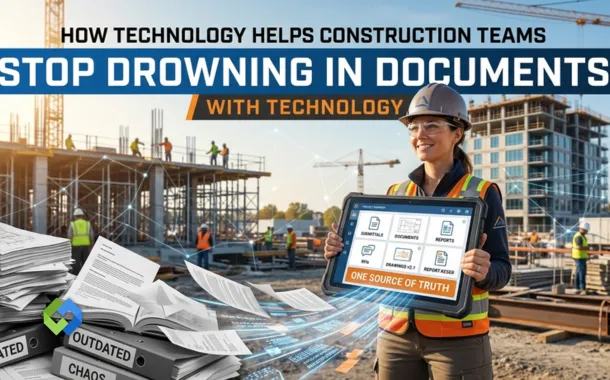
Construction teams juggle hundreds of documents daily, drawings, submittals, RFIs, safety records, closeout packages, you name it. When those documents live scattered across email chains, random Dropbox folders, and color-coded spreadsheets, the entire project starts leaking money.
Deadlines slip. Teams chase ghost versions. Rework follows. The good news? The technology to actually fix this exists right now, and the teams using it are seeing real, measurable results on real jobs.
Table of Contents
Document Chaos Is Literally Costing You Money
This isn’t a minor inconvenience. It’s a budget problem.
The Hidden Tax of Fragmented Tools
Autodesk’s State of Data Capabilities in Construction report found that construction managers and executives spend an average of 11.5 hours per week just researching and analyzing data. Eleven and a half hours. Not making decisions, hunting down information that should’ve been a two-second click.
When your team’s primary construction project management tools are email and spreadsheets, critical information gets buried fast. Subcontractors are building off outdated drawings while someone in the office is still waiting to confirm whether submittals were even sent.
Those information silos don’t just create confusion, they quietly push your schedule back week by week.
What “Actually Working” Looks Like
More tools aren’t the answer. Better-connected tools are. One place, one source of truth, where submittals, RFIs, drawings, and contracts all live together. Version control, role-based permissions, audit trails, those aren’t fancy buzzwords. They’re what make decisions traceable and keep accountability from becoming a finger-pointing contest later.
The Core Tech Stack Behind Modern Document Management
Good document systems aren’t one big magic platform. They’re built from connected layers that each solve a specific problem.
Centralized Project Management Tools (The Foundation)
A common data environment, or CDE, is exactly what it sounds like, one place where everybody works from the same documents. Centralized construction project management tools give both office and field teams cloud-based access, live updates, and adjustable permissions. Old versions stop circulating. Everyone finally works from the same page, literally.
RFIs, Transmittals, Change Docs, and Submittals, Kept in Context
RFIs don’t exist in a vacuum. They tie to specific drawings, specs, and often to active submittals.
When those links live inside one system, especially when paired with robust construction submittal software, every clarification stays connected to its original context. Submittals move through approvals faster, closeout becomes less of a nightmare, and you’ve got solid documentation if a dispute ever comes knocking.
From Bid to Closeout, How This Actually Plays Out
Preconstruction: Getting Your Foundation Right
Estimating software integration means key data, quantities, alternates, assumptions, flows straight from your estimating platform into your central document repository. No re-keying. No “wait, which version of the estimate are we using?” moment three months into the job.
Procurement: Automated Packages, Not Manual Scrambles
Automated submittal packages pull together product datasheets, shop drawings, cut sheets, and certificates into clean digital binders, without someone manually compiling them at 10 PM.
Automated product pricing platforms cross-reference approved vendor lists against specified products, keeping procurement aligned with the original design intent and catching substitution mix-ups before they become field problems.
Construction: Real-Time Coordination Across Trades
Digital finish schedules sync design, procurement, and installation teams so everyone knows what’s going where and when. When field changes or marked-up drawings happen digitally, the updates push through the system automatically. No paper redlines sitting forgotten on someone’s desk.
Turnover: Closeout Packages Without the Chaos
Teams using automated closeout packages collect warranties, as-builts, reports, and training logs throughout the job, not in a frantic scramble the week before handover. The owner-ready package practically builds itself. Okay, not quite, but it’s close.
Real-World Use Cases Worth Knowing
LEED Documentation for Trade Contractors
LEED services for flooring contractors depend entirely on accurate, complete product documentation. Systems that tag and extract LEED-relevant data from submittals cut down the administrative load dramatically, no more digging through binders to find an EPD from six months ago.
Safety Compliance That Lives Where the Work Happens
Jobsite health and safety compliance starts with having JSAs, safety data sheets, and method statements accessible right at the task level, not locked in a binder in the site trailer. Digital sign-offs and incident reports linked to specific project drawings create an auditable record that protects workers and satisfies regulators.
Flooring Contractor Software as a Specialty Example
Flooring contractor software stores substrate reports, moisture readings, and finish specs in a single platform built around trade-specific workflows, product pricing, digital finish schedules, and coordination tools that general contractor platforms rarely replicate with the same depth.
Automation Is the Real Game-Changer
Teams streamlining construction workflows through automation, intelligent document routing, automatic notifications, office-to-field data syncs, report something simple but powerful: staff spend less time hunting for information and more time actually making decisions.
A nine-month implementation on a Dallas-Fort Worth mid-rise project made this tangible: a 43% reduction in estimating labor and a 6% reduction in overtime, finishing on time within P50–P80 confidence bounds. That’s not theoretical. That’s a real schedule and cost performance driven by better information management.
Frequently Asked Questions
Which documents should you digitize first?
Submittals, RFIs, and drawings. They drive procurement and schedule, so getting those into a structured system gives you the fastest, most visible return.
How does document control connect to safety compliance?
Digital systems link safety records to specific locations and activities, enabling sign-offs and creating auditable trails that support both worker protection and regulatory requirements.
How is flooring contractor software different from general platforms?
It’s built for trade-specific workflows, substrate reports, moisture documentation, finish schedules, phasing plans. General platforms rarely go that deep.
The Bottom Line
Document management isn’t some back-office administrative task. It sits at the center of every schedule, budget, and quality call your team makes. The firms moving beyond fragmented tools are delivering projects with less rework, cleaner closeouts, and far fewer disputes.
Whether you start small with a 30-day document hygiene push or go all-in on a full platform rollout, one thing is clear, structured, connected, accessible documents aren’t a luxury anymore. They’re just how competitive construction teams operate.