Nothing was broken. Google has not shown review stars for reviews a business displays about itself since September 2019, and the clinic had never had them from the plugin at all. The stars they remembered came from a directory listing that had since dropped. That single misunderstanding sits at the center of almost every article written about these plugins, so this guide covers what the plugins actually do, which ones are worth installing in 2026, what the Google Places API will cost you, and what displaying reviews genuinely helps with.
A Google Reviews WordPress plugin pulls reviews from your Google Business Profile and displays them on your site through a widget, block, or shortcode. It builds visitor trust and lifts conversions. It does not earn star ratings in Google search results, because Google treats reviews you display about yourself as self-serving and ineligible for review rich results.

Table of Contents
What Is a Google Reviews WordPress Plugin?
A Google Reviews WordPress plugin connects your website to your Google Business Profile and displays your existing reviews on your pages. It handles the data fetch, stores or caches the reviews, and renders them in layouts such as sliders, grids, badges, or lists. Most offer filtering by star rating, review moderation, and styling controls.
The plugins split into two technical camps, and the difference decides your setup time and your bill. API-based plugins ask you for a Google Places API key and call Google directly. Proxy-based plugins route the request through the vendor’s own servers, so you never touch Google Cloud, but your review data passes through a third party first.
There is a third category people often confuse with these. First-party review plugins collect reviews written directly on your site by your customers. That is a different job with different rules, and it matters for the SEO question below.
What They Cannot Do
No plugin can post reviews to Google, delete a bad review, or reply on your behalf without going through the Business Profile itself. If a tool advertises review removal, treat it as a red flag rather than a feature.
Most also cannot show unlimited reviews on a free plan. Google’s own API returns a maximum of five reviews per place through standard Place Details calls, which is why so many free tiers stop at five. Vendors who show more are caching over time or using their own crawled dataset.
Will Google Reviews on Your Site Actually Improve SEO?
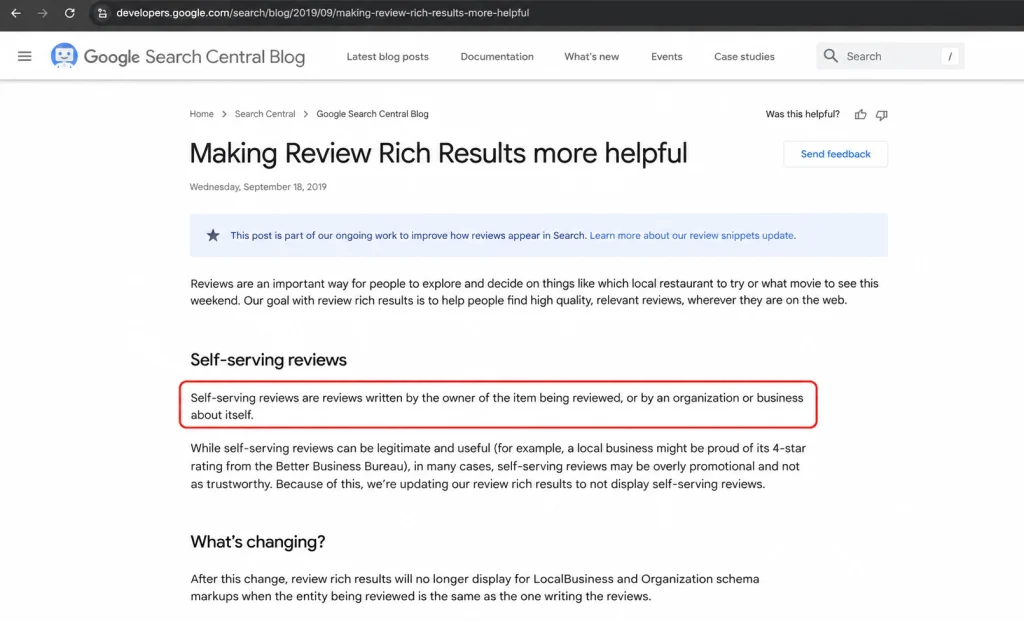
Not in the way almost every article on this topic claims. Google stated in September 2019 that reviews a business places on its own site, whether hand-coded or embedded through a third-party widget, are self-serving and will not produce review rich results for LocalBusiness or Organization schema. That policy has not been reversed.
Google’s own wording in the announcement on review rich results is direct: it will not display review rich results for those schema types when the entity being reviewed controls the reviews itself. Embedding a third-party widget counts as controlling the process. So a plugin that advertises “get star ratings in search results” is selling you something Google documented away seven years ago.
There is no penalty for displaying them. Your page is simply ineligible for that particular snippet. Nobody gets a manual action for having a reviews widget, and you do not need to strip out existing markup.
What Reviews Genuinely Help With
Plenty, once you stop expecting stars in the SERP. Reviews are conversion assets first and search assets second.
- On-page conversion. Social proof next to a pricing table or contact form lifts form completions. This is the real return, and it shows up in your analytics rather than in Search Console.
- Local pack strength, indirectly. Review volume, recency, and rating on your Business Profile influence local rankings. The plugin does not cause that, but a review-request workflow that also feeds your widget does.
- AI answer visibility. Assistants summarising “best dentist in Columbus” pull from third-party sources. Having a strong, current Business Profile and consistent details across the web matters more here than anything on your own page.
- Fresh, relevant text. Reviews add genuine customer language to a page. That has modest value, and it is worth exactly as much as any other unique content.
If local visibility is the actual goal, the plugin is a small piece of it. Our breakdown of why most small businesses fail at local SEO covers the parts that move rankings, and the lawn care and landscaping local SEO guide shows how it plays out for a service business.
Where Review Schema Still Works
Product and service pages are the exception. Review markup on a specific product a customer bought remains eligible for review snippets, because the review is about a reviewable item rather than about your company as a whole. Reviews on your own products, collected from your own buyers, still qualify.
If you are marking up an actual product catalogue, the Schema.org Review type is the reference, and our free schema markup generator will build valid Organization, Product, Article, and Website JSON-LD you can paste into the page head. Keep the markup honest, since schema that claims ratings the visible page does not show is a guideline violation rather than a clever trick.
Best Google Reviews WordPress Plugins in 2026
The market consolidated around a handful of tools. One free plugin dominates by install count, one free plugin leads on schema output, and the rest differentiate on multi-platform aggregation or review collection.
| Plugin | Pricing | API key needed | Free tier limit | Best for |
|---|---|---|---|---|
| Widgets for Google Reviews (Trustindex) | Free, paid from about $7.20 per month | No, routes through Trustindex | 5 reviews, vendor badge on widget | Fastest setup, most sites |
| Rich Showcase for Google Reviews (RichPlugins) | Free, paid tier available | Yes, Google Places API | Schema included on free tier | Sites that want direct Google data |
| Reviews Feed Pro (Smash Balloon) | Premium only | Varies by source | None, paid product | Multi-platform feeds, existing Smash Balloon users |
| WP Social Ninja | Freemium | Yes for Google | Limited templates | Reviews plus social feeds in one dashboard |
| Site Reviews | Free | Not applicable | Unlimited first-party | Collecting your own reviews on-site |
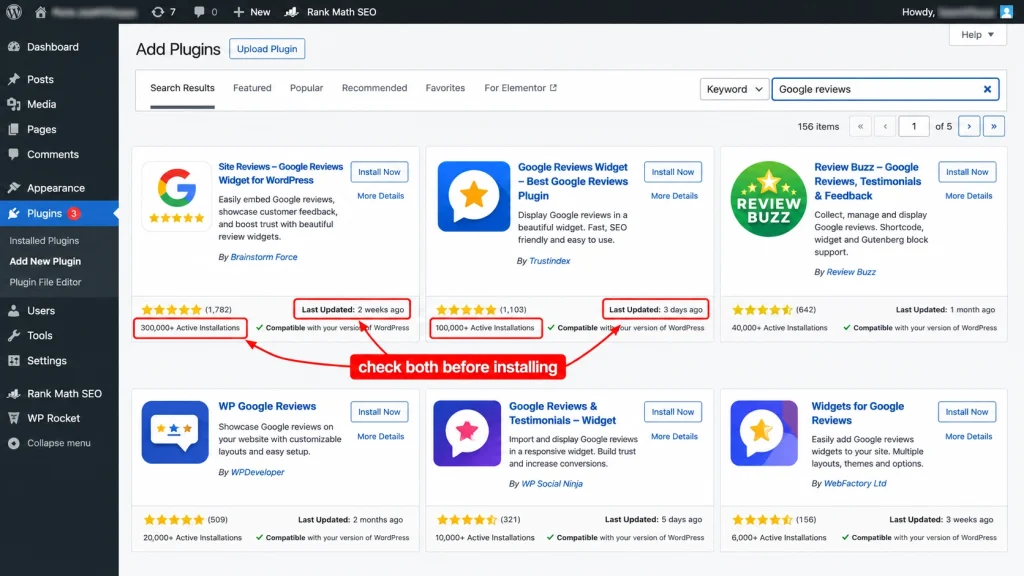
Two naming traps worth knowing. Google Reviews Widget was renamed Rich Showcase for Google Reviews, so older articles, including plenty still ranking, point you at a plugin name that no longer appears in the directory. And WP Business Reviews, which many 2024-era roundups recommended, is no longer the safe default it was. Check the last-updated date on any plugin page before installing.
Trustindex’s plugin is the volume leader, reporting more than 900,000 active installations and a 4.9 rating on WordPress.org (checked August 2026). That install base is a genuine reliability signal, though the free tier caps you at five reviews and puts a vendor badge under the widget.
Which One Fits Which Site
Pick on setup tolerance and data control, not on feature lists. If you want reviews live in five minutes and do not mind the data passing through a vendor, take the Trustindex route. If you want a direct line to Google with no intermediary, take the API route and accept fifteen minutes of Cloud Console setup.
Multi-location businesses are the case where free tiers break down first. Five reviews per location, multiplied across a dozen branches, with separate Place IDs to manage, is where a paid plan or a custom build starts to make sense. Agencies managing this across client sites should read our notes on WordPress management across multiple websites before rolling anything out at scale.
How Much Does the Google Places API Cost in 2026?
This is the section nobody writes, and it is the one that generates surprise invoices. Google retired the universal $200 monthly credit on 1 March 2025 and replaced it with per-SKU free allowances. Reviews are the most expensive field class in the catalogue, so a badly configured plugin can cost real money.
Review data sits in the Enterprise plus Atmosphere tier of Place Details. The free allowance for Enterprise SKUs is 1,000 calls per month, after which pricing runs roughly $25 per 1,000 calls (Google Maps Platform pricing, checked August 2026). Essentials fields get 10,000 free calls and Pro gets 5,000, but that does not help you, because requesting even one review field bills the entire request at the higher tier.
| Tier | Free calls per month | Roughly what it costs after | What triggers it |
|---|---|---|---|
| Place Details Essentials | 10,000 | About $5 per 1,000 | Address, place ID, basic fields |
| Place Details Pro | 5,000 | About $7 per 1,000 | Opening hours, business status |
| Place Details Enterprise | 1,000 | About $20 per 1,000 | Ratings, price level |
| Enterprise plus Atmosphere | 1,000 | About $25 per 1,000 | Reviews |
Rates reflect Google’s published US volume tiers, checked August 2026. Verify against the live pricing page before budgeting, and note that field masks, not billing switches, decide your tier.
Why Caching Decides Your Bill
A plugin that calls the API on every page load will burn 1,000 free calls in a day on a modestly busy site. A plugin that fetches once, writes the reviews into the WordPress database, and refreshes daily will use about 30 calls a month.
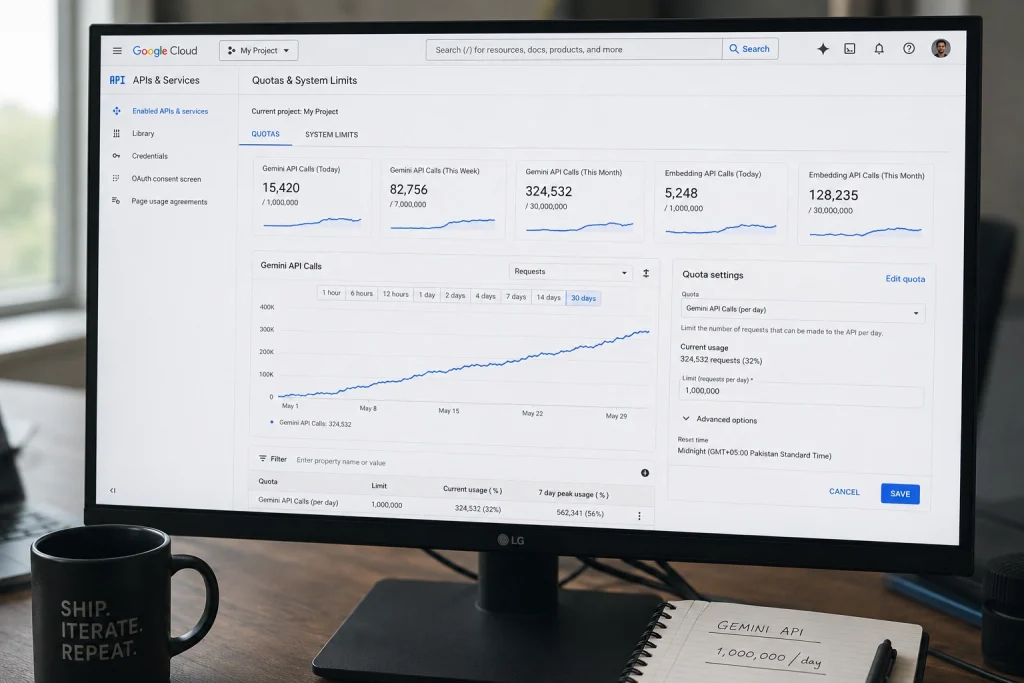
Ask one question before you install: does this plugin store reviews locally, and how often does it re-fetch? Good plugins say so plainly and let you set the interval. If the answer is not on the plugin page, assume the worst and set a hard quota in Google Cloud Console rather than relying on a budget alert, which notifies you but does not stop anything.
This is also the strongest practical argument for the proxy-based plugins. Trustindex and similar tools absorb the API cost on their side, which is exactly what you are paying for on their paid plans.
How to Add Google Reviews to WordPress
The setup runs the same way for every plugin: install, connect your Business Profile or paste a Place ID, choose a layout, then place the widget with a block or shortcode. Budget five minutes for a proxy-based plugin and about fifteen for an API-based one, most of it spent in Google Cloud Console.
- Install the plugin. In your dashboard go to Plugins, then Add New Plugin, search the exact plugin name, install, and activate.
- Find your Place ID. Use Google’s Place ID Finder, search your business name, and copy the string that begins with
ChIJ. It identifies your specific location, not your business overall, so multi-location sites need one per branch. - Create an API key, if required. In Google Cloud Console create a project, enable the Places API, generate a key, then restrict it by HTTP referrer to your domain. An unrestricted key on a public site will eventually be scraped and spent by someone else.
- Connect and fetch. Paste the key and Place ID into the plugin settings and run the first sync. Reviews should appear in the plugin’s preview within seconds.
- Choose a layout and set filters. Pick a slider, grid, or badge, set a minimum star rating if you want one, and set the refresh interval as low as the plugin allows.
- Place the widget. Add the plugin’s block in the editor, or paste its shortcode where you want reviews to appear. Place them near a conversion point rather than in the footer.
Restrict the Key, Always
The most common real damage we see is not a broken widget, it is an unrestricted API key sitting in public page source. Anyone can copy it and run their own requests against your billing account.
Restrict by HTTP referrer to your exact domain, restrict the key to the Places API only, and set a daily quota well under your comfort threshold. Three settings, two minutes, and it removes the only scenario in this whole process that can cost you hundreds of dollars.
Keeping the Plugin From Slowing Your Site
Review widgets hurt performance in three predictable ways: uncached API calls on page load, avatar images loaded straight from Google’s servers, and a JavaScript bundle that blocks rendering. Each has a fix, and together they usually account for the whole difference.
Cache locally, limit displayed reviews to somewhere between three and six, and load the widget below the fold so it does not compete with your Largest Contentful Paint element. If a plugin offers lazy loading, turn it on.
Test before and after with PageSpeed Insights on a real page rather than the homepage. If the widget costs you more than a tenth of a second, either the plugin is heavy or it is calling out on every load, and both are reasons to switch. Anyone maintaining templates across a site will find the same principle in our WordPress post template guide: render once, reuse everywhere.

Troubleshooting: Reviews Not Showing
Four causes account for nearly every case. Work through them in order rather than reinstalling.
- Wrong Place ID. The most common cause by far, especially for businesses with a service-area profile or a recently changed address. Re-run the Place ID Finder and compare.
- API not enabled or key restricted too tightly. Check that the Places API specifically is enabled on the project, and that your referrer restriction includes both the www and non-www versions of your domain.
- Free-tier limit reached. If reviews vanished mid-month rather than never appearing, you have likely hit the 1,000-call Enterprise allowance. Check Cloud Console usage before anything else.
- Caching plugin serving a stale page. Clear your site cache and any CDN cache. A widget that works in an incognito window but not for logged-out visitors is almost always this.
If reviews render but look broken, it is a theme conflict rather than a data problem. Switch to a default theme temporarily to confirm, then target the plugin’s own classes with custom CSS rather than editing plugin files, which an update will overwrite.
Frequently Asked Questions
Can I display Google reviews on WordPress without an API key?
Yes. Proxy-based plugins such as Trustindex’s Widgets for Google Reviews connect to your Business Profile through the vendor’s servers, so you never create a Google Cloud project. The trade-off is that your review data passes through a third party, and free plans typically cap the number of reviews shown and add a small vendor badge under the widget.
Does displaying Google reviews get me star ratings in search results?
No. Google classifies reviews about your business displayed on your own site as self-serving, including reviews embedded through a third-party widget, and does not show review rich results for LocalBusiness or Organization schema in those cases. Star ratings you see for your business in search come from third-party platforms and your Business Profile, not from your website widget.
Is it legal to display Google reviews on my website?
Displaying reviews retrieved through Google’s official APIs, with attribution intact, is permitted under Google’s terms. What is not permitted is editing review text, stripping attribution, or displaying only positive reviews in a way that misrepresents your overall rating. Filtering to show four and five-star reviews is common practice, though the FTC has been increasingly attentive to review displays that mislead.
Why does my plugin only show five reviews?
Google’s standard Place Details response returns a maximum of five reviews per place. Plugins that display more are either caching reviews over time as new ones arrive, or drawing on their own dataset. If your free plan shows exactly five and no more, that is the API limit rather than an artificial paywall.
How often do the reviews update?
It depends entirely on the plugin’s refresh interval, not on Google. Well-built plugins fetch on a schedule, commonly every 12 or 24 hours, and store the results locally. If yours refreshes on every page load, it is both slower and more expensive than it needs to be, and the setting is usually worth changing.
Do Google reviews on my site help with AI search visibility?
Indirectly at best. Assistants answering questions like “best plumber near me” draw heavily on third-party sources rather than on business websites. A strong, current Google Business Profile with recent reviews influences those answers far more than a widget on your homepage. The widget’s job is converting the visitor who already arrived.
Which Google Reviews plugin is the fastest?
Plugins that store reviews in the WordPress database and render them server-side are consistently faster than those that call an external script on load. Look for local caching, lazy loading, and a small JavaScript footprint. Install count is a reliability signal, not a speed one, so test on your own site with PageSpeed Insights.
Can I show reviews from multiple locations?
Yes, but you need a separate Place ID for each location, and most free tiers limit how many you can connect. Multi-location setups are where paid plans genuinely earn their price, since you are managing several data sources, several widgets, and often location-specific landing pages.
Should I filter out negative reviews?
Show a representative picture. A wall of nothing but five-star reviews reads as curated to most visitors, and a handful of four-star reviews with a thoughtful response often builds more trust than perfection does. Hiding a consistent complaint does not make it disappear, it just means the buyer finds it on Google instead of on your page.
What is the difference between a Google Reviews plugin and a review collection plugin?
A Google Reviews plugin displays feedback customers already left on Google. A review collection plugin, such as Site Reviews, gathers new reviews written directly on your website. The second type produces first-party content you fully control, and reviews of specific products collected this way can still be eligible for review snippets, unlike reviews about your business as a whole.
Conclusion
The Ohio clinic kept its plugin. We moved the widget from the footer up beside the appointment form, cut the display from ten reviews to four, switched the refresh from hourly to daily, and restricted the API key that had been sitting unprotected in their page source. Form completions moved. Search Console did not, and it was never going to.
That is the honest frame for a Google Reviews WordPress plugin. It is a conversion tool that happens to live on a page, not an SEO tool wearing a conversion costume. Choose based on setup tolerance and caching behavior, restrict your key, and put the reviews where a hesitating visitor will actually see them. If you are still expecting stars in the search results, the better question is where your buyers are really reading reviews, and whether your Business Profile is in any shape for what they find there.