The short version is that Walmart does accept PayPal, but only in specific ways, and PayPal Pay in 4 is the part that trips people up. Most articles give a lazy “yes” and move on. This guide gives you the real answer, including why Pay in 4 usually does not appear at Walmart, the one reliable workaround, and every other way to pay with PayPal online and in store.
Yes, Walmart accepts PayPal on Walmart.com and in the Walmart app. In stores, PayPal works through the PayPal debit card, not the PayPal app. PayPal Pay in 4 is not a documented option at Walmart checkout, because Affirm is Walmart’s buy now, pay later partner. The reliable workaround is to buy a Walmart eGift card with Pay in 4 (Walmart Help Center, 2026).
Table of Contents
Does Walmart Accept PayPal?
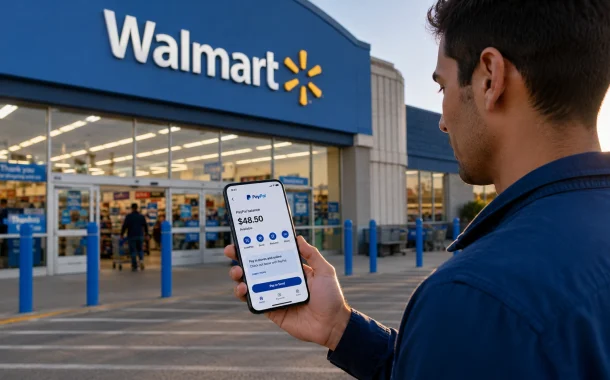
Yes. Walmart lists PayPal as an accepted payment method for Walmart.com and the Walmart app. You can pay with your PayPal balance, or a bank account, debit card, or credit card linked inside PayPal. In physical stores, the picture is narrower. You cannot tap the PayPal app at a Walmart register, but you can use a PayPal debit card, which runs on the Mastercard network (Walmart Help Center, 2026).
So the honest answer depends on where you shop. Online, PayPal is a first-class option at checkout. In store, PayPal only works through a card that pulls from your PayPal account. This split is the source of most confusion, and it matters for Pay in 4, which we cover next.
Online at Walmart.com
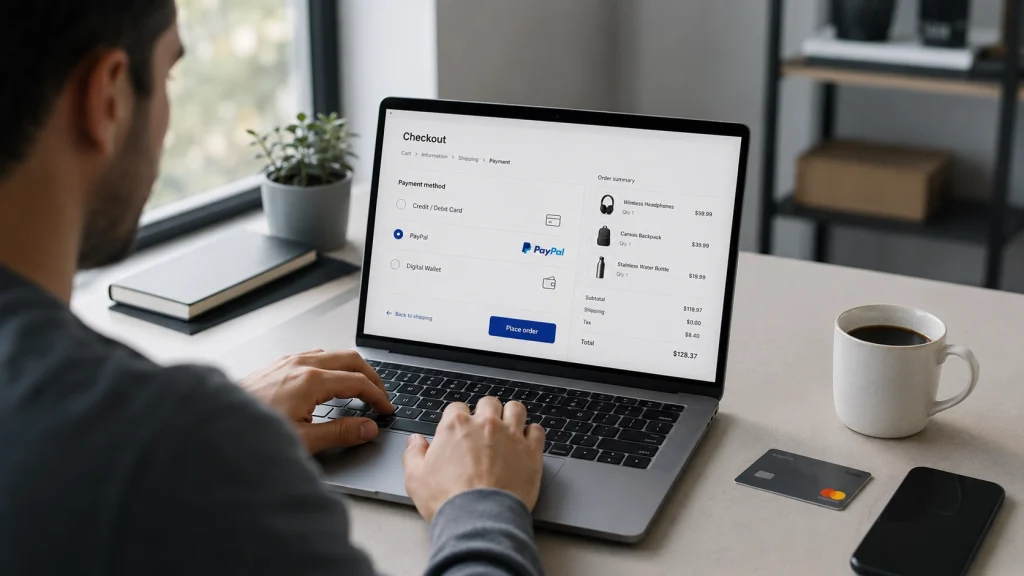
Online is where PayPal works best. At checkout, select PayPal, sign in, and confirm. Walmart never sees your card or bank numbers, which is why many shoppers prefer it. You can also save PayPal in the Walmart app so future orders take one tap. If you want to know which bank sits behind your PayPal account and card, see what bank does PayPal use.
In store at Walmart
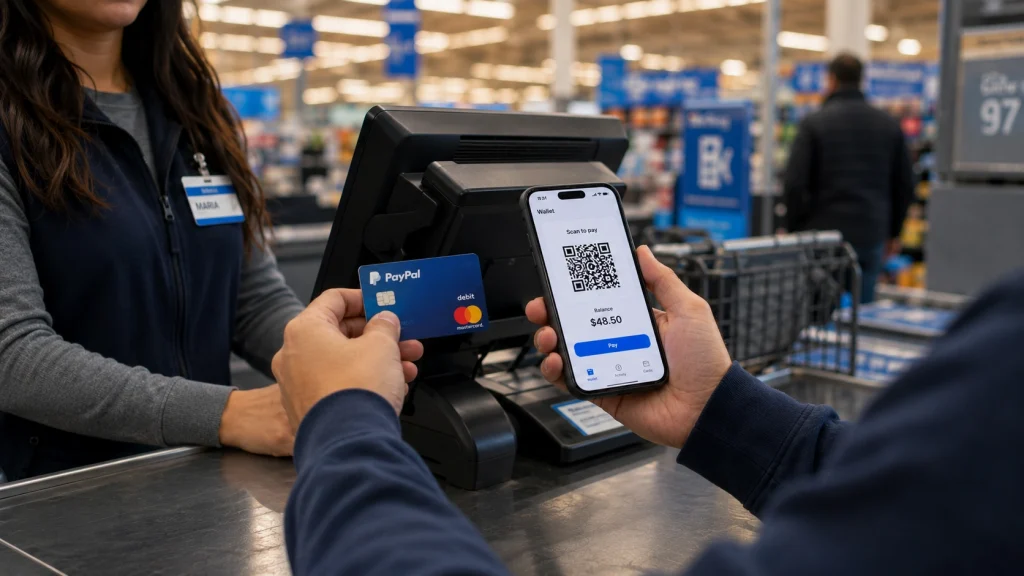
Inside a Walmart store, the dependable method is the PayPal debit card. It works like any Mastercard debit card, so you can swipe, insert, or tap it at the register and it pulls from your PayPal balance. If you do not have one yet, here is how to get a PayPal card in the mail. You can also manage PayPal cash at some Walmart registers, though a fee can apply for adding or withdrawing funds. Walmart does not support paying by scanning a PayPal QR code as a standard option, so do not count on it.
Does Walmart Accept PayPal Pay in 4?
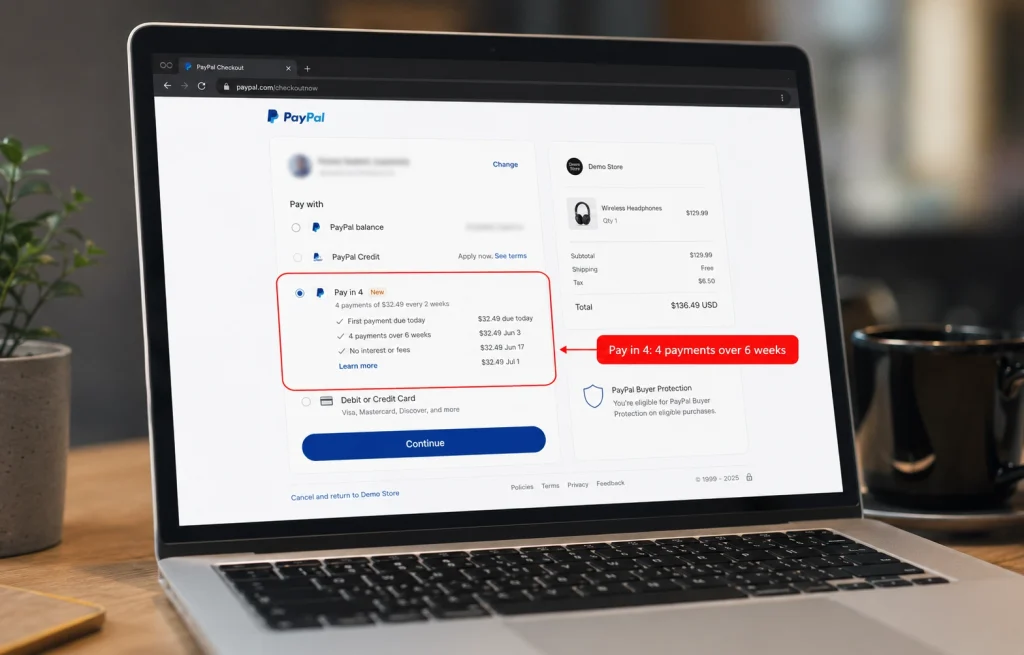
Not directly, in most cases. PayPal Pay in 4 is not a documented payment choice at Walmart’s online or in-store checkout. Walmart’s built-in buy now, pay later service is Affirm, and Walmart has also worked with Klarna through OnePay. Because those deals fill the installment slot, the PayPal Pay Later option usually does not appear at Walmart checkout, even though standard PayPal does (LinkedIn payments guide, November 2025).
Here is the part that causes false hope. Pay in 4 can technically surface inside the PayPal window at any store that both accepts PayPal and has turned on Pay Later for your eligible order. Walmart accepts PayPal but has not enabled Pay Later in a reliable way, so the option rarely shows. If you have seen other guides flatly claim Walmart takes Pay in 4, they are overstating a maybe.
Why Pay in 4 often does not appear at Walmart checkout
The reason is contractual, not technical. A retailer that has integrated one buy now, pay later provider often does not surface a competing one. Since Affirm is Walmart’s featured installment option, PayPal Pay in 4 is crowded out at the point of sale. Your PayPal account can be in perfect standing and the item fully eligible, and Pay in 4 still will not appear, simply because Walmart has not switched it on.
The workaround: buy a Walmart eGift card with Pay in 4
There is a clean way around this. Buy a Walmart eGift card from an online seller that accepts PayPal, and choose PayPal Pay in 4 as your payment during that purchase. You then redeem the eGift card at Walmart.com or in store. This effectively lets you split a Walmart purchase into four payments, funded by your Pay in 4 plan, without Walmart needing to offer Pay in 4 itself. Check the gift card is eligible for Pay in 4 before you buy, since some gift cards are excluded.
How PayPal Pay in 4 works
PayPal Pay in 4 splits an eligible purchase between $30 and $1,500 into four interest-free payments over six weeks. You pay the first 25% at checkout, then the remaining three payments come out every two weeks. Approval is quick, and PayPal may run a soft credit check that does not hurt your score (PayPal, 2026). For eligibility rules, the full store list, and approval tips, see our guides on who accepts PayPal Pay in 4 and how to get approved for PayPal Pay in 4.
Walmart Buy Now, Pay Later Options Compared
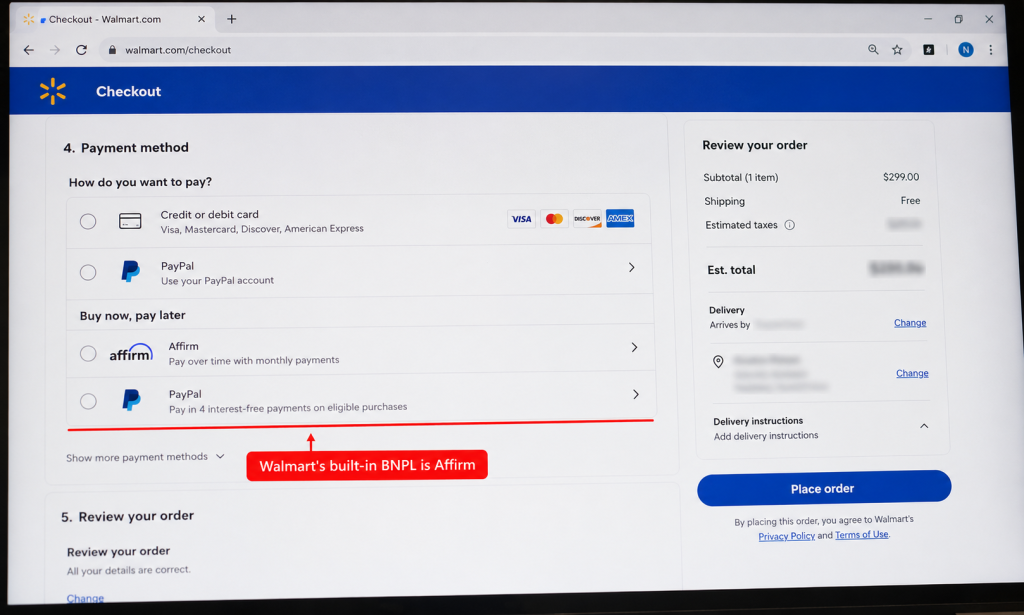
If your goal is to pay over time at Walmart, Affirm is the option Walmart actually offers at checkout. PayPal Pay in 4 works only through the gift card workaround. This table lays out the practical differences so you can pick the route that fits your purchase and budget.
| Option | Available at Walmart checkout | Amount range | Schedule | Interest |
|---|---|---|---|---|
| Affirm | Yes, integrated | Varies by approval | Monthly, varies | Some plans charge interest |
| PayPal Pay in 4 | No, gift card workaround only | $30 to $1,500 | 4 payments over 6 weeks | Interest-free |
| PayPal Pay Monthly | No, not at Walmart | $199 to $10,000 | 6 to 24 months | APR applies |
| Klarna via OnePay | Sometimes, where offered | Varies | Varies | Varies |
Sources: Walmart Help Center and PayPal disclosures, 2026. Confirm current terms at checkout before you buy.
How to Pay with PayPal at Walmart Online
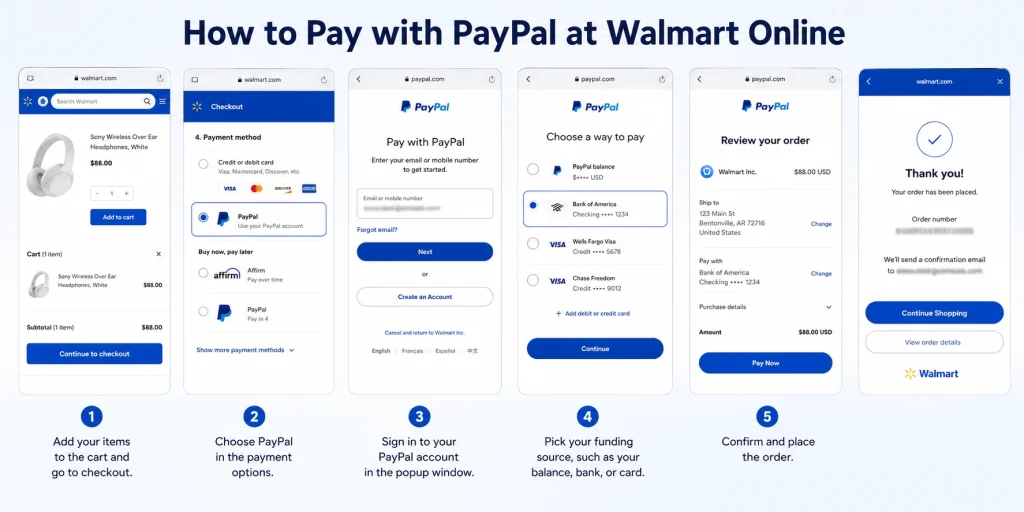
Paying with PayPal at Walmart.com takes about a minute once your account is linked.
- Add your items to the cart and go to checkout.
- Choose PayPal in the payment options.
- Sign in to your PayPal account in the popup window.
- Pick your funding source, such as your balance, bank, or card.
- Confirm and place the order.
If you shop often, save PayPal in the Walmart app under your wallet so you skip the login next time. Comparing payment costs for a business account instead of personal? See how Stripe and PayPal fees compare before you decide.
Benefits and Limitations of Using PayPal at Walmart
PayPal is a strong online option at Walmart, but it is not a fit for every situation. Knowing the trade-offs up front saves you a failed checkout or a surprise at the register.
Benefits
- Privacy, since Walmart never sees your card or bank details.
- Fast online checkout, especially with PayPal saved in the app.
- Buyer protection on eligible online orders.
- One account that draws from your balance, bank, or card.
Limitations
- No tapping the PayPal app at the register, only the PayPal debit card.
- Pay in 4 does not show at Walmart checkout without the gift card workaround.
- Some items, such as certain gift cards or age-restricted goods, may block PayPal.
- Fees can apply for currency conversion or for managing PayPal cash in store.
Troubleshooting: PayPal or Pay in 4 Not Working at Walmart
If PayPal will not go through, the cause is usually one of a few things. The item may be ineligible, your PayPal account may have a limitation, or your chosen funding source may be declined. Switching to a different card inside PayPal, or using another payment method, usually clears it.
If Pay in 4 specifically is missing, that is expected at Walmart, not a bug. Walmart does not offer it directly, so the option will not appear no matter how eligible you are. Use the eGift card workaround above, or choose Affirm at checkout if you need to pay over time. If Pay in 4 fails on the gift card purchase itself, check that your total is between $30 and $1,500 and that your PayPal account is in good standing.
Is PayPal Safe to Use at Walmart?
Yes. PayPal uses encryption and fraud monitoring, and it keeps your card and bank details hidden from Walmart. Online orders paid with PayPal may also qualify for buyer protection, which adds a layer of recourse if something goes wrong with an order. For account safety, the single best step is turning on login protection with PayPal two-factor authentication setup.
That said, safety also means using the right method. Sticking to PayPal on Walmart.com or the PayPal debit card in store keeps you on supported, secure paths and avoids the workarounds that scammers imitate.
Frequently Asked Questions
Does Walmart take PayPal Pay in 4?
Not directly. PayPal Pay in 4 is not a documented option at Walmart’s online or in-store checkout, because Affirm is Walmart’s integrated buy now, pay later partner. The Pay Later option rarely appears in the PayPal window at Walmart. The reliable workaround is to buy a Walmart eGift card with Pay in 4, then redeem it at Walmart (Walmart Help Center, 2026).
Can I use PayPal Pay in 4 on Walmart?
You can use it indirectly. Walmart does not offer Pay in 4 at checkout, so you cannot select it on a normal Walmart order. Instead, buy a Walmart eGift card from a seller that accepts PayPal, choose Pay in 4 for that purchase, then spend the card at Walmart. Confirm the gift card is eligible for Pay in 4 first, since some are excluded.
Does Walmart do PayPal Pay in 4 online?
No, not on standard Walmart.com orders. Standard PayPal works at Walmart.com, but the Pay Later installment option is not enabled, so Pay in 4 does not appear at checkout. This is a Walmart setup choice, not a limit on your PayPal account. To split a Walmart purchase, use the eGift card method or pick Affirm, which Walmart does offer online.
What buy now, pay later does Walmart accept?
Walmart’s main buy now, pay later option is Affirm, offered at online and eligible in-store checkout. Walmart has also worked with Klarna through OnePay in some cases. PayPal Pay in 4 and PayPal Pay Monthly are not offered directly at Walmart. If you want to pay over time on a normal Walmart order, Affirm is the built-in choice (Walmart Help Center, 2026).
Can you use PayPal Pay in 4 in store at Walmart?
No. Pay in 4 is an online checkout feature, and Walmart does not offer it in store. Inside a Walmart store, PayPal only works through the PayPal debit card, which pulls from your balance and does not split payments. The only way to bring a Pay in 4 plan into a store is to buy a Walmart eGift card online with Pay in 4, then redeem it at the register.
Why is PayPal Pay in 4 not showing at Walmart checkout?
Because Walmart has not enabled the PayPal Pay Later option. Pay in 4 only appears when a merchant both accepts PayPal and turns on Pay Later for your eligible order. Walmart accepts PayPal but features Affirm for installments, so the Pay in 4 choice is crowded out. Your account and item can be fully eligible and it still will not appear.
Is PayPal Pay in 4 the same as Affirm?
No. Both are buy now, pay later services, but they are separate companies with different terms. Affirm is integrated into Walmart and can offer longer plans that sometimes charge interest. PayPal Pay in 4 splits a $30 to $1,500 purchase into four interest-free payments over six weeks and is not offered directly at Walmart. At Walmart checkout, Affirm is the one you will actually see.
What is the minimum for PayPal Pay in 4?
PayPal Pay in 4 covers eligible purchases between $30 and $1,500. Below $30 or above $1,500, the option will not appear, and you would look at PayPal Pay Monthly instead, which handles $199 to $10,000 over longer terms with interest. Approval also depends on your PayPal account standing and a possible soft credit check that does not affect your score.
Does Walmart accept PayPal in store?
Partly. Walmart does not let you pay by opening the PayPal app at the register, because its checkout focuses on saved cards and Walmart Pay. What does work in store is the PayPal debit card, which runs on Mastercard and pulls from your PayPal balance. So you can spend PayPal money at a Walmart store, just through the card rather than the app.
Conclusion
Back to that cart with the TV and the groceries, and the missing Pay in 4 button. Now you know why it was not there. Walmart accepts PayPal on its website and app, and through the PayPal debit card in store, but it does not offer PayPal Pay in 4 at checkout because Affirm holds that spot. That is not a glitch, it is the deal Walmart made.
If you still want to split a Walmart purchase with Pay in 4, the eGift card workaround is the dependable route. If you would rather use what Walmart offers directly, Affirm is one tap away at checkout. Either way, the smart move is to decide before you shop, not while you are staring at a checkout screen wondering where the option went. So which fits your next Walmart order better, the four-payment workaround or Walmart’s own pay-over-time option?