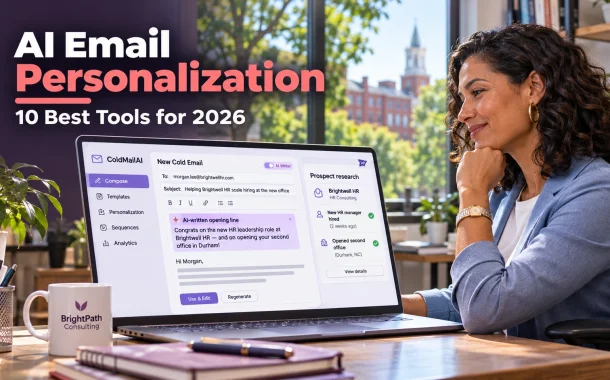
AI email personalization uses AI to research each prospect and write the parts of an email that should be unique, such as the opening line, the reason you’re reaching out and the example you share. Done well, it reads like you spent ten minutes on each person. Done badly, it reads like a robot that skimmed their LinkedIn. This ranking covers ten tools with prices from each vendor’s own pricing page, free AI cold email writers and the rules for cold email in the US, UK, Canada, Australia and Europe.
Quick answer: The best AI email personalization tools for most small teams in 2026 are Instantly and Saleshandy for sending personalized cold email at scale, lemlist for multichannel campaigns with image personalization, and Clay for deep research-based personalization. Lavender is the best AI coach for reps writing one email at a time. Hunter, Apollo and Autobound all have free plans to start.
Table of Contents
AI Email Personalization Tools at a Glance
AI email personalization tools fall into three groups. Sending platforms like Instantly, Saleshandy, Smartlead, lemlist, Reply.io and Hunter write and send personalized sequences. Research tools like Clay, Apollo and Autobound find the details worth mentioning. Writing coaches like Lavender help you personalize one email at a time inside Gmail or Outlook.
Top 10 Ranked
| Tool | Best for | Free option | Paid from |
|---|---|---|---|
| Instantly | Cold email at scale | 14-day trial | $47 a month |
| Saleshandy | Best value cold email | 7-day trial | $34 a month, annual |
| lemlist | Multichannel and image personalization | 14-day trial on Multichannel Expert | $55 a month, annual (Email plan) |
| Clay | Research-driven personalization | Yes, 500 actions a month | $167 a month, annual |
| Reply.io | AI SDR and multichannel | Not listed | $49 per user a month, annual |
| Lavender | Coaching reps on 1:1 emails | Yes, 5 personalizations a month | $27 a month, annual |
| Smartlead | High-volume senders on a budget | Free trial | $32 a month, annual |
| Hunter | Free email finder plus sequences | Yes, 50 credits a month | $34 a month, annual |
| Apollo | Contact data and outreach in one | Yes | See Apollo’s pricing page |
| Autobound | Signal-based personalization | Yes, free forever plan | Contact sales |
What AI Email Personalization Actually Does
AI email personalization researches a prospect from sources like their company website, LinkedIn profile, job posts and news, then writes custom lines that connect that research to your offer. The best tools let you control the prompt, review every line and fall back to a safe default when the AI finds nothing useful.
Three Levels of Personalization
- Basic. First name, company name and job title merged into a template. Every tool does this.
- Researched. A custom opening line or reason for reaching out based on something real, such as a recent hire, a new location or a product launch.
- Relevant. The whole email built around a problem the prospect likely has, with an example from a similar company. This is where replies come from.
Where AI Personalization Goes Wrong
The common failure is a “personalized” line that proves you looked but doesn’t connect to anything. “Congrats on your recent podcast episode” followed by a generic pitch reads worse than an honest short email. Ask the AI to explain why the detail matters to your offer, or skip it.
1. Instantly: Best for AI Cold Email at Scale
Instantly is the best AI email personalization tool for teams sending cold email at scale. It combines sending, deliverability tools and an AI Sequence Writer, so you can write, personalize and send from one dashboard. Its Copilot feature adds AI research and writing on a separate credit subscription.
Pricing and Plans
Instantly’s outreach plans start with Growth at $47 a month for 5,000 emails and 1,000 uploaded contacts. Hypergrowth costs $97 a month for 125,000 emails and 25,000 contacts. Light Speed costs $358 a month for 500,000 emails. A 14-day trial needs no credit card and includes 250 contacts and 1,000 emails. AI Sequence Writer and the AI spam words checker start on Growth.
Pros and Cons
Pros
- Built for cold email volume and deliverability
- AI sequence writing on the entry plan
- No-card free trial
Cons
- Copilot AI research uses separate paid credits
- Contact limits are low on Growth
2. Saleshandy: Best Value AI Email Personalization
Saleshandy is the best value pick for small teams that want AI email personalization without a large monthly bill. It writes full sequences with AI, creates multiple versions of each email and sends from multiple mailboxes. Many users compare it directly with Instantly and Smartlead.
Pricing and Plans
Saleshandy’s Starter plan costs $41 a month, or $34 a month billed annually, for 2,000 active prospects and 6,000 emails a month. Pro costs $99 monthly or $76 annually for 30,000 prospects and 100,000 emails. Scale costs $189 monthly or $149 annually. Plans include one-time AI credits of 100, 500 and 1,000, and every plan has a 7-day trial.
Pros and Cons
Pros
- Low annual price for small teams
- AI Variants write several versions of each email
- Clear prospect and email limits by plan
Cons
- AI credits are limited and one-time per plan
- Shorter free trial than Instantly
3. lemlist: Best for Multichannel and Image Personalization
lemlist is the best AI email personalization tool for campaigns that mix email with LinkedIn and calls. It’s known for custom image personalization, where a prospect’s name or logo appears inside an image, and its Multichannel Expert plan adds AI-powered personalization across steps.
Pricing and Plans
lemlist’s Email plan is priced by volume for unlimited users, from $69 a month or $55 a month on yearly billing for 50,000 emails. Multichannel Expert costs $109 per user a month, with 10% off quarterly and 20% off yearly billing, and comes with a 14-day trial. Enterprise is custom with a five-seat minimum.
Pros and Cons
Pros
- Email, LinkedIn and calls in one sequence
- Custom image personalization
- Email plan includes unlimited users
Cons
- AI personalization is on the higher per-user plan
- No trial on the Email plan
4. Clay: Best for Research-Driven Personalization
Clay is the best tool when your personalization depends on real research. It pulls data from many providers, and its AI agent, Claygent, browses the web to answer custom questions about each prospect, such as whether they’re hiring or what software they use. You then turn those answers into personalized lines.
Pricing and Plans
Clay’s free plan includes 500 actions and 100 data credits a month, with up to 200 rows per table. Launch costs $185 a month, or $167 a month billed annually, with 15,000 actions and 2,500 data credits a month. Growth costs $495 a month, or $446 billed annually. You can bring your own AI keys to reduce credit use.
Pros and Cons
Pros
- Deepest research for each prospect
- Free plan to test workflows
- Works with almost any sending tool
Cons
- Steep learning curve
- Credits can run out fast on large lists
5. Reply.io: Best AI SDR for Multichannel Outreach
Reply.io is the strongest option for teams that want an AI SDR to handle research, writing and replies. Its Jason AI SDR finds prospects, writes personalized emails and responds to common replies, while AI Variables add custom details inside each message.
Pricing and Plans
Reply.io’s email plans start at $49 per user a month billed annually. The Multichannel All-Inclusive plan costs $89 per user a month billed annually, or $99 monthly. Jason AI SDR starts at $500 a month. LinkedIn and calls are paid add-ons.
Pros and Cons
Pros
- AI SDR can run outreach end to end
- AI Variables and AI personalization built in
- Email, LinkedIn and calls in one place
Cons
- AI SDR pricing is high for small teams
- Add-ons raise the real cost
6. Lavender: Best AI Coach for One-to-One Emails
Lavender is an AI email coach that works inside Gmail and Outlook. It scores each email as you write, suggests fixes and brings prospect data into your inbox through its Personalization Assistant. It suits sales reps who write individual emails rather than bulk sequences.
Pricing and Plans
Lavender’s Basic plan is free forever with 5 email analyses and 5 personalizations a month. Starter costs $27 a month billed annually, or $29 monthly, with unlimited emails and the AI Email Writer. Individual Pro costs $45 annually or $49 monthly and adds integrations. Team costs $89 per seat annually or $99 monthly. A 7-day trial needs no card.
Pros and Cons
Pros
- Coaches you while you write
- Works in Gmail and Outlook
- Free plan and free access for students and job seekers who qualify
Cons
- Not a sending platform for sequences
- Integrations need Individual Pro or Team
7. Smartlead: Best for High-Volume Senders on a Budget
Smartlead is a cold email platform built for high sending volume across many mailboxes. It suits agencies and teams that already know what to say and need reliable delivery at a low price. AI personalization is stronger in its managed services than in the self-serve plans.
Pricing and Plans
Smartlead’s Base plan costs $39 a month, or $32 billed annually, for 2,000 contacts and 6,000 emails a month. Pro costs $94 monthly or $78 annually for 30,000 contacts and 90,000 emails. Unlimited Smart costs $174 monthly or $144 annually. All plans include a free trial with no card required.
Pros and Cons
Pros
- Low price for high sending volume
- Email verification included on each plan
- Free trial without a card
Cons
- Less built-in AI personalization on self-serve plans
- Interface is aimed at experienced senders
8. Hunter: Best Free Email Finder Plus Sequences
Hunter is best known for finding and verifying business email addresses, and it now includes sequences with an AI Writing Assistant. It’s a good starting point for founders and small teams who need clean contact data and simple personalized campaigns from one account.
Pricing and Plans
Hunter’s free plan includes 50 credits a month, one connected email account and up to 500 recipients per sequence. Starter costs $49 a month, or $34 a month billed yearly. Growth costs $149 monthly or $104 yearly, and Scale costs $299 monthly or $209 yearly. Yearly billing saves 30%.
Pros and Cons
Pros
- Useful free plan with email finding
- Verification built in
- Simple sequences for small teams
Cons
- Lighter AI personalization than Clay or Reply.io
- Recipients per sequence capped by plan
9. Apollo: Best for Contact Data and Outreach in One
Apollo combines a large B2B contact database with email sequences and AI writing, so you can find prospects and personalize outreach in one tool. Its free plan lets you explore the data and connect a Gmail account. AI features sit on the Professional plan.
Pricing and Plans
Apollo lists Free, Basic, Professional and Custom plans. Basic adds email sequencing and core integrations, and Professional adds higher credit limits, AI features and advanced CRM integrations. Annual billing is discounted. Apollo’s pricing page shows current per-user prices and credits, which change often.
Pros and Cons
Pros
- Data, sequences and AI in one platform
- Free plan to start
- Credits pooled across the team
Cons
- AI features need Professional
- Credits expire if unused
10. Autobound: Best for Signal-Based Personalization
Autobound writes personalized emails from buyer signals, such as company news, hiring and financial updates, rather than profile details alone. It says its emails draw on more than 700 buyer signals. It works alongside your sales engagement platforms and CRMs.
Pricing and Plans
Autobound offers a free forever plan with no credit card and a two-minute setup. Paid plan prices aren’t published, so contact Autobound’s sales team for team pricing.
Pros and Cons
Pros
- Personalization based on timely buyer signals
- Free plan to test
- Works with existing sales tools
Cons
- No public paid pricing
- Free plan limits aren’t published
AI Email Personalization Tools Compared
AI email personalization tools differ most in how they price and what they personalize. Senders like Instantly, Saleshandy and Smartlead price by volume. lemlist and Reply.io price by user. Clay prices by credits. Lavender prices by seat for writing help only.
Summary Table
| Tool | What it personalizes | Pricing model | Entry price |
|---|---|---|---|
| Instantly | Sequences and spam checks | Volume | $47 a month |
| Saleshandy | Sequences and email variants | Volume | $34 a month, annual |
| lemlist | Email, images, LinkedIn | Volume or per user | $55 a month, annual |
| Clay | Research and custom lines | Credits | $167 a month, annual |
| Reply.io | AI SDR, variables, replies | Per user | $49 per user a month, annual |
| Lavender | Individual emails in your inbox | Per seat | $27 a month, annual |
| Smartlead | High-volume sending | Volume | $32 a month, annual |
| Hunter | Contact data and simple sequences | Volume | $34 a month, annual |
| Apollo | Data, sequences and AI writing | Per user plus credits | See pricing page |
| Autobound | Signal-based emails | Custom | Free plan, then sales |
What AI Email Personalization Costs for a Small Team
A small team sending a few thousand personalized cold emails a month can start for about $400 to $600 a year with a sending tool alone. Adding a research tool like Clay raises the budget to roughly $2,400 a year or more. The table uses listed entry prices on annual billing where shown.
Yearly Cost Example
| Setup | Calculation | Yearly cost |
|---|---|---|
| Smartlead Base, annual | $32 x 12 | $384 |
| Saleshandy Starter, annual | $34 x 12 | $408 |
| Hunter Starter, yearly | $34 x 12 | $408 |
| Instantly Growth, monthly | $47 x 12 | $564 |
| lemlist Email, yearly | $55 x 12 | $660 |
| Saleshandy Starter plus Clay Launch, annual | ($34 + $167) x 12 | $2,412 |
Free AI Cold Email Writer Options
You can start AI email personalization for free with Hunter’s free plan, Clay’s free plan, Lavender’s Basic plan, Apollo’s free plan or Autobound’s free plan. A general AI assistant like ChatGPT can also draft personalized opening lines if you paste in your own research.
Using a Free AI Assistant Safely
Paste the prospect’s public details, your offer and one real customer example, then ask for a two-sentence opening that connects them. Edit every line before you send. Never paste private customer data or lists you aren’t allowed to share, and keep in mind that a chat tool won’t track replies or stop a sequence for you.
Prompts That Work
- “Write one opening line that links this company’s recent news to the problem my service solves. If there’s no clear link, say so.”
- “Rewrite this email in under 90 words for a busy operations manager. Keep one specific detail and one question.”
- “Give me three subject lines under six words that don’t use clickbait.”
Rules for Personalized Cold Email in the US, UK and EU
Personalized cold email is legal in most markets when you follow each country’s rules. In the US, CAN-SPAM requires honest headers, a clear opt-out and your physical address. In the UK, B2B email to corporate addresses doesn’t need consent under PECR, but UK GDPR still applies to named contacts.
What Applies Where
- United States. The FTC’s CAN-SPAM compliance guide covers B2B email, including opt-outs and your postal address.
- United Kingdom. The ICO’s business-to-business marketing guidance says PECR’s email consent rule doesn’t apply to corporate subscribers, but sole traders and some partnerships need consent, and named contacts are covered by UK GDPR.
- European Union. Rules vary by country, so check the national rules for each market you email.
- Every inbox. Google’s email sender guidelines require SPF, DKIM and DMARC for bulk senders, one-click unsubscribe for marketing mail and a spam rate below 0.30%.
This is general information, not legal advice. Keep a suppression list, honor opt-outs quickly and clean your list before every campaign. Our guide to verifying emails and keeping a clean list and our free bulk email verifier help with the last step.
How to Choose an AI Email Personalization Tool
Choose an AI email personalization tool by deciding where your personalization should come from. If your best hook is the prospect’s company news or hiring, pick a research tool like Clay or Autobound. If you mostly need volume with decent variation, pick a sender like Instantly or Saleshandy.
Questions to Ask
- How many emails a month will you send? Volume-priced senders are cheapest at scale.
- Who writes the emails? Reps writing one at a time get more from Lavender.
- Where does your contact data come from? Hunter and Apollo include data, while Instantly and Smartlead expect you to bring your own.
- Do you need LinkedIn too? lemlist and Reply.io handle multichannel sequences.
- Which CRM do you use? Check native sync before you buy. Our guide to B2B lead management software covers the CRM side.
If you also send nurture emails to people who opted in, our ranking of affordable email automation tools for B2B covers that separate category.
Common AI Email Personalization Mistakes
The most common AI email personalization mistakes are sending AI lines without reading them, personalizing the wrong detail and ignoring deliverability. Each one makes a well-written email fail, either because it sounds fake or because it never reaches the inbox.
Mistakes to Avoid
- Sending unreviewed AI lines. AI can invent facts or misread a profile. Read a sample of every batch.
- Personalizing trivia. A compliment about a post means little unless it connects to your offer.
- Using a fallback that sounds broken. Set a clean default for prospects where the AI finds nothing.
- Skipping domain setup. Set up SPF, DKIM and DMARC and warm new mailboxes before sending.
- Buying old lists. Bounces damage your sender reputation. Learn what it takes to get your email whitelisted by the inboxes you care about.
- Writing long emails. Personalization works best in short emails with one clear question.
FAQs
These are the questions business owners and sales teams ask us most about AI email personalization.
What is AI email personalization?
AI email personalization uses artificial intelligence to research each recipient and write the parts of an email that should be unique to them, such as the opening line, the reason for reaching out and a relevant example. It goes beyond merging a first name into a template. The best tools let you review each line and set a safe default when the AI can’t find anything useful.
What is the best AI email personalization tool?
For most small teams, Instantly and Saleshandy are the best all-round choices because they combine AI writing with reliable sending at a low price. Clay is best for deep research, lemlist for multichannel campaigns with image personalization and Lavender for reps writing individual emails. The right tool depends on your sending volume, your data source and whether you need LinkedIn as well as email.
Is there a free AI cold email writer?
Yes. Hunter, Clay, Lavender, Apollo and Autobound all have free plans with AI or personalization features and real limits. You can also use a general AI assistant like ChatGPT to draft opening lines from research you paste in. Free options work well for testing and small campaigns, but you’ll need a paid sending tool once you send more than a few hundred emails a month.
Is Saleshandy good for AI email personalization?
Saleshandy is a strong value choice. Its AI writes full sequences and multiple versions of each email, and Starter costs $34 a month on annual billing for 2,000 active prospects. Its AI credits are one-time and limited by plan, so heavy AI users may also want a research tool like Clay. It’s a good fit for small teams that want low cost and simple setup.
Does AI email personalization improve reply rates?
It can, when the personalization is relevant to the buyer’s problem. A custom line that connects a real detail, such as a new location or a hiring push, to your offer gives the reader a reason to reply. Personalization that only proves you looked at a profile rarely helps. Test it yourself by sending two versions to similar prospects and comparing replies over a few weeks.
Is cold email with AI personalization legal?
In most markets, yes, if you follow the rules. In the US, CAN-SPAM requires accurate headers, a working opt-out and your postal address. In the UK, B2B email to corporate addresses doesn’t need PECR consent, but named contacts are covered by UK GDPR and sole traders need consent. EU rules vary by country. This isn’t legal advice, so check the rules for each market.
How do I write a personalized cold email with AI?
Start with your own research on the prospect, such as recent news or a job post. Give the AI that detail, your offer and one real customer example, then ask for a short opening that connects them. Keep the email under about 100 words with one clear question. Read every line before sending and remove anything the AI made up or got wrong.
Can AI personalize emails for LinkedIn outreach too?
Yes. Tools like lemlist and Reply.io run sequences that combine email with LinkedIn steps and personalize both. Keep messages consistent across channels so a prospect who sees your email and your LinkedIn note gets the same story. LinkedIn has its own limits on connection requests and automation, so check its current rules before you add automated steps to any campaign.
What is the difference between AI personalization and mail merge?
Mail merge inserts fields you already have, such as first name, company and job title, into a fixed template. AI personalization researches each prospect and writes new text based on what it finds, such as a custom opening line or a specific reason for reaching out. Mail merge is predictable and safe. AI personalization is more relevant but needs review to avoid errors.
Conclusion
Rachel’s second campaign looked nothing like her first. She used Clay to check which prospects had recently posted HR or compliance roles, then had Saleshandy’s AI write one short opening line that connected the hire to her training programs. She reviewed every single line before it went out, removed the ones that stretched the facts and kept a plain default for companies where the research found nothing.
That’s how AI email personalization should work. Let the AI do the research and the first draft, but keep a person in charge of what gets sent. Start with one segment, one offer and one honest detail per prospect, and set up your sending domain properly before the first email goes out. Then compare replies against your old template after a few weeks, and keep only the personalization that earns responses. Which detail about your best prospects would make them want to reply?