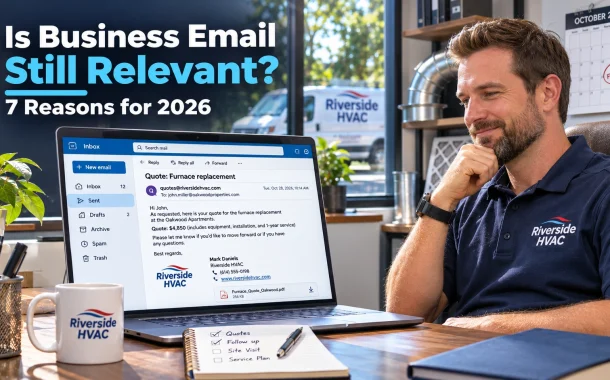
Our answer was yes, and not for nostalgic reasons. Chat apps are faster for quick questions, but business email is still where quotes, contracts, invoices and anything you might need to prove later belong. It’s also the channel attackers target most, which is why a proper domain address with the right security settings matters. Below are the reasons business email is still relevant for small businesses in the US, UK, Canada, Australia and Europe, plus what it costs and how to set it up properly.
Quick answer: Yes, business email is still relevant in 2026. Microsoft’s research found the average worker receives 117 emails a day alongside 153 Teams messages, so chat hasn’t replaced email. Email remains the standard for clients, quotes, contracts and records, works with anyone without a shared app and is required for most business accounts. A domain-based address from Microsoft 365, Google Workspace or Proton costs a few dollars per user a month.
Table of Contents
Is Business Email Still Relevant in 2026?
Business email is still relevant because it’s the one channel every client, supplier, bank and government office already uses. Chat tools like Teams and Slack now carry more internal messages, but email handles external communication, formal records and account sign-ups. Most teams use both, with chat for quick talk and email for anything official.
What the Numbers Show
Microsoft’s Work Trend Index research found the average employee receives 117 emails and 153 Teams messages a day, and that 40% check email before 6 a.m. Chat grew fast, but email volume didn’t disappear. It shifted toward external and formal messages.
Do Younger Workers Still Use Email?
Younger employees who are just entering the workforce have been reported to prefer Teams or other instant messaging platforms over email. Even so, most still rely on email for job applications, client work, HR paperwork and anything that needs a record. The preference is about internal chatter, not about replacing email entirely.
7 Reasons Business Email Is Still Relevant
Business email stays relevant for seven practical reasons: it creates a permanent record, works with anyone, suits formal communication, builds trust through a branded address, is needed to run other business accounts, supports marketing and costs very little. Chat apps can’t match all seven at once.
The Seven Reasons
- It’s a permanent record. Emails are time-stamped, searchable and easy to export, which matters for quotes, approvals and disputes.
- It works with anyone. Clients and suppliers don’t need to join your Slack or Teams workspace to reach you.
- It suits formal communication. Contracts, invoices, offer letters and complaints are expected by email.
- A branded address builds trust. An address at your own domain looks more established than a free personal account.
- Every other tool needs it. Banks, payment providers, software accounts and tax portals all use email for sign-in and alerts.
- It powers marketing. Newsletters and follow-ups to opted-in customers still run on email.
- It’s cheap. Business email plans cost a few dollars per user a month.
Where Chat Fits Instead
Use chat for quick internal questions, team coordination and anything that doesn’t need to be kept. Use email for anything external, anything formal and anything you might need to find again. Writing that rule down for your team avoids most confusion about which channel to use.
Business Email vs Slack and Teams
Business email and chat tools like Slack and Teams solve different problems. Chat is faster for real-time conversation inside a team. Email is better for external contacts, formal decisions and records that must last. Most small businesses get the best results by using chat internally and email for clients and suppliers.
Comparison Table
| Factor | Business email | Slack or Teams chat |
|---|---|---|
| Best for | Clients, suppliers, formal records | Quick internal questions |
| Works with outsiders | Yes, anyone with an address | Only if they join or connect |
| Record keeping | Strong, easy to search and export | Depends on plan and retention settings |
| Speed | Slower, asynchronous | Real time |
| Formality | Expected for contracts and invoices | Casual by design |
| Typical cost | Included in Microsoft 365, Google Workspace or Proton plans | Free tiers, paid plans for history and admin |
When Email Wins
Email wins when the message has to be found, forwarded or proven later. A quote, a change to a job, a refund approval or a complaint all belong in email, where they’re dated and searchable. That’s exactly what Jason was missing when his customer disputed a quote.
Business Email Security: Why It Matters More Now
Business email is also the most targeted channel for fraud. Attackers impersonate suppliers, bosses or banks to redirect payments, a scam called business email compromise. A domain address with authentication, multi-factor sign-in and a simple payment check process blocks most of these attempts.
The Cost of Business Email Compromise
The FBI’s 2025 Internet Crime Report recorded 24,768 business email compromise complaints with losses of about $3.05 billion, out of total reported cybercrime losses of about $20.9 billion. Small businesses are frequent targets because they often lack payment approval steps.
Security Steps for Small Businesses
- Turn on multi-factor authentication for every mailbox.
- Set up SPF, DKIM and DMARC for your domain so others can’t easily spoof it.
- Confirm any change to bank details by phone, using a number you already have.
- Use strong, unique passwords and a password manager.
- Train staff to check sender addresses closely before paying anything.
How Much Business Email Costs
Business email costs a few dollars per user a month for most small teams. Microsoft 365 Business Basic starts at $7.00 per user a month with Teams on an annual plan, and Proton Mail Essentials starts at $6.99 per user a month billed yearly. Google Workspace plans also include custom email on every business tier.
Price Comparison
| Provider and plan | Price per user a month | Notes |
|---|---|---|
| Microsoft 365 Business Basic | $7.00 with Teams, $5.40 without | Annual commitment, web and mobile apps |
| Microsoft 365 Business Standard | $23.50 with Teams, $20.30 without | Adds desktop Office apps |
| Microsoft 365 Business Premium | $32.00 with Teams, $28.80 without | Adds advanced security |
| Proton Mail Essentials | $6.99 | Billed yearly, encrypted email |
| Proton Workspace Standard | $12.99 | Billed yearly |
| Google Workspace Business Starter, Standard and Plus | See Google’s pricing page | Custom email included, savings with annual billing |
Free vs Paid Options
Providers like Proton let you start with a free business email trial before paying, which is useful for testing. A free personal Gmail or Outlook address works for a side project, but it looks less professional and gives you less admin control. Microsoft lists its plans on the Microsoft 365 business plans page.
How to Set Up a Professional Business Email
To set up a professional business email, register a domain, choose a provider, add the provider’s DNS records, create mailboxes for each person and turn on security settings. Most providers include a setup wizard for these steps, and your web host can usually help with the DNS records.
Setup Steps
- Register your domain. Use your business name, ideally the same domain as your website.
- Choose a provider. Pick Microsoft 365, Google Workspace, Proton or your host’s email plan.
- Verify the domain. Add the TXT record your provider gives you.
- Point MX records. Update MX records so email reaches your new mailboxes.
- Add SPF, DKIM and DMARC. These records help your email reach inboxes and protect your domain.
- Create mailboxes and aliases. Set up named addresses plus shared ones like quotes@ or billing@.
- Turn on multi-factor sign-in for every user.
Get Into the Inbox
Google’s email sender guidelines ask senders to authenticate with SPF or DKIM, and bulk senders need SPF, DKIM and DMARC plus easy unsubscribe. If customers say your messages land in spam, ask them to whitelist your email address. If your website’s contact form emails fail, our fix for WordPress not sending emails covers the usual causes.
Business Email for Marketing and Growth
Business email still drives growth through follow-ups, quotes, newsletters and reminders to customers who opted in. A small business can automate much of this with an email tool. Keep marketing messages on the same domain as your business mailbox so customers recognize you and trust what they receive.
Practical Email Marketing Uses
- Send quote follow-ups a few days after the visit.
- Remind customers about seasonal maintenance.
- Share a short monthly newsletter with tips and offers.
- Ask happy customers for reviews.
Tools That Help
Our list of affordable email automation tools for B2B compares low-cost options, and our guide to AI email personalization tools covers tailoring messages at scale. For large attachments, see how big a file you can email before switching to a sharing link.
FAQs
These are the business email questions small business owners ask us most.
Are business emails still relevant in 2026?
Yes. Microsoft’s research found the average worker receives 117 emails a day, alongside 153 Teams messages, so chat added a channel rather than replacing email. Business email remains the standard for clients, suppliers, contracts, invoices and account sign-ups. It also keeps a searchable, time-stamped record. Most companies now use chat for internal questions and email for anything external or formal that might need checking later.
Is email being replaced by Slack or Teams?
Not replaced, but shared. Slack and Teams now handle much of the quick internal conversation that used to happen by email. Email still handles external communication, because clients and suppliers don’t need to join your workspace to reach you. It’s also the expected channel for formal records. The healthiest setup is a clear rule for your team about which messages go in chat and which go by email.
Why do businesses still use email?
Businesses still use email because it works with anyone, keeps a reliable record and is the expected format for formal communication. Banks, payment providers, software tools and government services also use email for sign-in, alerts and statements. A branded address builds trust with customers. On top of that, email is cheap, with plans from a few dollars per user a month from major providers like Microsoft and Proton.
Do I need a business email address for my small business?
A business email address at your own domain is strongly recommended once you’re dealing with paying customers. It looks more professional than a free personal account, keeps business and personal messages separate and gives you admin control when staff join or leave. It also lets you set up SPF, DKIM and DMARC to protect your domain from spoofing. Plans start at a few dollars per user each month.
What is the cheapest business email?
The cheapest options are often bundled with web hosting, though features are limited. Among major providers, Microsoft 365 Business Basic is $5.40 per user a month without Teams or $7.00 with Teams on an annual plan, and Proton Mail Essentials is $6.99 per user a month billed yearly. Google Workspace also offers custom email on its business plans. Compare storage, security features and admin tools, not just price.
Is Gmail OK for business email?
A free personal Gmail address is fine for testing an idea, but it’s not ideal for an established business. Customers trust an address at your own domain more, and free accounts give you no central admin control. Google Workspace lets you use Gmail’s familiar interface with your own domain, shared mailboxes and admin settings. That gives you the convenience of Gmail with the professionalism of a branded address.
How do I make my business email more secure?
Turn on multi-factor authentication for every mailbox, add SPF, DKIM and DMARC records to your domain, and use a password manager for strong, unique passwords. Most importantly, set a rule that any change to bank details or payment instructions must be confirmed by phone, using a number you already have on file. The FBI reports business email compromise caused about $3.05 billion in reported losses in 2025.
What is business email compromise?
Business email compromise is a scam where criminals pretend to be a supplier, manager, client or bank by email to trick someone into sending money or sensitive data. They often use look-alike domains or hacked accounts. The FBI’s 2025 report recorded 24,768 complaints and about $3.05 billion in losses. Payment verification by phone, multi-factor sign-in and domain authentication are the strongest defenses for small businesses.
Should my business email match my website domain?
Yes. Using the same domain for your website and email builds trust, makes your brand consistent and helps customers recognize genuine messages from you. It also lets you manage SPF, DKIM and DMARC in one place. If you’re starting a new business, register a short, easy-to-spell domain and use it for both. Avoid hyphens and unusual spellings that make your address easy to mistype or imitate.
Is email marketing still worth it for small businesses?
Yes, when it’s sent to people who opted in and gives them something useful, like reminders, tips or offers. Email lets you reach customers directly without relying on social media algorithms. Keep messages short, send them from your business domain and make unsubscribing easy. Google’s sender guidelines require bulk senders to authenticate their mail and offer simple unsubscribe, so set that up before you scale.
Conclusion
Jason now runs his company’s client communication through a business email at his own domain. Quotes and change orders go out by email from a shared quotes@ address, his techs still use a group chat for scheduling, and payment changes always get a phone call first. We set up SPF, DKIM and DMARC, turned on multi-factor sign-in for every mailbox and connected his website’s contact form to the new address. When a customer later questioned a price, the original quote was right there in the shared mailbox.
So is business email still relevant? Yes, as the official channel alongside chat, not as a replacement for it. Use chat for quick team talk and email for clients, suppliers, money and anything you might need to prove later. Get a domain address, secure it properly and agree on simple rules for which channel handles what. Which messages in your business are still living in a chat thread that should really be in email?