

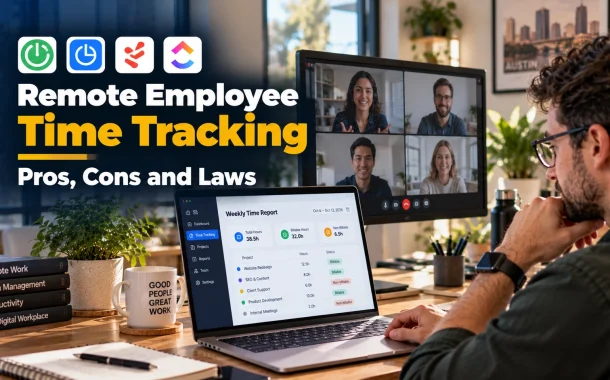
That range is the real decision. A timer that records hours per project solves billing. A tool that captures screens and keystrokes solves a different problem, and it creates new ones around trust, privacy and the law. This guide separates the two, shows what the rules require in the US, UK and Australia, and compares tools at verified 2026 prices.
Quick answer: Remote employee time tracking records the hours your team works, either through a manual timer or automatic activity capture. It improves billing accuracy and accountability, but screen and keystroke monitoring can damage trust and trigger legal notice rules. Start with a simple timer, tell your team in writing what you record and why, and add monitoring only if you can justify it.
Table of Contents
What Is Remote Employee Time Tracking?
Remote employee time tracking is software that records when and on what remote workers spend their time. Basic tools use a start-stop timer or a timesheet. Advanced tools add activity levels, app and website usage, screenshots or GPS. The more a tool captures, the more legal and trust risk you take on.
Time Tracking vs. Employee Monitoring
Time tracking measures hours and projects. Monitoring records behavior. Treating them as one product is the most common mistake in tool selection.
| Type | What it records | Typical use | Risk level |
|---|---|---|---|
| Manual timer or timesheet | Hours per project or task | Client billing, payroll | Low |
| Automatic time tracking | Active time, apps, sites | Productivity reports | Medium |
| Employee monitoring | Screenshots, keystrokes, webcam, location | Security, compliance, audits | High |
The Pros of Remote Employee Time Tracking
The main benefits are accurate hours for payroll and client billing, clearer accountability, early signs of overload, and better security oversight. These gains are real when the tool records time and projects. They shrink when a tool records everything a person does.
1. Accurate Hours for Payroll and Client Billing
Manual timesheets drift. People fill them in on Friday from memory, and rounding adds up across a team. A timer attached to a project gives a record you can bill from and defend in a client dispute. It also shows which projects run over budget before the invoice is due.
For teams that bill clients by the hour, a tracker with project budgets and invoicing matters more than any activity feature. If your people work in the field or across sites, an employee time tracking app with GPS can log hours from any device or location, which suits hybrid and mobile arrangements.
2. Accountability Based on Data, Not Hearsay
When hours and tasks are logged in one place, managers judge output against a record instead of impressions. The same data supports fairer reviews. Many teams pair tracking with software for performance review so evaluations rest on consistent evidence rather than who was visible in a meeting.
3. Early Warning for Burnout and Bottlenecks
Patterns such as long days, frequent overtime and one person carrying most tasks show up in time data. A manager who sees them can move work before someone quits. For a closer look at measuring output rather than hours, see how to measure the productivity of employees.
4. Security and Audit Trails
Some tools log access to sensitive systems and flag unusual behavior. Regulated sectors such as finance and healthcare often need that record. If security is your reason, say so in the policy, and limit collection to what the audit needs.
The Cons of Remote Employee Time Tracking
The main risks are lost trust, privacy complaints, micromanagement and legal exposure. Vendor-neutral research is limited, but one large survey links device monitoring to higher turnover, and the law in several places requires written notice before monitoring starts.
1. Trust and Turnover
A 2021 global survey of 7,600 people, run by Vanson Bourne for VMware, found that 70% of companies had implemented or planned employee surveillance since the shift to hybrid work. Of companies that had implemented device monitoring, 39% reported “drastically increased” or “increased” employee turnover, and 41% of those in the process said the same. VMware sells workspace software, so treat the study as vendor-sponsored.
The pattern matches what managers see on the ground. Staff who learn about monitoring from a surprise screenshot feel watched, not supported.
2. Privacy
Screenshots, webcam captures and keystroke logs reach far into a person’s home. The problem grows when employees use personal laptops for work. Collect the minimum, and keep screen capture off for roles that don’t need it.
3. Micromanagement
Real-time dashboards tempt managers to check every minute. That habit punishes the quiet focused work that produces results, and it rewards looking busy. Track outcomes and deadlines first, and review activity data only when a result is off.
4. Legal Exposure
Monitoring rules differ by country, state and sometimes city. The next section covers the notice rules in New York, the UK and New South Wales.
Remote Employee Monitoring Laws: US, UK and Australia
The law usually requires you to tell employees before you monitor them, in writing, and to collect only what you need. New York requires written notice at hire. The UK regulator expects a lawful basis, transparency and an impact assessment. New South Wales requires 14 days’ written notice. This is general information, not legal advice.
| Place | What the rule says | Source |
|---|---|---|
| New York, US | Employers that monitor telephone, email or internet access must give prior written notice at hiring, get an acknowledgment and post the notice. Civil penalties run $500, $1,000 and $3,000 for first, second and later offenses. | N.Y. Civil Rights Law 52-c |
| United Kingdom | You need a lawful basis, must tell workers about monitoring clearly and must run a data protection impact assessment before high-risk monitoring. | ICO guidance on monitoring workers |
| New South Wales, Australia | Written notice at least 14 days before computer surveillance starts, unless the employee agrees to less. Unnotified surveillance is covert and an offence without authority. | NSW Government guidance |
| Europe and elsewhere | Check local labor and data protection rules before rollout, including rules for contractors in other countries. | Local counsel |
What This Means for Tool Choice
The ICO states that “consent is not usually appropriate in the employment context,” and it expects covert monitoring only in very exceptional circumstances. Some tools in this category offer hidden tracking. Hidden tracking conflicts with the notice rules above in New York and NSW and with the transparency expectation in the UK. Pick a tool that makes tracking visible to the employee.
The NSW page is an archived government circular on the 2005 Act, so confirm the current Act before relying on the details.
Best Remote Employee Time Tracking Tools in 2026
The ten tools below are ranked for a small remote team that wants accurate hours first and monitoring only if needed. Clockify and Toggl Track lead because they are cheap and simple. Tools built around screenshots and activity scoring sit lower, because they carry the most trust and legal risk. Prices come from each vendor’s pages, checked in October 2026.
Comparison Table
| Rank | Tool | Free plan | Paid from (per user per month) | Screenshots or activity data | Best for |
|---|---|---|---|---|---|
| 1 | Clockify | Yes, up to 5 users | $3.99 annual, $4.99 monthly | Screenshots, GPS and activity on Pro ($7.99 annual) | Small teams that want cheap, simple tracking |
| 2 | Toggl Track | Not on the pricing page checked | $9 annual, $10 monthly | Not covered by the pricing page | Clean timers and reports |
| 3 | Hubstaff | No, 14-day trial | $4.99 annual, $7 monthly | Up to 500 screenshots on Starter | Teams that want activity levels |
| 4 | Time Doctor | No, 14-day Premium trial | $6.67 annual, $8 monthly | Screenshots on Basic, video recording on Premium | Teams that need attendance and payroll data |
| 5 | Harvest | Yes, 1 seat and 2 projects | $9 annual, $11 monthly | None listed | Agencies that bill clients by the hour |
| 6 | TimeCamp | Yes, unlimited users | $3.99 annual, $5.49 monthly | Screenshots on Ultimate ($9.99 annual) | Budget teams that want billing plus optional tracking |
| 7 | DeskTime | No, 14-day trial | $6.42 annual (Pro) | Screenshots on Premium ($9.17 annual) | Hybrid teams with automatic tracking |
| 8 | Workyard | No, 14-day trial | $6 plus a $50 monthly base fee | GPS and geofencing | Field and on-site crews |
| 9 | Monitask | No, 10-day trial | $6.49 plan card, $7.99 monthly | Monitoring-focused | Teams that want monitoring features |
| 10 | ActivTrak | Yes, up to 3 workers | $10 annual only | Activity tracking, no screenshots on free | Teams that want activity analytics |
Prices checked against vendor pricing pages in October 2026. Plans change, so confirm on the vendor site. DeskTime prices exclude VAT.
1. Clockify
Clockify’s plans start with a free tier “for up to 5 users,” checked on the live pricing page in October 2026. The free plan includes time tracking with no cap on entries and unlimited projects. Basic is $3.99 per user per month on annual billing, Standard $5.49, Pro $7.99 and Enterprise $11.99. GPS tracking, screenshots and activity monitoring sit on Pro and above.
Pros: a free plan and the lowest paid prices in this list. Cons: the free plan stops at five users, and monitoring features need Pro.
2. Toggl Track
Toggl Track lists Starter at $10 per active user per month ($9 annual) and Premium at $20 ($18 annual). Users in the Inactive tab aren’t charged.
Pros: a clean, simple timer and billing by active user only. Cons: a higher entry price than Clockify and TimeCamp, and the pricing page I checked doesn’t list a free tier.
3. Hubstaff
Hubstaff’s pricing lists Starter at $7 per user per month ($4.99 annual), Grow at $9 ($7.50) and Team at $12 ($10). Starter includes up to 500 screenshots per user per month and activity levels. There is no free plan, only a 14-day trial.
Pros: activity levels and screenshots at the entry tier. Cons: no free plan, and screenshots call for a clear policy and written notice.
4. Time Doctor
Time Doctor’s pricing runs Basic $8 per user per month ($6.67 annual), Standard $14 ($11.67) and Premium $20 ($16.70). Basic covers automatic tracking, projects, timeline reports and screenshots. Standard adds attendance, leave tracking, time approvals and payroll. Premium adds video screen recording and SSO. New accounts get 14 days of Premium without a credit card.
Pros: attendance, approvals and payroll in one tool. Cons: costs rise fast, and video screen recording on Premium is the heaviest form of monitoring in this list.
5. Harvest
Harvest’s pricing offers a free plan for one seat and two projects, Teams at $11 per seat per month ($9 annual) and Enterprise at $17.50 ($14 annual). It includes invoicing and expense tracking, and paid plans come with a 30-day trial.
Pros: invoicing and expenses sit next to the timer, which suits client work. Cons: the free plan is one seat only, and the pricing page lists no screenshot or activity features.
6. TimeCamp
TimeCamp’s pricing has a free plan with unlimited users and projects. Starter is $3.99 per user per month on annual billing ($5.49 monthly), Premium $6.99 ($9.99) and Ultimate $9.99 ($13.99). Screenshots, timesheet approvals and expenses arrive on Ultimate. TimeCamp also notes its AI Time Tracker has an estimated token cost of about $6 per user per month.
Pros: unlimited users on the free plan and a low entry price. Cons: the free plan leaves out app and website tracking and screenshots, and the AI feature carries its own usage cost.
7. DeskTime
DeskTime’s pricing lists Pro at $6.42 per user per month and Premium at $9.17, both billed annually and excluding VAT. Premium adds screenshots, integrations, an API and shift scheduling. A 14-day trial is offered, and the page doesn’t list monthly rates or a free plan.
Pros: automatic tracking with idle time and break reminders on every plan. Cons: screenshots need Premium, and monthly pricing isn’t shown.
8. Workyard
Workyard’s own comparison page lists Starter at $6 per user per month and Pro at $13, each plus a $50 monthly base fee, with a 14-day free trial. It locks clock-ins to a GPS location, uses polygon geofencing and says location tracking is limited to clocked-in time.
Pros: strong location features, and tracking limited to working hours is easier to explain to staff. Cons: the base fee hurts very small teams, and it is built for field crews, so desk-based remote teams need less of it.
9. Monitask
Monitask lists Pro at $6.49 per user per month on the plan card ($7.99 on monthly billing), Business at $8.99 and Business Premium at $12.99. A 10-day free trial is offered.
Pros: a low entry price and a short trial. Cons: it is built around monitoring, so you need a written policy and notice before you switch it on.
10. ActivTrak
ActivTrak’s pricing has a free plan limited to 3 workers with 30 days of data history. Paid plans start at $10 per worker per month (Work Activity Tracking), then $15 and $17, and all plans are billed annually.
Pros: a free tier for very small teams and detailed activity analytics. Cons: annual contracts only, and the free plan is limited to three workers.
Pros and Cons at a Glance
| Tool | Pros | Cons |
|---|---|---|
| Clockify | Free for up to 5 users. Lowest paid prices. | Free plan caps at 5 users. Monitoring needs Pro. |
| Toggl Track | Simple timers. Pay only for active users. | Higher entry price. |
| Hubstaff | Screenshots and activity at entry level. 14-day trial. | No free plan. |
| Time Doctor | Attendance, approvals and payroll. 14-day Premium trial. | Costs rise fast. Video recording on Premium. |
| Harvest | Invoicing and expenses built in. 30-day trial. | Free plan is one seat. No monitoring listed. |
| TimeCamp | Unlimited free users. Low entry price. | Free plan lacks tracking extras. AI usage cost. |
| DeskTime | Automatic tracking. Break reminders. | Screenshots need Premium. No monthly rates shown. |
| Workyard | GPS and geofencing. Tracking limited to clocked-in time. | $50 base fee. Built for field crews. |
| Monitask | Low entry price. 10-day trial. | Monitoring-focused, so it needs a policy first. |
| ActivTrak | Free tier. Deep activity analytics. | Annual contracts only. Free plan has 3 workers. |
How to Choose the Right Tool
Choose the lightest tool that solves your actual problem. If it is billing, a timer with project budgets is enough. If it is security, pick a tool with access logs. If it is trust, don’t buy monitoring at all. Then check integrations, data controls and what the vendor stores.
- Productivity features, not control. Look for task tracking, project budgets and reports. Skip tools that record screens all day unless a specific audit needs them.
- Transparency and consent. Explain what is recorded and why, get written acknowledgment where required and keep a copy.
- Data security and settings. Choose vendors that let you control who sees data, how long it is stored and what is switched off.
- Integration and scale. Check that the tool connects to your payroll and project tools, such as those covered in payroll management tools for small teams and HR software for remote teams.
A Rollout That Protects Trust
- Write a one-page policy that states what is recorded, why, who sees it and how long it is kept.
- Give notice in writing before tracking starts, and collect acknowledgments.
- Turn on the minimum features. Leave screenshots, webcam and keystroke capture off unless a role needs them.
- Review results, not minutes. Use time data to rebalance work and bill clients.
- Revisit the policy every quarter with the team.
For more on checking that remote work is happening without surveillance, read how to know if remote employees are working. For the wider toolset, see productivity software for growing startups.
FAQ
What is remote employee time tracking?
Remote employee time tracking is software that records when and on what remote workers spend their time. Basic versions use a timer or timesheet. Advanced versions add activity levels, app and website usage, screenshots or GPS. The more a tool records, the more trust and legal risk it carries.
Is remote employee time tracking legal?
Usually yes, if you give proper notice and collect only what you need. New York requires written notice at hiring with an acknowledgment. The UK regulator expects a lawful basis, transparency and an impact assessment for high-risk monitoring. New South Wales requires 14 days’ written notice. Check your own location with a lawyer.
Do employers need to tell employees they are being monitored?
In the places covered here, yes. New York requires prior written notice at hiring, NSW requires 14 days’ written notice for computer surveillance, and the UK ICO says you must tell workers about monitoring before you begin. Covert monitoring is allowed only in very narrow cases. Put the policy in writing and keep acknowledgments.
What is the difference between time tracking and employee monitoring?
Time tracking records hours and projects. Monitoring records behavior, such as screenshots, keystrokes, webcam images or location. Tracking suits billing and payroll. Monitoring suits security audits. The two carry different legal and trust risks, so choose a tool by the problem you need to solve.
What is the best free remote employee time tracking software?
Clockify’s free plan is limited to 5 users, with unlimited time entries and projects. TimeCamp’s free plan allows unlimited users but leaves out screenshots and app tracking. Harvest’s free plan is one seat. Check the vendor page, because limits change.
Does employee monitoring hurt trust?
It can. In a 2021 VMware-sponsored survey by Vanson Bourne, 39% of companies that had implemented device monitoring reported increased or drastically increased employee turnover. The study is vendor-sponsored, but it fits what many managers report. Be transparent about what you record, and monitor the minimum.
How much does time tracking software cost?
Entry plans range from free to about $10 per user per month. Clockify and TimeCamp start at $3.99 on annual billing, Hubstaff at $4.99, Monitask at $6.49 on its plan card, Time Doctor at $6.67, Toggl Track at $9 and ActivTrak at $10. Workyard adds a $50 monthly base fee.
Should I use stealth or hidden tracking?
No. Hidden tracking conflicts with notice rules in New York and NSW, and with the UK regulator’s transparency expectations. It also damages trust if staff find out. Choose a tool that shows employees what is recorded, and turn off any hidden mode if one exists.
What should a monitoring policy include?
State what is recorded, why, who can see it, how long it is stored and how employees can ask questions. Add the date tracking starts. Get a written acknowledgment, store a copy and review the policy every quarter. Keep screenshots, webcam and keystroke capture off unless a role needs them.
Tracking Hours Without Losing the Team
The founder with six remote developers doesn’t need screenshots. A project timer, a one-page policy and a written notice solve the Friday invoice problem and keep the team’s trust. If a later audit needs more detail, the policy already says how and why.
Remote employee time tracking works when it records hours and supports people, and it fails when it replaces trust with surveillance. Start light, explain every setting, and add monitoring only when a clear need justifies it. Which problem are you actually trying to solve with time data, billing, security or workload?