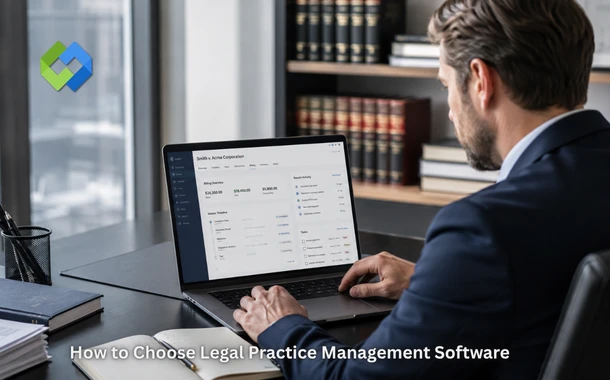
This guide cuts through the noise. Whether you are buying your first platform or replacing one that stopped working for you years ago, here is what to actually look for — in plain language, with no marketing fluff attached.
Table of Contents
Start With What Is Actually Slowing You Down
Before you look at any product, spend ten minutes listing the three or four things that frustrate your team most about how the practice runs right now. Missed billing entries? Case files spread across multiple systems? Client emails that slip through the cracks?
The reason this matters is that every legal software platform does a lot of things adequately, but most of them do one or two things exceptionally well. Knowing your biggest pain points up front means you can evaluate products based on the things that will actually move the needle for your firm, rather than being distracted by features you will never use.
Case Management and Matter Organisation
The heart of any legal practice management software is how it handles matters. You want to be able to see everything related to a case – documents, emails, tasks, deadlines, time entries, billing history, and client communication – in one place, without switching between systems.
Ask yourself: when a client calls and asks for an update, how many clicks does it take a fee earner to pull up everything they need? In a well-organised system, the answer should be one. If it is three windows and a spreadsheet, that is a signal that the platform is not built around the way legal work actually flows.
Look for a platform that gives you a true matter-centric view, where every piece of information is connected to the matter rather than stored in Isolated systems.
Billing and Time Capture That Does Not Require Discipline
Billing is where most firms quietly lose money. The problem is not usually that attorneys fail to do billable work — it is that the process of capturing and recording that time is inconvenient enough that entries get missed, delayed, or rounded down.
The best legal platforms make time capture frictionless. That means a timer built directly into the matter, the ability to log time from a mobile device, automatic population of billing descriptions, and a review workflow that catches gaps before an invoice goes out.
When evaluating a platform, do not just ask whether it has billing features. Ask how many steps it takes to record six minutes of work. If the answer is more than two, you will lose time every day.
Cloud Access and Security Standards
Cloud-based practice management has gone from a nice-to-have to an operational necessity. According to the American Bar Association’s 2024 Legal Technology Survey Report, only 41% of solo practitioners budget for technology compared to 90% of firms with 100 or more attorneys – a gap that largely explains why small firms struggle to compete on operational efficiency. Cloud software closes that gap immediately, giving smaller practices access to enterprise-grade infrastructure without enterprise-level IT spend.
When assessing security, the questions to ask are: Is client data encrypted in transit and at rest? Does the platform offer multi-factor authentication? Is it compliant with the data security standards relevant to your jurisdiction? These are not optional features — they are baseline requirements for any firm handling sensitive client information.
Integration With the Tools You Already Use
No software exists in isolation. Your legal platform needs to talk to your email client, your accounting software, your calendar, your document storage, and potentially your court filing systems.
Before committing to any platform, map out every tool your firm currently uses and ask the vendor directly: which of these do you integrate with natively, and which require a third-party connector? Native integrations are almost always more reliable and require less maintenance than connector-based workarounds.
A robust legal practice management software like CARET Legal is built with these integration needs at its core — connecting the tools firms already rely on rather than asking them to abandon everything and start over.
Onboarding Support and Long-Term Training
The best software in the world fails if your team does not actually use it. One of the most underrated things to evaluate when choosing a platform is the quality of onboarding and ongoing support.
Ask vendors how they onboard new firms, how long a typical implementation takes, whether they provide dedicated support during the transition, and what training resources exist for new staff joining the firm later. A vendor who struggles to answer these questions clearly is telling you something important about what your experience will look like six months after you sign.
Making the Final Call
Once you have narrowed your options to two or three platforms, the most useful thing you can do is run a structured trial with real work. Take an active matter and run it through the system for two weeks: log time, draft a bill, store documents, send a client update. The friction you feel — or do not feel — in those two weeks will tell you more than any demo ever could.
Choosing the right software is one of the highest-leverage decisions a firm can make. Get it right, and it pays back in time, recovered revenue, and reduces stress every single working day.